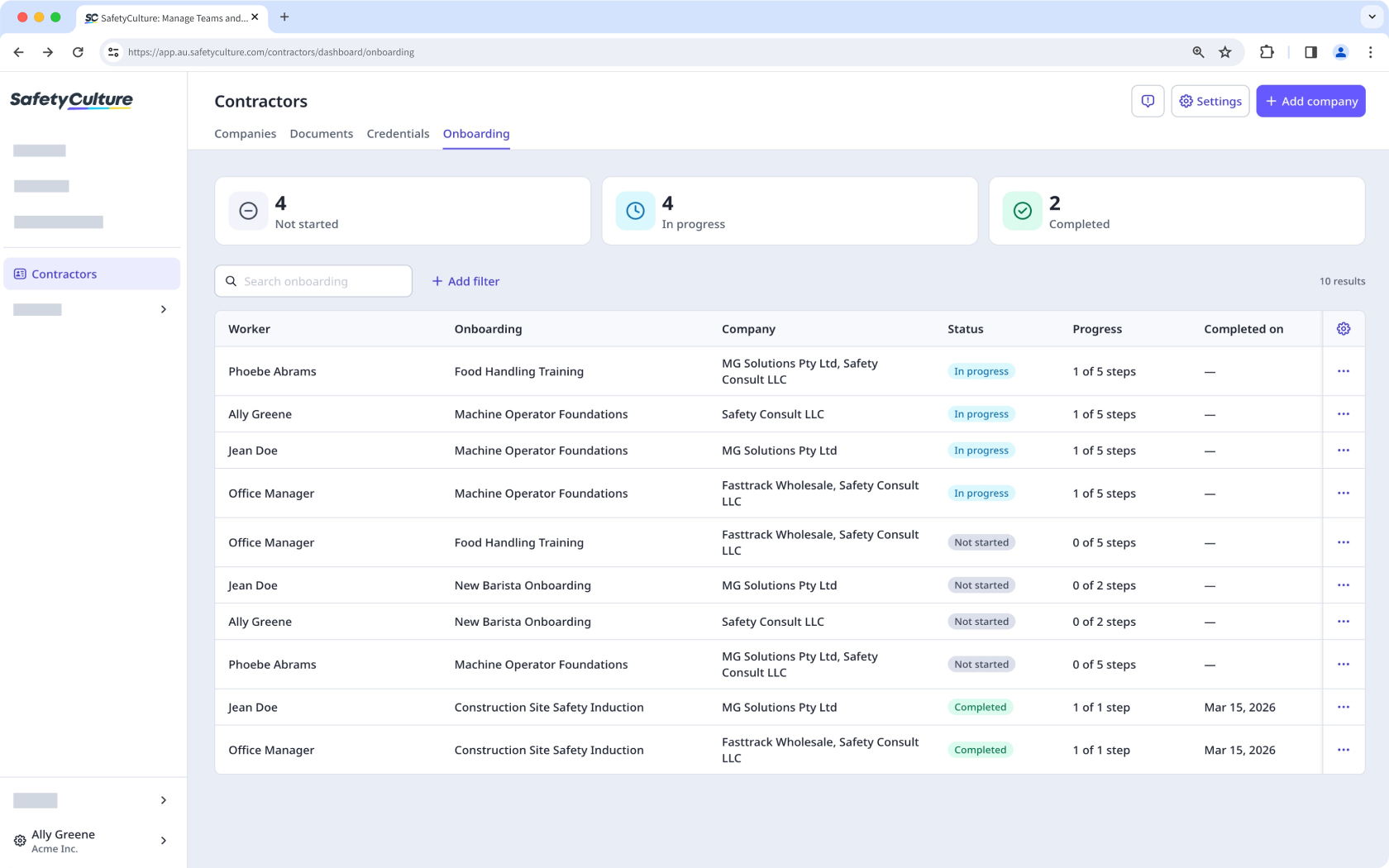
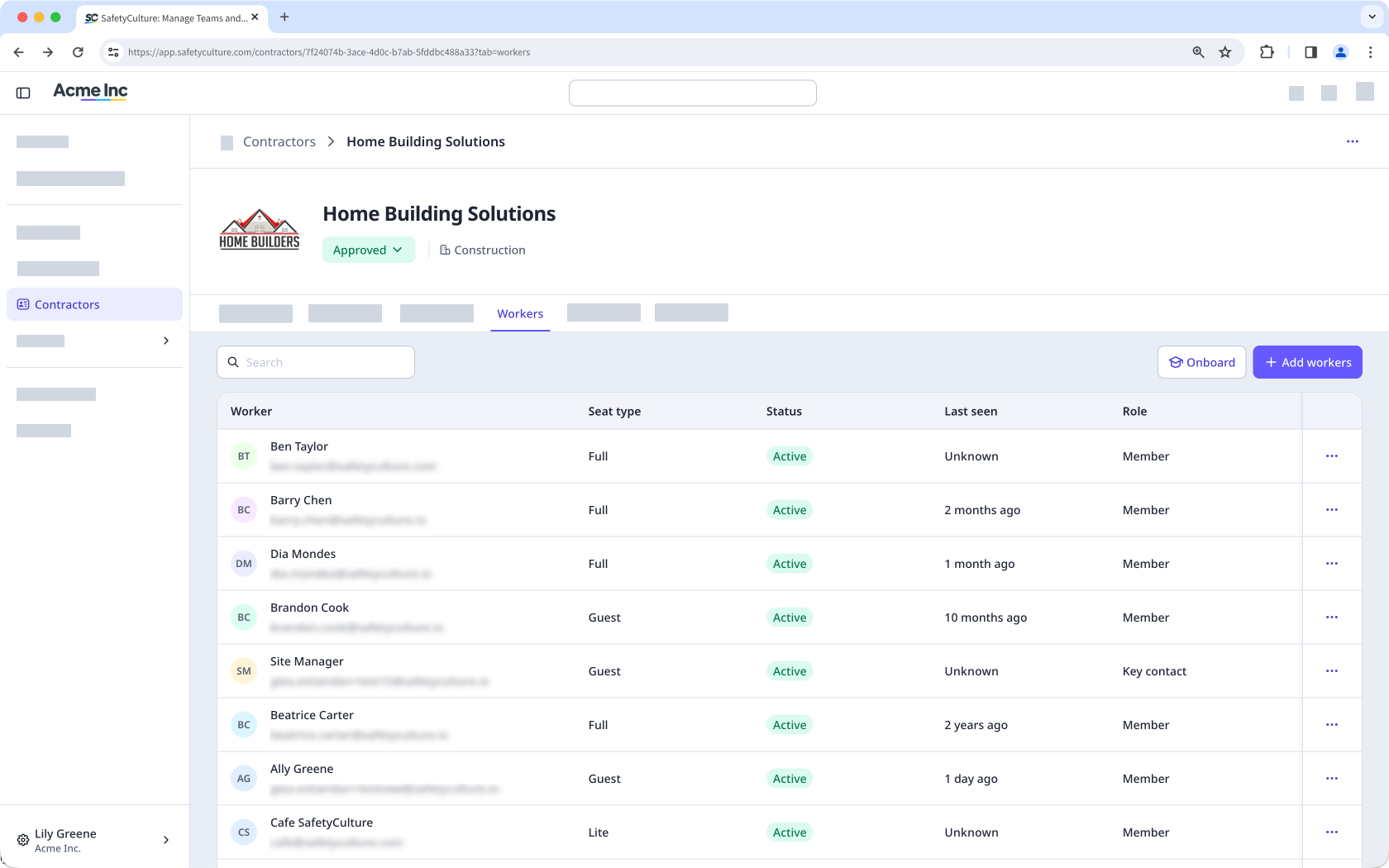
Onboarding contractors in guest seats is currently in Early Access. If you're interested, go to the web app and select Contractors from the sidebar or from More. From the company profile, select Workers from the tab at the top of the page. Click Onboard, then click Confirm in the pop-up window to sign up for Early Access.
If you don’t see Onboard in your profile, contact our customer support team or your customer success manager to express your interest.
What is Contractors in SafetyCulture?
The Contractors feature in SafetyCulture is a register of contractor companies your organization works with. Having their profiles, workers, credentials, and compliance documents in one place gives you a clear record of each company's status and requirements, so nothing is overlooked. From the Contractors dashboard, you can view and manage company profiles, track workers and their credentials, and manage and request compliance documents such as certifications and financial reports from key contacts. You can also onboard workers by assigning onboarding workflows that guide them through required training and credential checks before they start work.
Exploring Contractors in SafetyCulture
Contractors dashboard
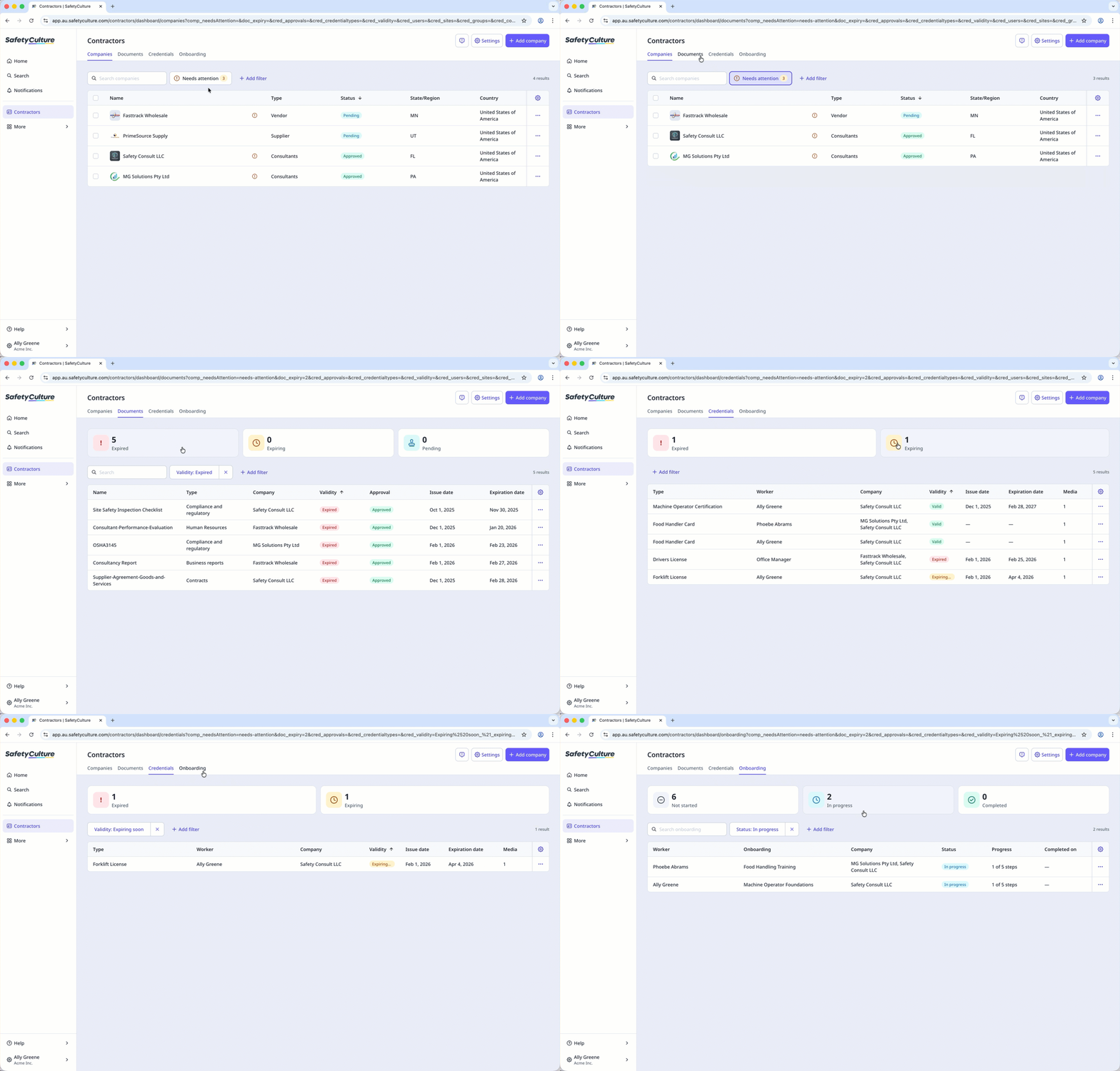
The Contractors dashboard brings together contractor companies, their documents, and worker credentials in one place. It provides clear visibility into compliance across your companies, helping you manage company information, track required documents, and monitor qualifications through a more streamlined contractor management experience.
Company types
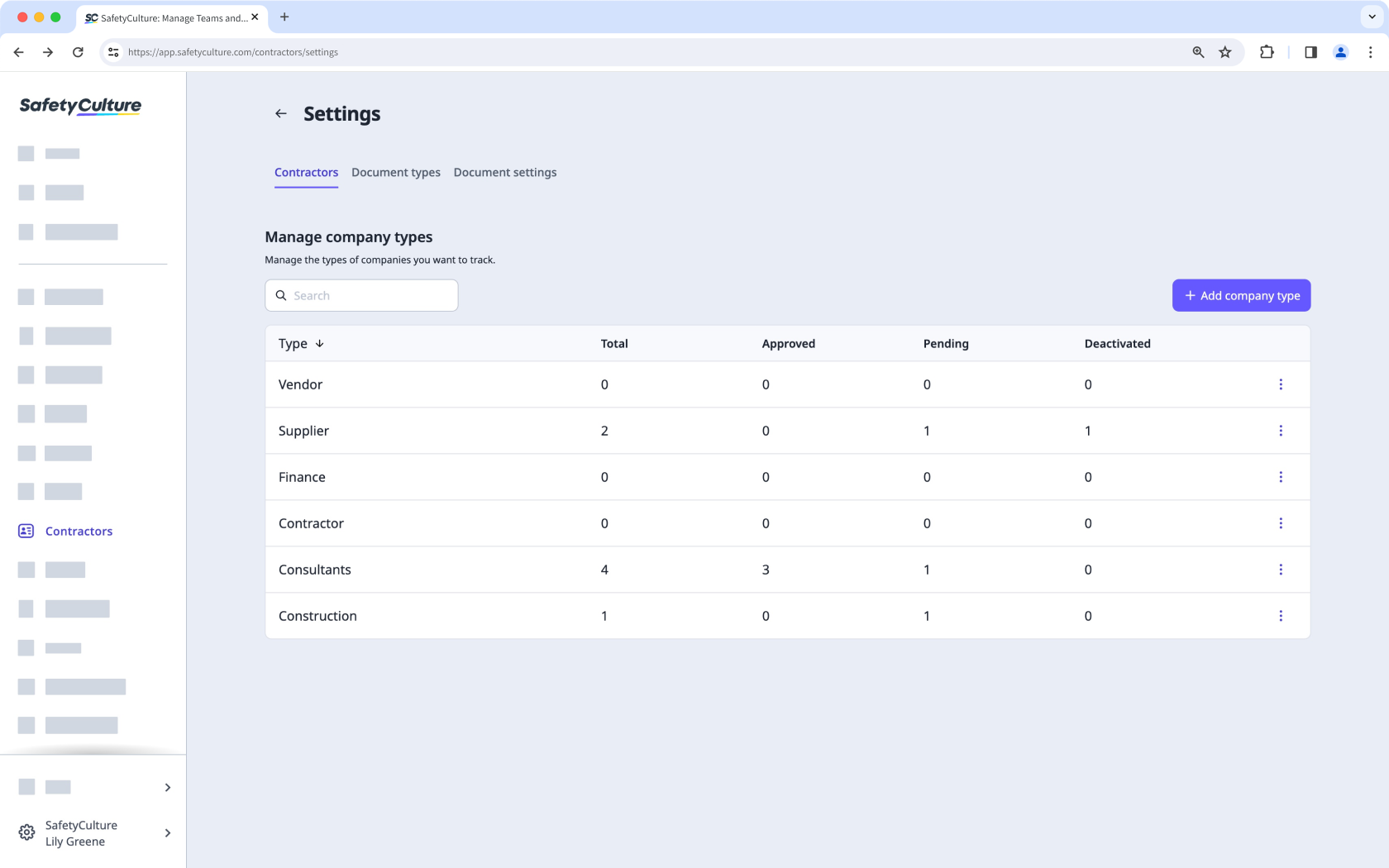
Company types let you categorize contractor companies by the industry or services they provide. You can define your own company types, such as construction, retail, or manufacturing, and assign them when adding companies to your organization. This makes it easier to organize your contractor register and filter companies by type.
Company management
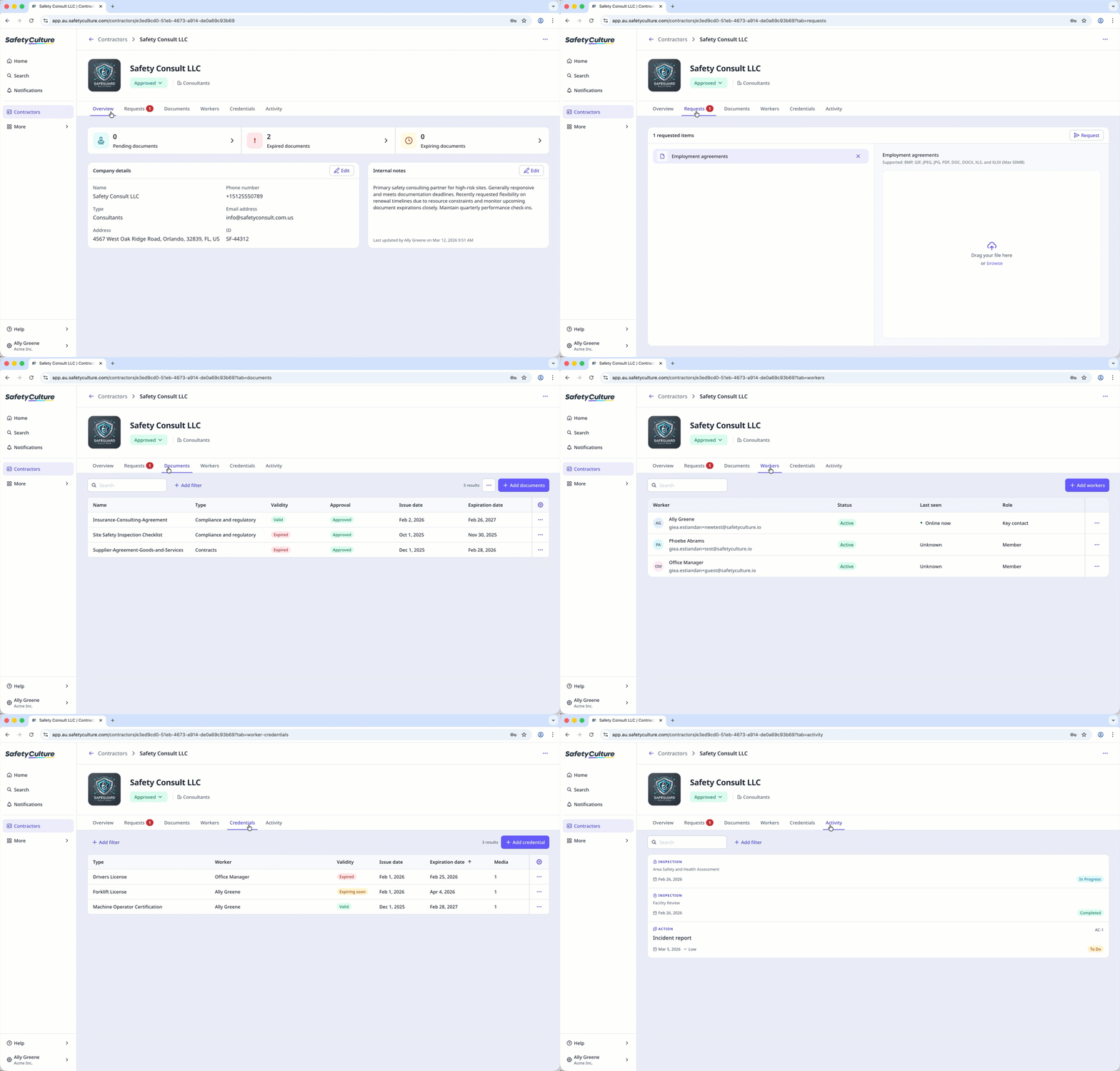
Company profiles are the central record for each contractor company in your organization. You can add companies individually or in bulk and organize them by type to keep your contractor register structured. From each profile, you can view and edit company details, add internal notes, manage workers, including their credentials and activity, and request and store compliance documents from key contacts.
Company document management
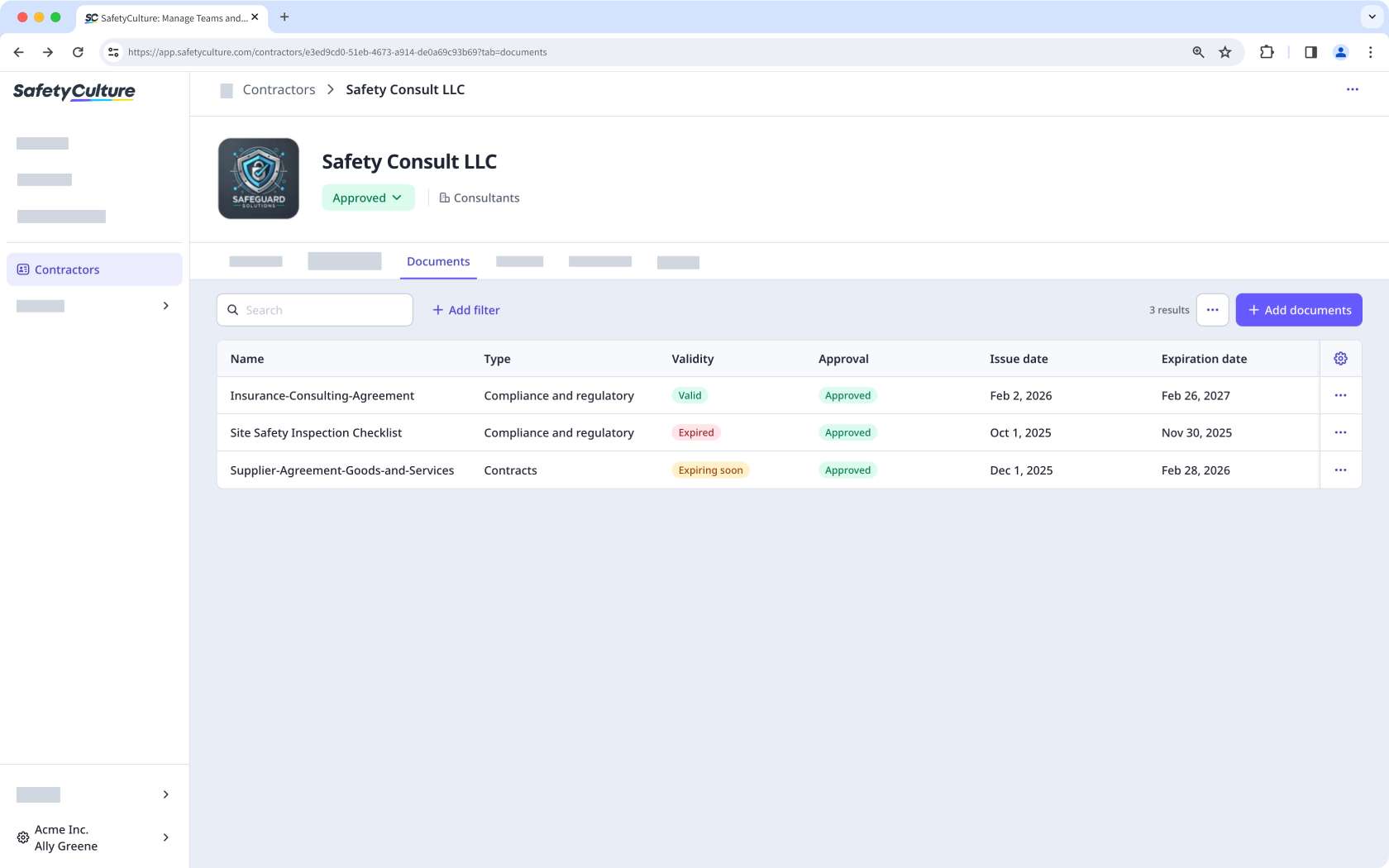
Company document types let you categorize the documents stored for each contractor, such as insurance certificates, contracts, and compliance records. You can store and manage documents directly in a company profile and track expiration dates to stay informed when renewals are due. You can also archive outdated documents and restore them when needed, keeping each company's document list organized.
Company document types
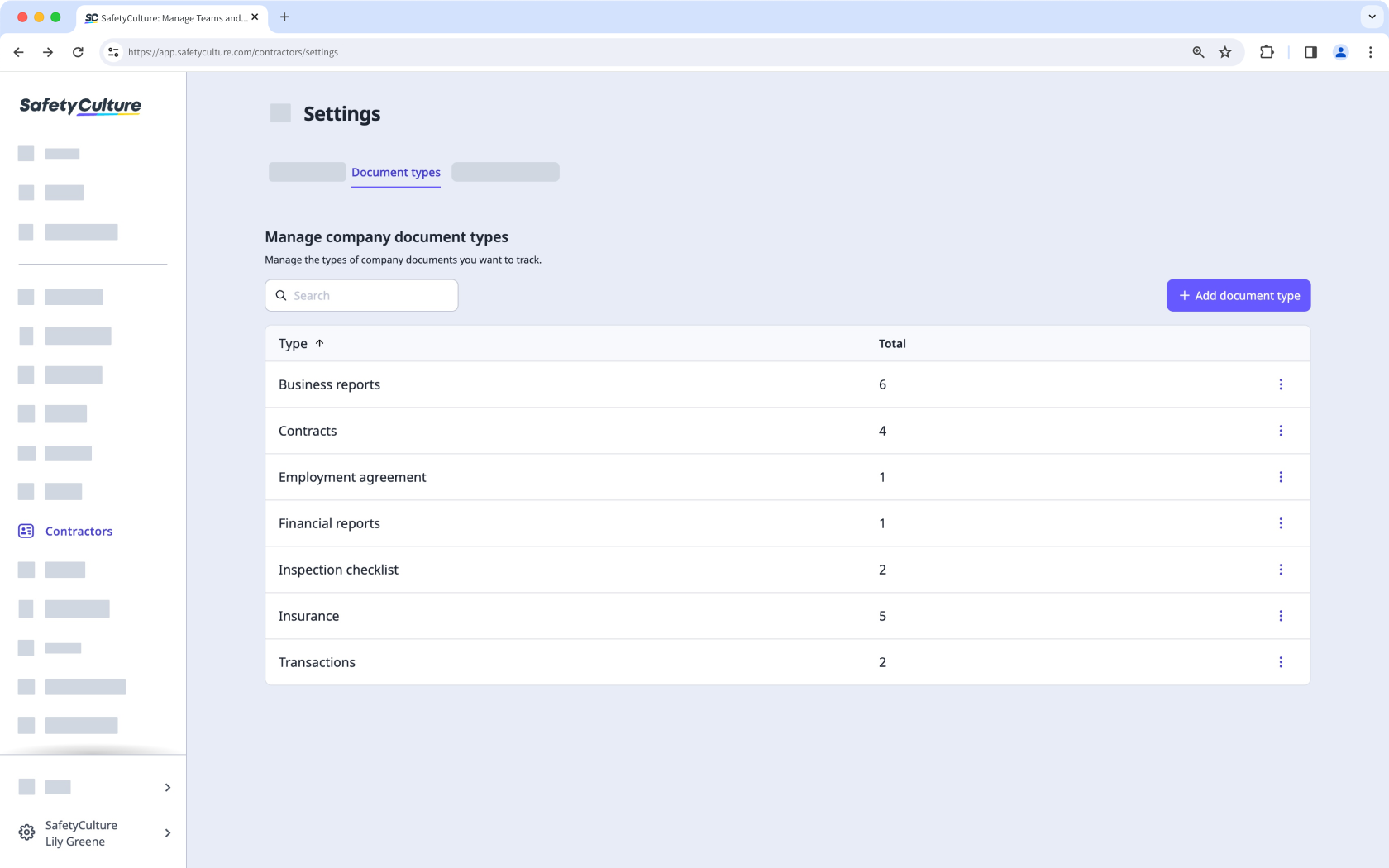
Company document types let you categorize the documents stored for each contractor company. You can create your own document types, such as insurance, contracts, or agreements, and assign them when adding documents to a company profile. Document types are also required before you can request documents from key contacts.
Company document and form requests
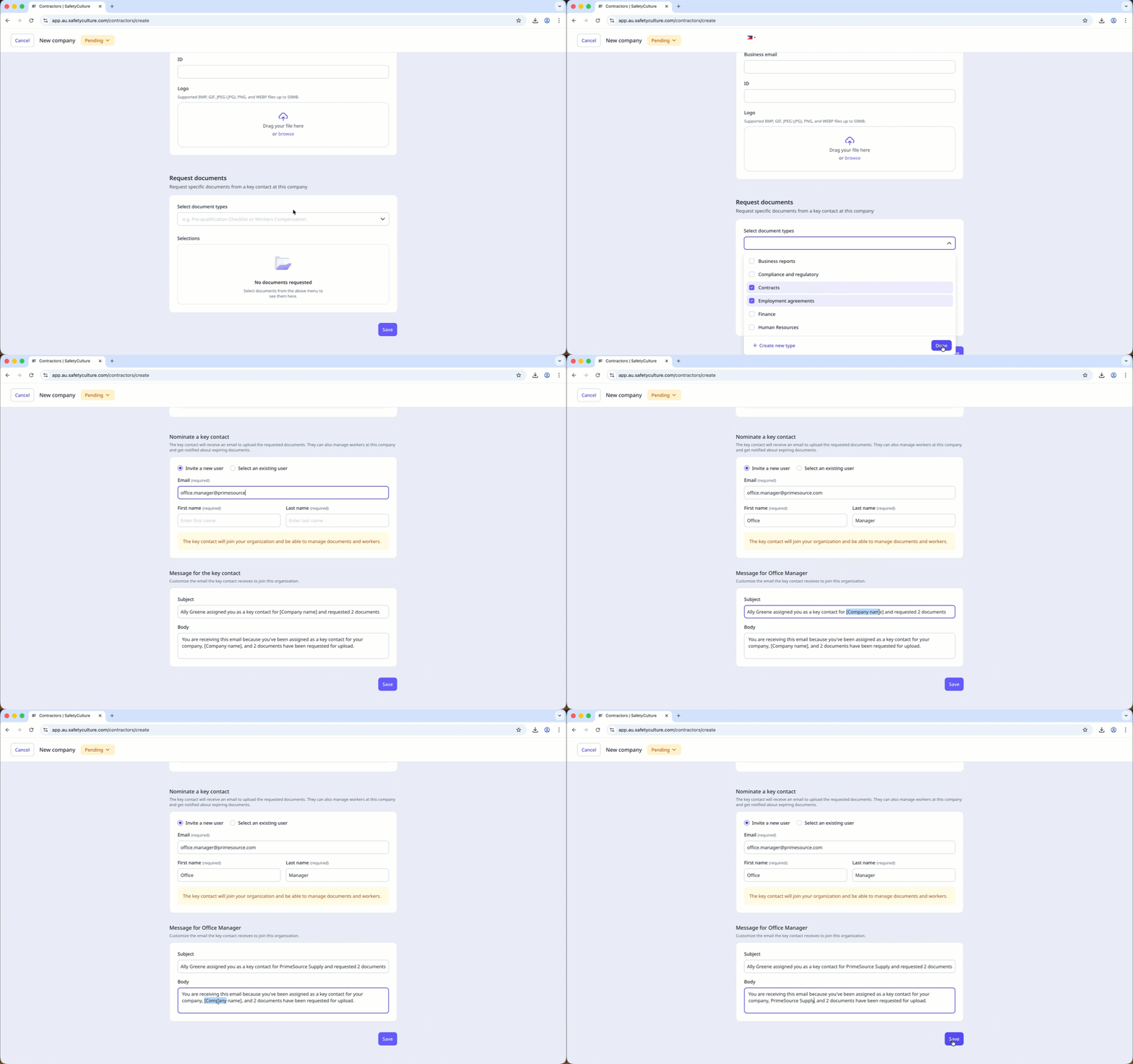
Document and form requests let you collect compliance information directly from key contacts at each contractor company. You can send requests for documents such as insurance certificates and contracts, or forms such as safety inductions and prequalification questionnaires. Requests can be sent from an existing profile or when adding a new company, and you can also request a new version of a document when an update is needed.
Company document approvals
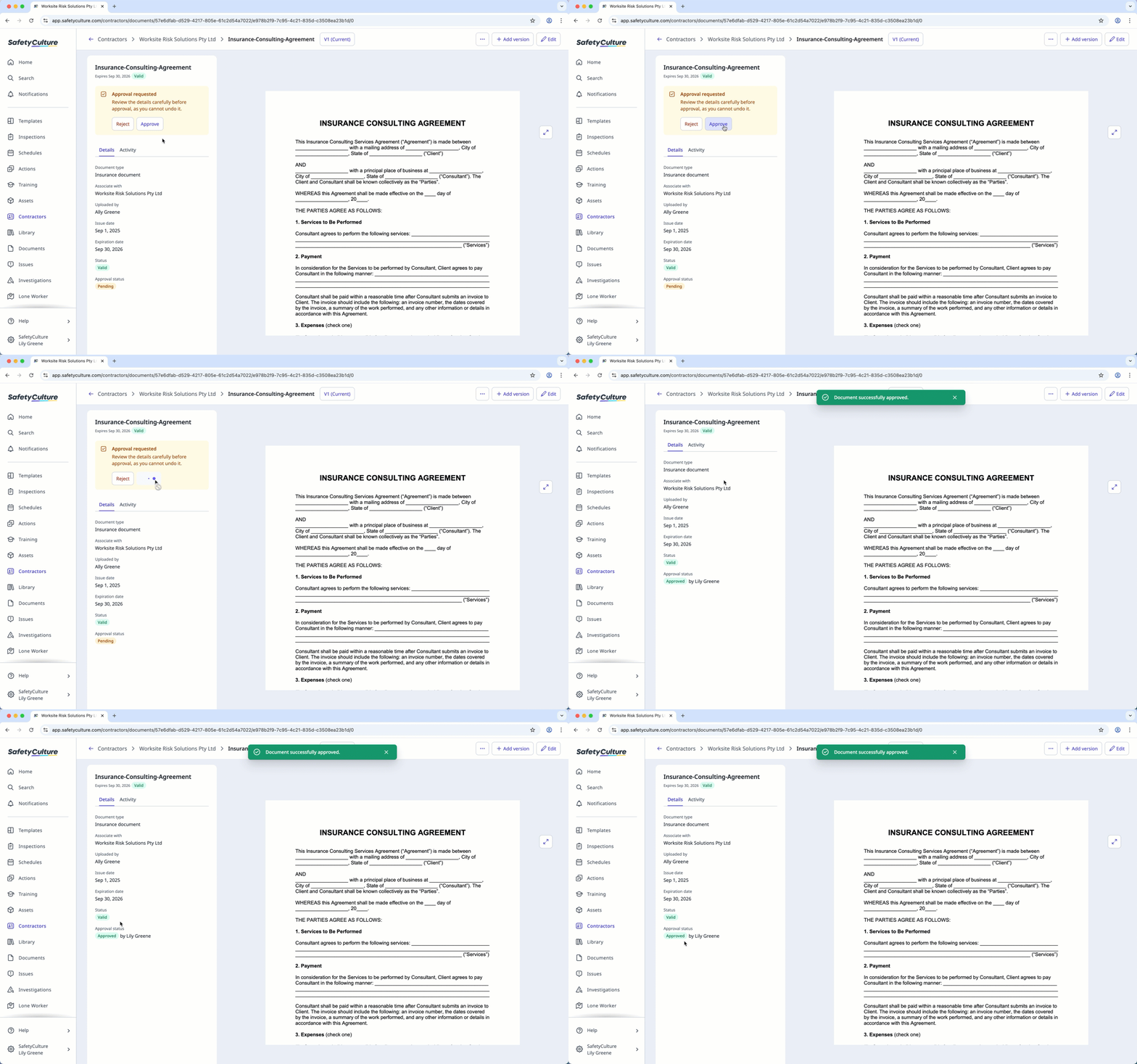
Ensure every document added to a company is accurate and meets your standards by going through an approval process. You can review documents manually or use AI to review them automatically by setting up rules. Documents submitted by key contacts or added directly to your organization must be approved before they're marked as valid. This helps maintain high-quality records and provides confidence in the documents stored for each company.
Company workers and key contacts
Workers added to a company profile are assigned one of two roles: member or key contact. Members are workers associated with a contractor company, while key contacts are responsible for managing the company profile and responding to document requests. You can add workers to your company and assign or change their role at any time.
Tracking worker credentials
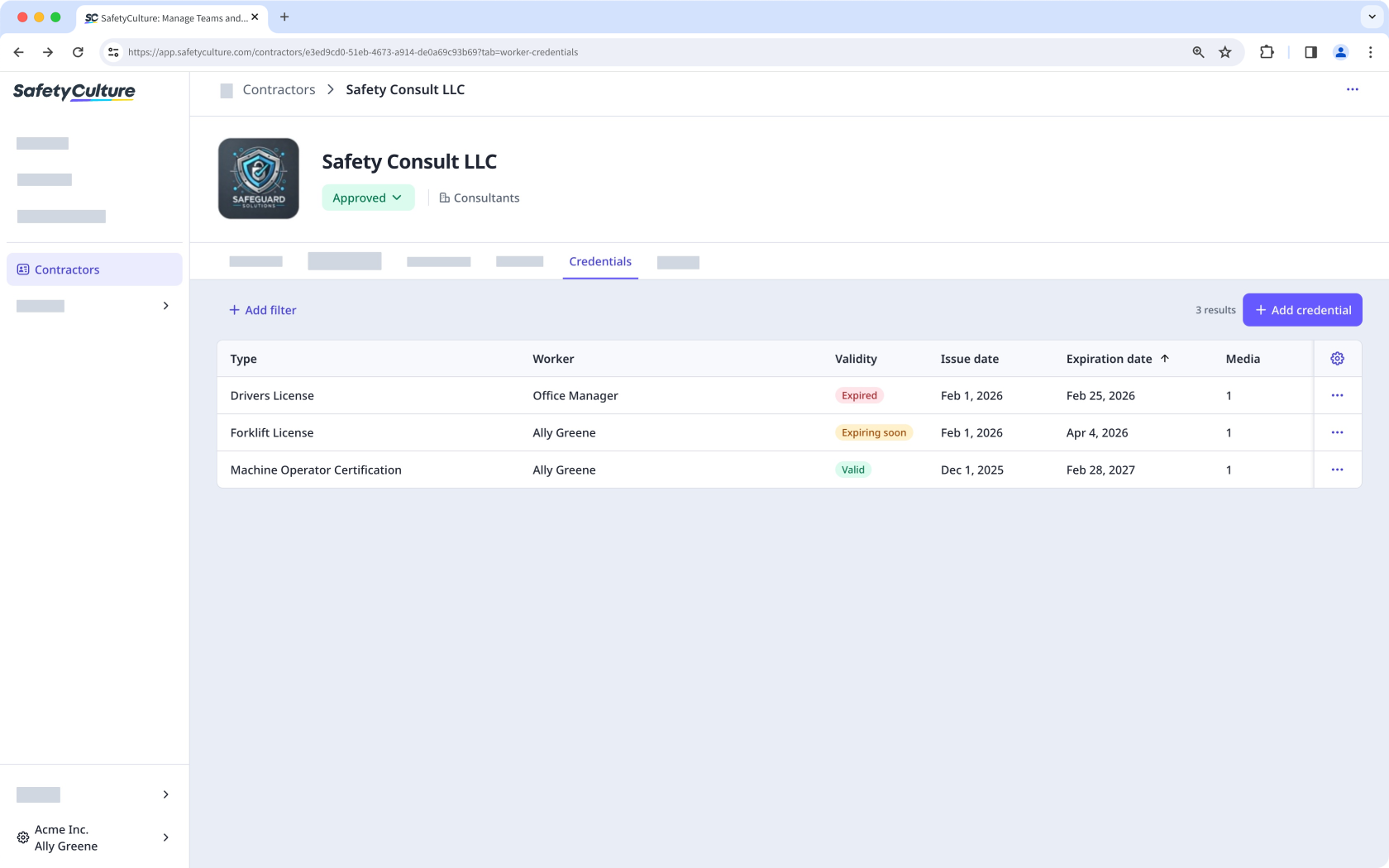
Within a contractor company, you can view the credentials of workers associated with that company, giving you more focused visibility into their qualifications. Tracking credentials by company makes it easier to monitor validity, keep track of expiration dates, and identify which workers need updates. This helps your team manage worker credentials more effectively and ensure each contractor you work with has valid, up-to-date qualifications.
Track worker activity
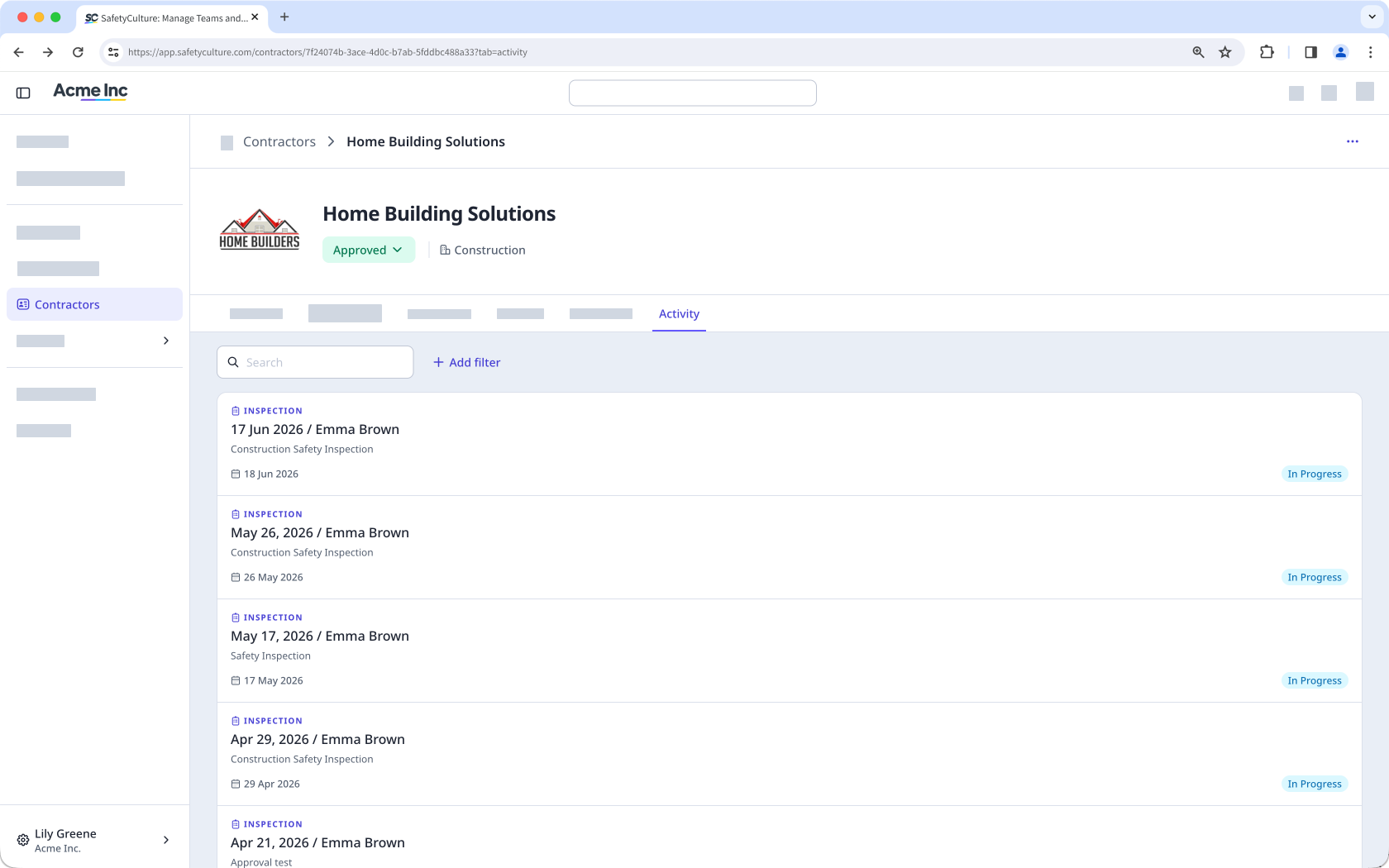
Each worker's activity across the platform, including inspections, issues, and actions, is visible from the company profile. You can view user activity in companies (opens in new tab) to monitor the relevant items completed by workers in a company.
Track company activity
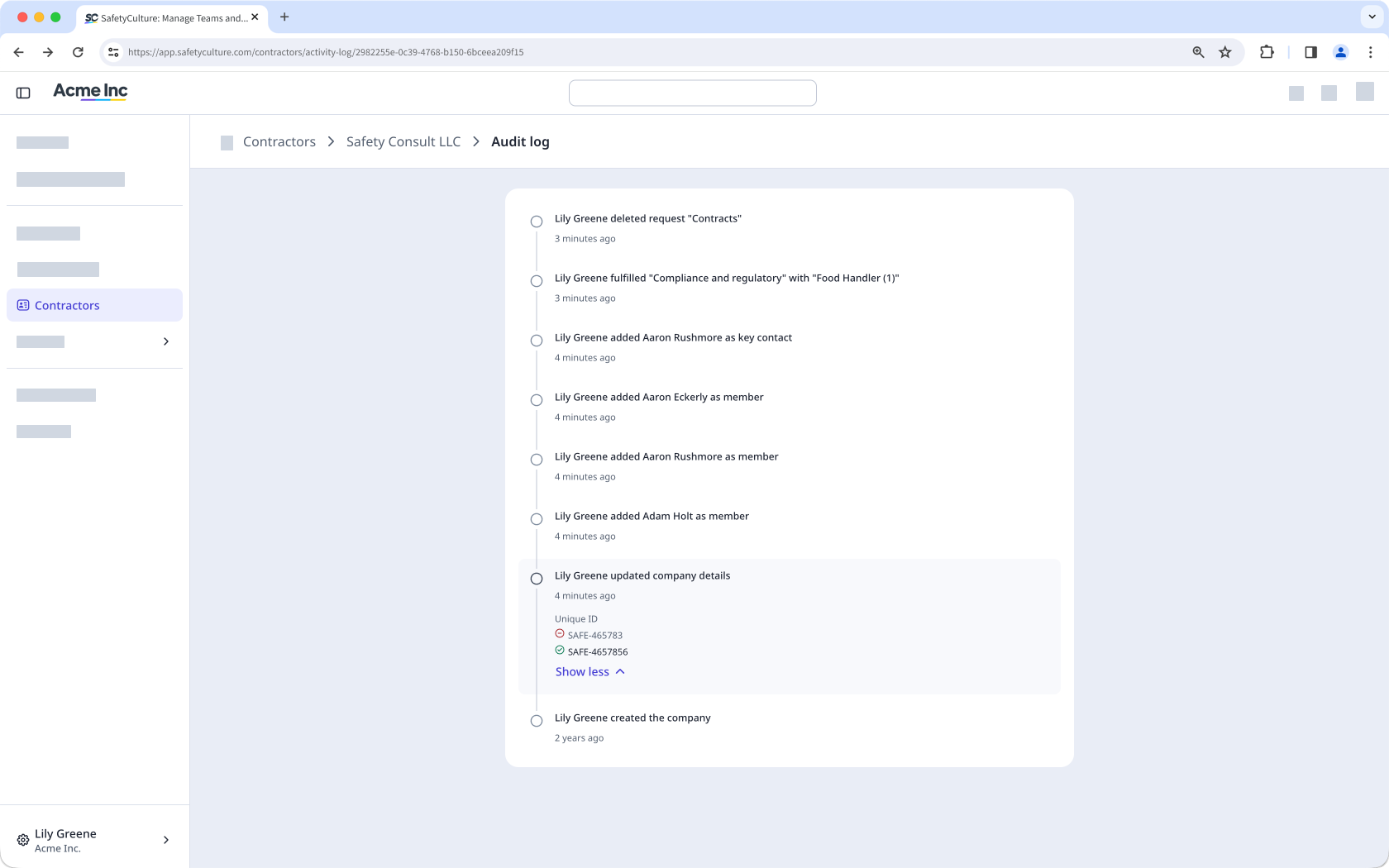
In the company audit logs, you can view every change made within a company in real time, including updates to company details, document requests, documents, workers, and approvals. Each change records the action, who performed it, and when, so you can quickly identify what changed and investigate if needed.
Contractor onboarding
Manage onboarding for workers in your contractor companies by assigning onboarding workflows through Training. This allows you to deliver required training courses and confirm valid qualifications for each worker in your team. With contractor onboarding, you can ensure contractor workers are properly trained and qualified before starting work.