Contractors

Last updated: July 7, 2026

View user activity in companies

Learn about user activity in companies and how to view it via the web app to keep track of the changes made within a company.

View a company user’s activity

  1. Log in to the web app (opens in new tab).

  2. Select Contractors in the sidebar or select it in More.

  3. Select a company.

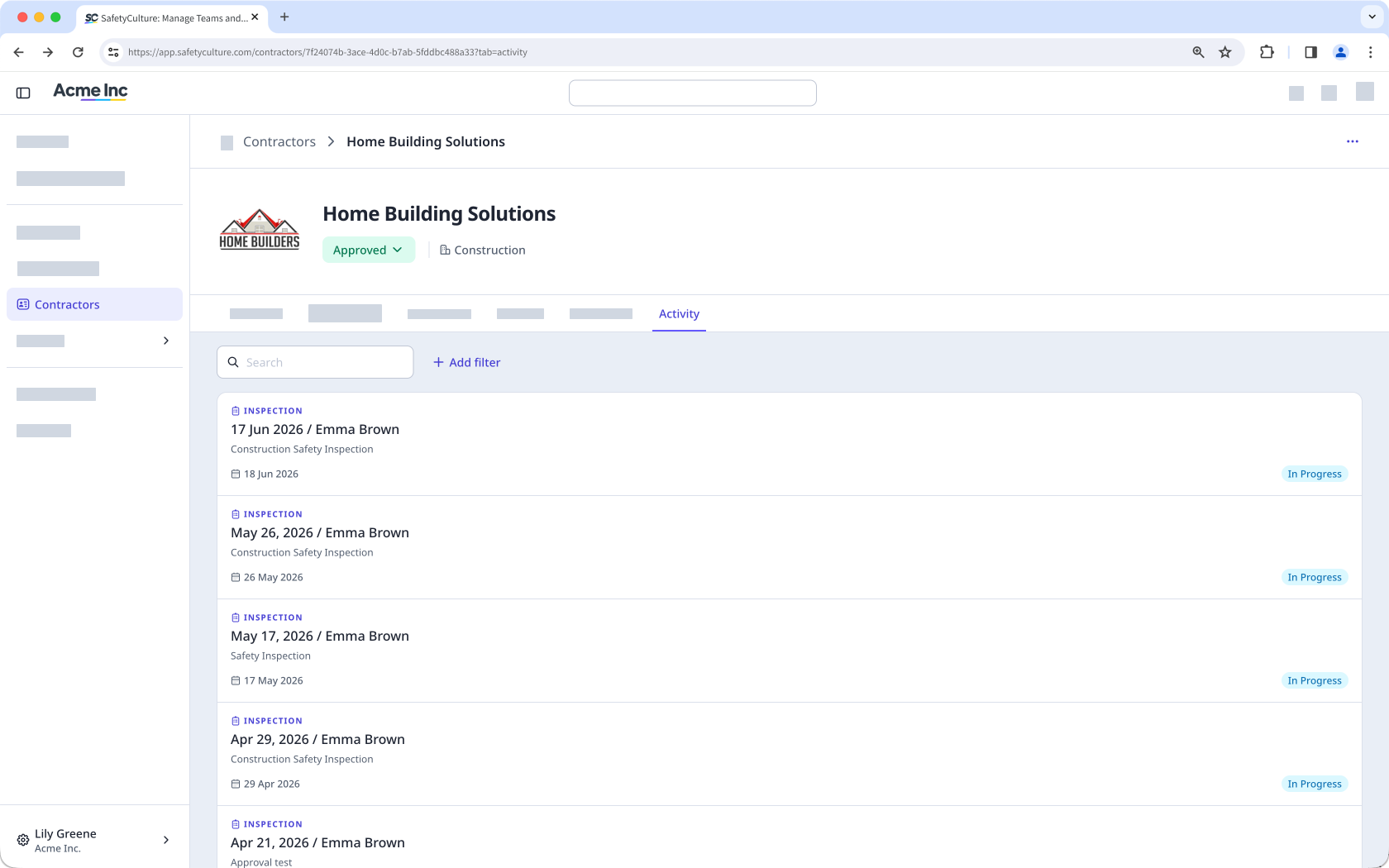
  4. Click Activity tab in the company profile.

  5. In this tab, you can view their actions, issues, and inspections. The Activity tab in the company profile showing a list of inspections completed by workers in the company.
You can also view inspections linked to a company using the Company response type.

Was this page helpful?

SafetyCulture
App Store
Google Play