
How do AI-powered company document approvals work?
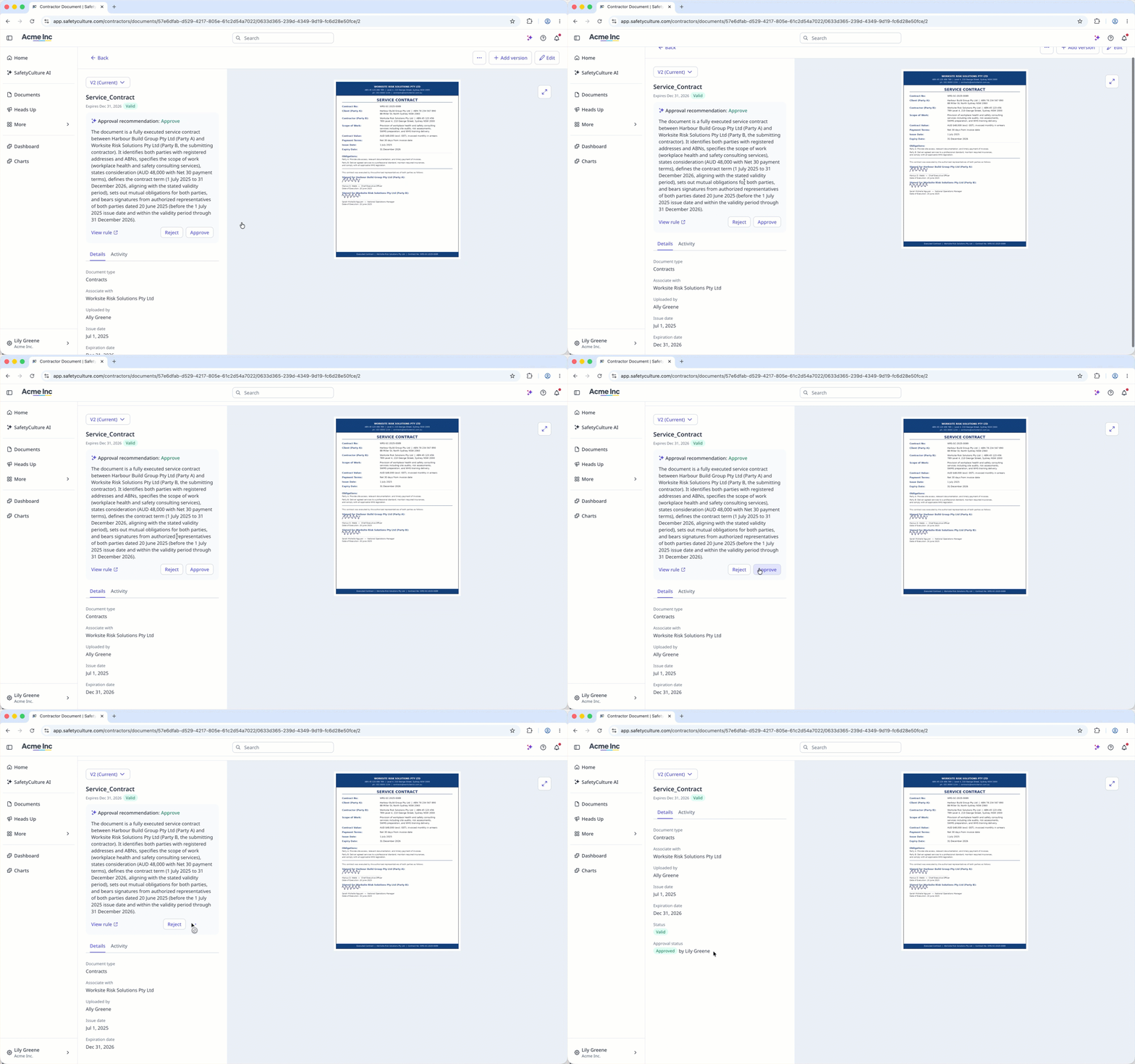
With AI-powered company document approvals, you can review uploaded documents without manually checking each one. AI checks each submission against the rules you've set for each document type. You see a recommendation to approve or reject with key details already highlighted. Alternatively, AI approves or rejects the document automatically. The same requirements apply to every document, so routine checks take less time.
When AI can't determine a document's compliance, you can review the document manually to verify the submission.
Turn on the company document approvals setting to allow company managers to review and approve documents submitted by key contacts in the company profile.
Approve a company document using AI
Select Contractors in the sidebar or select it in More.
Select a company.
Select the Documents tab in the company profile.
Select a document with a rule configured. AI reviews the document against the configured rule and shows an approval recommendation.
In the side panel, c lick Approve.
If the rule is set to Automatically reject or Automatically reject or approve, AI may approve or reject the document automatically.
Reject a company document using AI
Select Contractors in the sidebar or select it in More.
Select a company.
Select the Documents tab in the company profile.
Select a document with a rule configured. AI reviews the document against the configured rule and shows an approval recommendation.
In the side panel, c lick Reject.
In the pop-up window, review the rejection reason and edit it if needed.
Click Reject.
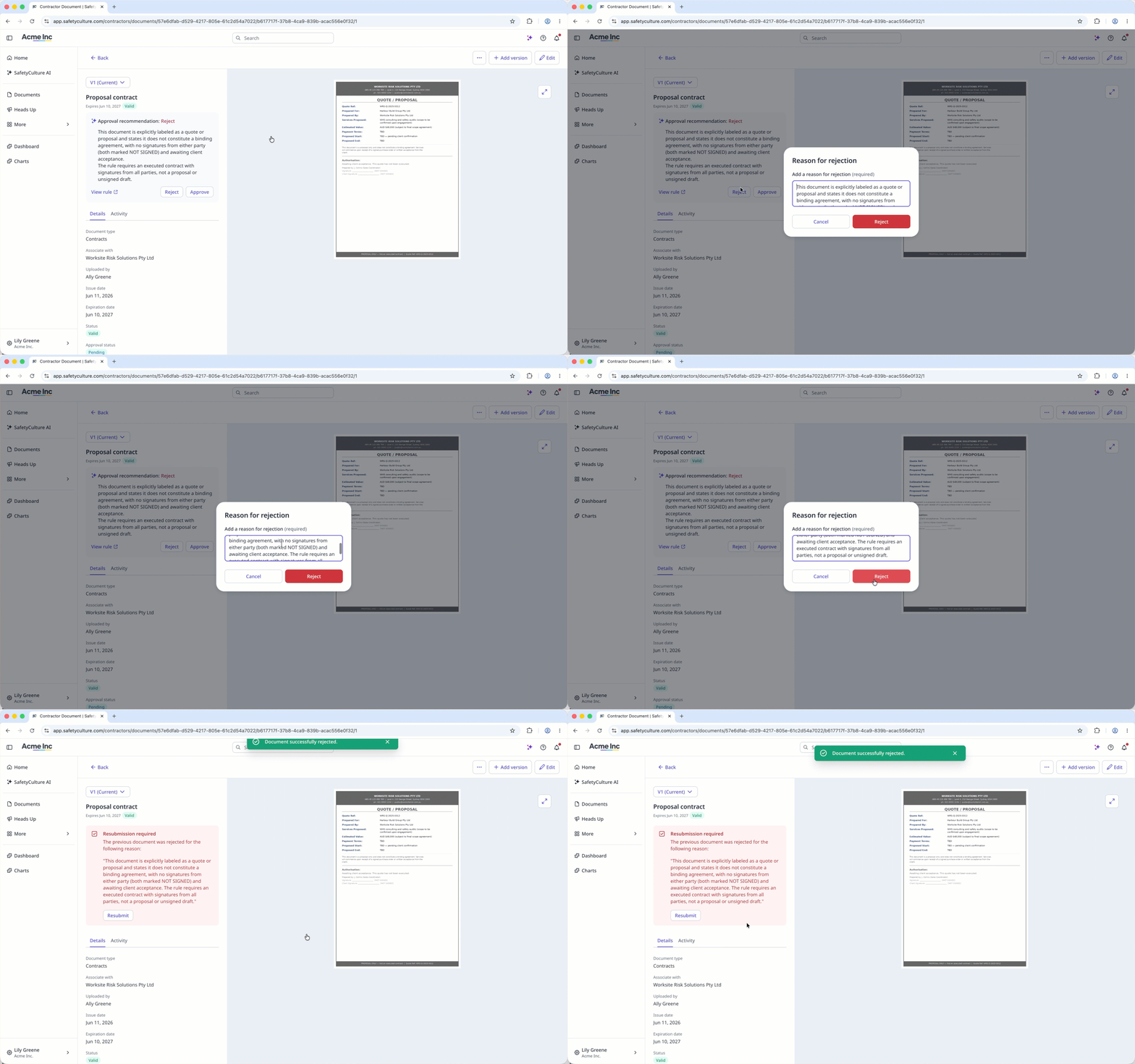
Key contacts are notified when a document is rejected and can resubmit it.


