¿Qué son los tipos de licencias y los conjuntos de permisos en SafetyCulture?
En SafetyCulture, el acceso a una función está controlado por dos elementos: el tipo de licencia y el conjunto de permisos.
Tipo de licencia
El tipo de licencia determina el precio y el nivel general de acceso que tiene un usuario. SafetyCulture ofrece tres tipos de licencias:
Licencias Completas: Las Licencias Completas son la base de una organización de SafetyCulture, están diseñadas para gerentes y miembros de equipos, y ofrecen a los usuarios acceso completo a todas las funciones de SafetyCulture, según sus conjuntos de permisos.
Licencias Lite: las Licencias Lite son las que puede asignar a la mayoría de sus trabajadores de primera línea y al personal general. Los usuarios con Licencia Lite tienen acceso completo a la función de Formación.
Licencias de invitado: Las licencias de invitado están disponibles sin coste adicional pero no incluyen acceso a Formación.
Conjuntos de permisos
Los conjuntos de permisos determinan qué funciones puede utilizar un usuario en toda la plataforma. De forma predeterminada, SafetyCulture incluye los siguientes conjuntos de permisos: Administrador, Gerente, Estándar, Básico e Invitado.
No todos los miembros de su equipo necesitan el mismo nivel de acceso, por lo que los tipos de licencias y los conjuntos de permisos le permiten ajustar lo que cada usuario puede hacer con lo que realmente necesita, de modo que no pague más de lo necesario.
Cambiar los tipos de licencias de los usuarios solo está disponible para las organizaciones en Plan Premium o Plan Enterprise. Si su organización está en el Plan Gratuito, todos los usuarios están en licencias completas de forma predeterminada.
What seat type and permission set will I be assigned?
During your migration, we’ll automatically map your existing EdApp roles to the appropriate permissions in SafetyCulture. You’ll receive the following recommended setup, but you can always customize permission sets by managing users via CSV or Excel.
EdApp role | SafetyCulture seat | SafetyCulture permission set |
|---|---|---|
Owner | ||
Admin | ||
Facilitator | ||
Manager | ||
Content reviewer | ||
Restricted author | ||
Content author | Permiso para "Formación: gestionar equipos" Permiso de "Formación: crear cursos (restringido)" | |
Learner |
What do Training permissions include?
You need at least a lite seat to access training records and course progress.
Features | Permission sets | |||||
|---|---|---|---|---|---|---|
SafetyCulture Administrator | “Training: Administration” | “Training: Manage teams” | “Training: Create courses (restricted)” | “Training: Manage content (all)” | “Training: Access” | |
Seat type | ||||||
Yes | No | No | No | No | No | |
Yes | No | No | No | No | No | |
Yes | Yes | Yes | Yes | Yes | Yes | |
Create, edit, share, and preview courses | Yes | Yes | No | Yes | Yes | No |
Yes | Yes | No | No | Yes | No | |
Start group training sessions and conduct practical assessments | Yes | Yes | Yes | No | No | No |
Yes | Yes | No | No | No | No | |
Yes | Yes | No | No | No | No | |
Yes | Yes | Yes | Yes | Yes | Yes | |
View performance dashboard, course completion by users, quiz performance by users, and training matrix | Yes | Yes | Yes | No | No | No |
View Spaced Repetition (formerly Brain Boost) analytics | Yes | Yes | No | No | No | No |
Yes | Yes | No | No | Yes | No |
What is Training-only mode?
Training-only mode gives lite seat users a simplified view of SafetyCulture, focused entirely on the Training feature. Instead of seeing the full SafetyCulture navigation, users only see what's relevant to their training responsibilities. This is useful for EdApp users who are migrating to Safetyculture and don't need access to other SafetyCulture features like Inspections or Assets.
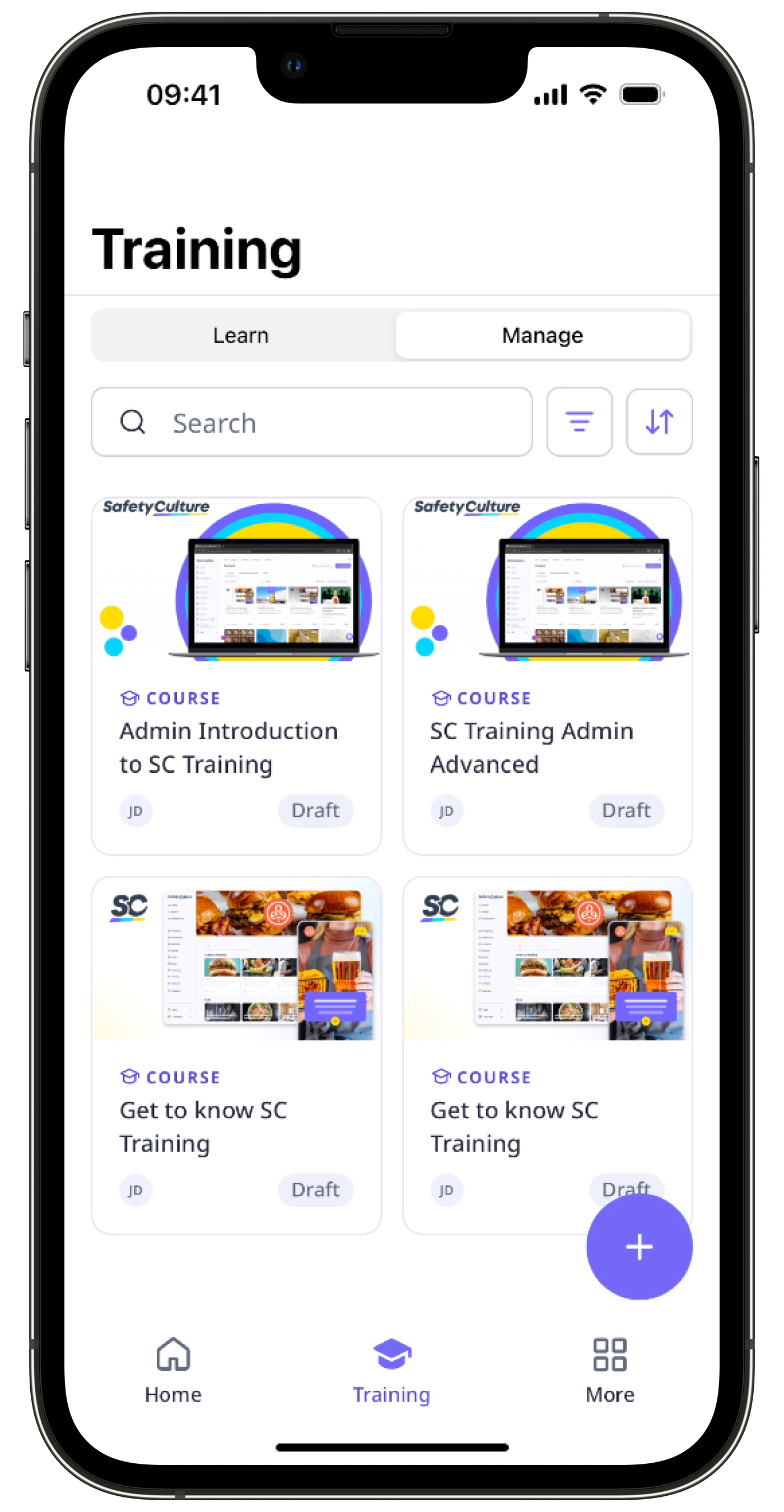
When Training-only mode is on, users in a lite seat with relevant Training permissions can:
Start and complete courses
Create, edit, assign, and publish training
Start group training sessions and conduct practical assessments
View the performance dashboard, course completion by users, quiz performance by users, training matrix, Spaced Repetition (formerly Brain Boost) analytics, and survey responses
View Heads Up messages
Upload and manage own credentials
El modo solo formación está actualmente en Acceso temprano y debe ser activado por un administrador. Póngase en contacto con su gestor de éxito del cliente para comprobar si su organización es cumple los requisitos.