What you'll need
Preview a course
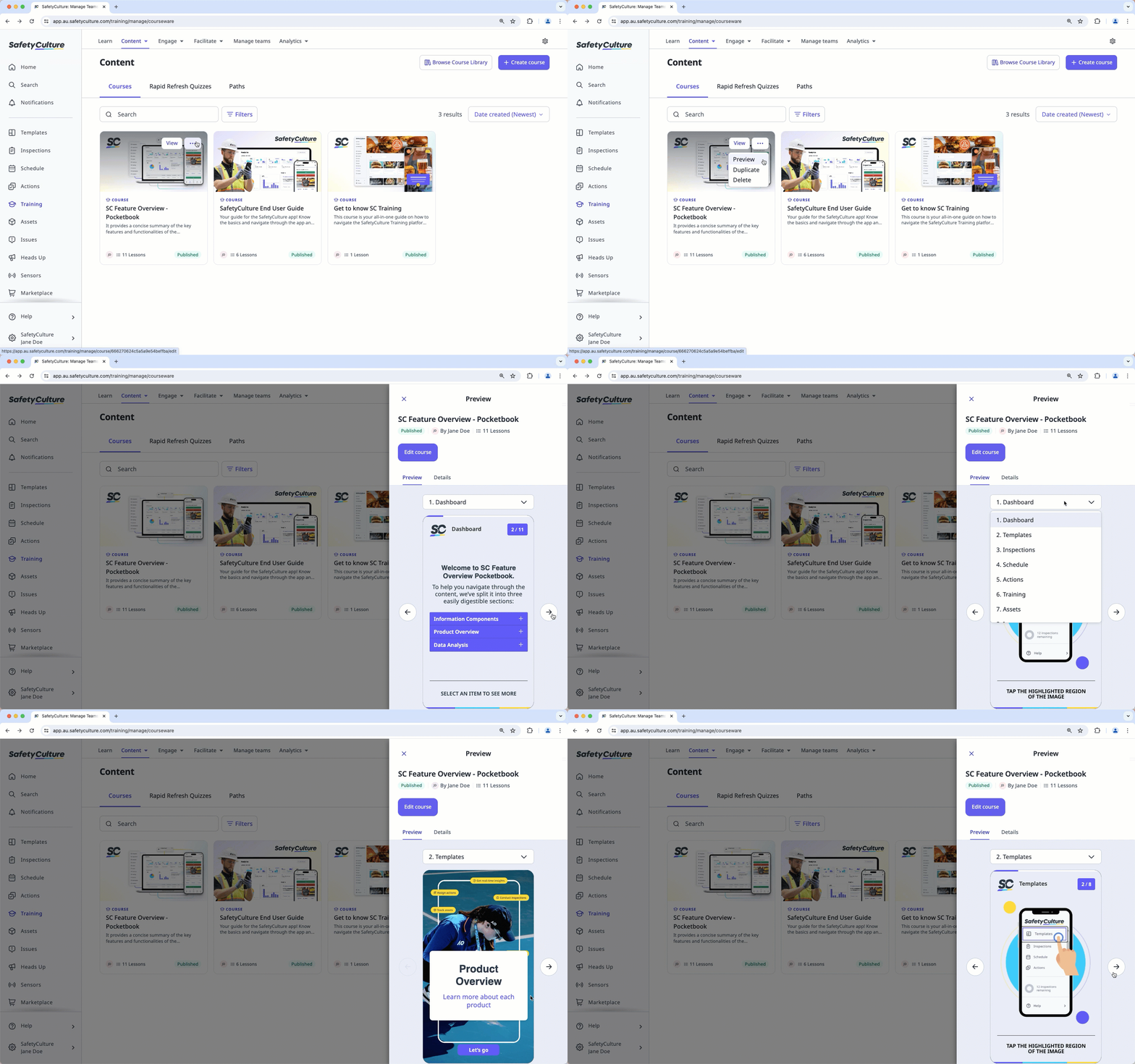
Select Training in the sidebar or select it in More.
If you're on the "Learn" page, click Content at the top of the page and select Courses.
Hover your cursor over the course, then click , and select Preview.
In the side panel, preview the course. You can use the dropdown menu above the preview to navigate between lessons.