
What are course completion certificates?
Certificates are an important part of training as they validate skills and knowledge gained through learning programs. With SafetyCulture, you can provide certificates for each course your team members complete. To make it more relevant, you can even customize certificates to match your branding.
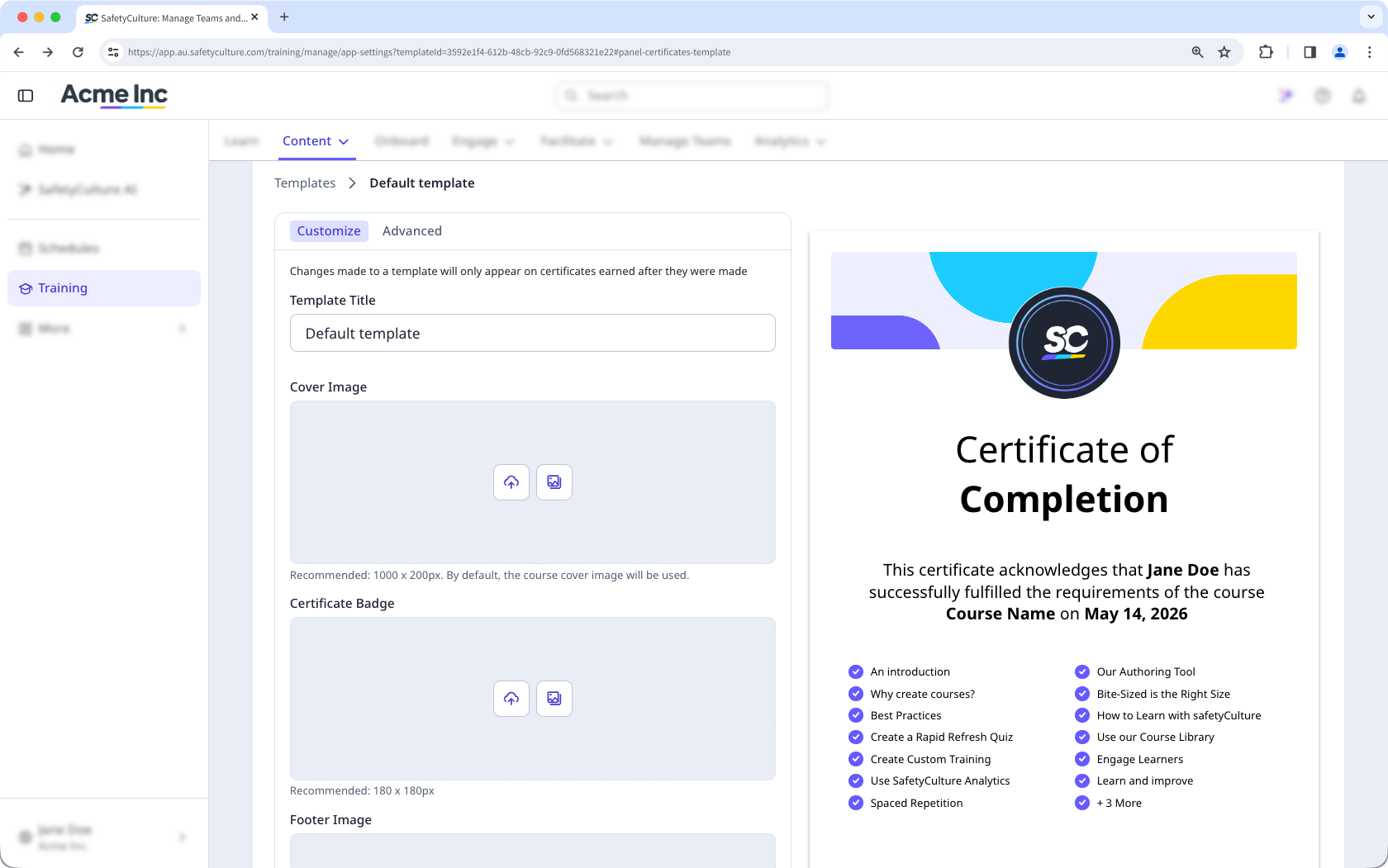
Although creating new certificate templates is only available to organizations on Premium Plan or Enterprise Plan, organizations on Free Plan can still customize the default certificate template.
What you'll need
Changes are saved automatically and only apply to certificates earned moving forward.
Create a certificate template
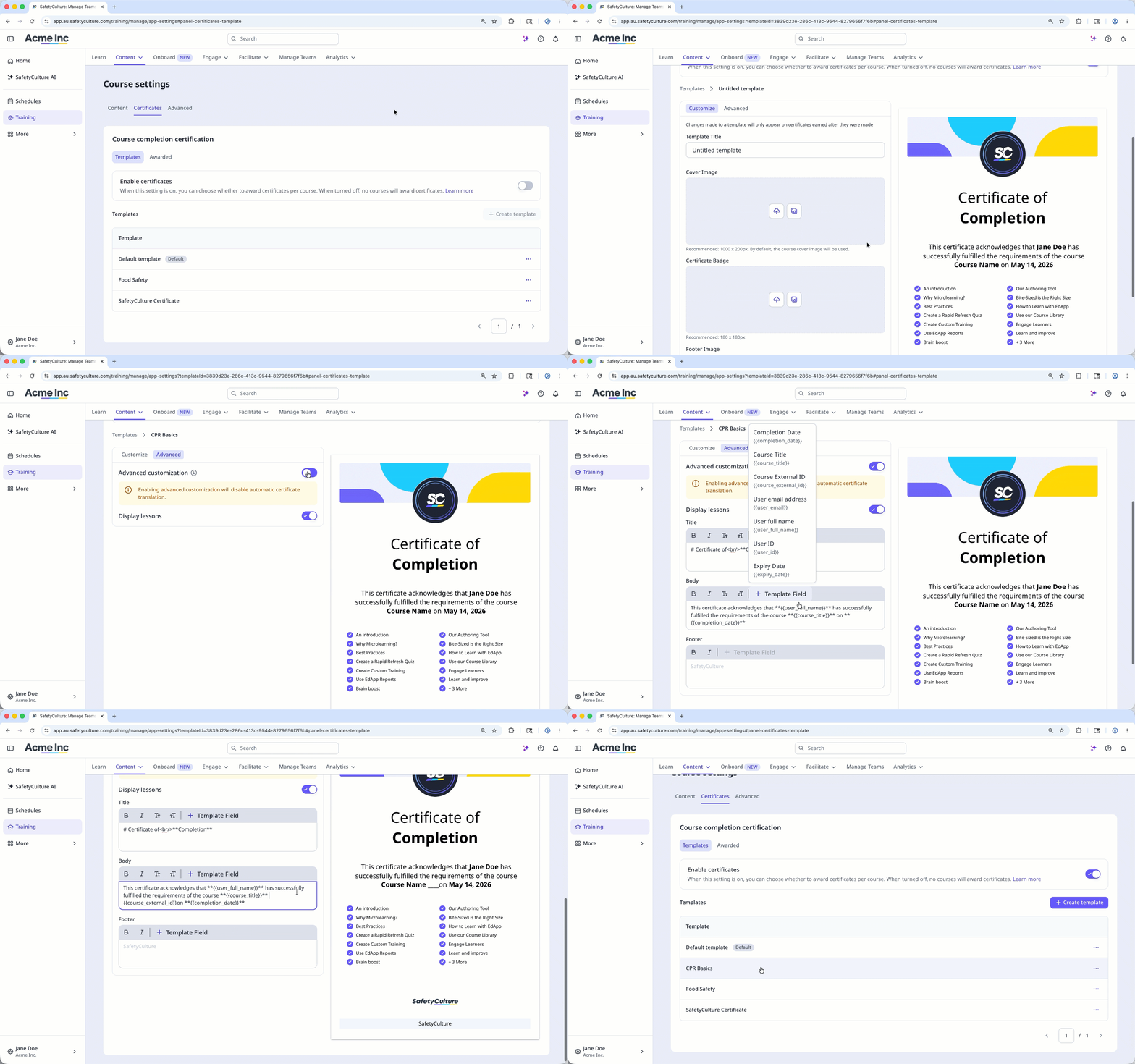
Select Training in the sidebar or select it in More.
Click Settings on the upper-right of the page.
Select Certificates tab at the top of the page.
Turn "Enable certificates" on.
Click Create template.
Customize your certificate accordingly.
Template Title: Enter a title for the certificate.
Cover Image: Upload a cover image for the certificate.
Certificate Badge: Upload a badge for the certificate.
Footer Image: Upload a footer image for the certificate.
For advanced customization, select Advanced tab.
Turn "Advanced customization" on to customize the certificate's wording using rich text editing.
Edit the certificate’s title, body, and footer accordingly.
To change the template, click Template Field and select the template accordingly.
Turn "Display lessons" on to show the lesson on the certificate.
Once you're ready, click Templates.
To use this template as the certificate for your courses, you can either set it as the default by clicking on the template's right-hand side and selecting Set as default, or by managing each course's completion settings to select this template.
If your course has translations, standard templates will be translated based on the language in which the user completes the course. However, advanced completion certificates are delivered in the language they were originally created in.


