
What's a course?
A course in SafetyCulture is a structured training program with lessons designed to educate users about various topics such as workplace safety, compliance, or risk management.
These courses are used to ensure that users understand and adhere to protocols, requirements, and best practices relevant to their industry or workplace environment.
What you'll need
Course lesson types
Download lessons before going offline so you can start and complete courses anywhere.
Start and complete a course
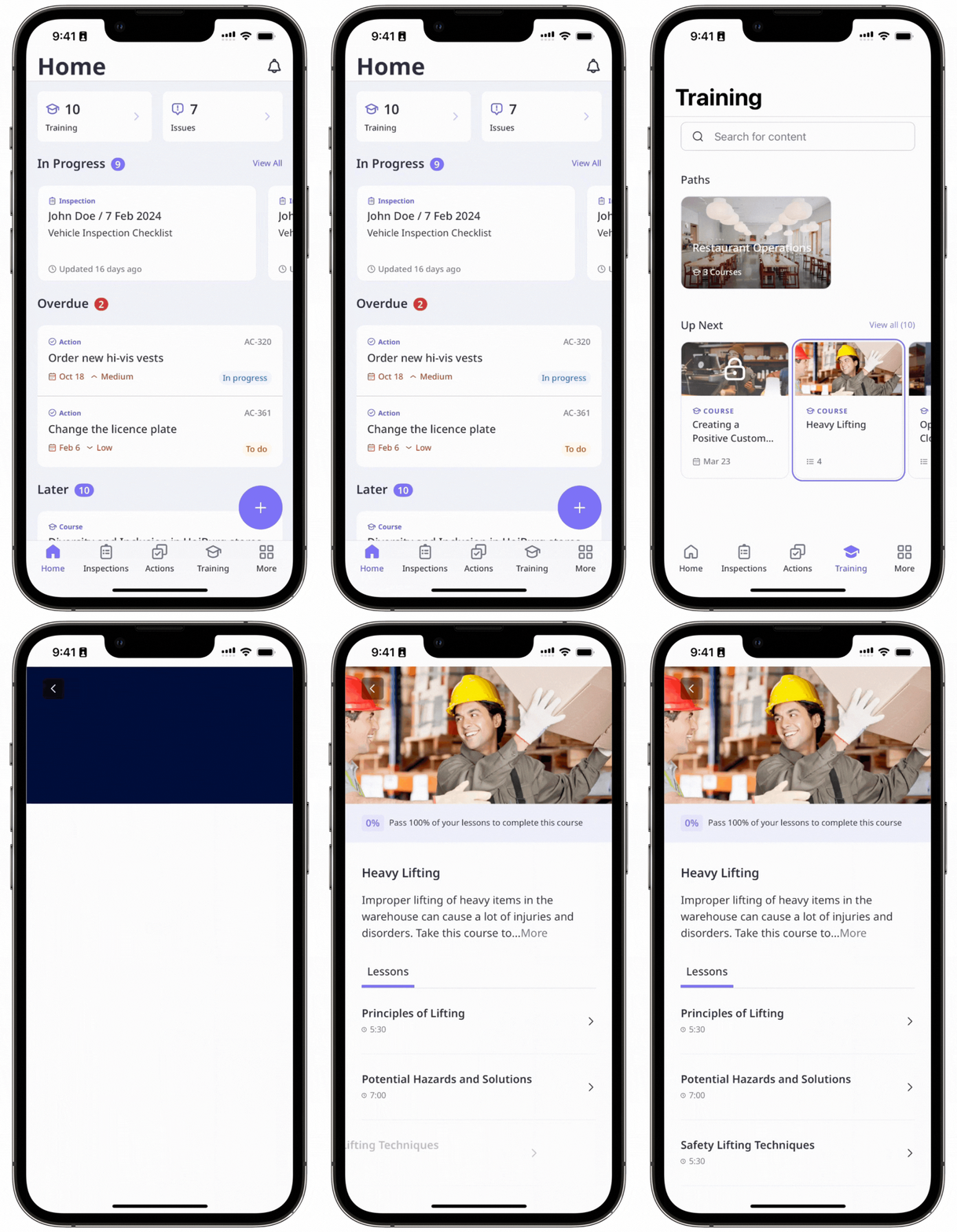
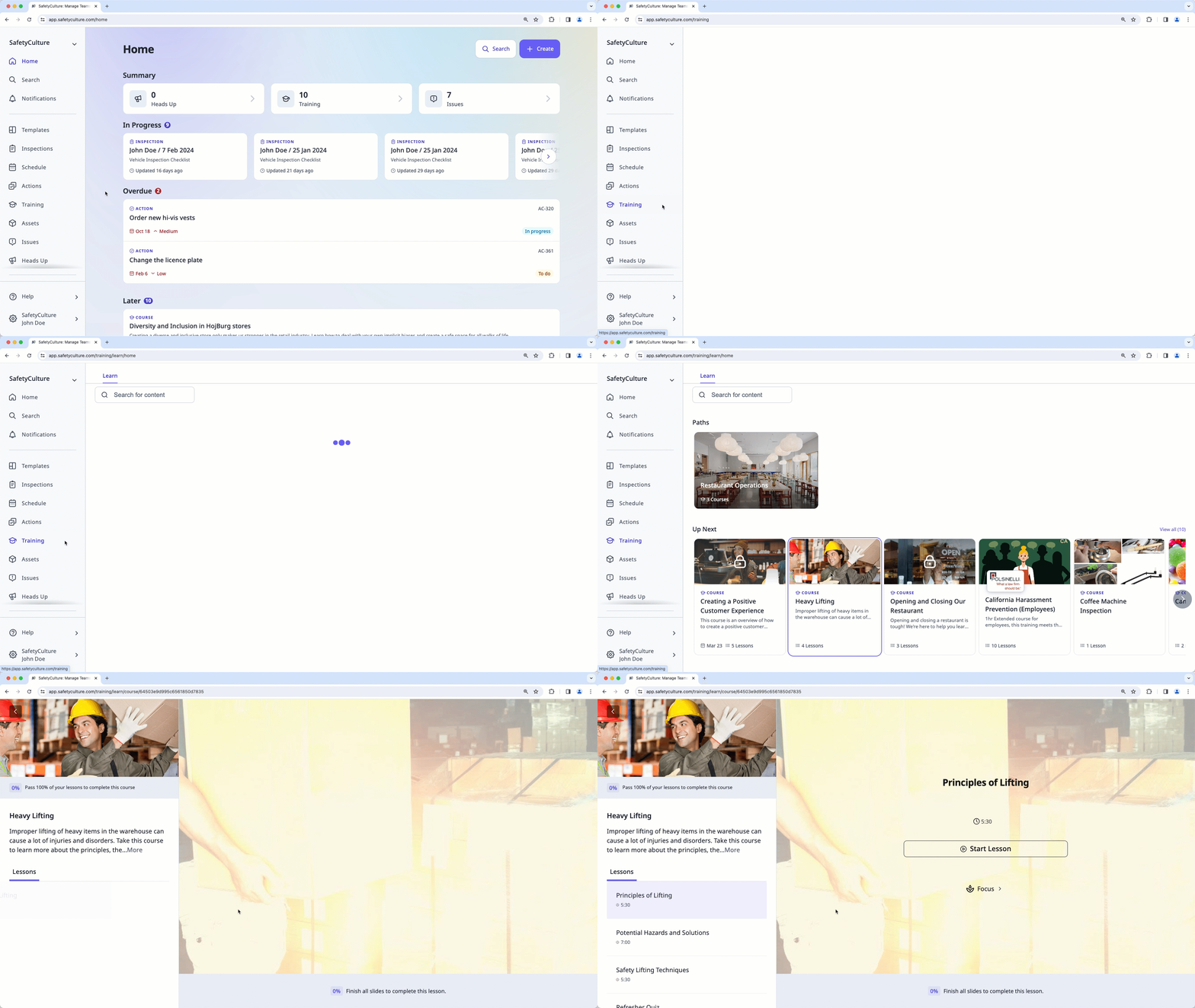
Select Training in the sidebar or select it in More.
If you're on the "Content" page, click Learn at the top of the page.
Click the assigned courses you want to complete.
To complete the course, follow the steps in each lesson to start and complete them. Note that some courses may have supplementary documents available in the course briefcase to help you with the training.
If you're an assessor as part of a team member's training, learn how to conduct practical assessments via the web app.
Once you’ve completed a course, you can review its lessons anytime, so you can stay knowledgeable and confident about the topics discussed.


