What are course completion certificates?
Certificates are an important part of training as they validate skills and knowledge gained through learning programs. With SafetyCulture, you can provide certificates for each course your team members complete. To make it more relevant, you can even customize certificates to match your branding.
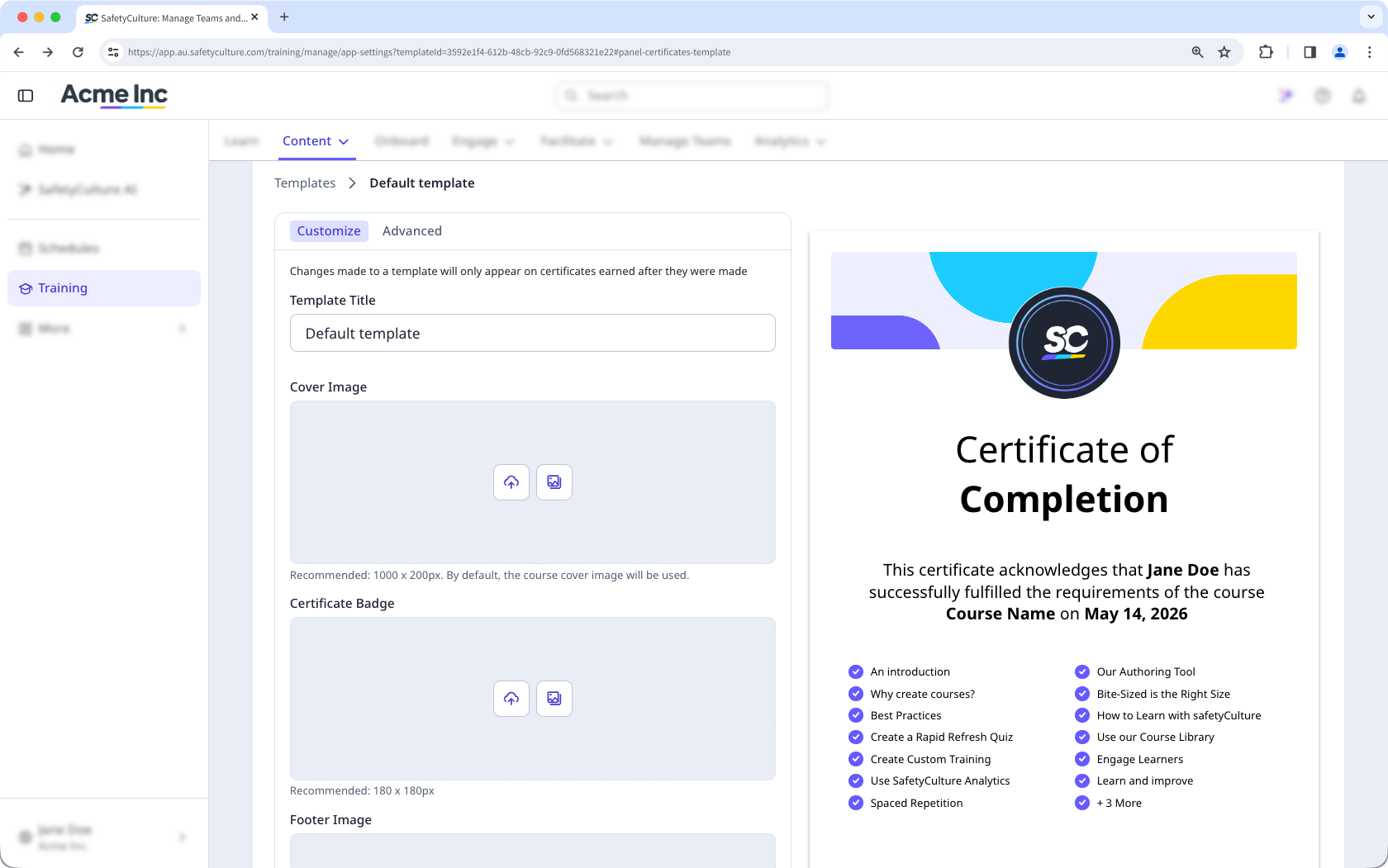
Although creating new certificate templates is only available to organizations on Premium Plan or Enterprise Plan, organizations on Free Plan can still customize the default certificate template.
What you'll need
Download my completion certificate
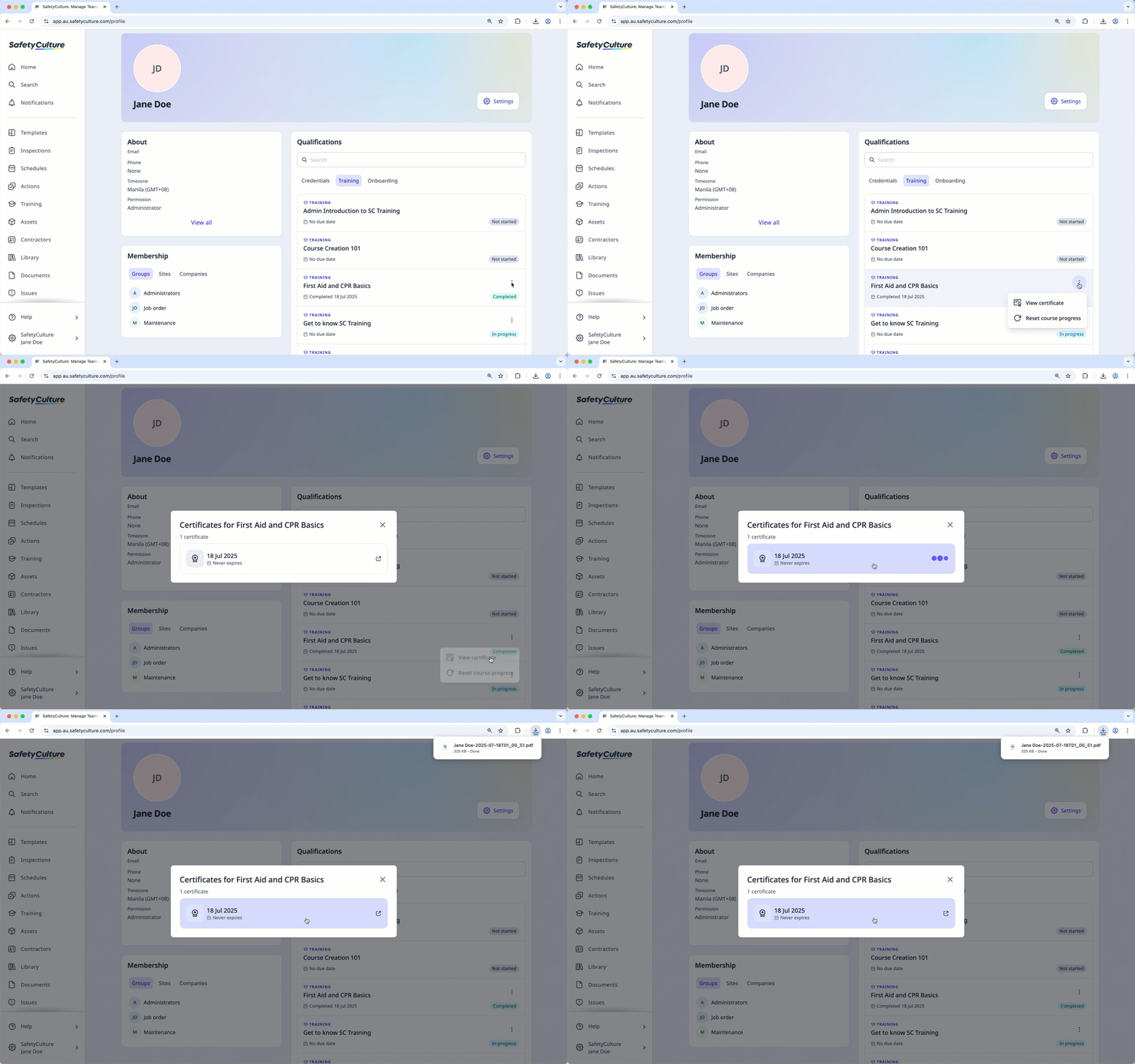
Click your username on the lower-left corner of the page and select My profile.
Under the "Qualifications" section, click Training.
Click on the completed course and select View certificate.
In the pop-up window, click the certificate to download it.
Bulk downloading training completion certificates is only available on Premium Plan or Enterprise Plan and to users with "Training: Administration" permission.
Bulk download completion certificates
Select Training in the sidebar or select it in More.
Click Settings on the upper-right corner of the page.
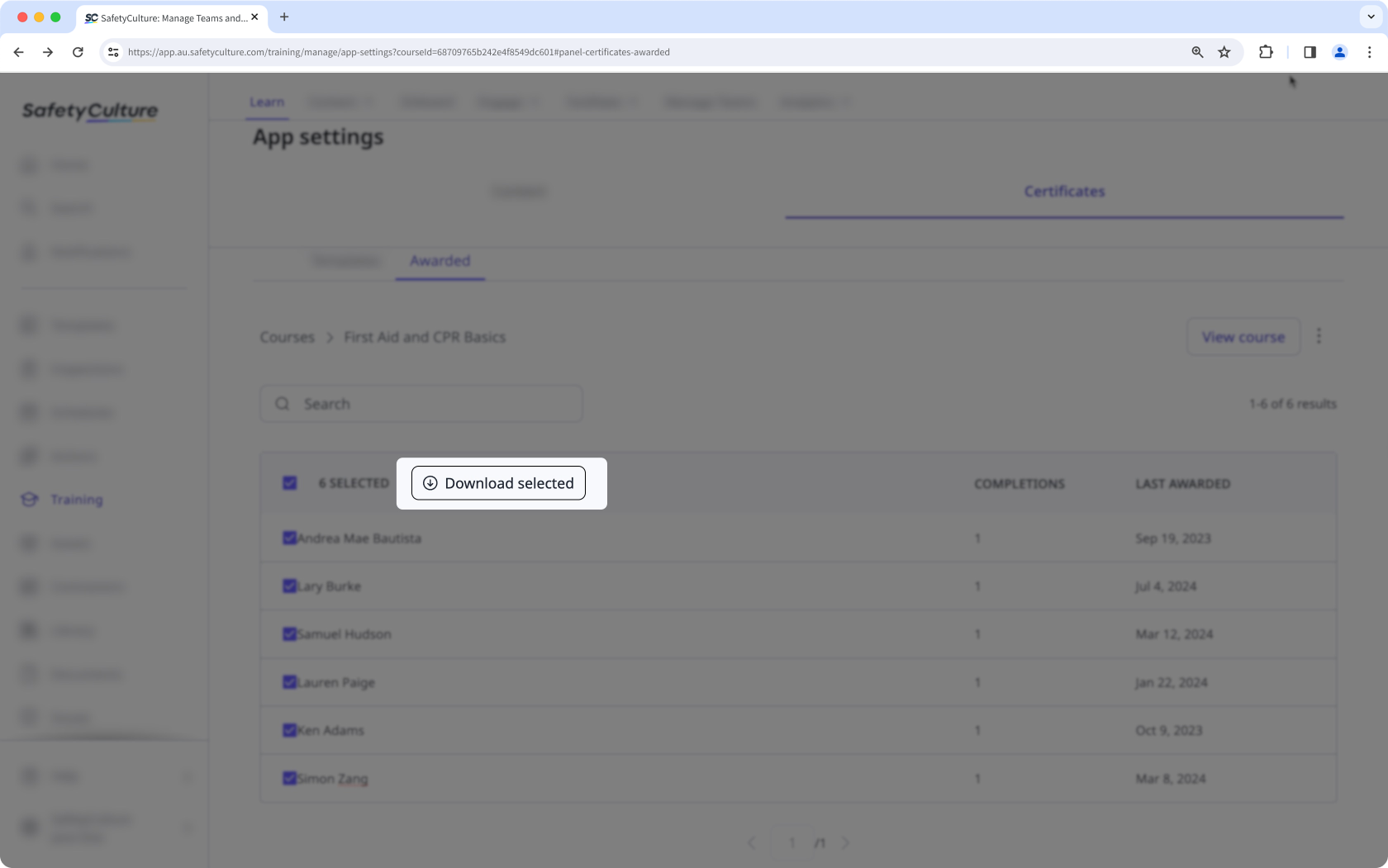
Select Certificates and then select Awarded.
Click the course.
Check the box on the upper-left of the list to select all users.
Click Download selected.