What uses your AI credits?
Credits measure the AI work behind each request you make to AI Assistant. The more complex the request, the more credits it uses, because AI Assistant does more to complete it, not because of how long it takes or what's happening behind the scenes.
For example, asking a quick question uses fewer credits than asking AI Assistant to analyze several inspections and draft a summary. This gives you one consistent way to gauge how much a request will use before you make it.
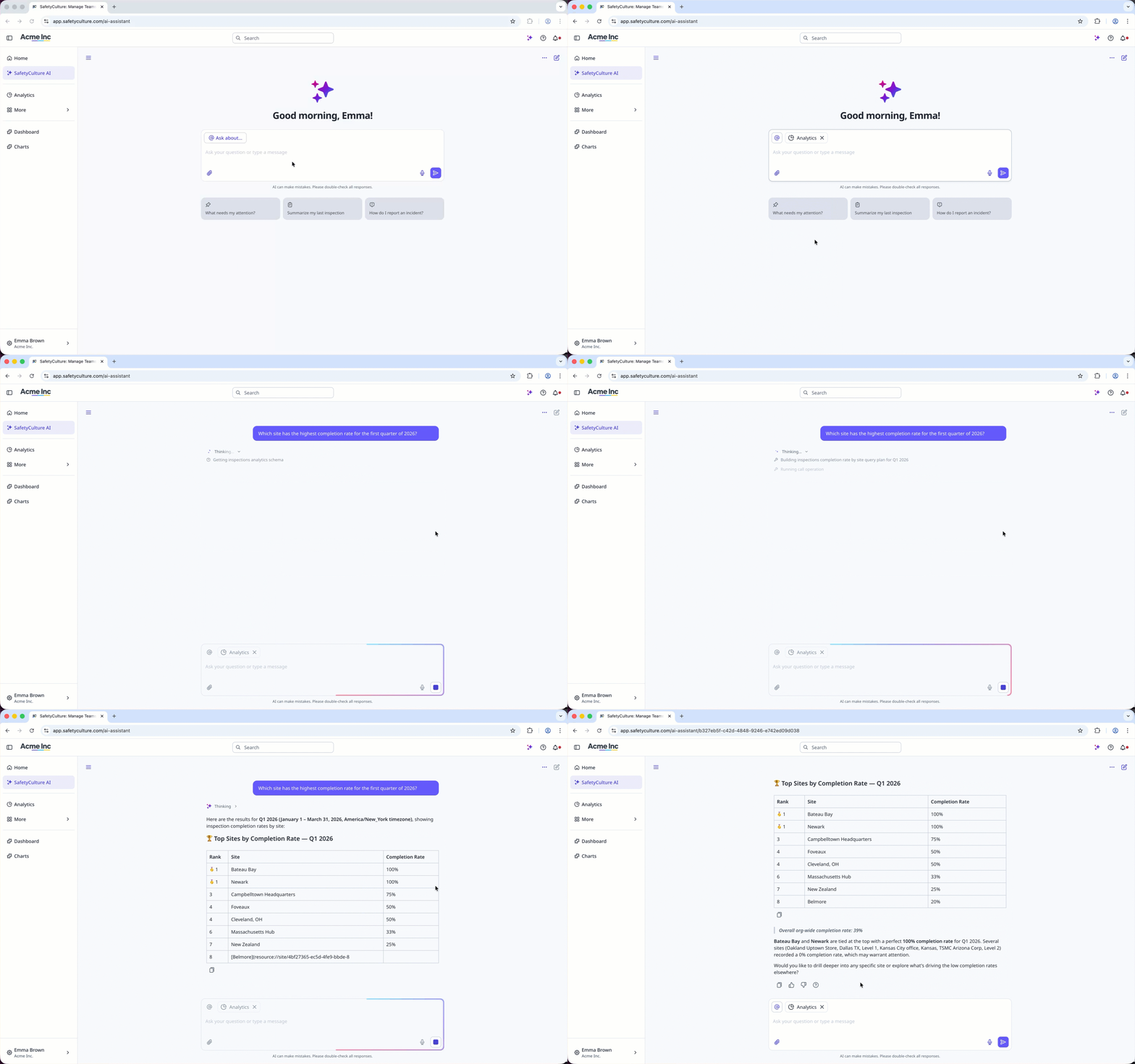
Este artículo explica en qué se gastan los créditos de IA, lo cual es solo una parte de todo lo que el asistente de IA puede hacer en SafetyCulture.
Which tasks cost credits?
Credits are used only when you ask AI Assistant to do something in the chat. What you ask for determines how many credits it costs.
Find information: Search your account, summarize results, or answer questions about your organization.
Analyze your data: Spot patterns, compare results, or surface risks.
Take action across the product: Create or update actions, issues, assets, and inspections from the chat.
Create a template or course from the chat: Build a template or training course by asking the AI Assistant.
Generate reports and files: Produce a downloadable report or document from your organization's data or files you've uploaded.
Search the web: Bring in current information from the web as part of a response.
AI tools that don't cost credits
SafetyCulture also includes other AI-powered tools you can use alongside the AI Assistant. None of these use credits, so they're still available once your credits run out.
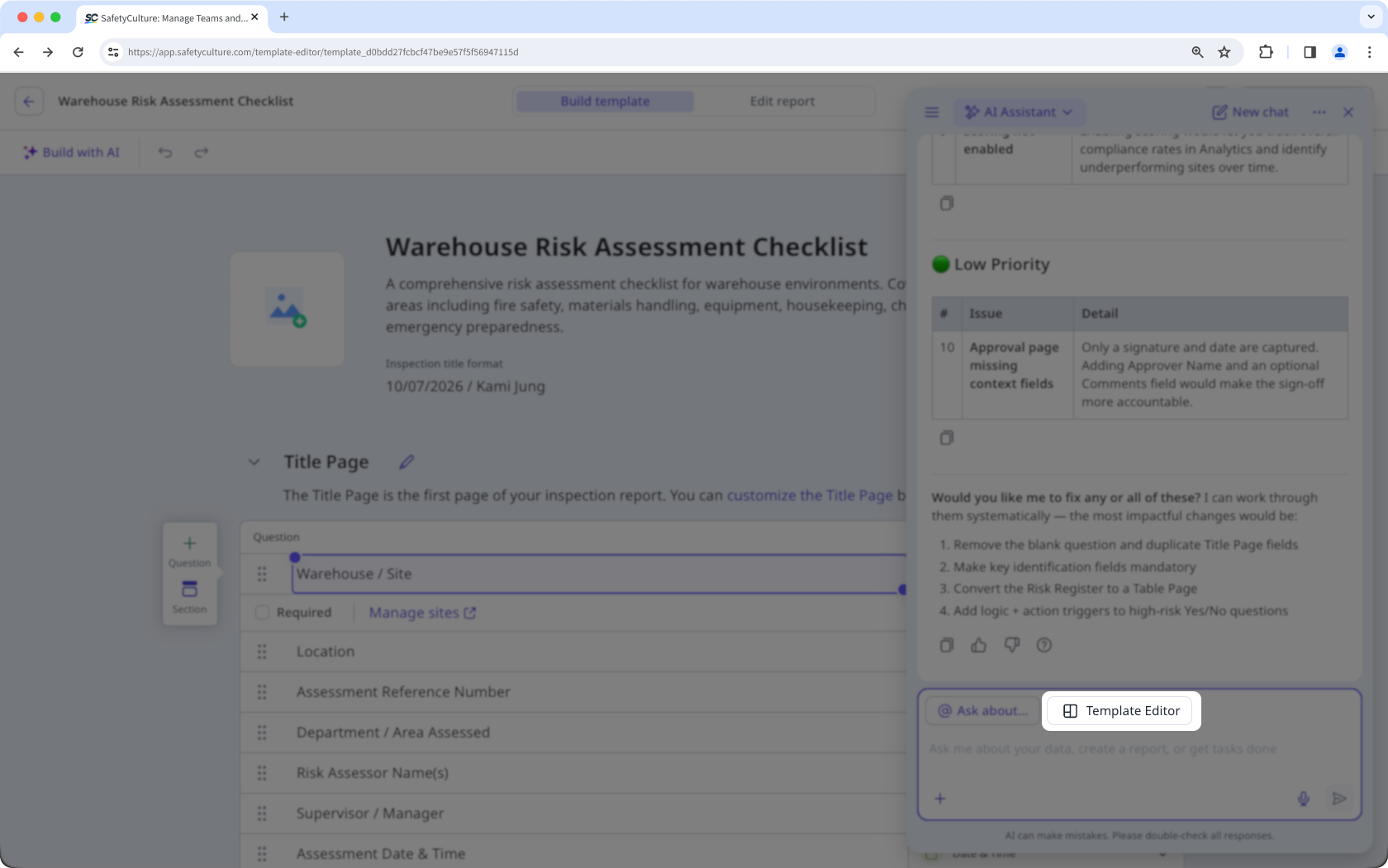
Edit with AI in the template editor: Refine your template using the AI Assistant in the template editor.
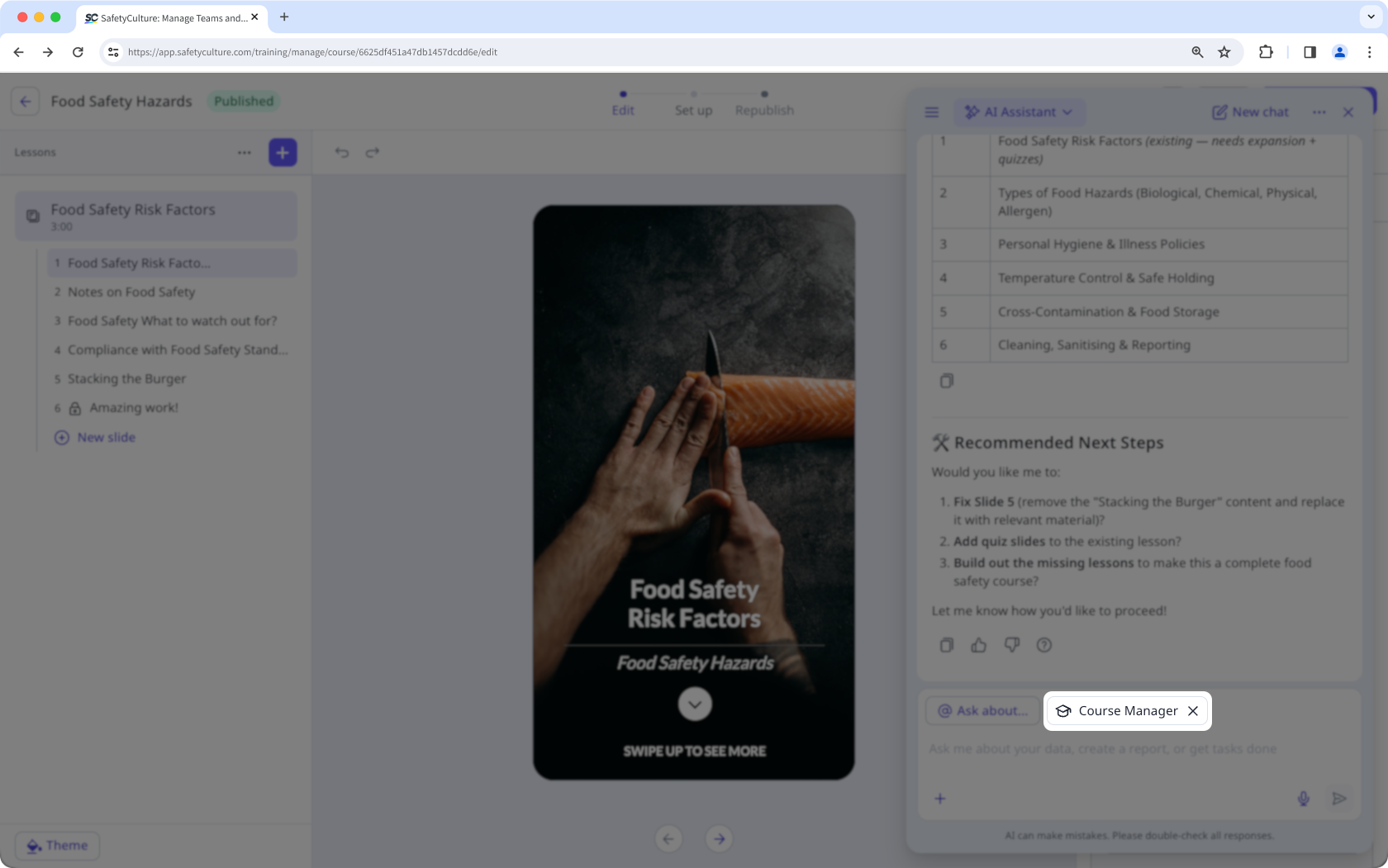
Build with AI in Training: Create and edit a course using the AI Assistant in the course editor.
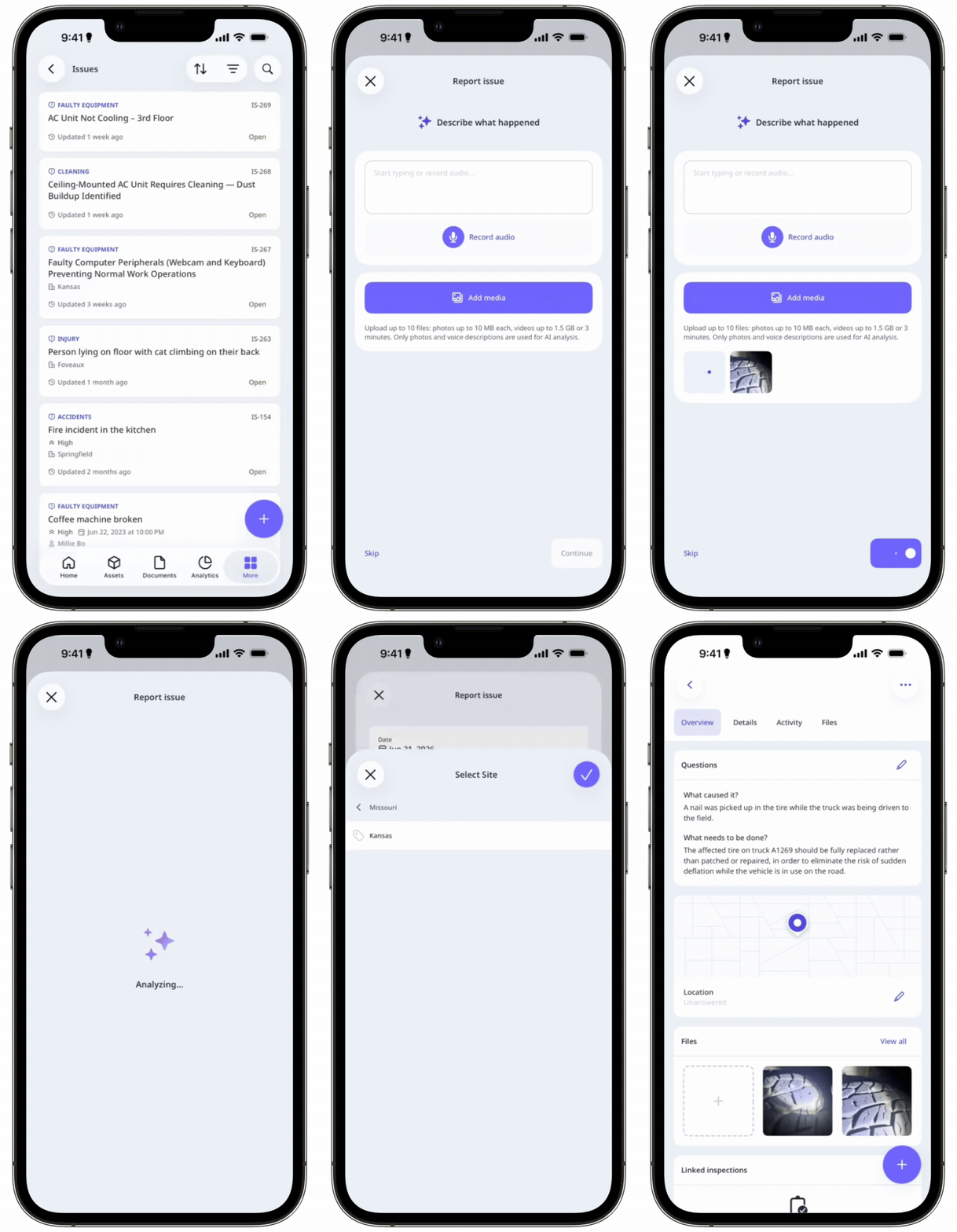
AI issue creation: Enter a description and attach photos to let AI generate details for the issue.
Agents: Automate repetitive tasks and workflows on your behalf.
Site benchmarking: Compare performance and standards across your sites.
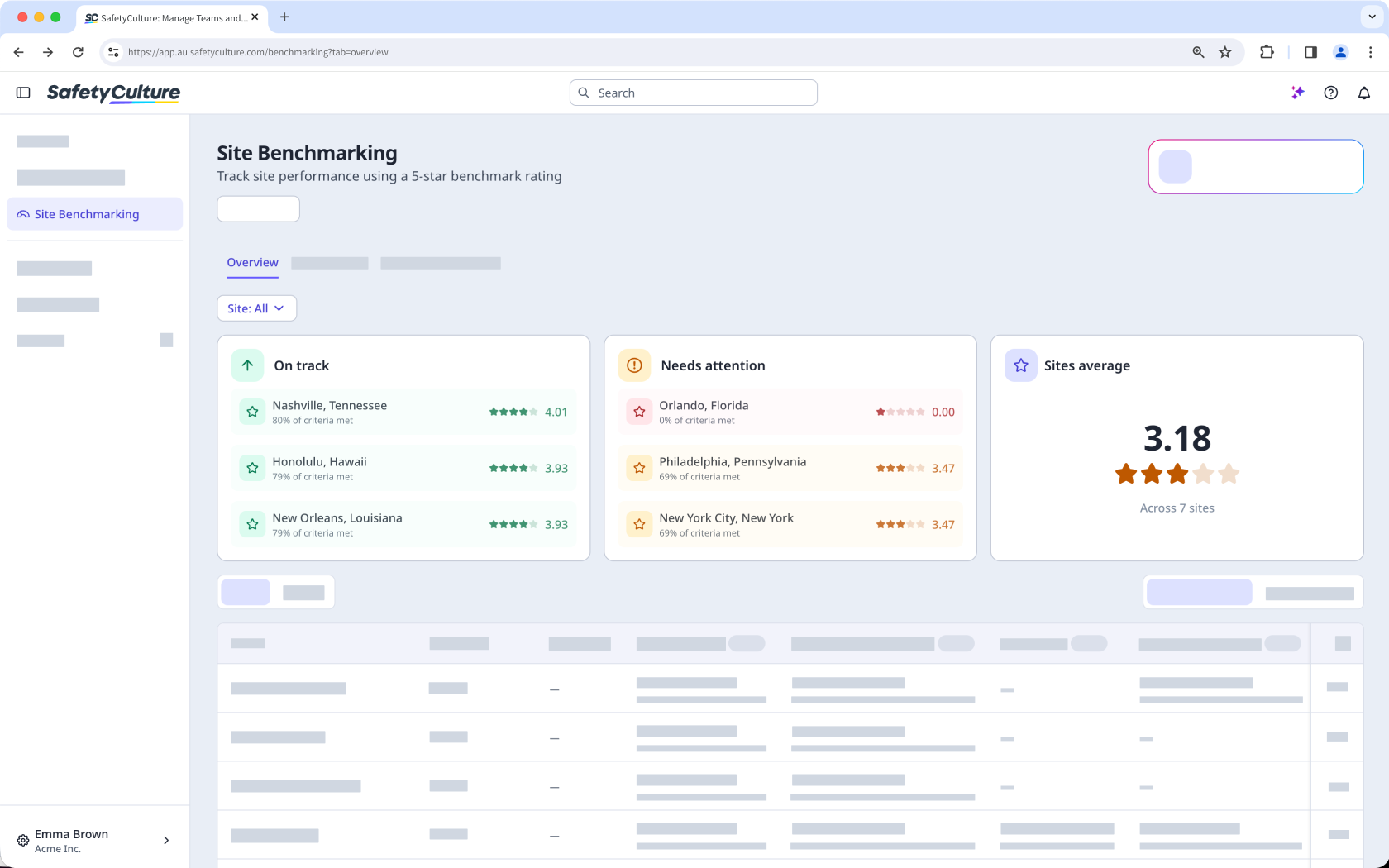
Los agentes no cuestan créditos. Los precios de los agentes están sujetos a cambios.
¿Qué consume más o menos créditos?
El consumo de créditos depende del esfuerzo que tenga que realizar el Asistente de IA para responder. A modo de guía general:
Solicitudes rápidas y concretas: Hacer una sola pregunta u obtener una respuesta breve consume menos créditos.
Acciones cotidianas dentro del producto: La creación o actualización de una sola acción, contratiempo, activo o inspección consume un número moderado de créditos.
Solicitudes amplias o con gran volumen de datos: Pedir al Asistente de IA que analice datos de muchos registros o que genere un documento consume más créditos, ya que tiene que procesar una mayor cantidad de información.
No se trata de una fórmula estricta, ya que la cantidad exacta depende del trabajo que requiera su solicitud específica. Úsela como una referencia general de lo que puede esperar y compruebe su consumo para conocer las cifras reales.
A good prompt can help the AI Assistant do less work, so it uses fewer credits. Write better prompts for the AI Assistant to get the most out of your credits.
How many credits do I get with my plan?
Users on a full seat get a monthly credit allocation based on your plan. Users on lite seats don't get any credit allocation, so any AI Assistant usage on those seats counts as overage from the first request.
Plan | Seat type | Monthly credits |
|---|---|---|
Free | Full seat | 300 |
Premium | Full seat | 500 |
Enterprise | Full seat | 800 |
Premium and Enterprise | Lite seat | 0 |
Monthly credits don't roll over. Your balance resets to your plan's monthly allocation at the start of each month.
All organizations on Plan Premium o Plan Enterprise also receive a one-time welcome credit allocation of 10,000 credits. Unlike the monthly allocation, which is per seat, welcome credits are shared across everyone in your organization. They expire three months after they're granted, whether or not you've used them.
If your organization needs more credits than its included allocation, users with Permiso de "Administración de plataformas: Facturación" can purchase a credit subscription for additional monthly credits or set an overage limit to control how much extra usage is allowed.
¿Cómo puedo hacer un seguimiento de mi consumo?
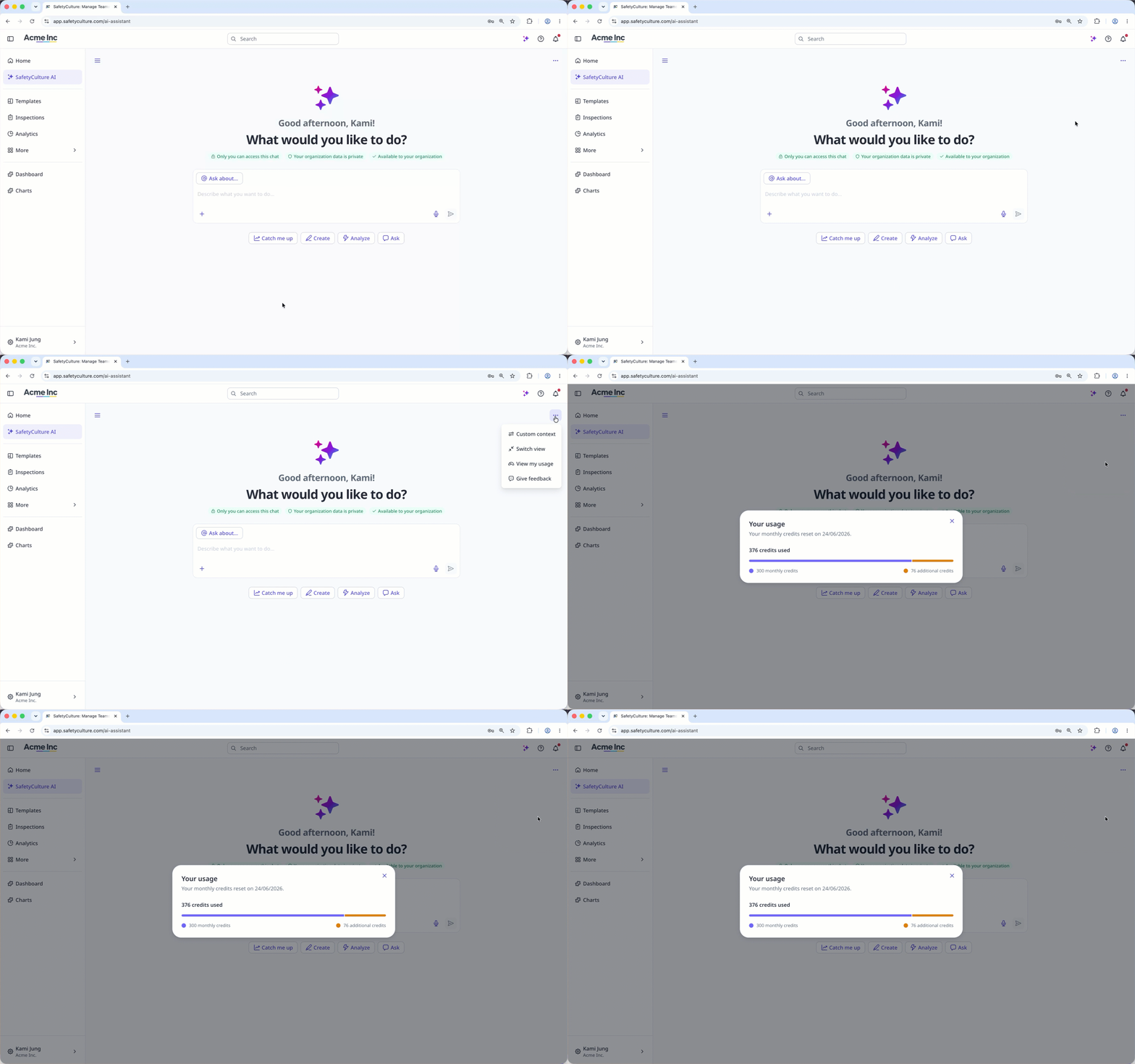
Puede hacer un seguimiento de su consumo directamente desde el Asistente de IA. Haga clic en en la esquina superior derecha de la página y luego seleccione Ver mi uso. Verá cuántos créditos ha utilizado y cuándo se restablecerán.
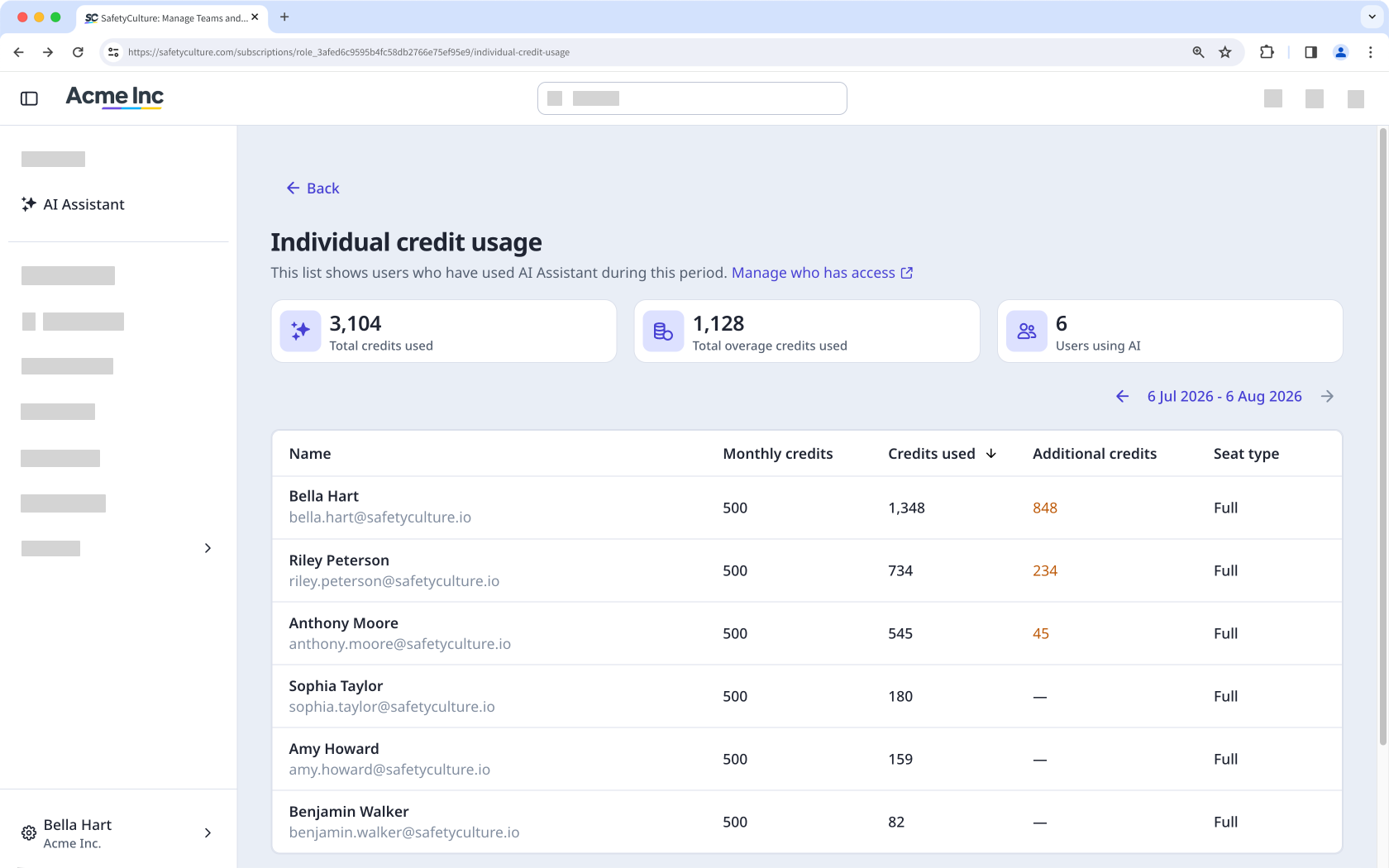
Los usuarios con Permiso de "Administración de plataformas: Facturación" pueden realizar un seguimiento del uso de su organización, incluido un desglose por usuario, en la página de Facturación.
Recibirá una alerta en el Asistente de IA cuando esté a punto de agotar todos sus créditos. Los administradores con Permiso de "Administración de plataformas: Facturación" también reciben una notificación cuando los créditos de la organización están a punto de agotarse, para que puedan añadir una suscripción de créditos o establecer un límite de excecso antes de que alguien pierda el acceso.
What happens when I use all my credits?
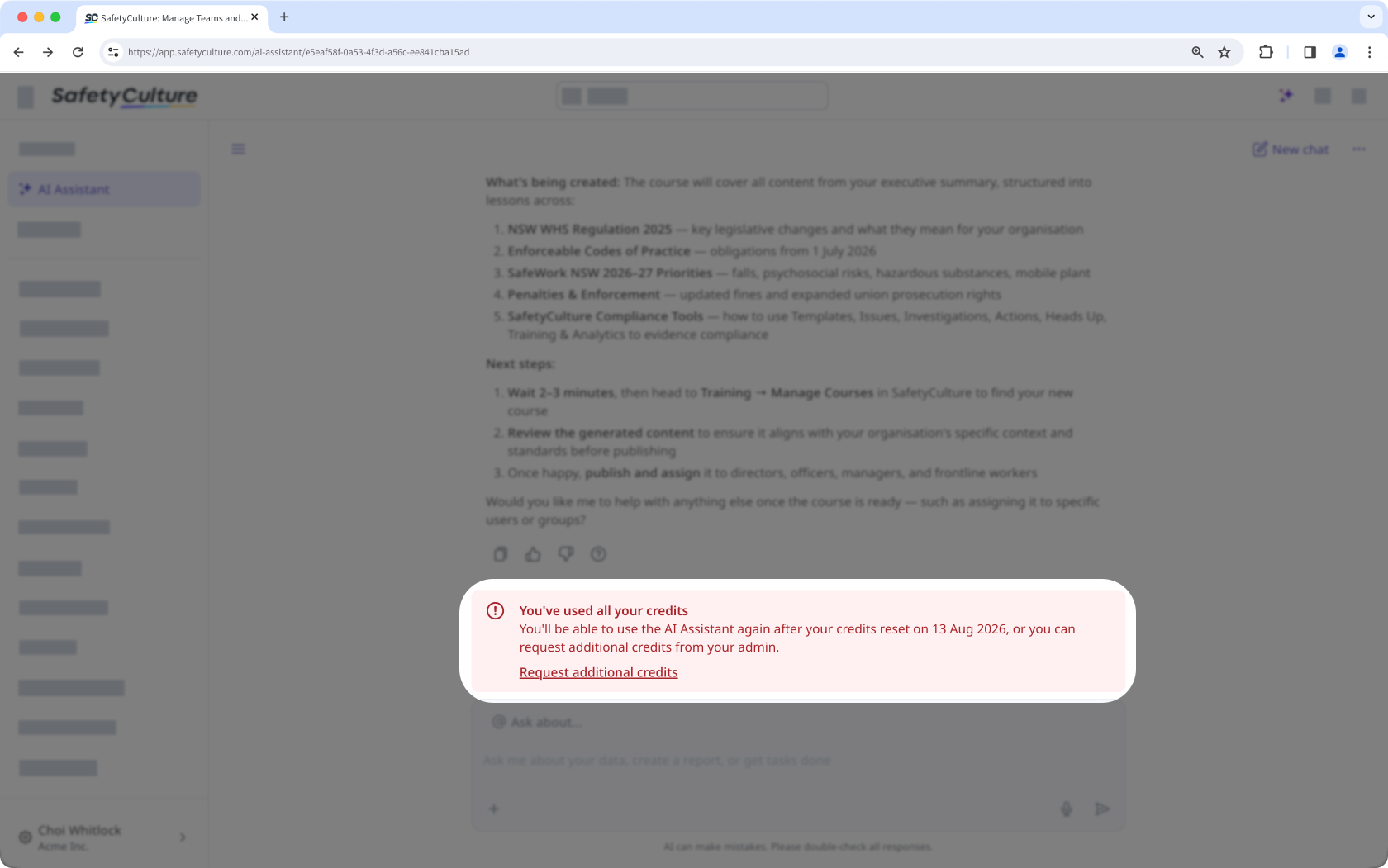
On Plan Premium o Plan Enterprise, once your organization has used all its credits, you'll see an alert in the AI Assistant letting you know you're out of credits. You can request more credits from an admin directly from that alert.
Admins with Permiso de "Administración de plataformas: Facturación" get notified when the organization is out of credits, along with any requests from the team, and can resolve it by adding a credit subscription or setting an overage limit. If neither happens, no one can use the AI Assistant until credits reset the following month. This applies to the entire organization, so you can't add credits for a single user.
On the Plan Gratuito, once monthly credits run out, users can't use the AI Assistant until they reset the following month. Organizations can upgrade to the Premium Plan for a larger monthly allocation and access to credit subscriptions and overage limits.
Some tools stay free to use no matter how many credits you have left. See the list above for what's included.