How does AI credit usage work?
AI features in SafetyCulture, like the AI Assistant, run on credits. A credit is a single unit of AI work, and all AI features draw from one shared pool, so you don't need to track usage feature by feature.
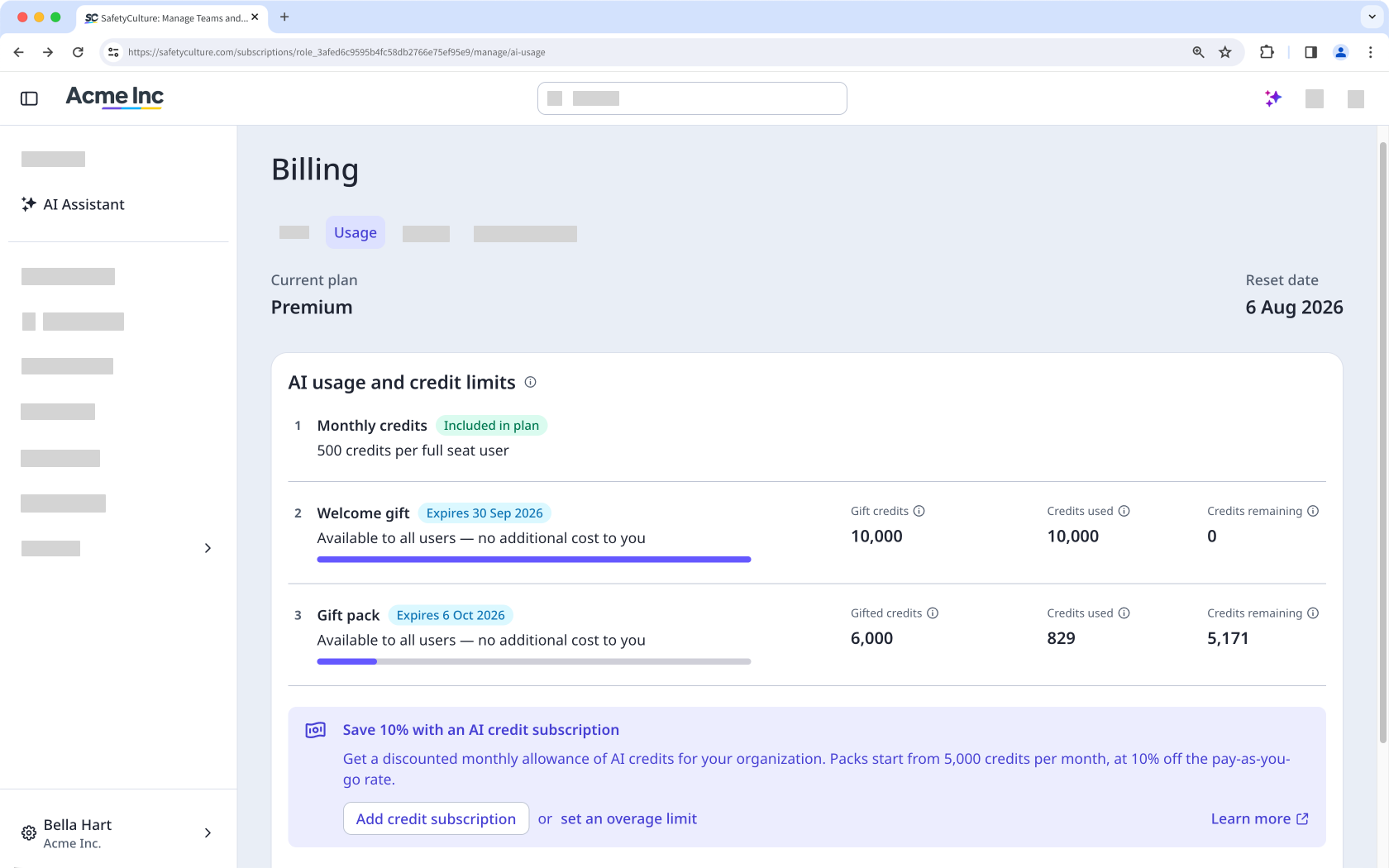
Your plan includes a set number of credits each billing cycle. When you need more than what's included, your organization draws on credits in this order, so free and prepaid credits are always used before you're charged anything extra:
Included monthly credits: Every user on a full seat gets a monthly credit allocation based on your plan. Credits reset each billing cycle and don't roll over.
Welcome gift: Organizations on the Premium trial, Premium Plan or Enterprise Plan automatically receive a one-time grant of 10,000 credits when they sign up. This is shared across your whole organization rather than per seat, and is valid for 3 months.
Gift packs: From time to time, SafetyCulture may add a gift pack of free credits to your organization. Like the welcome gift, these are free, granted as a one-off, and expire after a set period.
Credit subscription: If your team regularly needs more than your included credits, you can buy a credit subscription at a discount. Credits reset monthly regardless of your organization's billing cycle, and unused credits don't roll over. Credit subscriptions are available to organizations on Premium Plan or Enterprise Plan.
Overage: Pay-as-you-go usage beyond everything above, charged only once your organization sets an overage limit above 0. Organizations on the Free Plan can't purchase a credit subscription or set an overage limit. Once your monthly credits run out, AI Assistant is unavailable until they reset the following month.
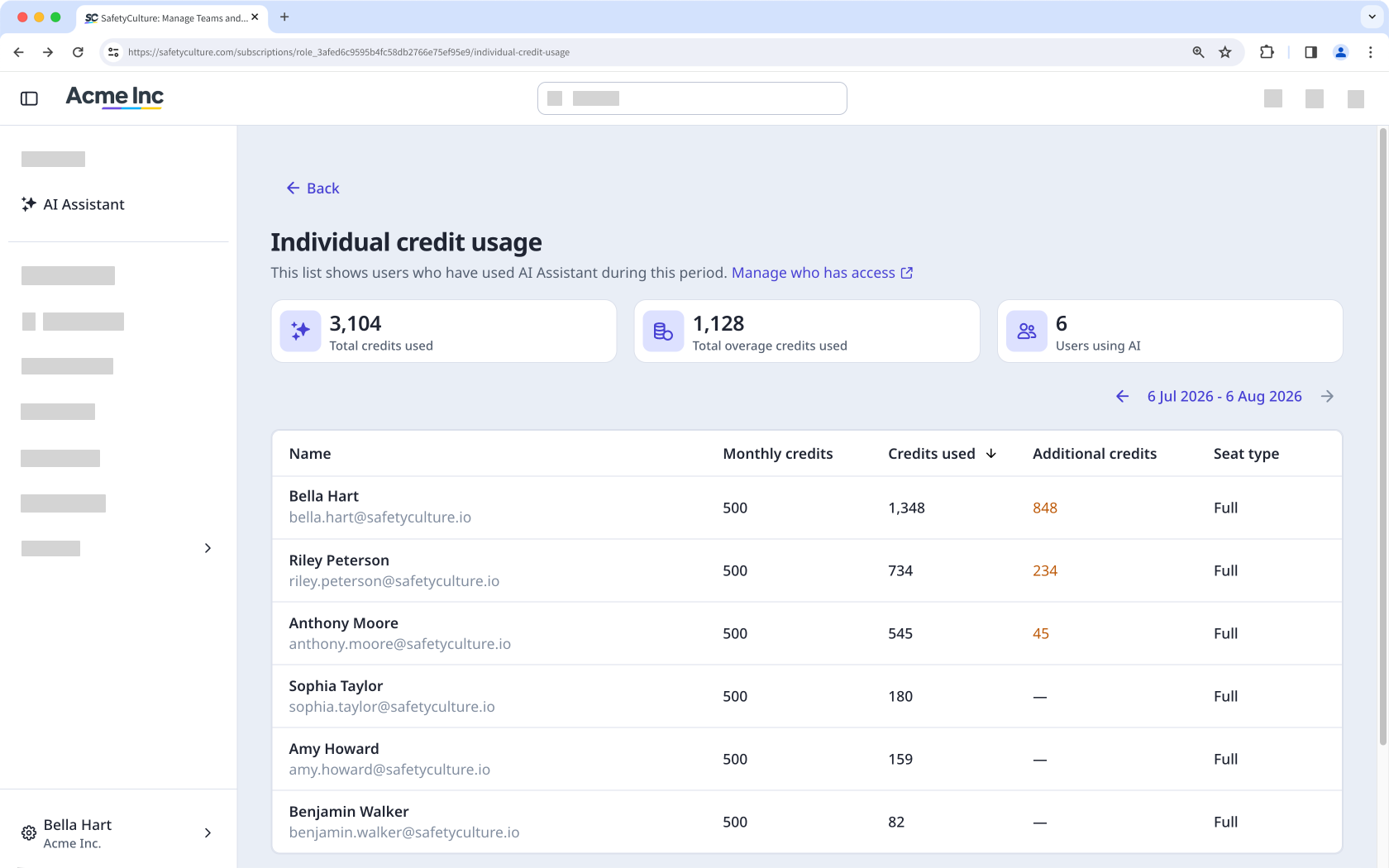
Users on lite seats have no included allocation, so their usage always shows as additional usage.
View your organization's credit usage
Click your organization name on the lower-left corner of the page and select Billing.
Click Usage at the top of the page.
On this page, you can view your organization's current plan and renewal date, along with the credit sources available to you.
View credit usage per user
Click your organization name on the lower-left corner of the page and select Billing.
Click Usage at the top of the page.
Click View individual usage at the bottom of the page. Only users who have used the AI Assistant at least once will appear in the list.