Why does a good prompt matter?
The AI Assistant uses your prompt to generate its response. How you write the prompt affects the quality of the response.
Vague prompts often produce generic or incomplete responses, which can lead to additional follow-up prompts. Stating your goal clearly, adding context, and specifying the format you want helps the AI Assistant return an accurate response the first time. This applies whether you're creating a report, summarizing inspection data, or finding information in your organization's records.
How to write a good prompt?
Use these practices when writing a prompt for the AI Assistant. Each one addresses a different part of how you frame a request, so applying them together gets you a more accurate response on the first try.
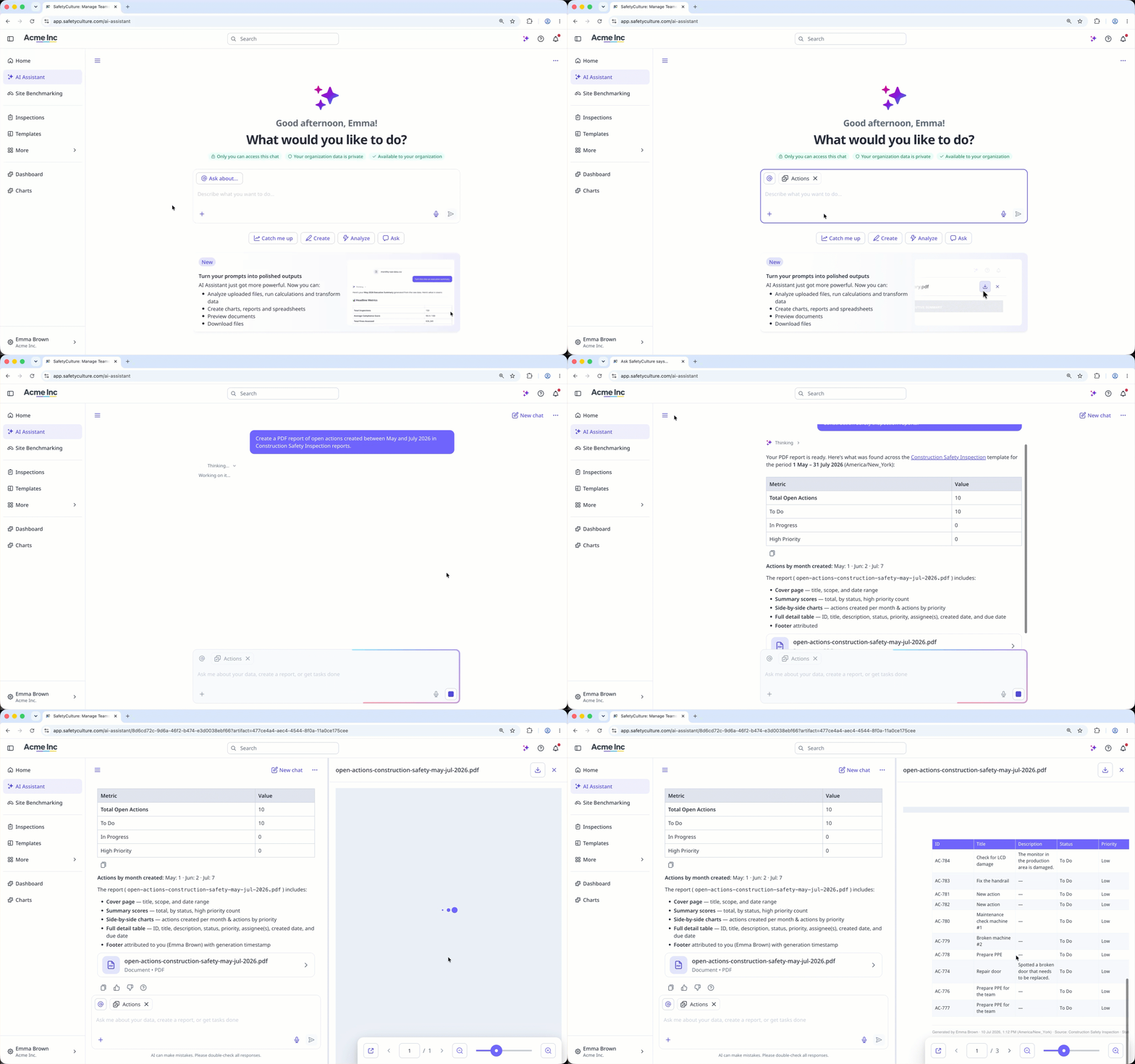
1. Start with a clear goal
Tell the AI Assistant exactly what you want it to produce. Include the format you want, such as a summary, table, or downloadable report, along with key details like the date range or location. A clear goal gives it a target instead of leaving it to guess your intent and match its output to how you plan to use it.
2. Give the right context
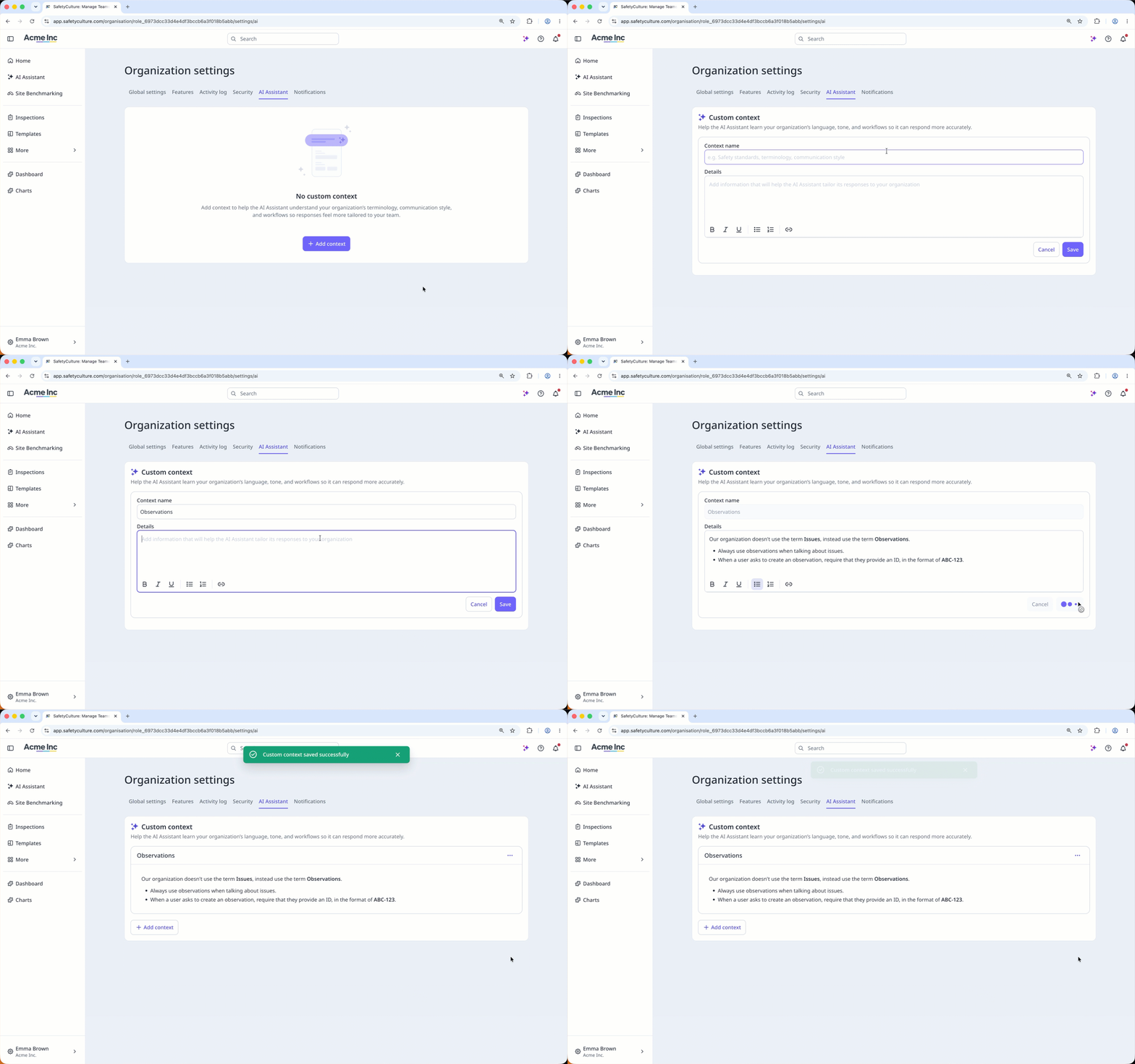
Point the AI Assistant to the specific data, documents, or records it should use to answer your prompt. Set up custom contexts so admins can define organization-specific terms, acronyms, or instructions once, instead of specifying them in every prompt.
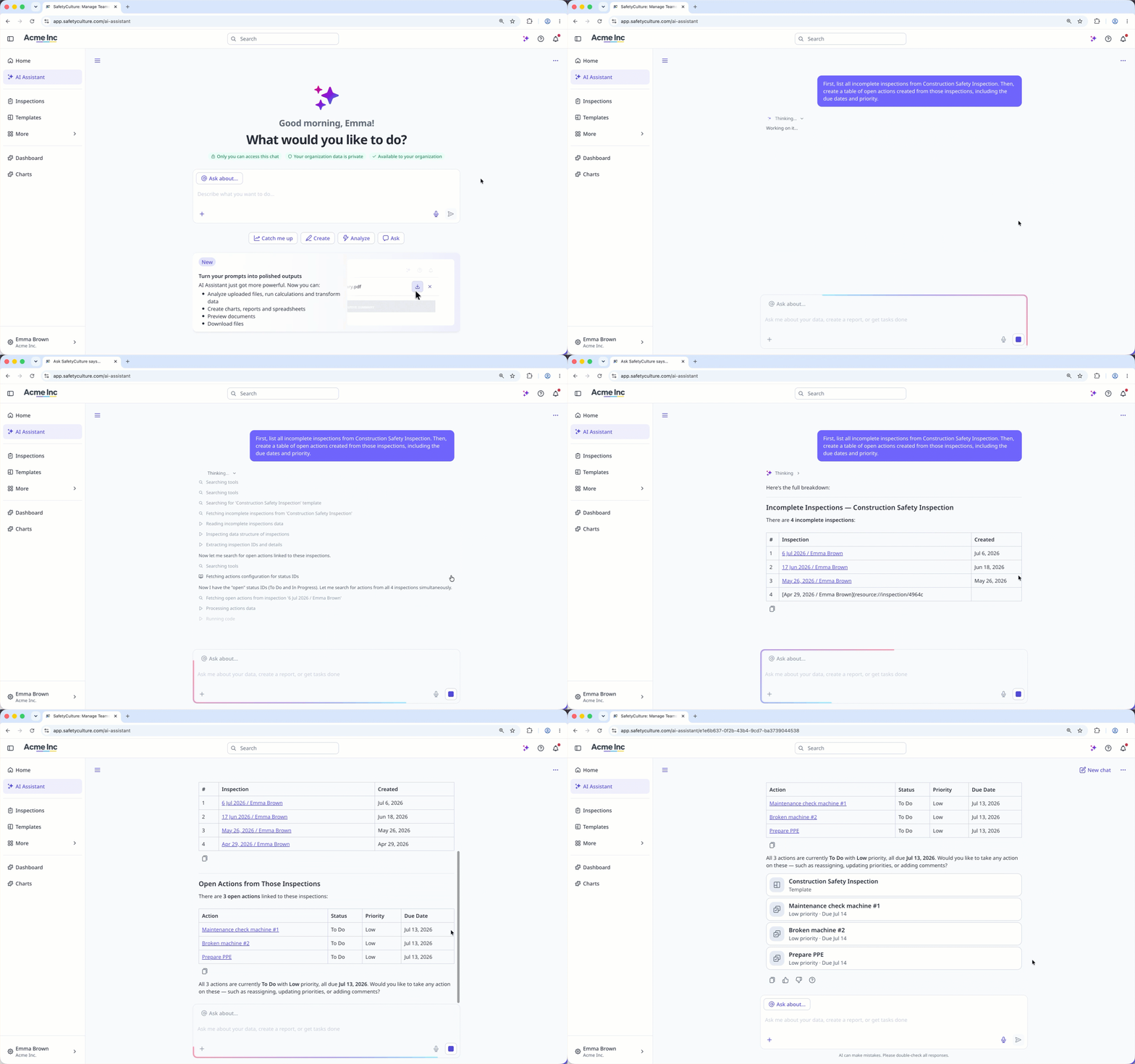
3. Break it down, then refine
Split complex requests into smaller, connected prompts rather than asking for everything at once. Treat the conversation as ongoing. If a response isn't quite right, refine your prompt or ask a follow-up instead of starting over. Start a new chat when you move to a different topic.
Example prompts
Here's how applying the best practices for writing a prompt changes the AI Assistant's response.
What to try | What to avoid | Why it works |
|---|---|---|
Summarize this month's overdue inspections by site. | Tell me about inspections. | States a clear goal, timeframe, and grouping, so the AI Assistant knows exactly what to return. |
Create a PDF report of open actions created from Construction Safety Inspection reports. | Show me the actions. | Specifies the output format instead of leaving it up to the AI Assistant. |
List the last three safety issues at the Chicago site, including date. | What happened at Chicago? | Includes the detail needed to answer precisely, without adding unrelated information. |
Using the Q2 compliance report, summarize the top three risk areas. | What are our biggest risks? | Points the AI Assistant to a specific data, so it draws from your organization's data. |
First, list all incomplete inspections from last week. Then, group them by site. | Show me all incomplete inspections from last week grouped by site with a summary. | Breaks a complex request into smaller steps, so each part is easier for the AI Assistant to complete accurately. |
Check which features use AI credits to plan your organization's usage across your monthly allocation.