What are company profiles?
A company profile is a centralized space for managing a contractor company within your organization. You can view and update key contractor details, add internal notes to keep records accurate, and manage users tied to the contractor, including their credentials and activity. You can also request and store documents from key contacts to support compliance. This ensures your team efficiently oversees contractor relationships, maintains compliance, and collaborates seamlessly with your contractor network.
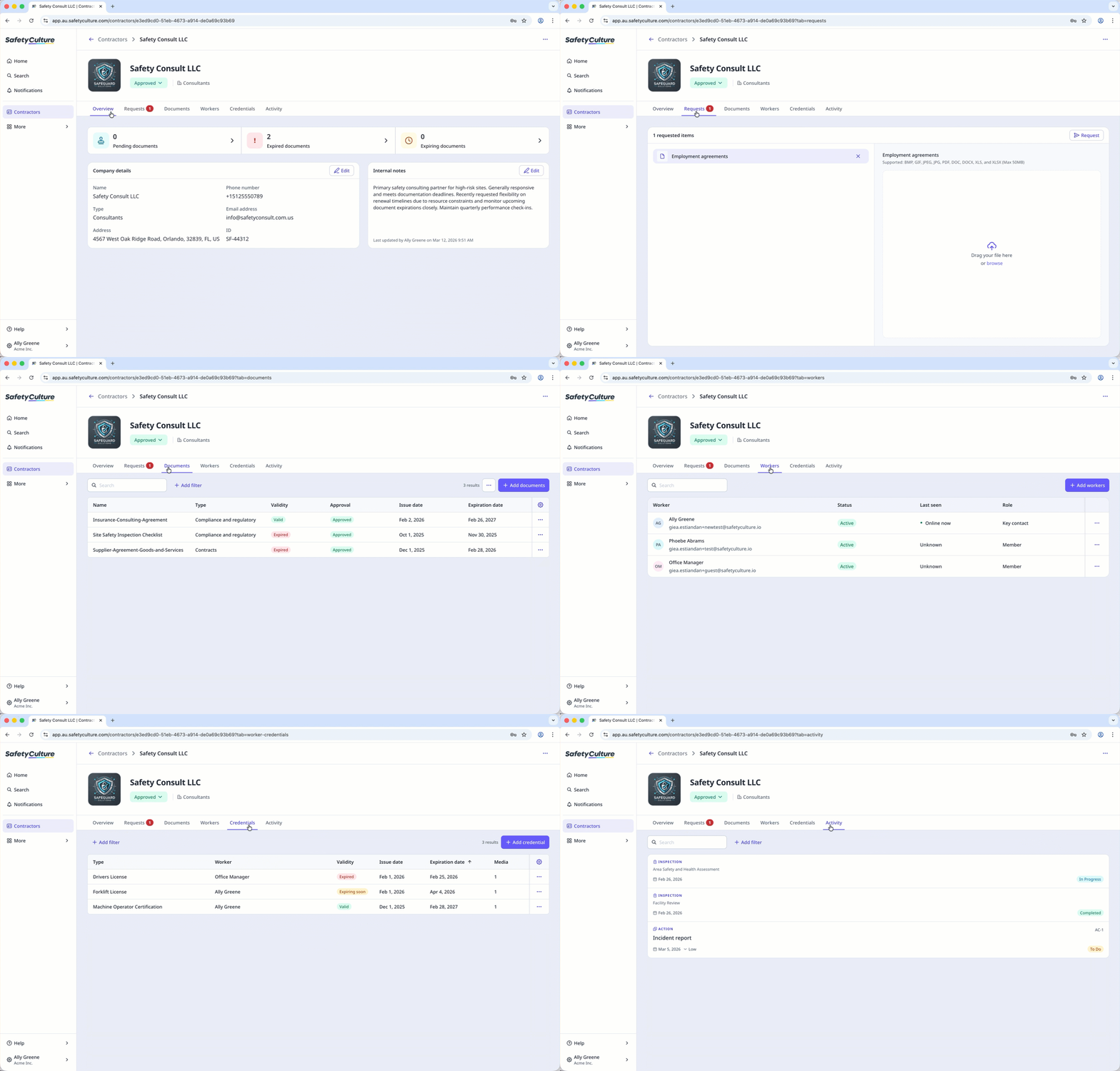
Onboard contractors from the company profile to quickly guide your team on the steps they need to complete before starting their roles.
You can narrow down companies with documents that are expired, expiring soon, or pending approval from the company profile to quickly focus on what needs attention.
View a company profile
Select Contractors in the sidebar or select it in More.
Select a company.
The company profile includes the following information:
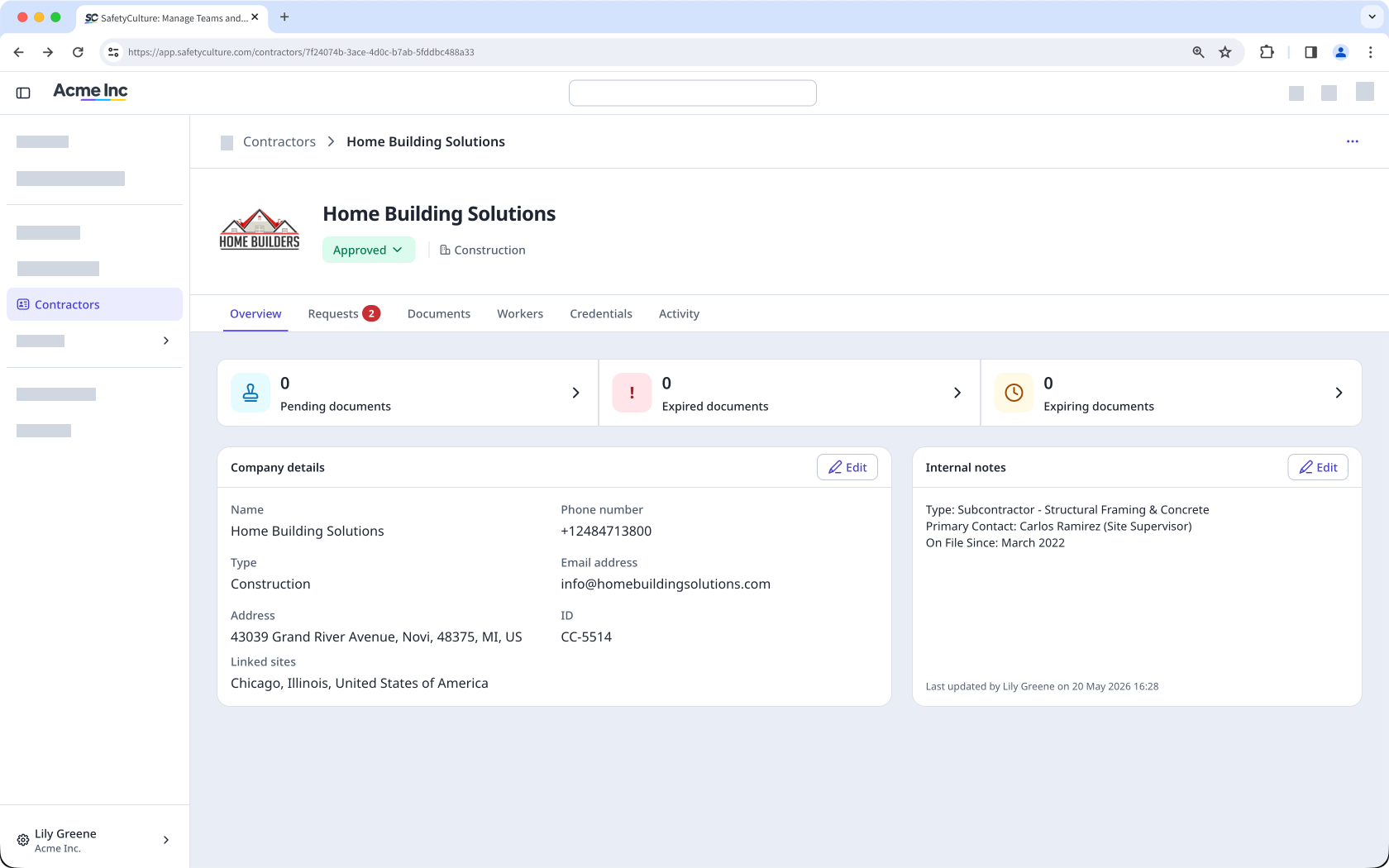
Key details, such as company type, status, and internal notes
Pending, expiring soon, and expired documents
Uploaded company documents
Company workers, including their credentials and activity
From the company profile, you can also create onboarding workflows.