What are issue profiles?
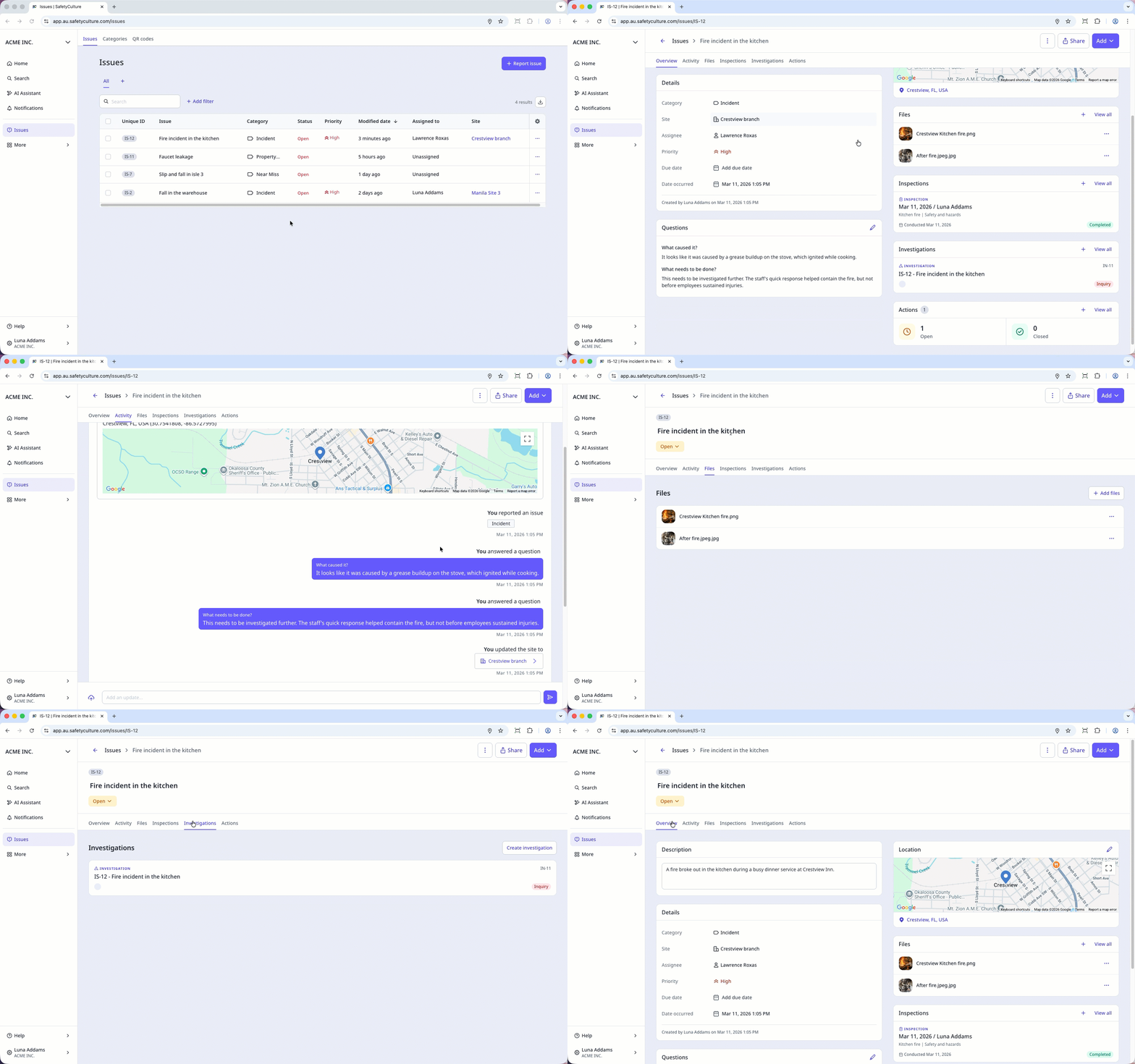
An issue profile is a centralized space for managing workplace incidents. Incident information can end up scattered across people, tools, and timelines, so having everything in one place helps your team stay on top of what's happening and who's responsible. An issue profile brings together all relevant information, including key details, related files, assets, and an activity timeline of changes made to the issue. You can also view linked inspections, investigations, and actions that support issue resolution.
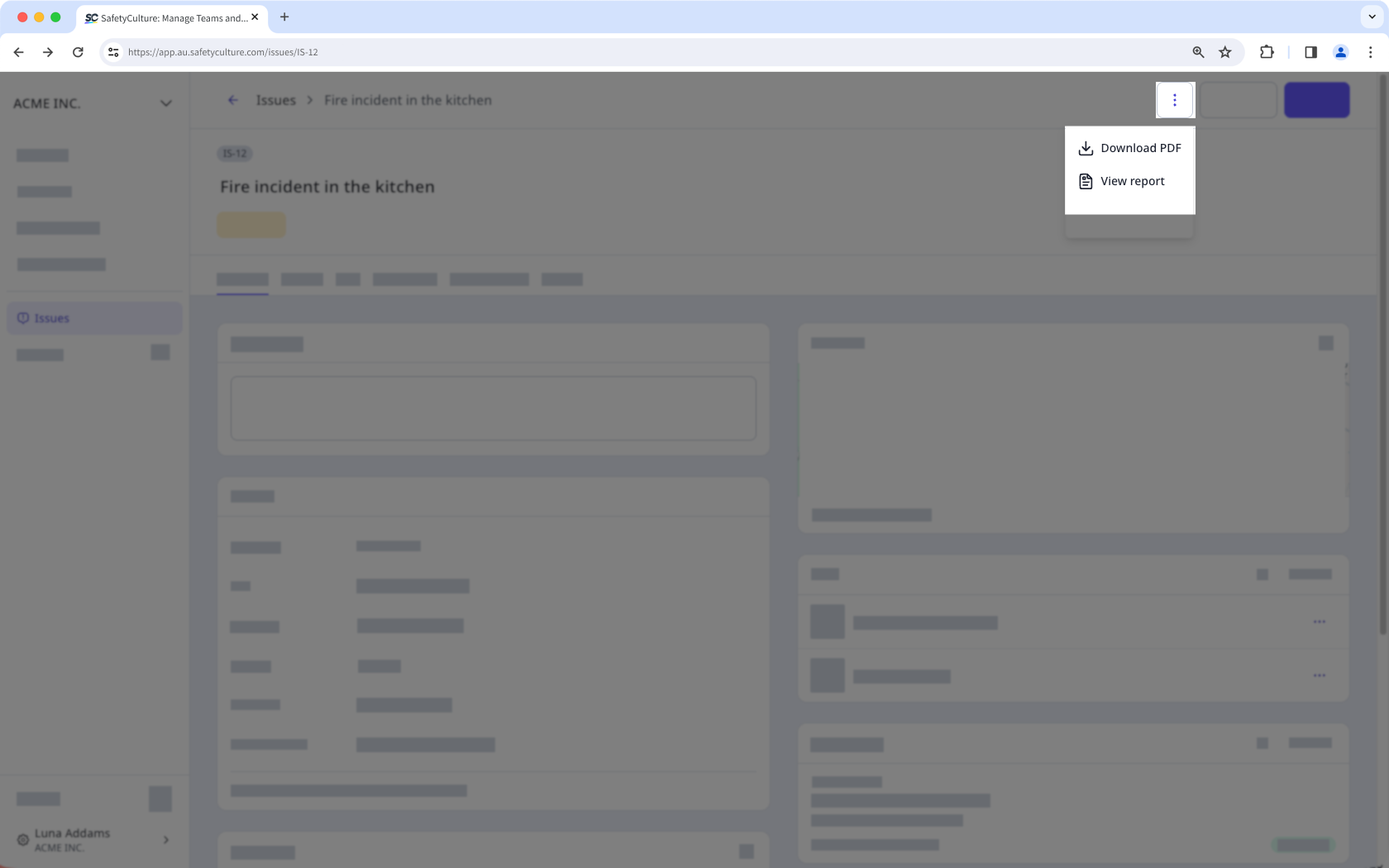
From the issue profile, you can also modify the issue details, download a PDF copy, view the issue report, and share it with your team or externally. This gives your team a single place to manage the full lifecycle of an issue, from initial review through to resolution.
Exploring issue profiles
View and manage key issue details
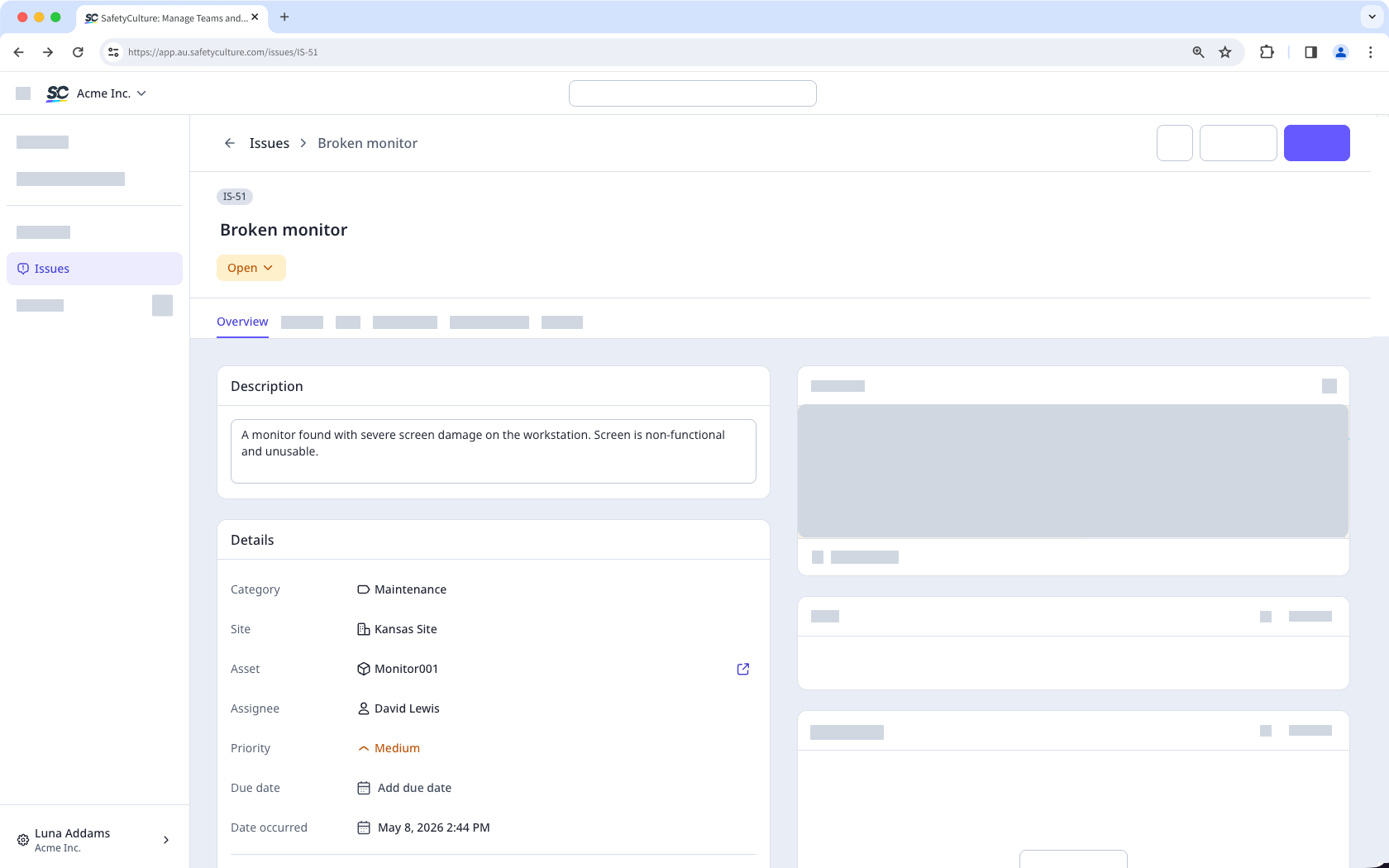
The issue profile brings together all the important details your team needs to understand and respond to an issue effectively. The available fields in each profile capture important information and make it easily accessible, giving your team the context they need from the start.
Field | Description |
|---|---|
Unique ID | The unique identifier of an issue in your own system. |
Title | The title of an issue. This is a required field. |
Status | The status of an issue. |
Description | The description of an issue. |
Category | The selected category of an issue. |
Site | The site of an issue. |
Asset | The selected asset of an issue. |
Assignee | The assignee of an issue. |
Priority | The priority of an issue. |
Due date | The due date and time of an issue, following the time zone of your computer system setting. |
Date occurred | The date and time an issue began or was initially observed. |
Created by | The creator of an issue. |
Created date | The date and time an issue was created, following the time zone of your computer system setting. |
Reporting an issue as "High" priority triggers Critical Alert notifications for users configured to receive alerts for the issue’s category.
Answer custom questions
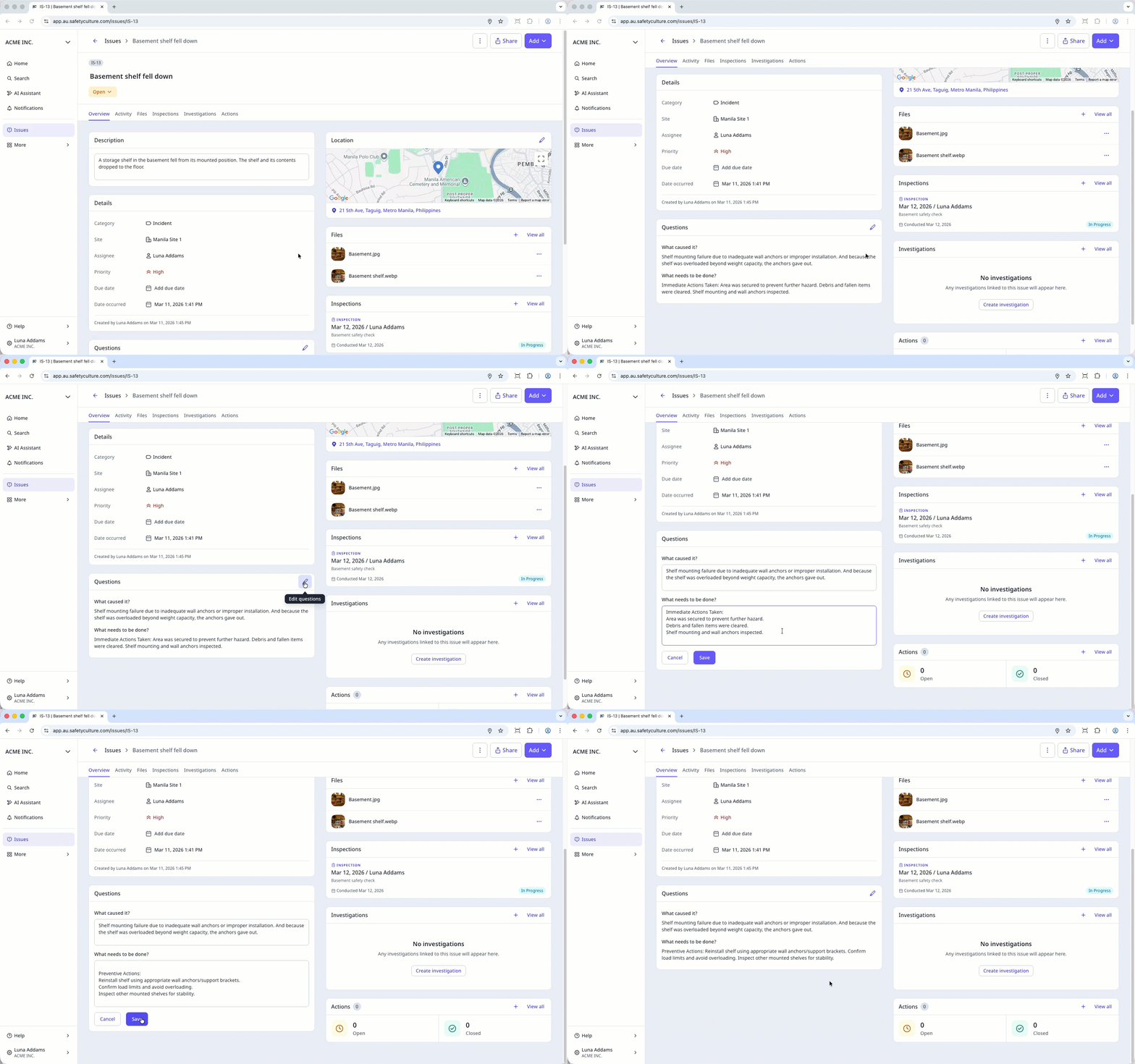
Answer custom questions to help your team assess the severity and impact of an issue. Custom questions make reports clearer and more consistent by providing more information about the issue and how serious it is. You can update answers to custom questions to provide more information and ensure an issue is resolved quickly.
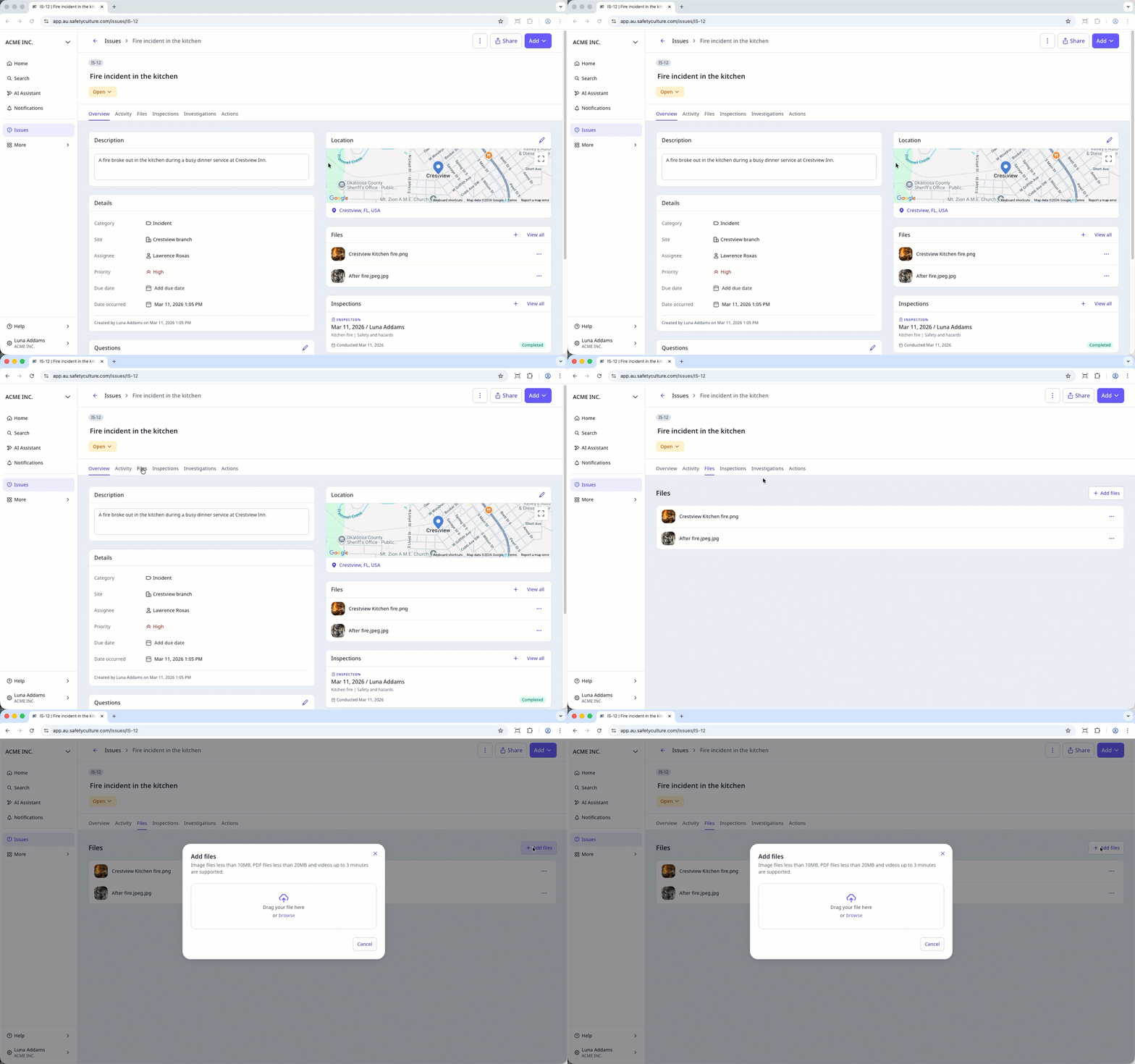
View and add files
Visual aids enhance communication among team members, stakeholders, and external parties involved in resolving an issue. You can add photos, videos, and files, to record conditions and specifics that may be difficult to capture using descriptions alone.
Start and view inspections
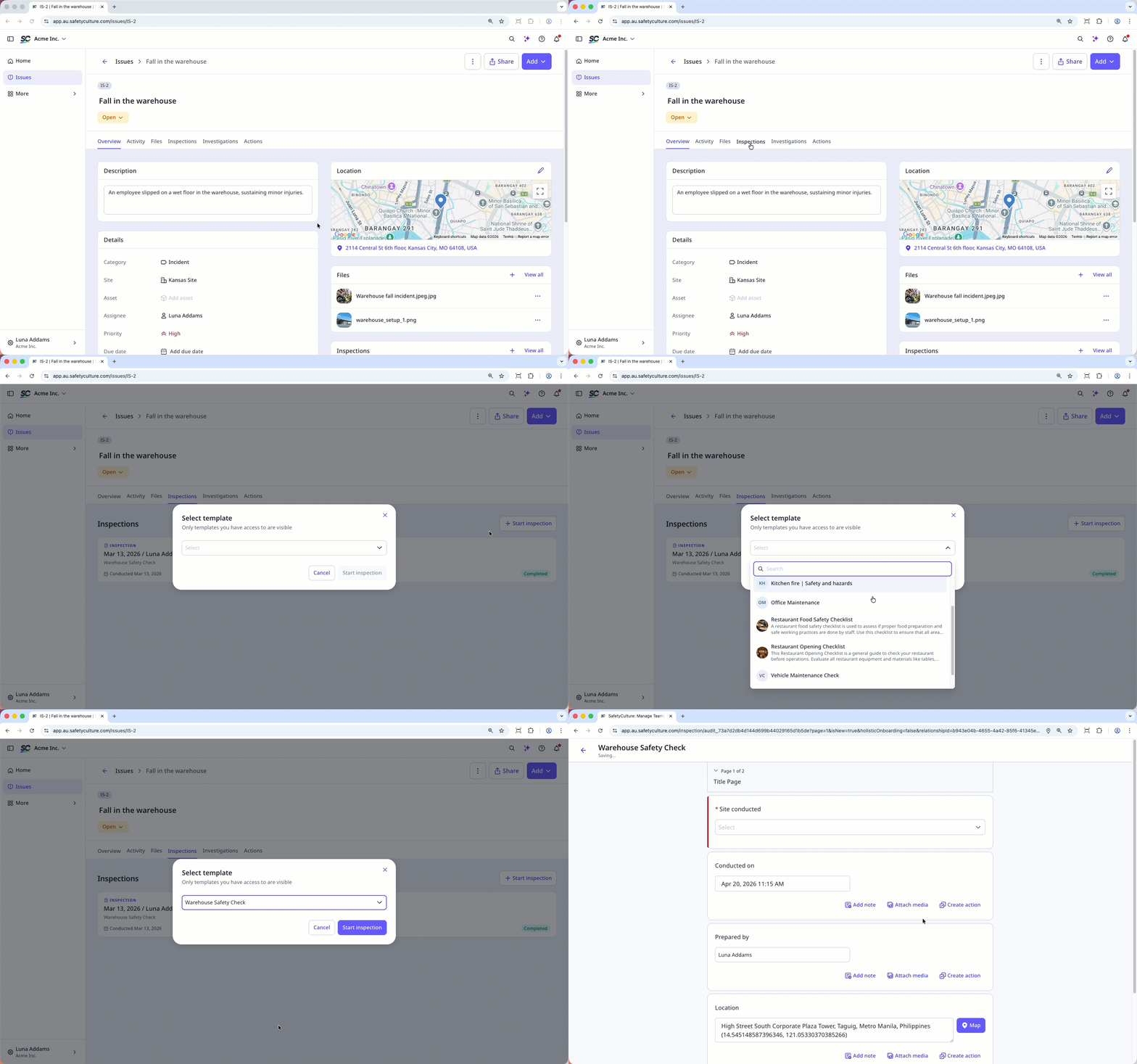
After you report an issue, you can conduct an inspection to gather more data and identify any gaps that need to be addressed to help resolve the issue. Inspections started from an issue are automatically linked, so you can track everything in one place.
Create investigations for issues
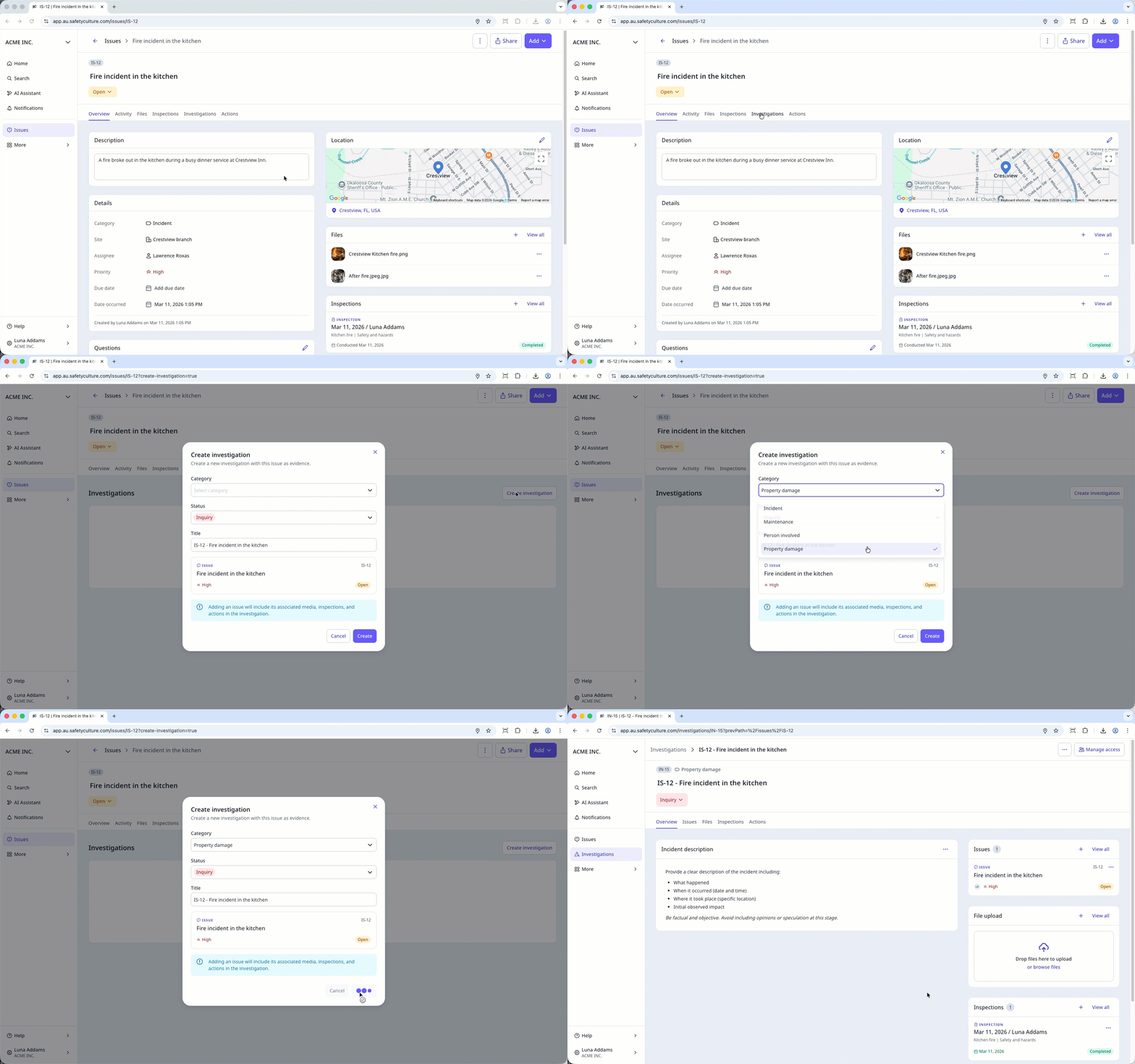
If an issue requires a deeper analysis, supporting evidence, and coordinated follow-up action, you can create an investigation directly from the issue profile. The issue is automatically linked as evidence in the investigation, including its related media, so all context stays in one place.
Create and view actions
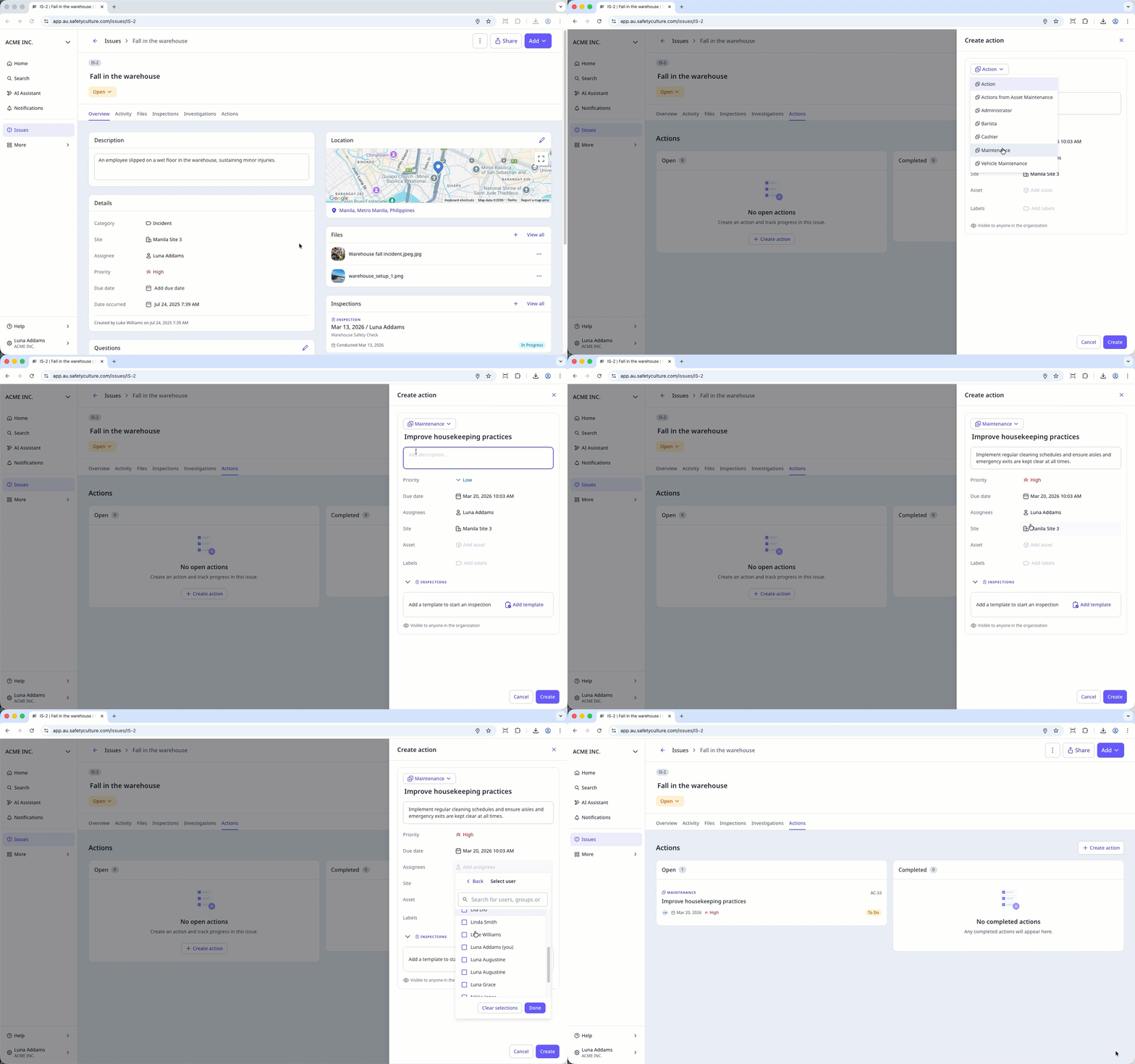
When an issue requires follow-up, an action can be created directly from the issue to assign a task to a team member. Creating an action from the issue profile helps ensure the issue is properly addressed and tracked to resolution. You can also add a due date, set a priority level, and include additional information to provide the assignee with the right context.
View the issue timeline
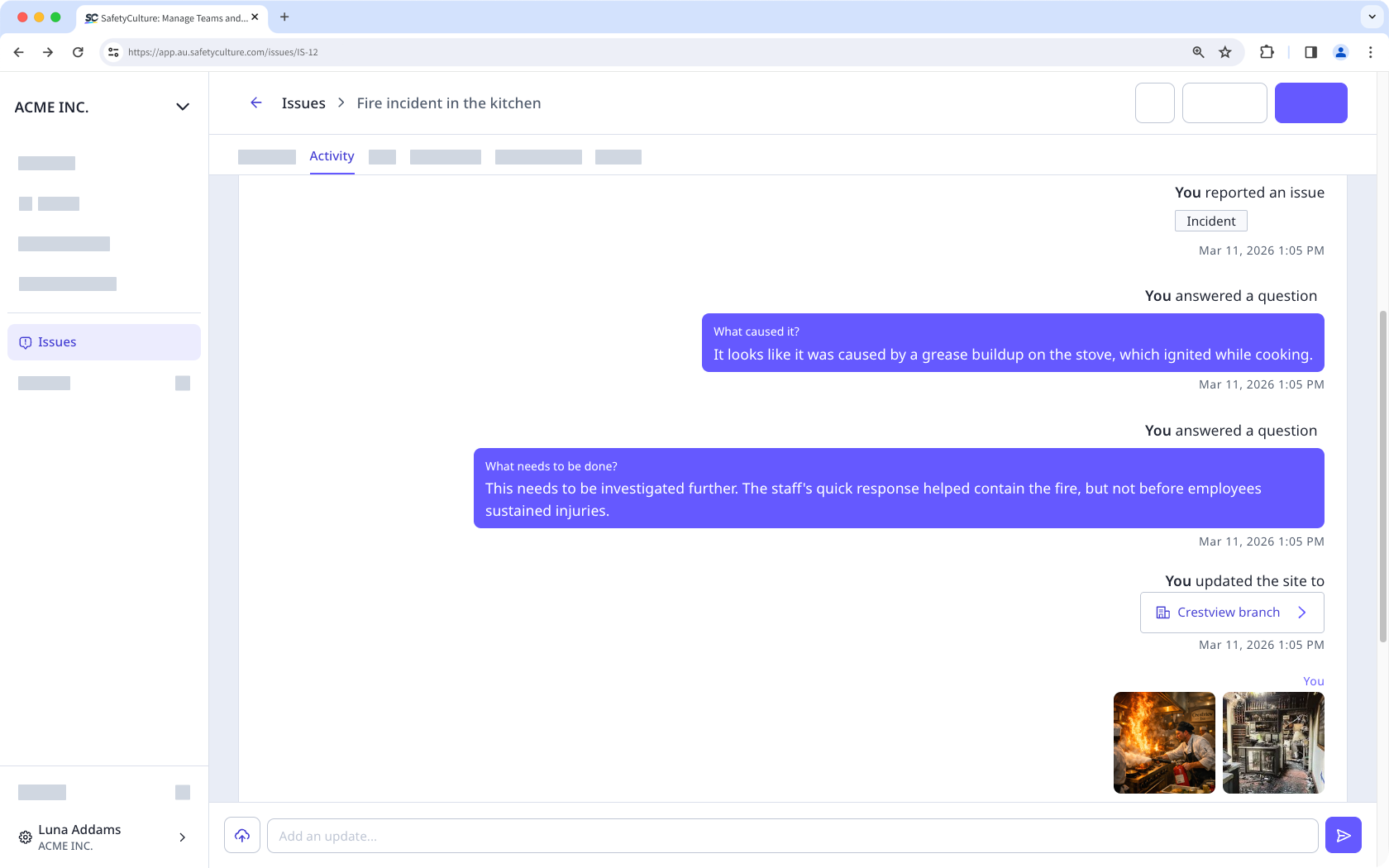
The issue timeline provides a clear view of all activity related to an issue. You can see who has access, track inspection progress, and review comments or media added by team members, helping everyone stay informed and aligned on the issue’s progress.
Share issues
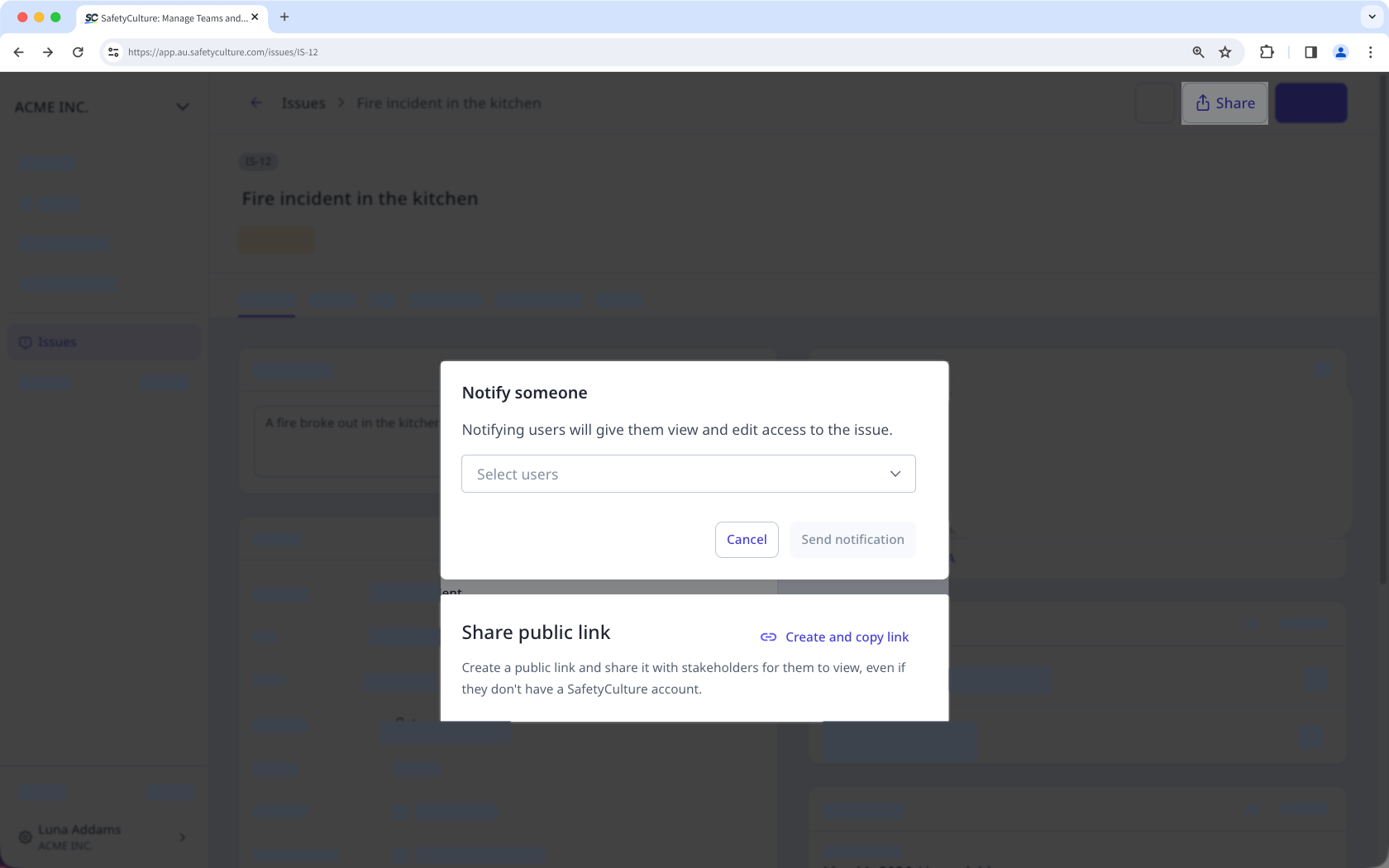
When an issue requires input from others, it can be shared with team members or external stakeholders to help resolve it promptly. You can either notify your team directly or share a public link with external stakeholders. This makes it easier for the people involved to reference the issue during discussions.
View and download issue reports
Issue reports contain all the relevant details for each issue, making them easy to share with stakeholders. You can create a public link for real-time viewing or export it as a PDF for your team's records.