What are issue fields and custom questions?
Issue fields and custom questions help teams record the right details when reporting an issue and make reports clearer and more consistent for stakeholders. Admins can set required fields or add custom questions to guide users in providing the key information needed to resolve the issue.
For example, maintenance staff may need a detailed report or photo showing the extent of the damage. Capturing these details early helps teams assess risk, prioritize fixes, and prevent future incidents.
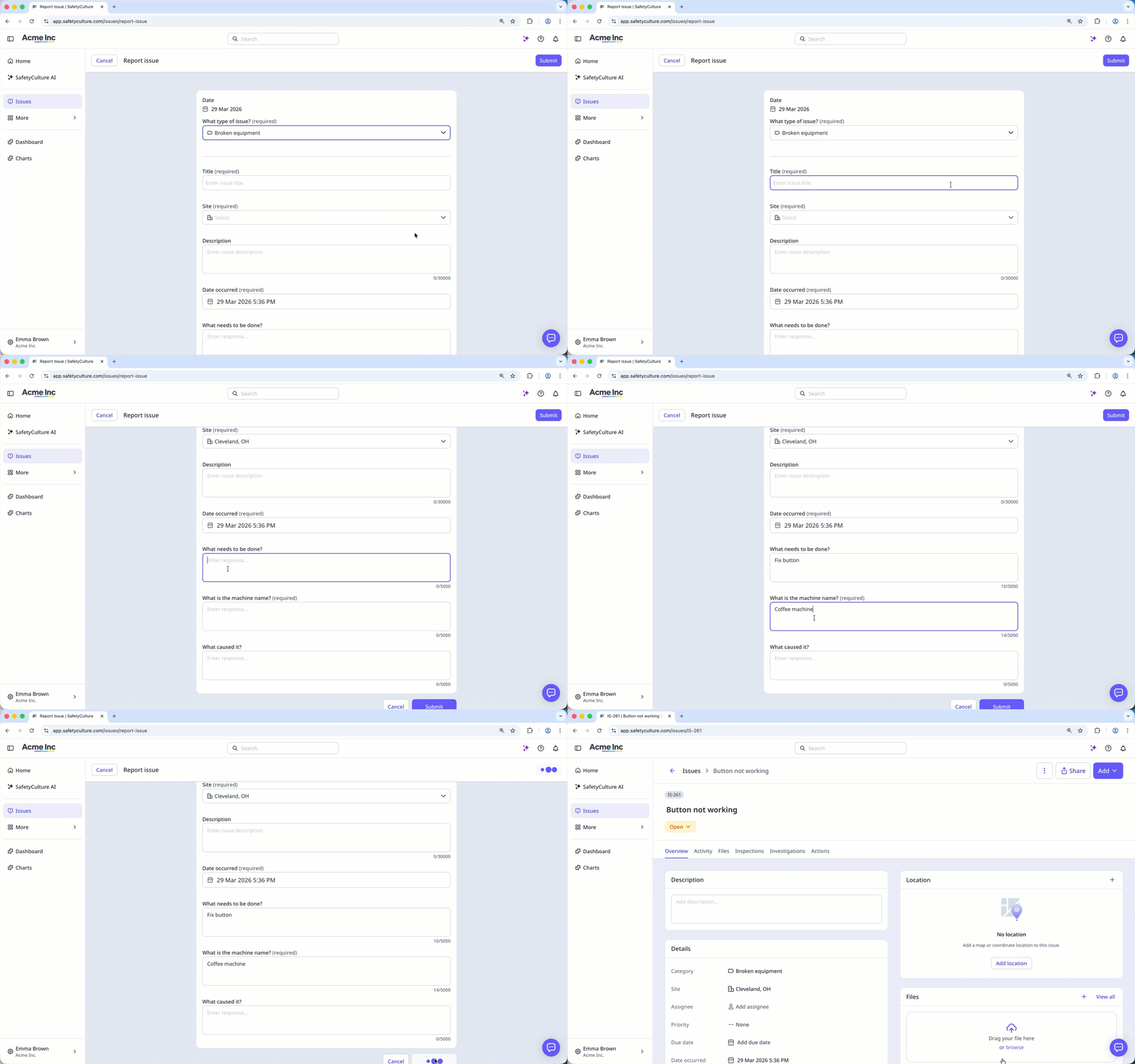
Multiple-selection is not supported for multiple-choice questions, which means you can only select one response for each question.
Answer issue custom questions
Select Issues in the sidebar or select it in More.
Report an issue or filter and sort the issue list to narrow down the results.
Click the issue.
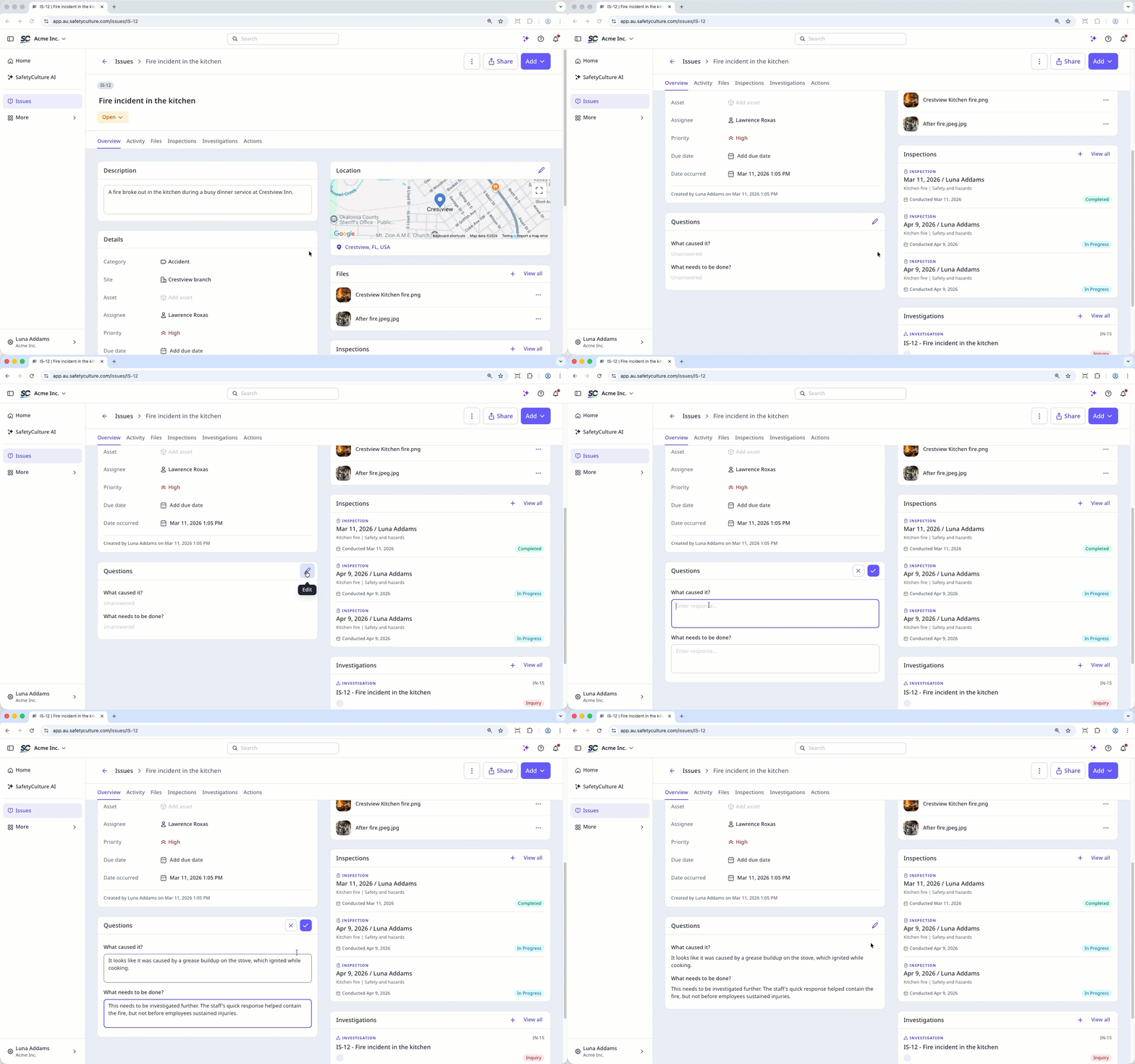
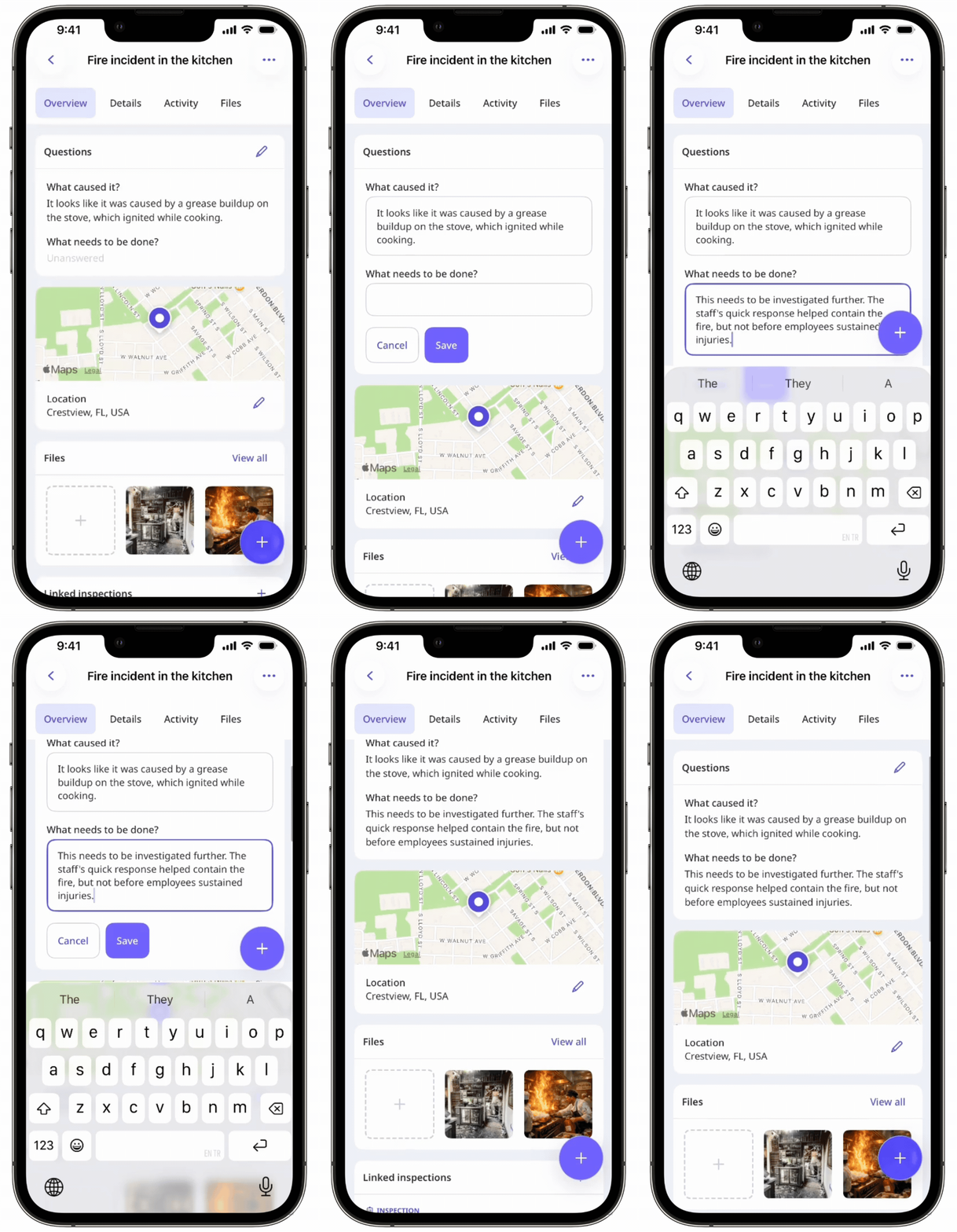
On the "Overview" tab, click in the "Questions" section.
Enter your responses for each question accordingly.
Click .