
Why link issues to investigations?
Linking issues to investigations helps you gather supporting evidence and keep related information in one place. This makes it easier to track what happened, understand why it happened, and prevent it from happening again. It's a simple way to maintain context, stay organized, and complete the process with all key details intact.
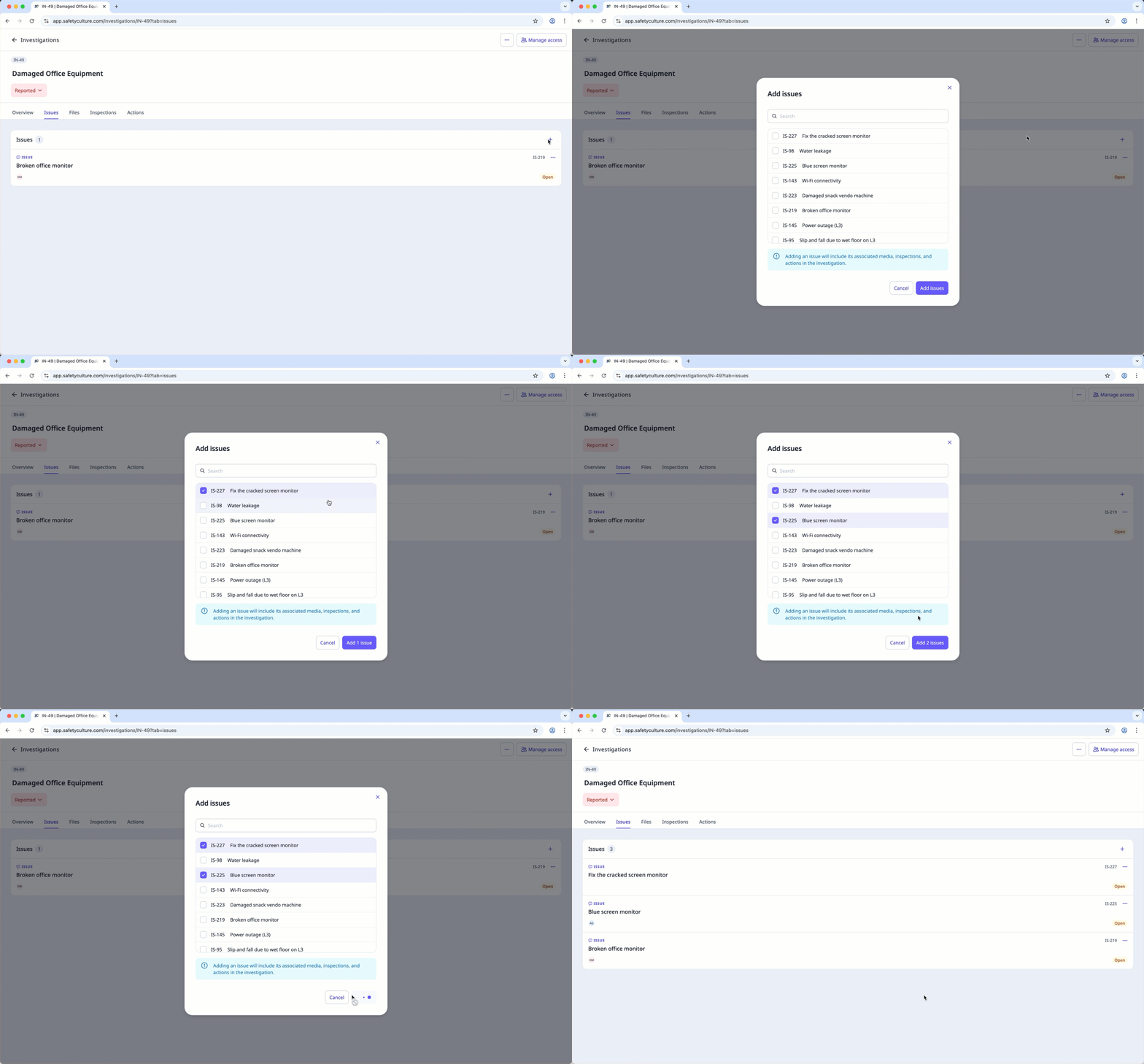
Link an issue to an investigation
Select Investigations in the sidebar or select it in More.
Create an investigation or select an existing one.
Click Issues at the top of the page.
Click on the upper-right of the page.
In the pop-up window, check the box next to each issue you want to add, then click Add issues.
Linking an issue to an investigation inherits the issue's attached files. You can only delete files uploaded directly to the investigation. To delete inherited files, go to the original issue and delete them there.


