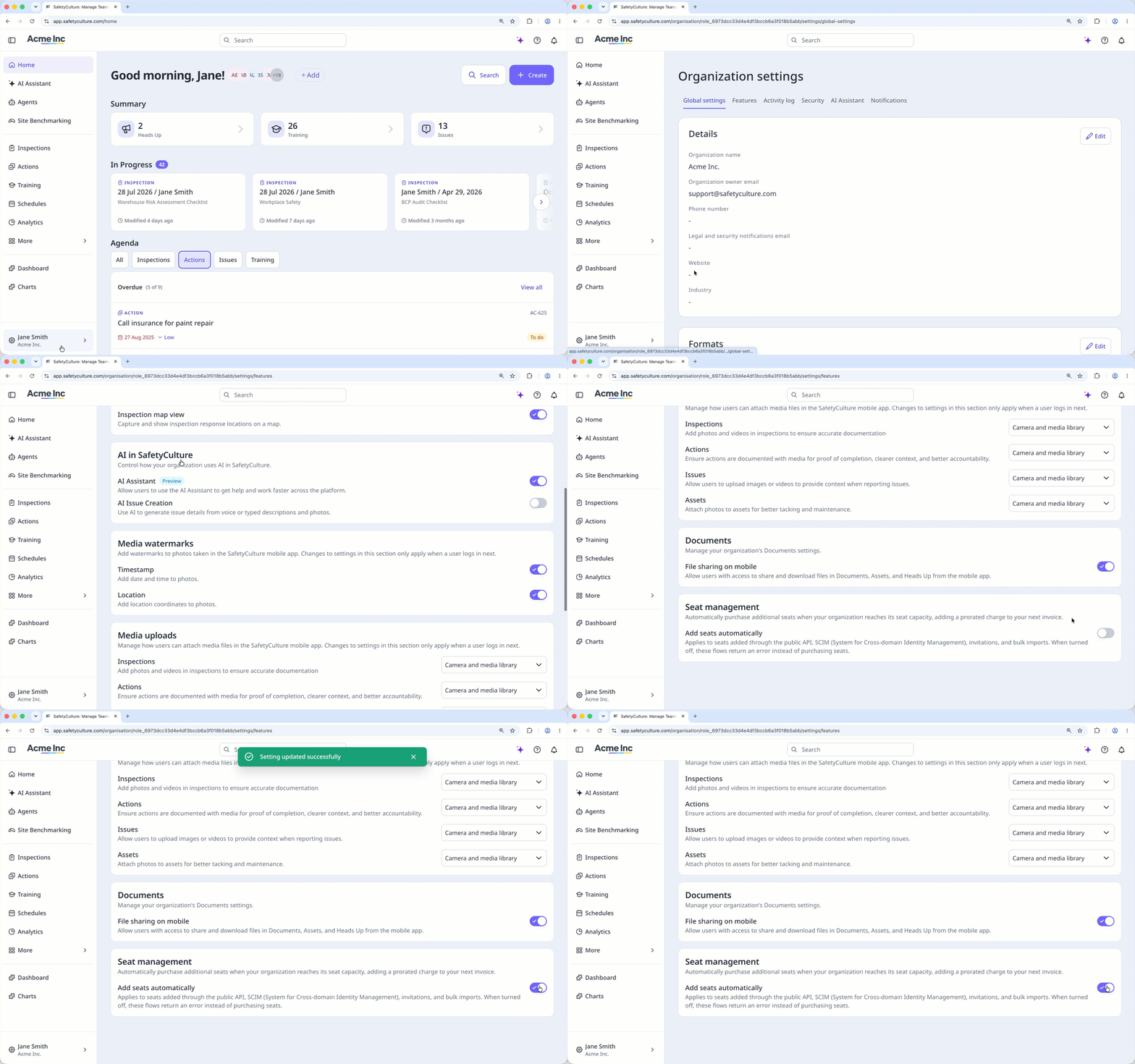
What is automatic seat purchasing?
When your organization runs out of available seats, SafetyCulture automatically purchases a new seat so the person can be added right away. This applies whether someone is added via the web app, the public API, (opens in new tab) SCIM (opens in new tab), an HR integration, through bulk import, or an invite link. Your billing admin gets an email, and the next invoice includes a prorated charge for the new seat.
If you typically work with a fixed budget or need approval before adding paid seats, you can turn this setting off. Then, adding a user beyond your seat limit fails until you purchase more seats or turn the setting back on. Adding a user manually through the web app isn't affected either way.
Ce dont vous aurez besoin
Turn automatic seat purchasing on or off
Click your organization name on the lower-left corner of the page and select Paramètres de l'organisation.
Select Caractéristiques at the top of the page.
In the "Seat management" section, turn "Add seats automatically" on or off.