Cette fonctionnalité est actuellement en Accès anticipé. Si vous êtes intéressé, veuillez contacter notre équipe de support technique client ou votre responsable de la réussite client pour vérifier si votre organisation est éligible.
Que sont les rôles dans SafetyCulture ?
Les rôles définissent les droits des utilisateurs dans SafetyCulture. Dans la plupart des organisations, les membres d’une équipe ont besoin de niveaux d’accès différents en fonction de leurs responsabilités. Par exemple, un responsable de site ne devrait pas disposer des mêmes droits qu’un administrateur global, et un employé de terrain ne devrait pas non plus avoir le même niveau d’accès. Les rôles permettent aux organisations d'adapter les autorisations de chaque utilisateur à son travail. Il existe deux types de rôles :
Les rôles globaux s'appliquent à l'ensemble de votre organisation.
Les rôles de groupe et de site ne s'appliquent qu'au sein des sites ou des groupes auxquels un utilisateur est attribué.
Attribuer ces rôles permet aux organisations de confier la gestion des utilisateurs aux responsables de site ou aux responsables régionaux sans leur accorder de droits d'administration complets. Cela permet de maintenir le contrôle au plus près des personnes qui dirigent chaque groupe ou site, tandis que les administrateurs peuvent se concentrer sur l'ensemble de l'organisation.
Pour les utilisateurs existants, l'onglet Autorisations s'appelle désormais Rôles et les ensembles d'autorisations s'appellent désormais Rôles globaux et fonctionnent exactement de la même manière.
Explorer les rôles au sein de SafetyCulture
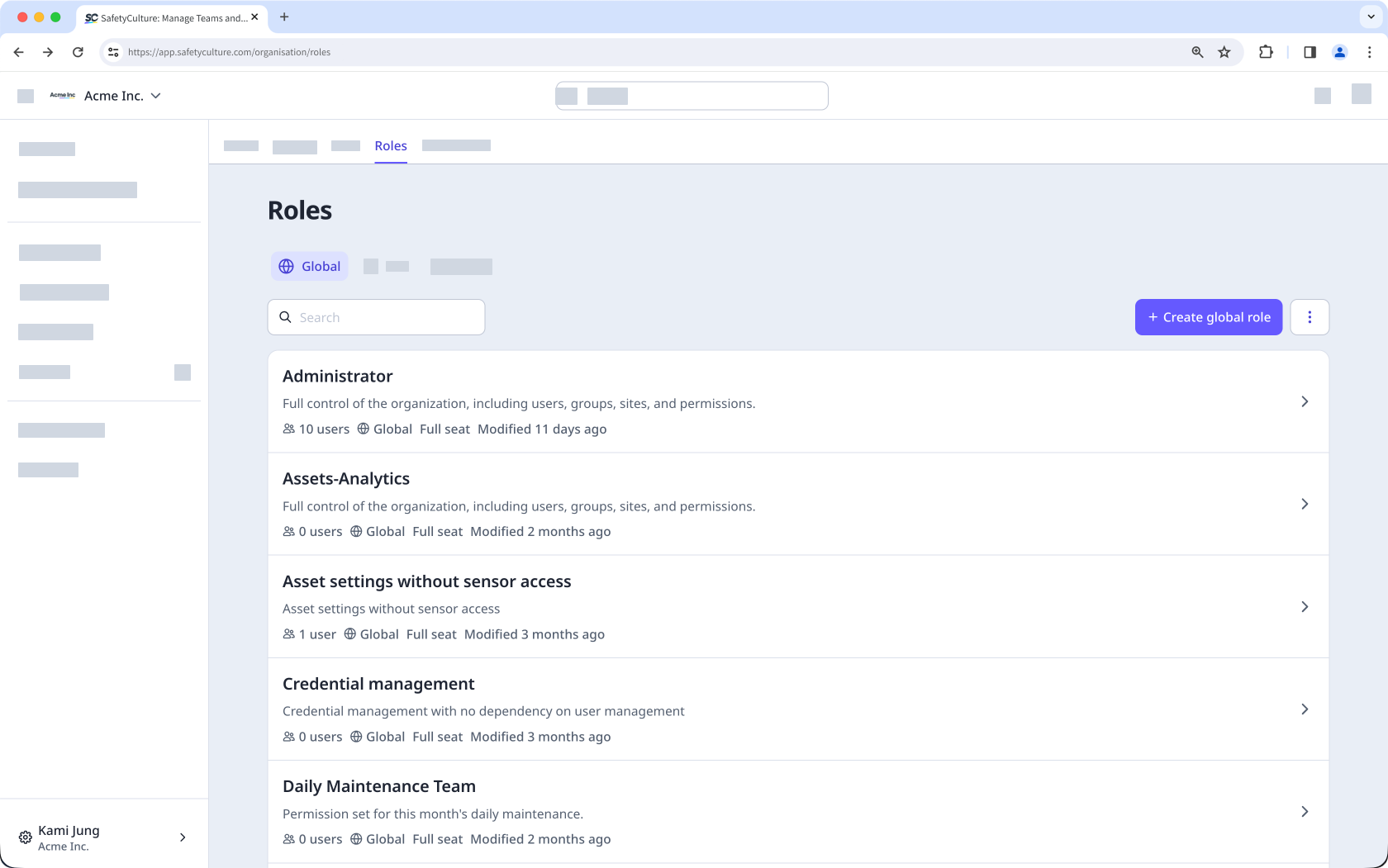
Rôles globaux
Les rôles globaux constituent un ensemble d'autorisations attribué aux utilisateurs au niveau de l'organisation. Ils déterminent ce qu'un utilisateur peut faire au sein de l'ensemble de l'organisation, notamment les fonctionnalités auxquelles il peut accéder et les actions qu'il peut effectuer. Les autorisations disponibles pour un rôle global dépendent du type de licence de l'utilisateur.
Les rôles globaux sont gérés depuis l'onglet « Rôles » de l'application Web. Les utilisateurs disposant de autorisation « Gestion de la plateforme : autorisation » peuvent créer de nouveaux rôles globaux, configurer leurs autorisations et les attribuer à des utilisateurs.
Rôles de groupe et de site
Les rôles de groupe et de site constituent un ensemble d'autorisations attribuées aux utilisateurs au niveau d'un groupe ou d'un site. Contrairement aux rôles globaux, qui s'appliquent à l'ensemble de l'organisation, les rôles de groupe et de site ne s'appliquent qu'au sein des sites ou groupes spécifiques auxquels un utilisateur est attribué.
Autorisations granulaires
Créez des rôles afin de déléguer des tâches aux membres de votre équipe en fonction des groupes et des sites qui leur sont attribués. Actuellement, les autorisations disponibles pour les rôles de groupe et de site se limitent à la gestion des utilisateurs et ne peuvent être attribuées qu’aux utilisateurs disposant d’une Licence complète. Les actions dont disposent les utilisateurs auxquels un rôle a été attribué dépendent des autorisations configurées pour ce rôle.
Autorisation | Description |
|---|---|
Ajouter des utilisateurs | Ajoutez de nouveaux utilisateurs à l'organisation en les ajoutant directement au groupe ou au site qui leur est attribué. Les responsables peuvent également consulter et partager les liens d'invitation existants pour le groupe ou le site qui leur est attribué, si un administrateur les a déjà créés. Les nouveaux utilisateurs se voient attribuer le rôle global par défaut correspondant au type de licence sélectionné. |
Gérer les adhésions | Ajouter ou supprimer des utilisateurs existants de leur adhésion au groupe ou site qui leur a été attribué. |
Modifier les informations de l'utilisateur | Affichez les profils des utilisateurs et mettez à jour leurs informations, notamment le nom, l'heure, les paramètres de notification et d'appareil et les champs utilisateurs. |
Afficher les utilisateurs | Afficher la liste des membres de leur groupe ou site attribué. |
Désactiver des utilisateurs | Désactivez les utilisateurs au sein de l'organisation. La désactivation s'applique à l'ensemble de l'organisation, et pas uniquement au groupe ou au site auquel ils sont attribués. Les utilisateurs désactivés perdent l'accès à SafetyCulture et leur licence est libérée. Seuls les administrateurs globaux peuvent réactiver les utilisateurs désactivés. |
Gestion déléguée des utilisateurs
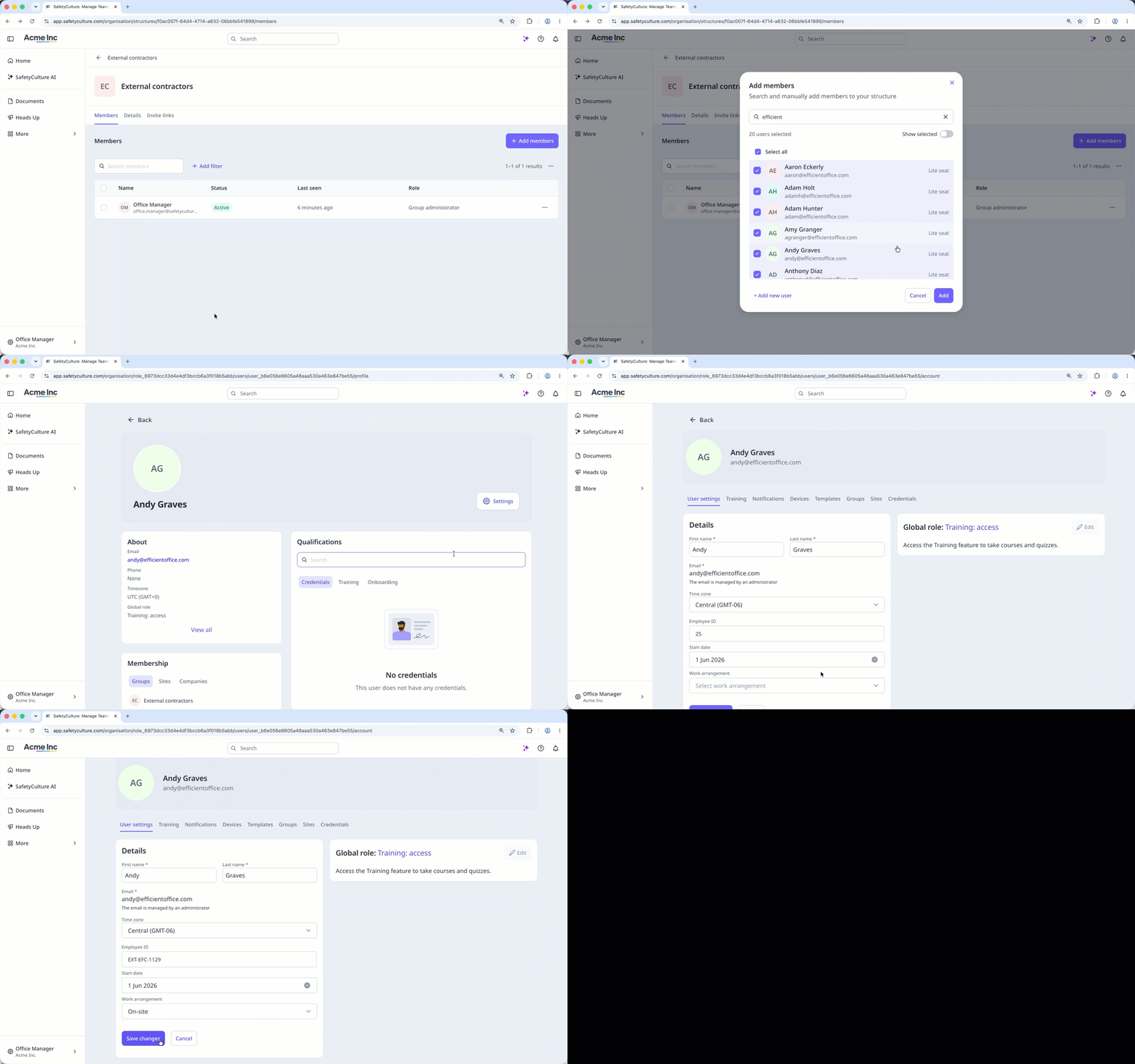
Les rôles de groupe et de site permettent aux responsables de gérer les utilisateurs au sein des sites ou des groupes qui leur sont attribués, sans avoir besoin de rôles globaux. En fonction des autorisations configurées pour leur rôle, les responsables peuvent ajouter des utilisateurs, gérer les adhésions, modifier les informations des utilisateurs, afficher et désactiver des utilisateurs.
Les rôles de groupe et de site sont cumulatifs, ce qui signifie qu'ils s'ajoutent aux autorisations globales existantes d'un utilisateur et ne s'appliquent qu'au sein des sites ou groupes qui lui sont attribués. Un utilisateur peut se voir attribuer différents rôles sur plusieurs sites ou groupes, mais ne peut se voir attribuer qu'un seul rôle pour l'ensemble de ceux-ci.
Héritage des rôles
L'héritage des rôles vous permet d'attribuer un rôle une seule fois et de le voir s'appliquer automatiquement à tous les niveaux de la hiérarchie du site, ce qui vous évite de devoir configurer les droits d'accès site par site. L'héritage des rôles de site suit les mêmes règles que l''adhésion à un site. Par exemple, si un utilisateur se voit attribuer un rôle sur un site de niveau supérieur, il hérite automatiquement de ce rôle pour tous les sites imbriqués situés en dessous dans la hiérarchie. Il n'est pas possible d'attribuer un rôle différent aux utilisateurs pour les sites situés en dessous du site de niveau supérieur.