Warum sollte ich das Toolkit verwenden?
Das Toolkit von SafetyCulture umfasst eine Reihe von Datenerfassungsoptionen für Inspektionen mit der Mobile-App. Es wird neben unterstützten Fragen angezeigt und ermöglicht es Nutzern, Strichcode oder QR-Codes zu scannen, eine Verbindung zu einem Bluetooth-Gerät herzustellen, einen Taschenrechner zu verwenden, Entfernungen zu schätzen und Text zu scannen, während sie eine Inspektion durchführen. Dies trägt dazu bei, manuelle Eingabefehler zu reduzieren und die Genauigkeit und Konsistenz der Inspektionsergebnisse zu verbessern. Dadurch wird es den Teams erleichtert, vor Ort zuverlässige Informationen zu erfassen.
Erkundung des Toolkits
Unterstützte Antworttypen
Nutzen Sie die untenstehende Tabelle, um zu sehen, welche Antworttypen auf das Toolkit zugreifen und erfahren können, welche Art von Eingaben jedes Tool akzeptiert.
Antworttyp | Titelseite | Andere Seiten | Akzeptierte Eingaben |
|---|---|---|---|
Person | Unterstützt | Nicht unterstützt | Alphanumerisch |
Dokumentnummer | Unterstützt | Nicht unterstützt | Alphanumerisch |
Text | Unterstützt | Unterstützt | Alphanumerisch |
Zahl | Unterstützt | Unterstützt | Nur Zahlen |
Toolkit-Optionen
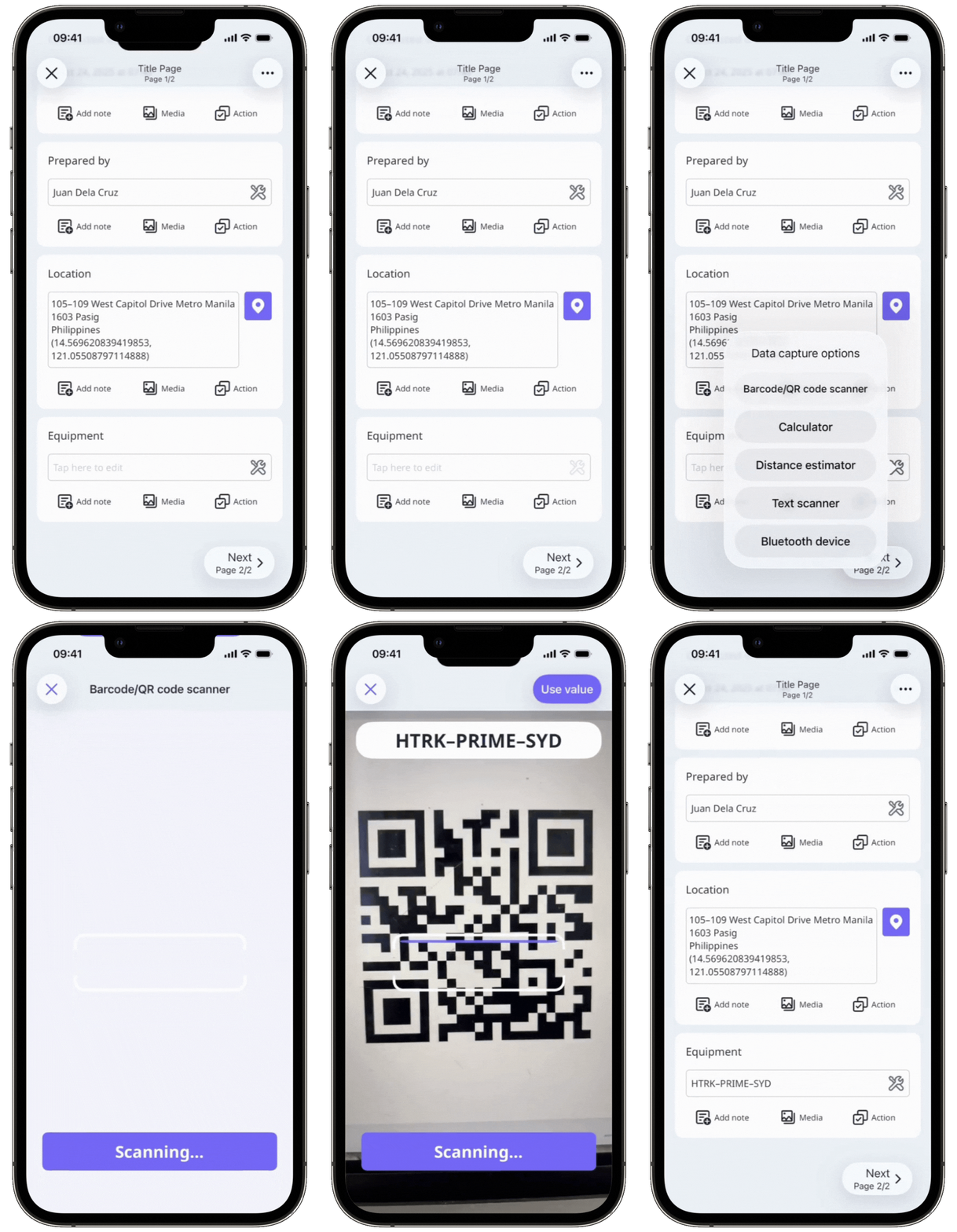
Strichcode- und QR-Code-Scanner
Erfassen Sie Daten schnell, indem Sie QR-Codes sowie 1D- und 2D-Strichcodes mit unserem integrierten Scanner scannen. Diese Option gibt alphanumerische oder numerische Werte automatisch in die unterstützten Antworttypen ein
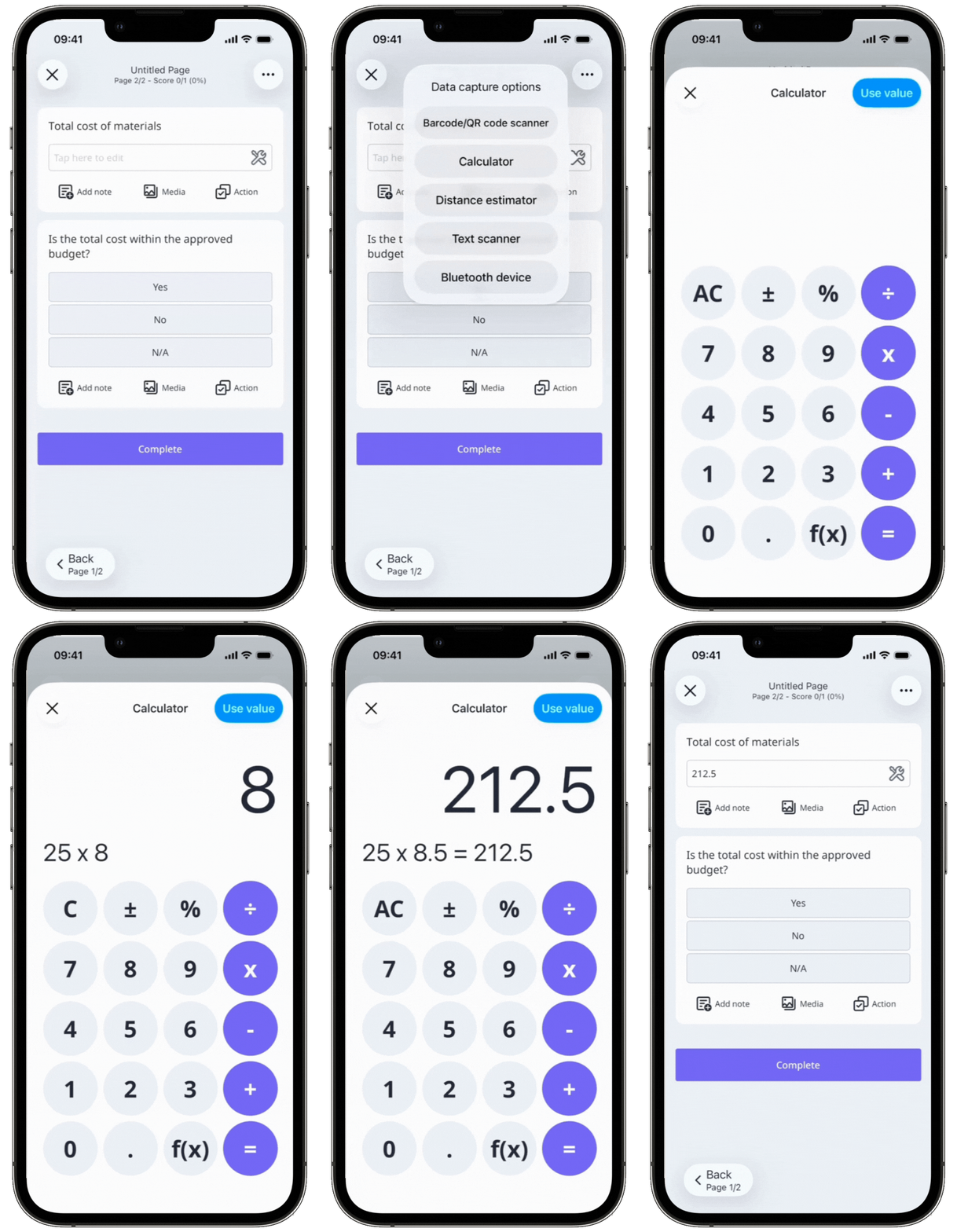
Rechner
Führen Sie einfache Rechenoperationen direkt innerhalb einer Inspektion mit dem integrierten Rechner durch. Sie können Werte berechnen und das Ergebnis als Antwort erfassen, ohne die App zu verlassen, und sparen so Zeit während der Inspektionen.
Distanzrechner
Messen Sie den Abstand zwischen Objekten mit dem digitalen Entfernungsrechner in der Mobile-App. Anstatt ein Maßband zu verwenden und Werte manuell einzugeben, können Sie die Messungen direkt während einer Inspektion erfassen.
Die Funktion zur Entfernungsschätzung ist derzeit nur in der SafetyCulture Mobile-App für iOS-Geräte, die Augmented Reality (AR) unterstützen, verfügbar. Diese Funktion ist nur für Fragen mit den folgenden Antworttypen verfügbar:
Person (Titelseite)
Dokumentnummer (Titelseite)
Zahl ("Zahl"-Format)
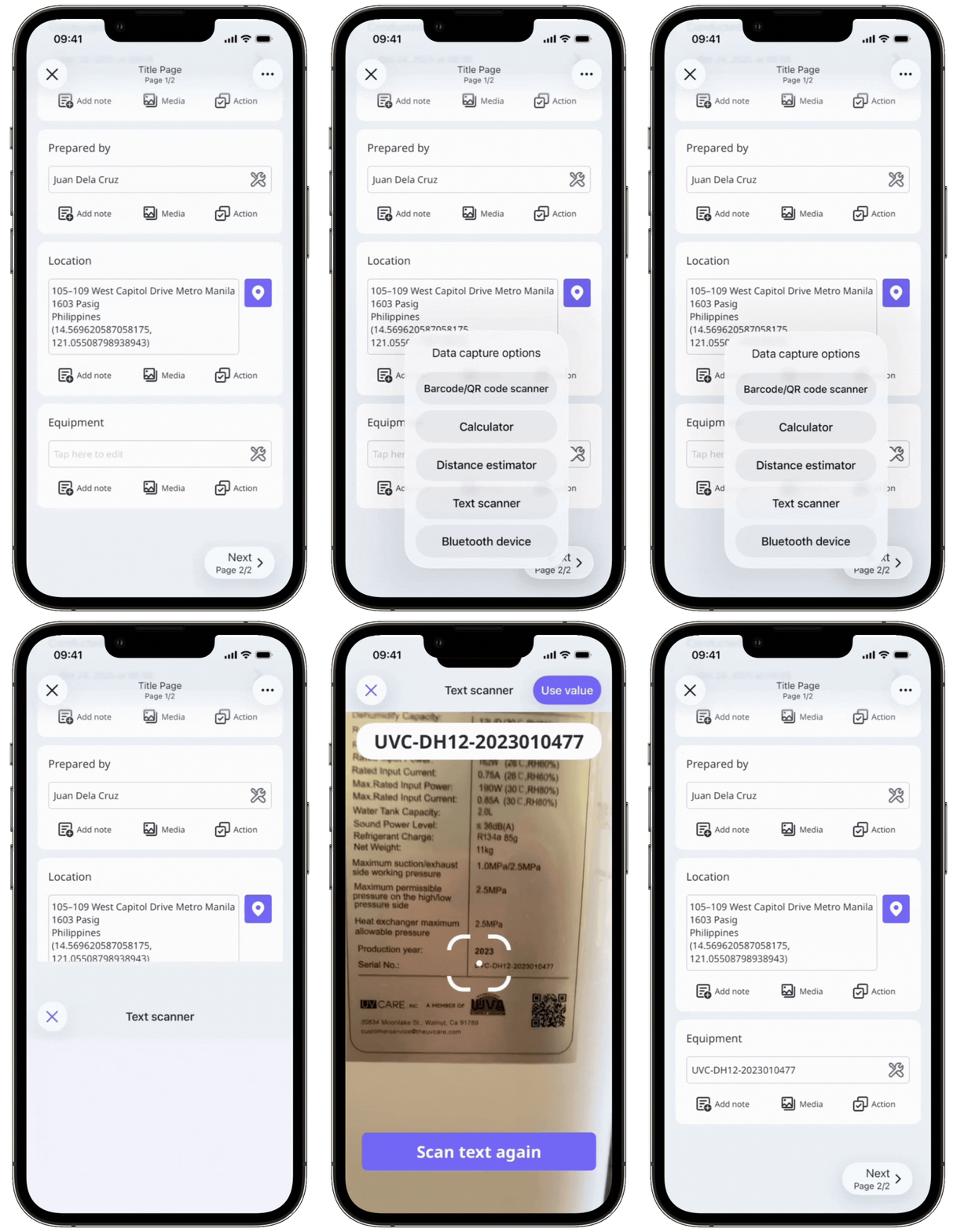
Textscanner
Erfassen Sie schriftliche Informationen, wie Seriennummern oder Messwerte, indem Sie Text mit unserem integrierten Scanner scannen. Dies erspart die manuelle Eingabe und hilft, eine genaue Datenerfassung sicherzustellen.
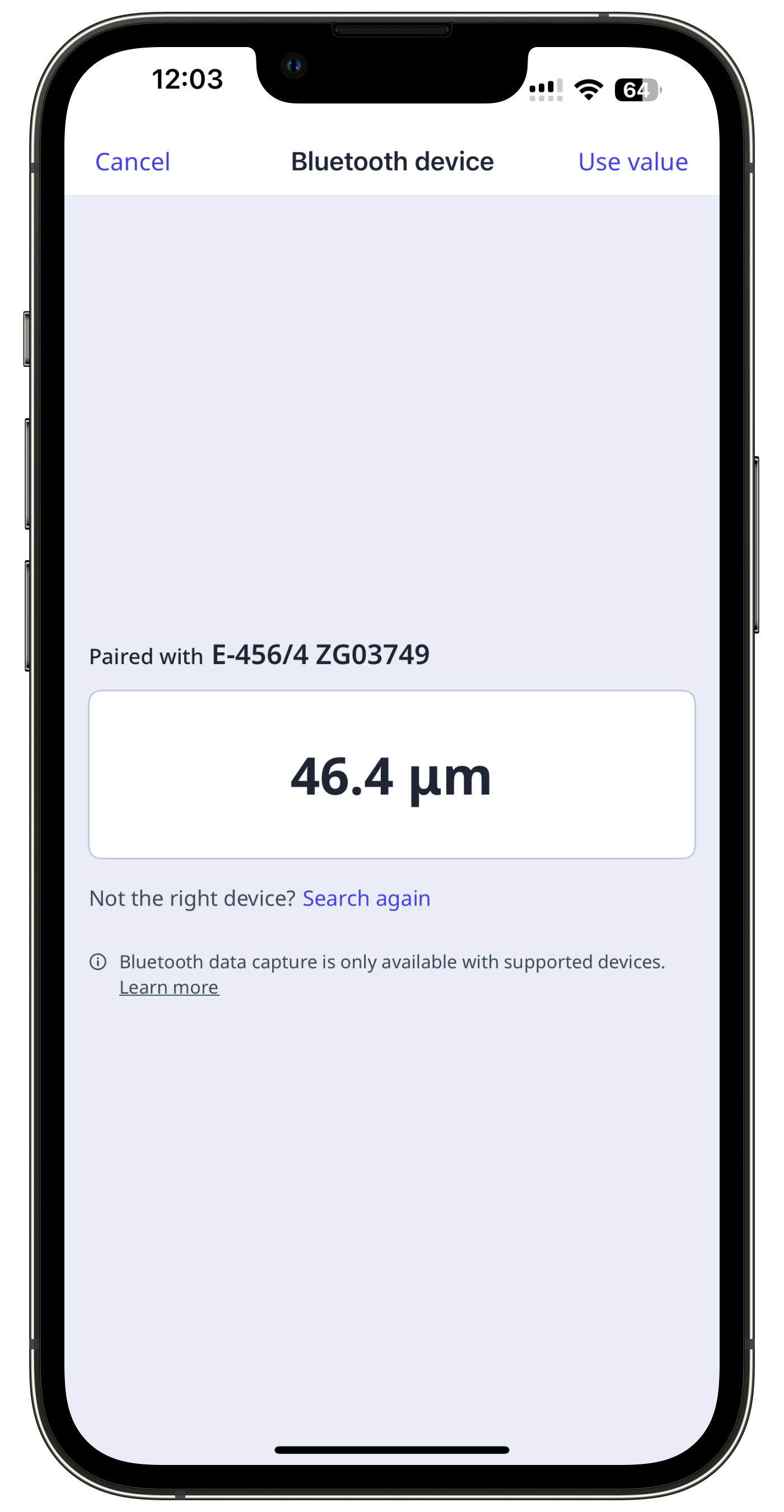
Bluetooth-Geräte
Schließen Sie Sensoren an die Mobile-App an und erfassen Sie während Inspektionen automatisch Messwerte, wie Temperatur, pH-Wert, Lackstärke oder Ölqualität, direkt in die Antworten. Die Daten werden direkt in den entsprechenden Antworttyp eingetragen, mit der Möglichkeit, bei Bedarf zusätzliche Details hinzuzufügen