Why use text answer questions?
Text answer questions are a great way to capture answers or responses to open-ended questions, such as comments or descriptions of observations. With SafetyCulture, you can create questions to capture text responses, either in short answer form or in a paragraph for more details.
Format options
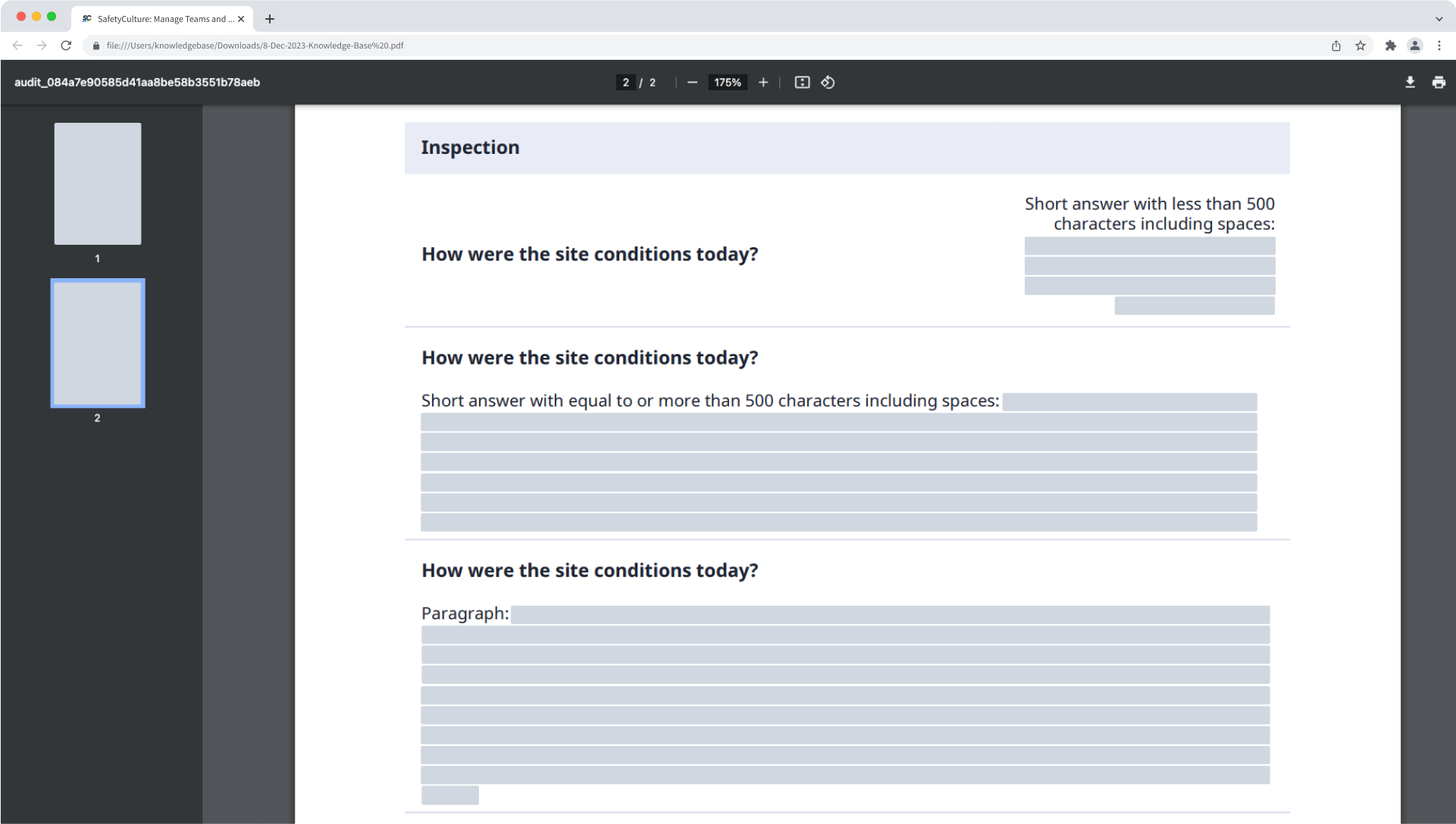
Short answer: Use to capture short answers. Please note that this option fixes the text field to a single line. Short answers with less than 500 characters including spaces are presented vertically. Otherwise, these are presented horizontally.
Paragraph: Use to capture multiple lines of text or paragraphs. The text field expands based on the size of the text during inspections. Paragraph answers are always presented horizontally.
There is no character limit in either short answer or paragraph format for "Text answer" responses, but avoid adding an excessive number of characters as it may affect your experience.
What you'll need
Published changes made to templates only apply to new inspections moving forward.
Add a text answer question
Select Templates in the sidebar or select it in More.
Click the template and select Edit template in the side panel.
Add a new question or select an existing one.
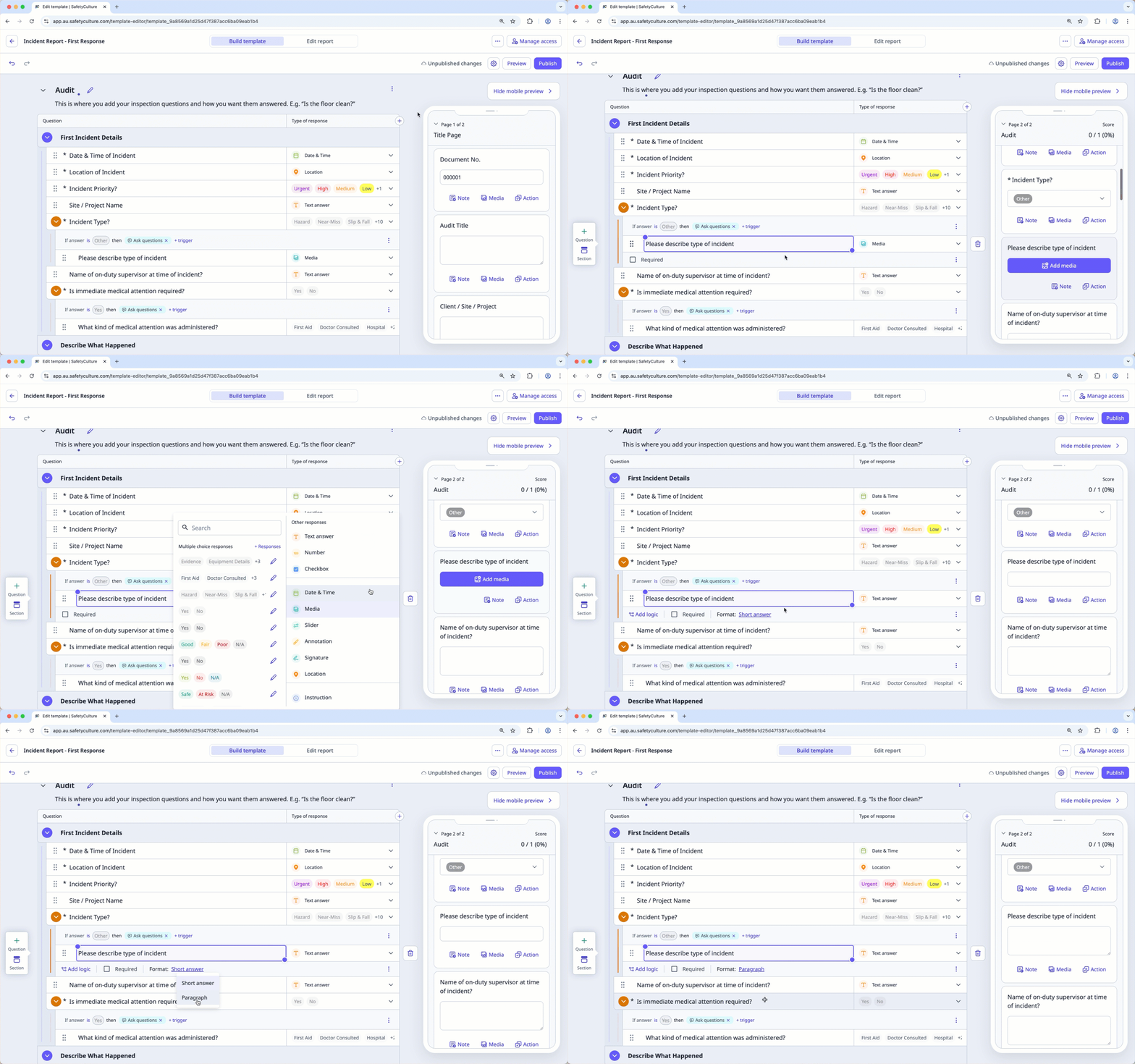
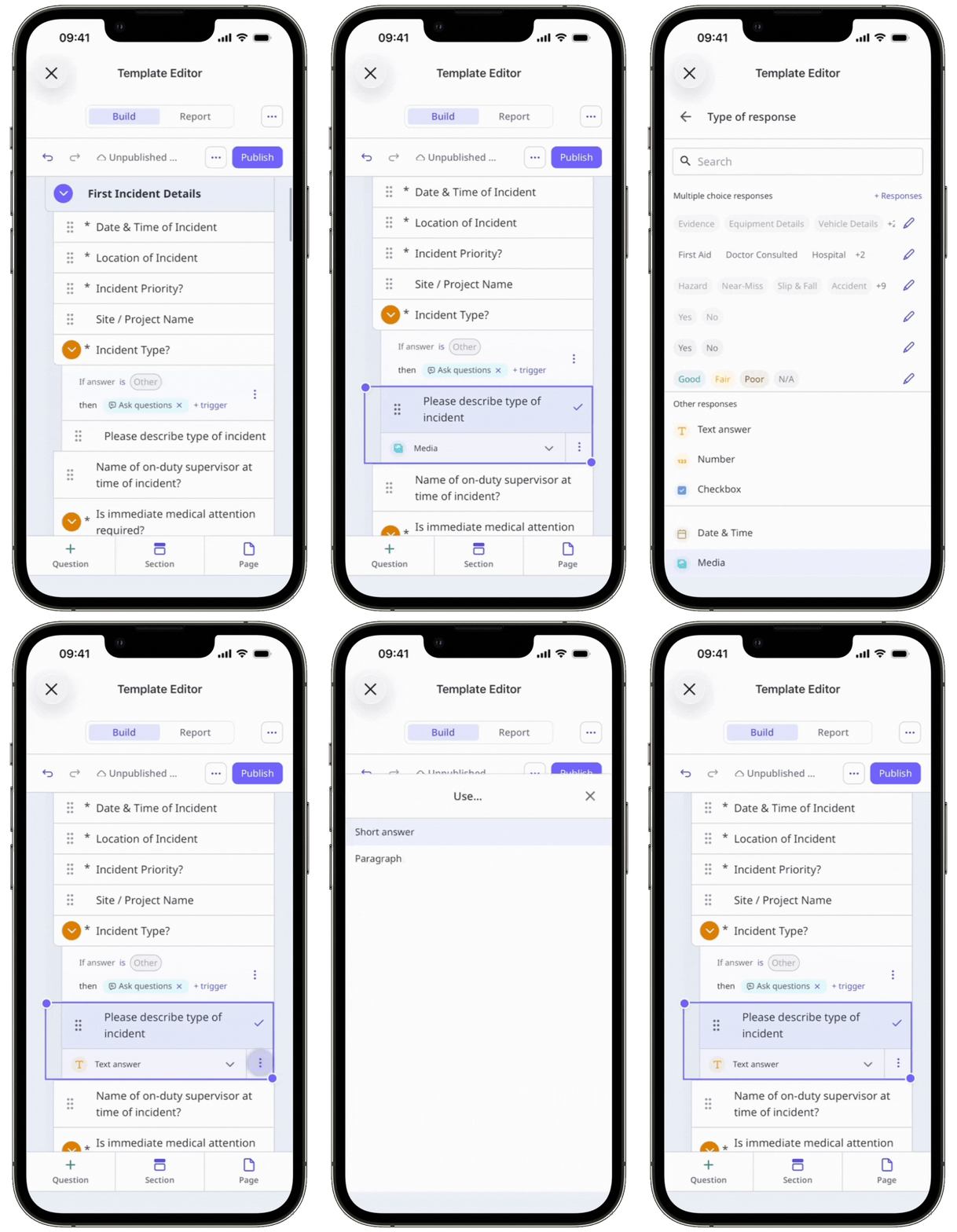
Click under the "Type of response" column on the right-hand side and select Text answer.
By default, the "short answer" format is selected. If you want to capture multiple lines of text, click Short answer below the question label and select Paragraph.
Click Publish on the upper-right of the page to publish the template. If you're not ready to publish the template, you can go back to the templates list and come back when you're ready.