Why use number response questions?
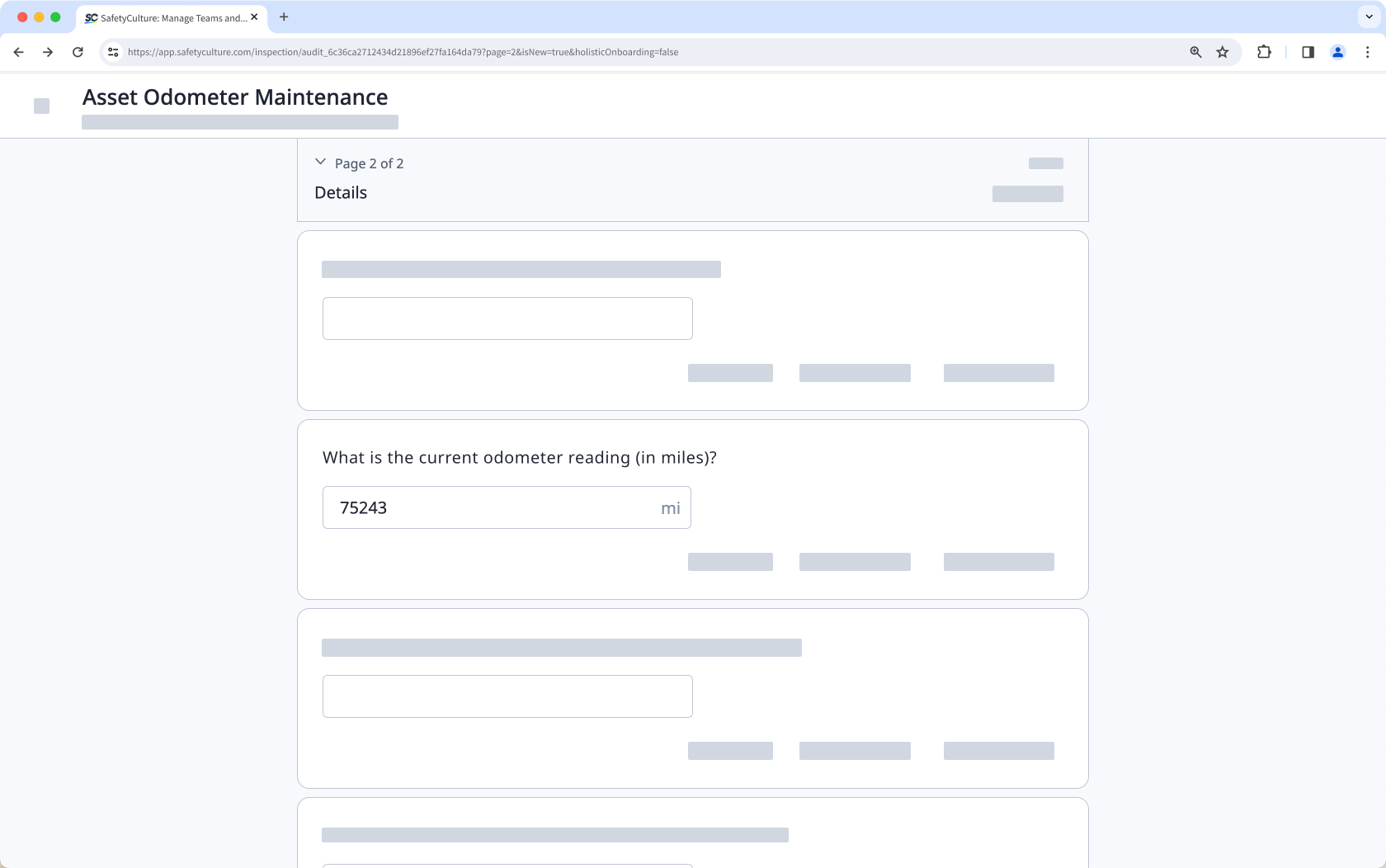
Number response questions are great for capturing precise and quantifiable data while conducting an inspection. You can even specify the unit of measurement you want to use, such as distance, volume, time, weight, or electricity. Standardizing units in your number response questions eliminates guesswork and misinterpretation and ensures everyone in your team records every piece of critical information in the same way.
Supported units of measurement
You can use the following units in your number response questions to standardize captured values.
Category | Unit |
|---|---|
Distance | inches, feet, miles, millimeters, centimeters, meters, kilometers |
Volume | milliliters, liters, gallons, cubic meters |
Time | hours, minutes, seconds |
Temperature | Fahrenheit, Celsius, Kelvin |
Weight | ounces, pounds, tonnes, grams, kilograms |
Electricity | amperes, hertz, ohms, volts, watts |
Others | candelas, cycles, percent, pounds per square inch, mole |
Units are optional and not applicable for temperature and calculation response questions.
What you'll need
Published changes made to templates only apply to new inspections moving forward.
Create number response questions
Select Templates in the sidebar or select it in More.
Click the template and select Edit template in the side panel.
Add a new question or select an existing one.
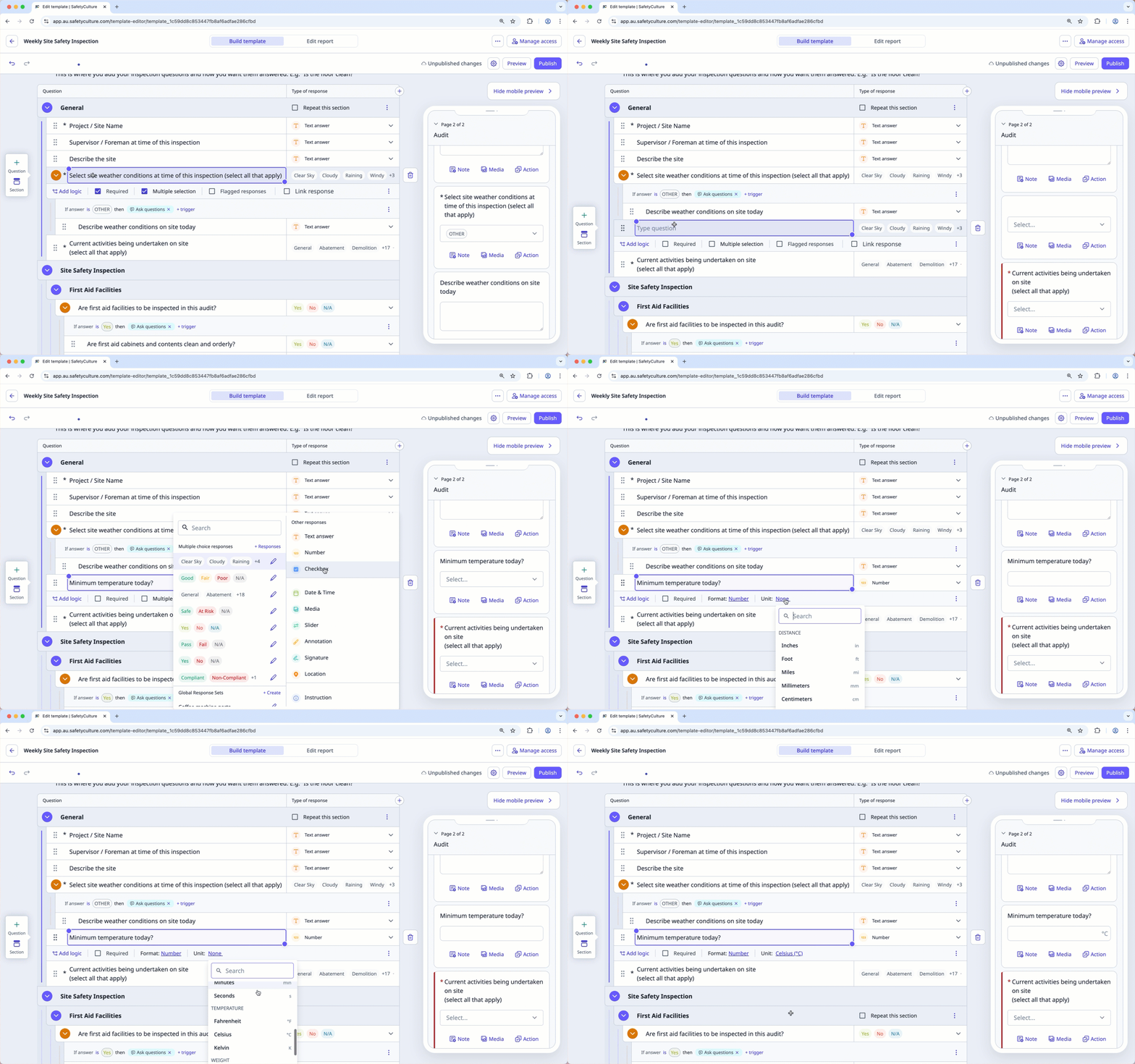
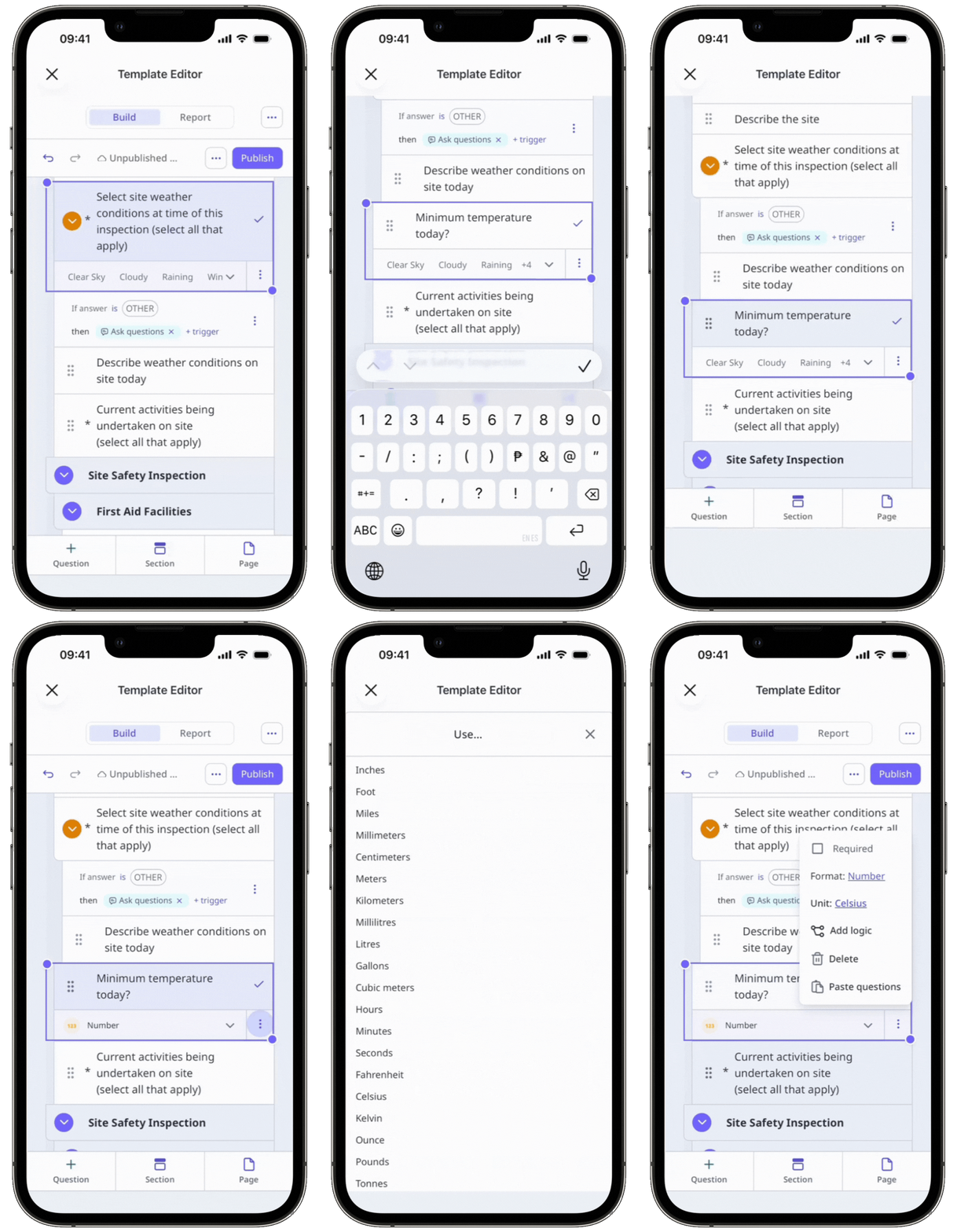
Click under the "Type of response" column on the right-hand side and select Number.
By default, the Number format is selected below the question label.
Select an applicable unit or click Clear to remove the unit.
Click Publish on the upper-right of the page to publish the template. If you're not ready to publish the template, you can go back to the templates list and come back when you're ready.