Why scan barcodes and QR codes in inspections?
Scanning barcodes and QR codes speeds up inspections by replacing manual data entry with fast and accurate scans. Using the built-in mobile app scanner, you can capture details like asset IDs, part numbers, or readings instantly across supported formats—including QR codes, EAN-13/UPC-A, UPC-E, EAN-8, Code 128, Code 39, and Interleaved 2 of 5—and record them directly into select response types.
What you'll need
Supported codes and response types
Barcode code support
QR codes and the following types of 1D and 2D barcodes can be scanned using our built-in scanner in inspections via the mobile app:
EAN-13/UPC-A
UPC-E
EAN-8
Code 128
Code 39
Interleaved 2 of 5
Response types
The following response types support barcode scanning in inspections:
Person (title page): Accepts alphanumeric input.
Document number (title page): Accepts alphanumeric input.
Text answer (title page and other pages): Accepts alphanumeric input.
Number (title page and other pages): Accepts numeric input only.
Scan a barcode or QR code in an inspection
Open the mobile app.
Tap Inspections in the navigation bar or select it from More.
Progress through the inspection accordingly.
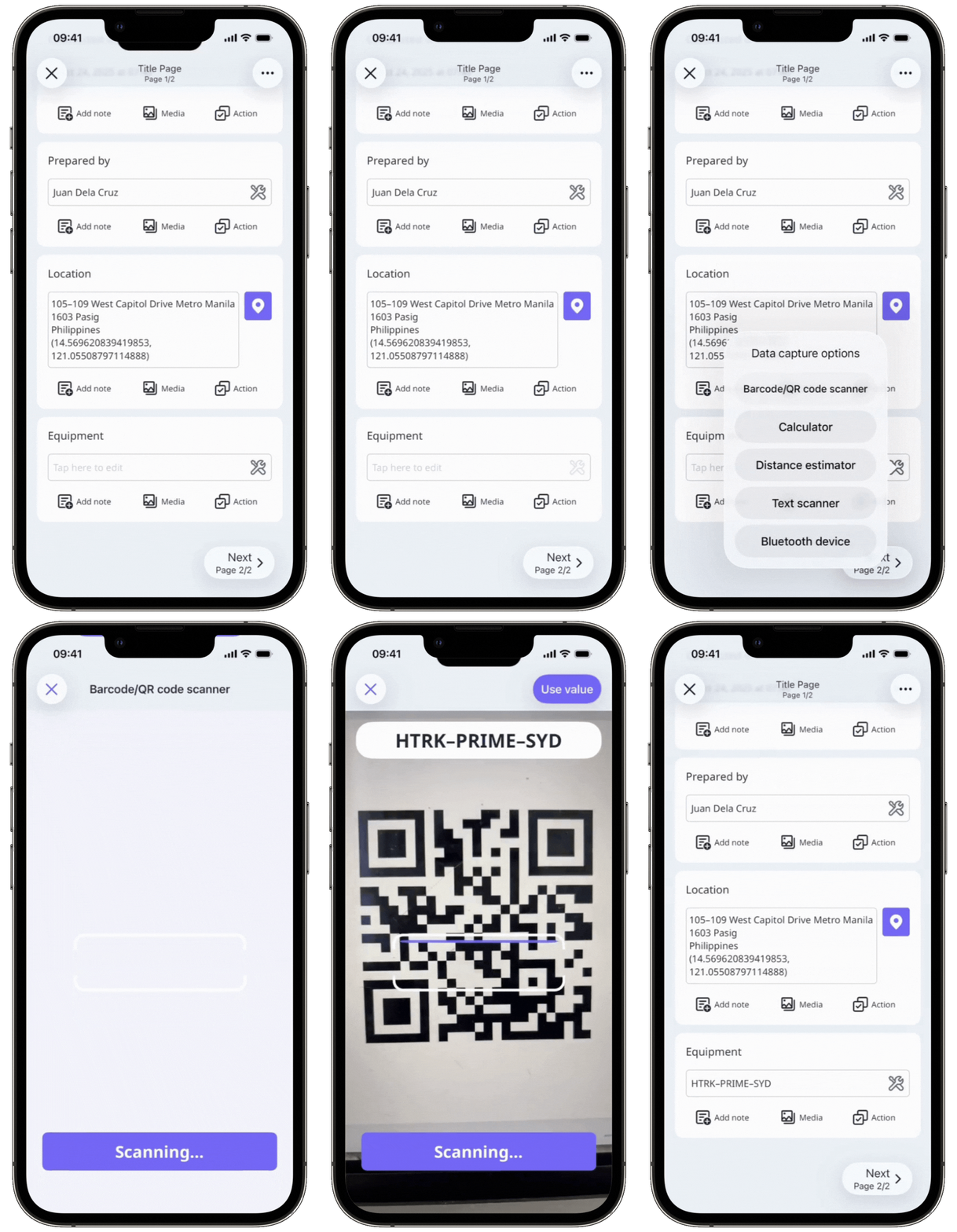
Tap on the question's right-hand side and select Barcode/QR code scanner from the pop-up options.
Focus the camera on the barcode or QR code.
The scanned value should appear at the top of your screen. If the value isn't quite right, try focusing your camera on the barcode or QR code again. Then, tap Use value or at the upper-right of your screen.