
What are course links?
Course links are shareable URLs or QR codes that provide quick access to a training course without requiring manual assignment beforehand. This helps reduce admin effort, avoid delays for teams in the field, and make training available the moment it’s needed. Course links can be shared with either of these options:
Only assigned users: Only users who have already been assigned to the course can access and complete it. This keeps access controlled while still making the training accessible.
Anyone with the link: Anyone who opens the link or scans the QR code can access the course, even if they aren’t assigned to it. If they’re not part of the SafetyCulture organization yet, they’ll be prompted to join or create an account before continuing. This is ideal for contractors, seasonal workers, or new team members who need quick access without waiting to be added to the organization’s user list.
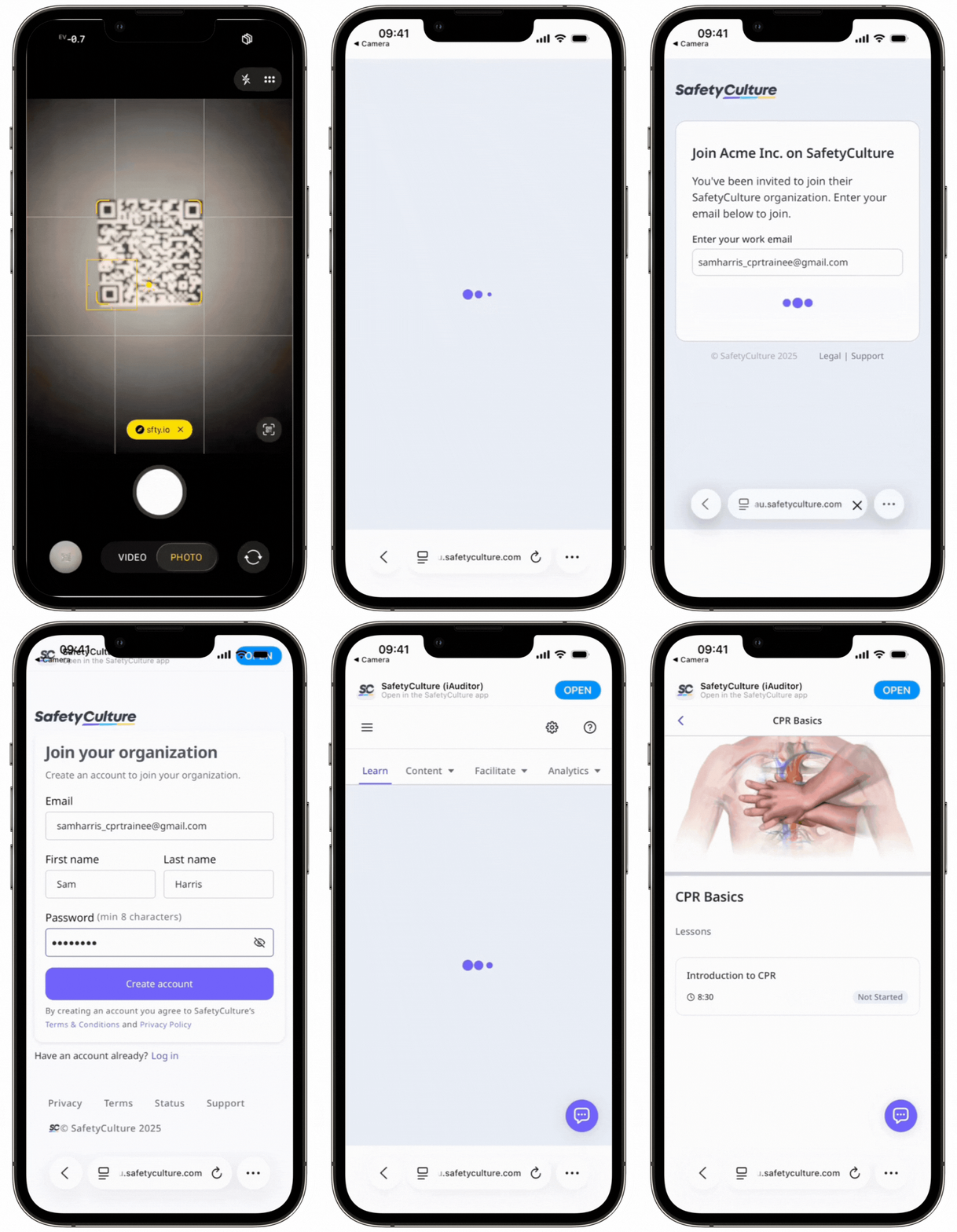
Course links differ from the links course creators share to edit and preview a course. Those links are intended for collaborators and provide access to the course editor or a course preview, not the live training experience that workers complete.
What's the difference between sending, duplicating, and sharing courses?
Send course copies | Duplicate courses | Share courses | Share course links | |
|---|---|---|---|---|
Who it's for | Users in different SafetyCulture organizations. | Users in your organization who need their own copy of the course. | Users in your organization who need to edit or review the course. | Users in your organization who need to complete the course. |
What they can do | Use the course in their own organizations. | Edit the course independently within your organization. | Collaborate with the course author to edit or preview the course content. |
What you'll need
You can only share course links for published courses.
Share a course link
Select Training in the sidebar or select it in More.
If you're on the "Learn" page, click Content at the top of the page and select Courses.
Hover your cursor over the course and click View.
In the "Assigned to" section, click
 Enroll via link.
In the pop-up window, select who can access the course link. Selecting Anyone with the link requires Premium Plan or Enterprise Plan.
Only assigned users: Only users that have been assigned the course can access using this link.
Anyone with the link: Anyone on the internet with the link can sign up to your organization and access the course. To manage the course link settings, click Manage settings at the bottom of the dropdown menu.
Click to copy the link or Download QR code to download a QR code of the course.
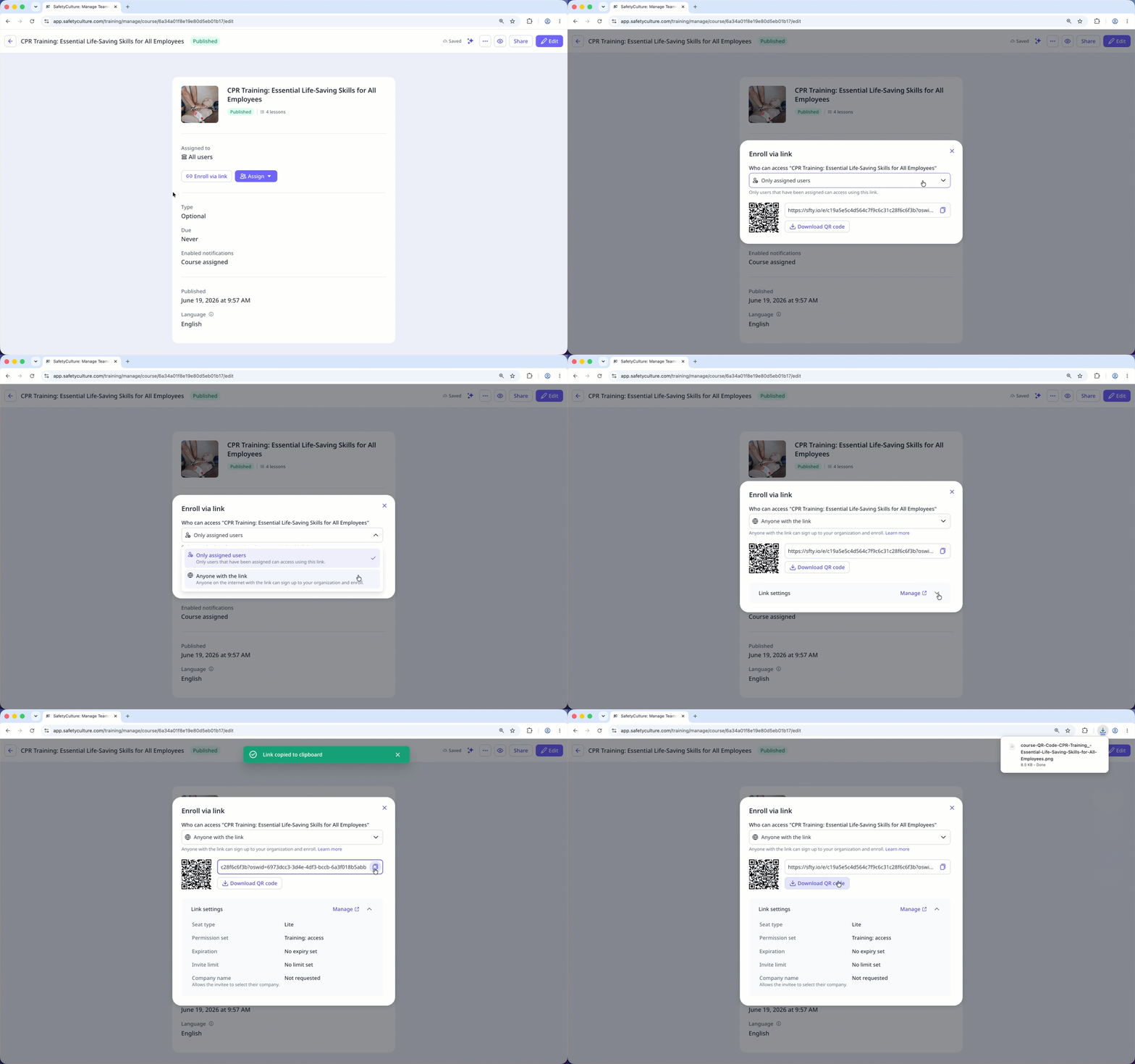
If you share a course link with Anyone with the link, users will join on a lite seat with a "Basic" permission set.


