
The preventative asset maintenance feature is currently in Early Access. If you're interested, go to the web app, select Assets from the menu on the left-hand side. Select Maintenance from the tab at top of the page and click Get Early Access.
Is Maintenance not in your menu? Reach out to your Customer Success Manager to express your interest.
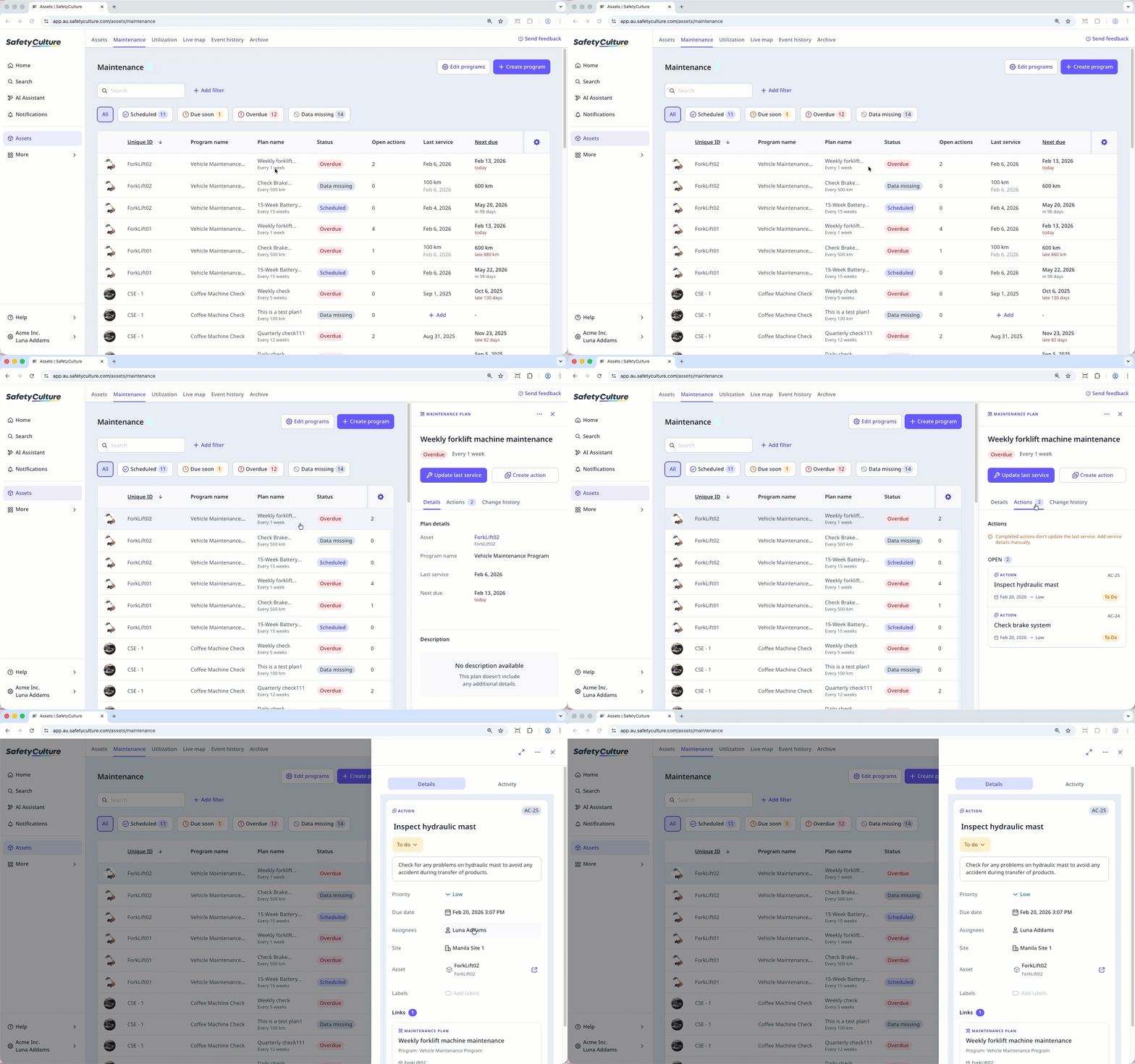
Why create actions for asset maintenance plans?
Actions in SafetyCulture are tasks you can assign to coordinate and track work across your organization. For asset maintenance, they help teams respond when a plan is due soon, overdue, or missing required details like readings. They can also be used to schedule work in advance, giving teams clear direction before maintenance is officially due. Teams may use actions to investigate unusual usage patterns, perform manual checks, or address delays. This flexibility makes actions a key part of maintaining visibility and accountability across both planned and reactive maintenance.
What you'll need
You can create recurring actions in SafetyCulture, but this option isn't currently available when adding actions from a maintenance plan. Each maintenance-related action needs to be created individually.
Create an action for a maintenance plan
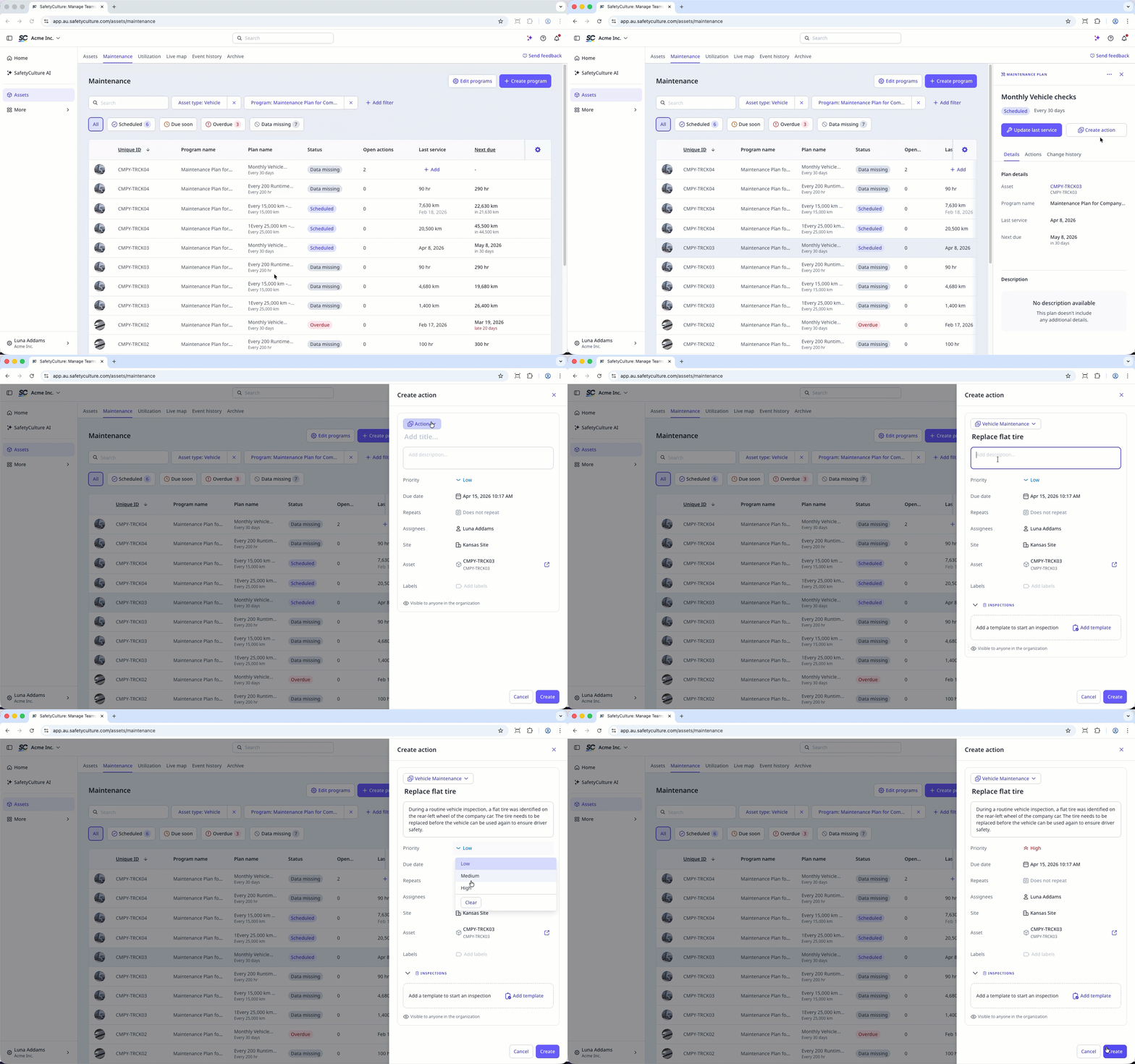
Select Assets in the sidebar or select it in More.
Select Maintenance from the tab at the top of the page.
Select the maintenance plan you want to create an action for.
In the side panel, click Create action at the center of the page.
Fill in the action details accordingly, such as the action type, title, priority, due date, assignee, and relevant labels.
Click Create on the lower-right of the page.
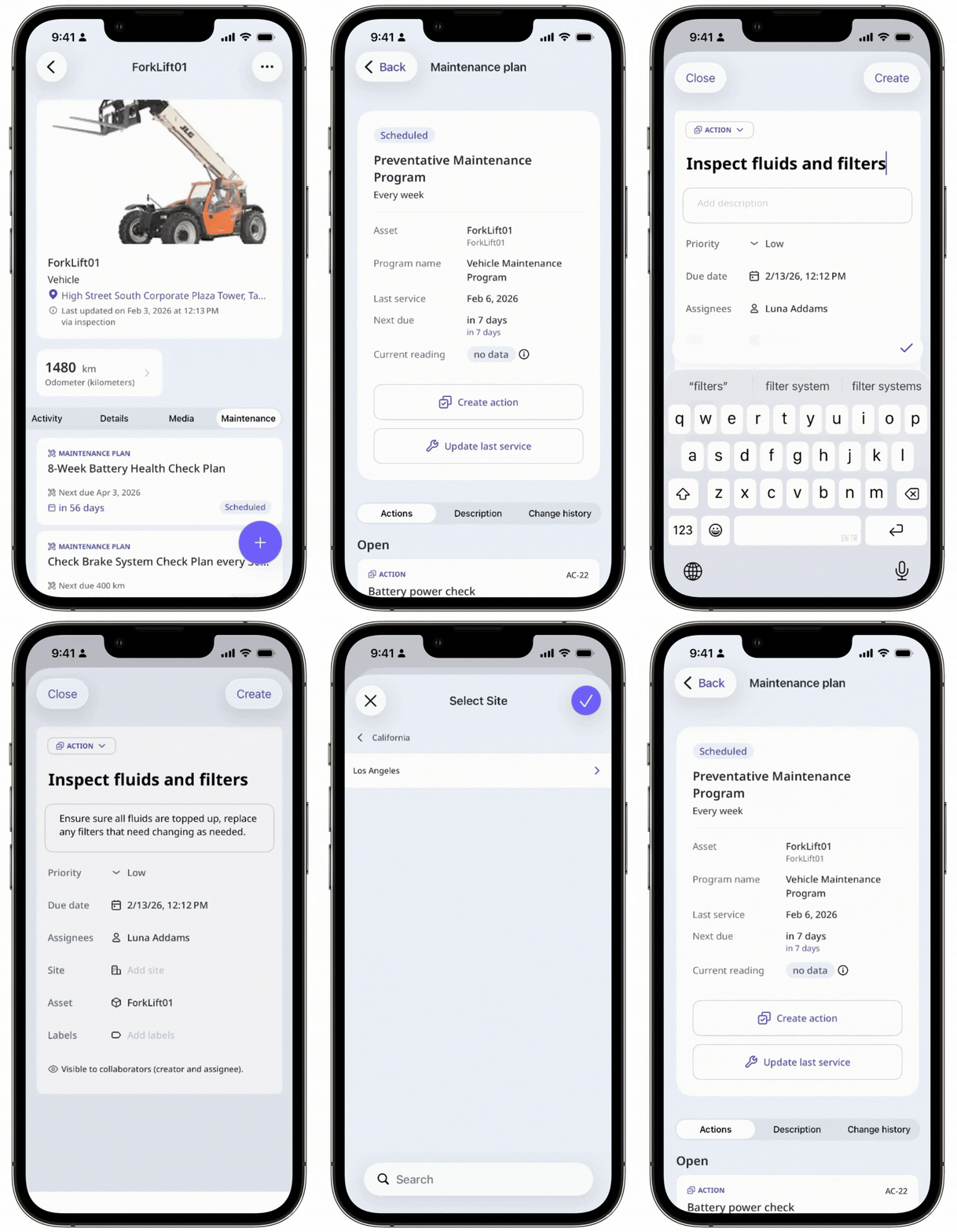
Actions created from a maintenance plan are standalone actions and follow your existing access settings.


