Why use the Toolkit?
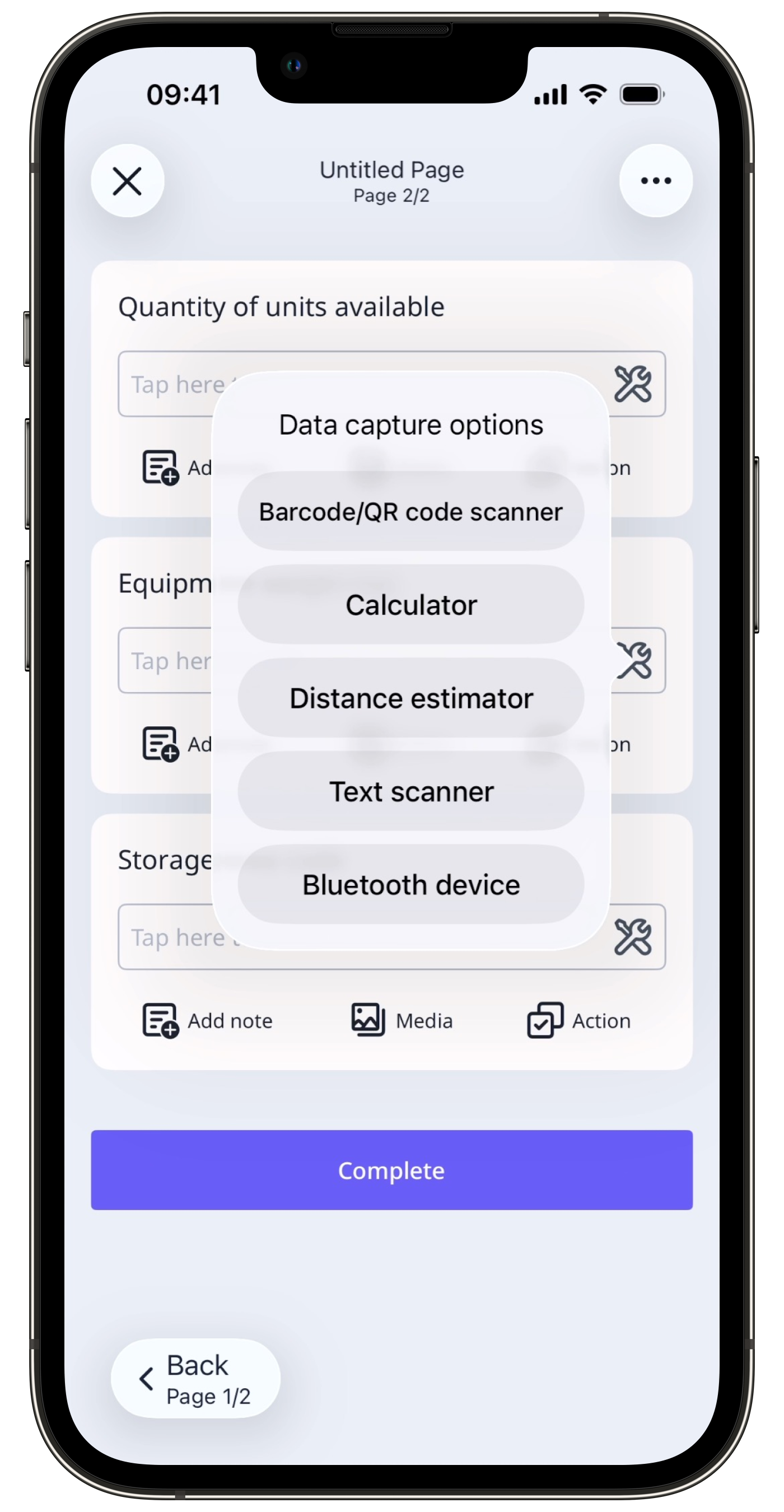
In SafetyCulture, the Toolkit is a set of data capture options available during inspections on the mobile app. It allows users to scan barcode or QR codes, connect to a Bluetooth device, use a calculator, estimate distance, and scan text as they complete an inspection. This helps reduce manual entry errors and improve the accuracy and consistency of inspection results, making it easier for teams to capture reliable information on site.
Exploring the Toolkit
Supported response types
Use the table below to see which response types can access the Toolkit and what kind of input each one accepts.
Response type | Title page | Other pages | Accepted input |
|---|---|---|---|
Person | Supported | Unsupported | Alphanumeric |
Document number | Supported | Unsupported | Alphanumeric |
Text | Supported | Supported | Alphanumeric |
Number | Supported | Supported | Numeric only |
Toolkit options
Barcode and QR code scanner
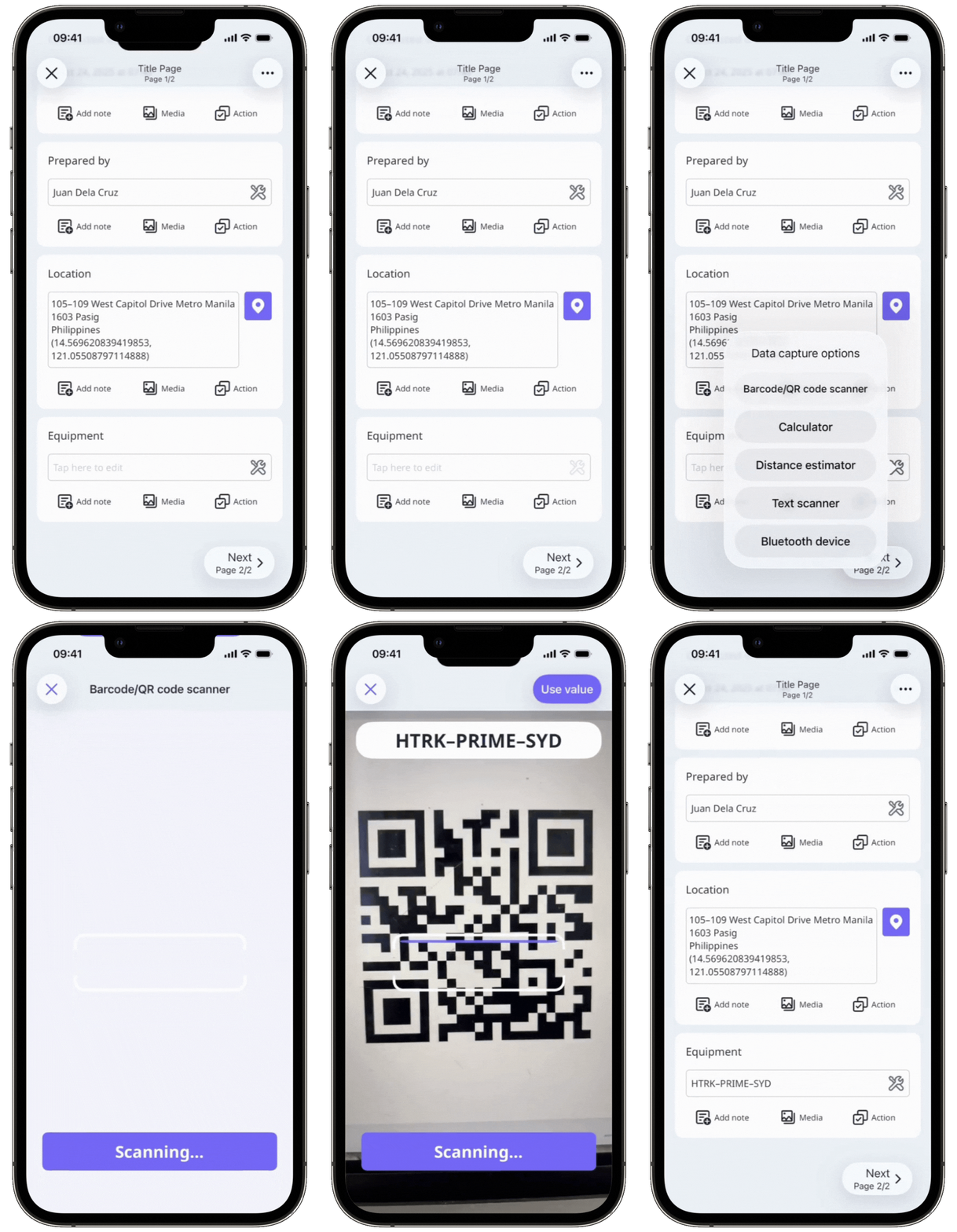
Capture data quickly by scanning QR codes and 1D and 2D barcodes using our built-in scanner. This option automatically inputs alphanumeric or numeric values into supported response types.
Calculator
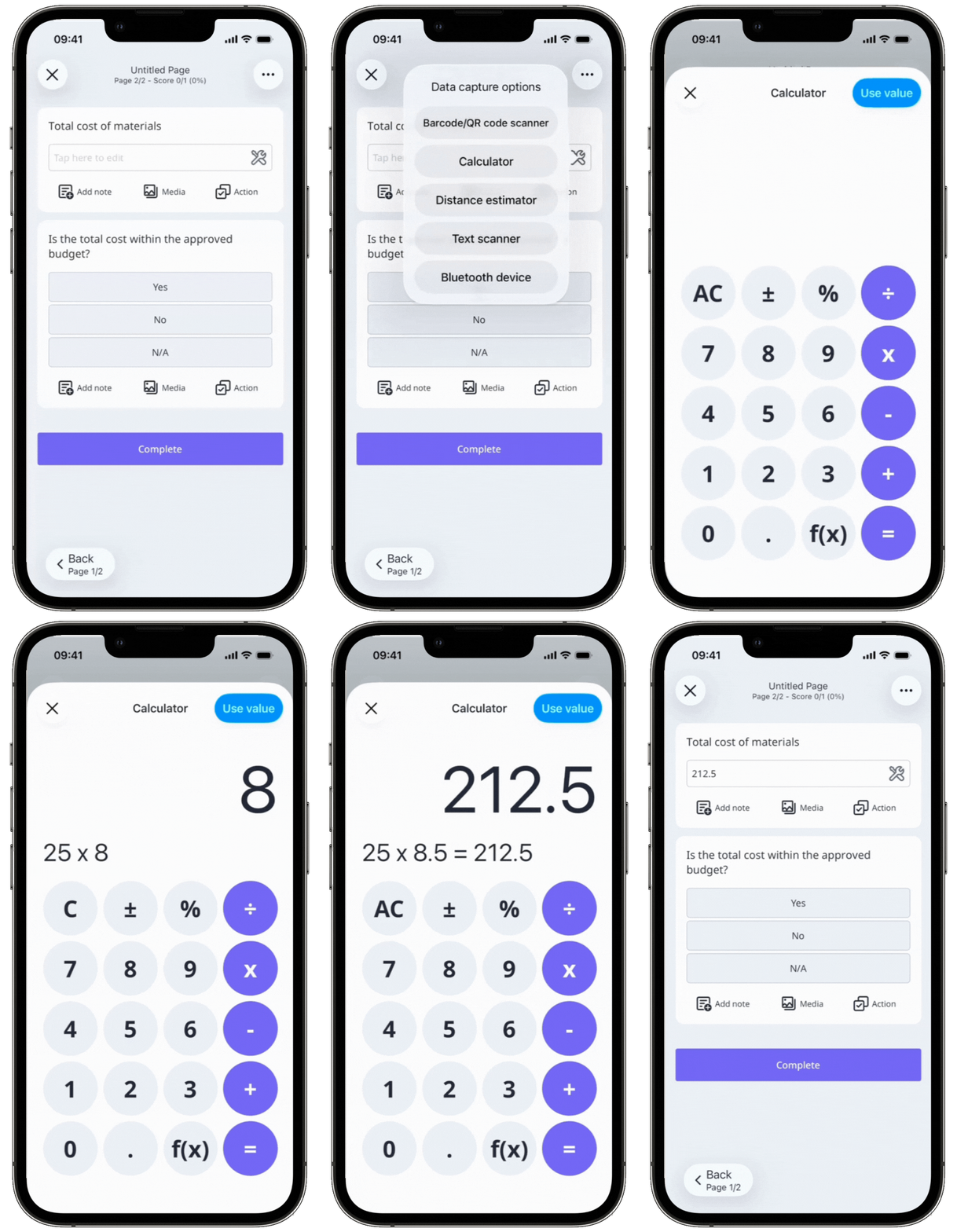
Perform basic arithmetic directly within an inspection using the built-in calculator. You can calculate values and record the result as a response without leaving the app, saving you time during inspections.
Distance estimator
Measure the distance between objects using the digital estimator in the mobile app. Instead of using a tape measure and entering values manually, you can capture measurements directly during an inspection.
The distance estimator feature is currently only available on the SafetyCulture mobile app for iOS devices that support augmented reality (AR). This feature is only available for questions using the following response types:
Person (title page)
Document number (title page)
Number ("Number" format)
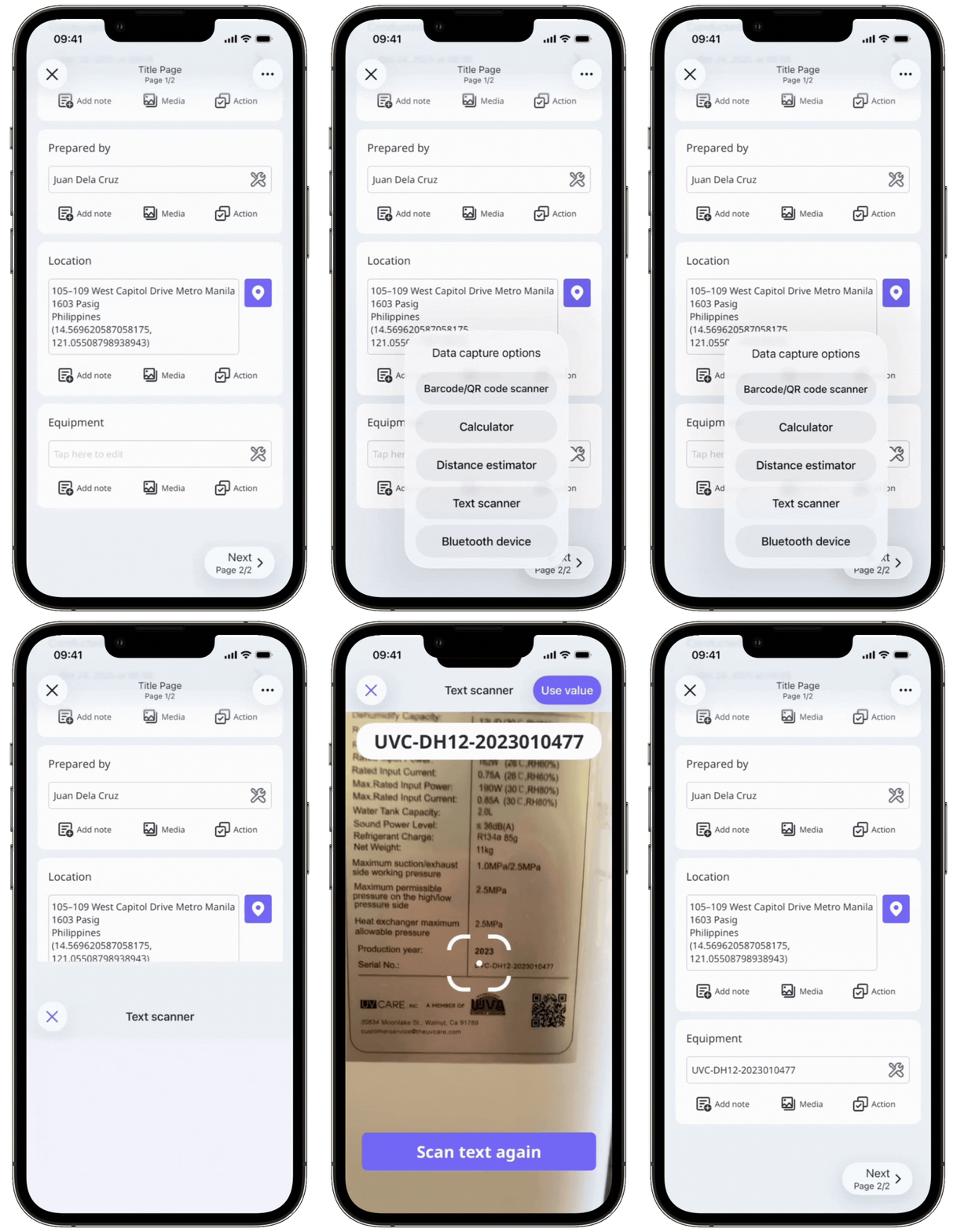
Text scanner
Capture written information, such as serial numbers or readings, by scanning text with our built-in scanner. This eliminates manual entry and helps ensure accurate data collection.
Bluetooth devices
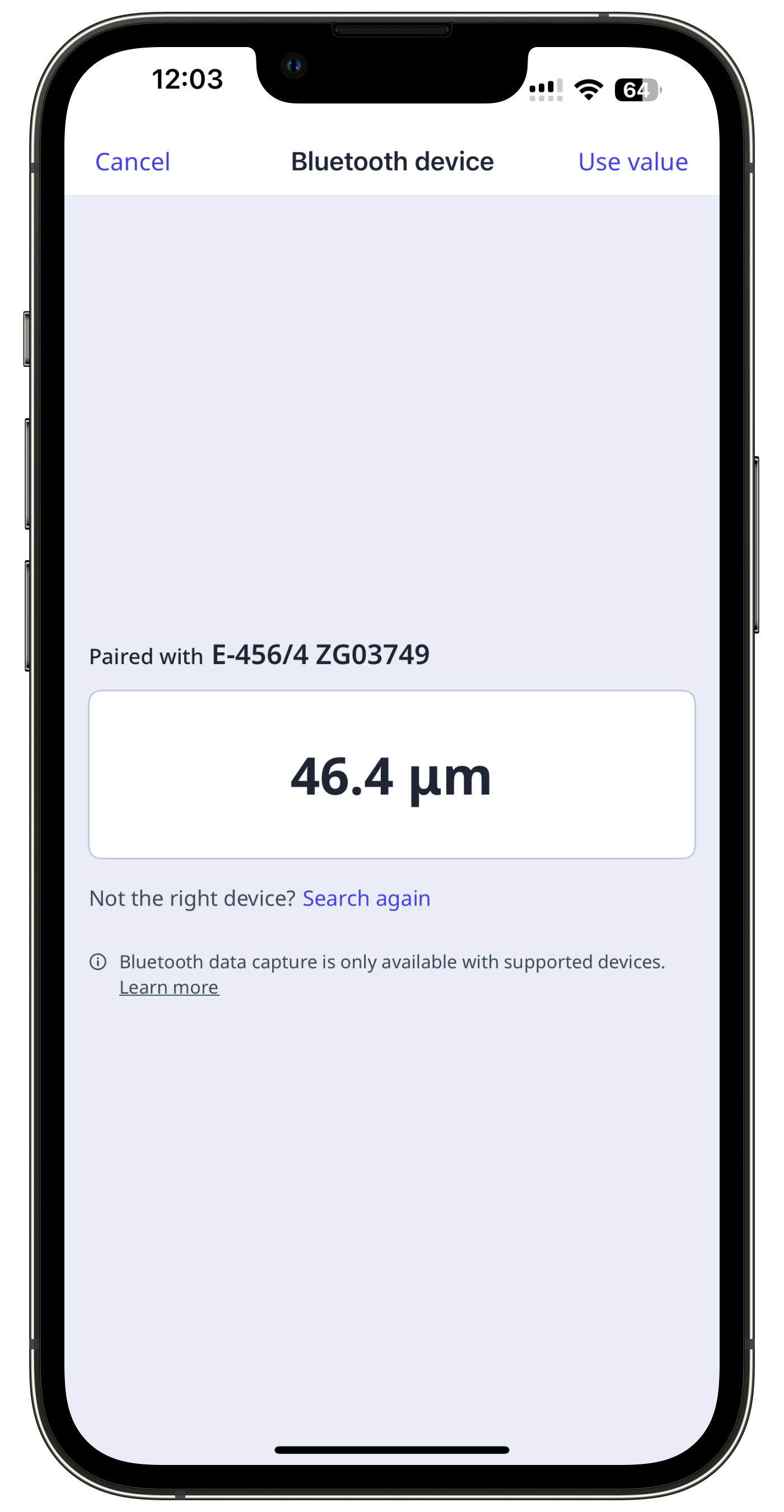
Connect sensors to the mobile app and automatically capture readings during inspections, such as temperature, pH level, paint thickness, or oil quality directly into responses. The data is recorded directly into the relevant response type, with the option to add details if needed.