Welche Möglichkeiten habe ich bei den KI-Credits-Optionen?
Jede Organisation wird aufgenommen und erhält KI-Credits, das kostenlos genutzt werden kann. Sobald diese Credits aufgebraucht sind, entscheiden Sie selbst, wie Sie die darüber hinausgehende KI-Nutzung bezahlen möchten. Ein Credits-Abonnement bietet Ihnen im Voraus bezahlte, vergünstigte Credits, die regelmäßig monatlich oder jährlich abgerechnet werden. Dies eignet sich am besten, wenn Sie eine konstante oder höhere KI-Nutzung erwarten und vorhersehbare Kosten wünschen. Sie kaufen Credits in Paketen auf Organisationsebene. Ein Überschreitungslimit ist ein Pay-as-you-go-Modell, bei dem Ihnen nur die KI-Nutzung in Rechnung gestellt wird, die über Ihre Credits hinausgeht, ideal für gelegentliche oder unvorhersehbare Nutzung.
Was Sie brauchen
Add a credit subscription pack
Klicken Sie unten links auf der Seite auf den Namen Ihrer Organisation und wählen Sie Abrechnung aus.
Klicken Sie oben auf der Seite auf Nutzung.
Klicken Sie unten auf der Seite auf Credits-Abonnement hinzufügen.
Wählen Sie im Popup-Fenster ein Credit-Abonnementpaket und die gewünschte Gesamtanzahl an Credits aus.
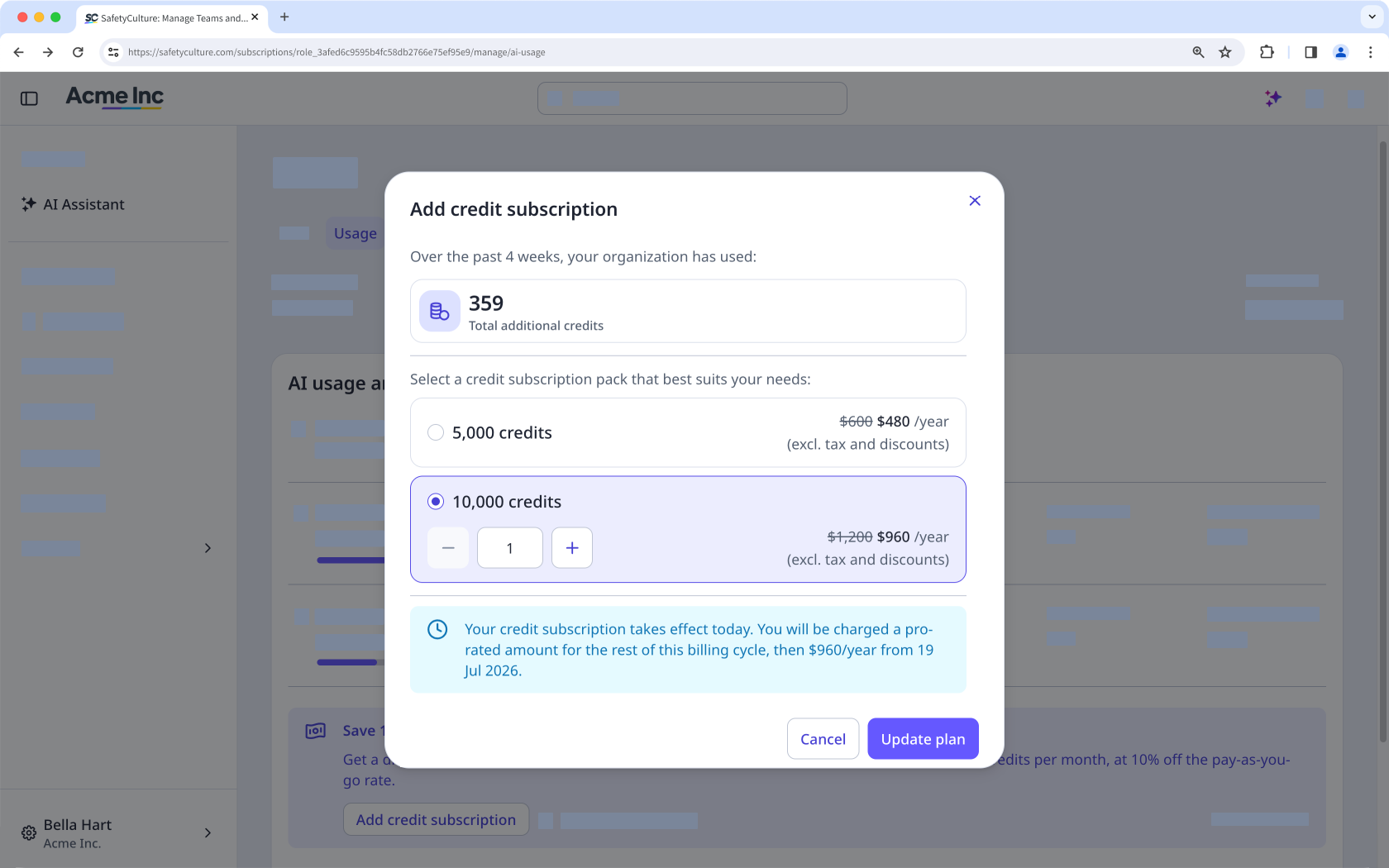
Klicken Sie auf Tarif aktualisieren.
Ein neues Guthaben-Abonnement tritt sofort in Kraft. Es wird für den Rest des aktuellen Abrechnungszeitraums anteilig berechnet und anschließend in jedem Abrechnungszeitraum zum vollen Preis. Sie erhalten das volle Guthaben unabhängig davon, wann Sie es erwerben.
Abonnementpakete für Credits aktualisieren
Organisationen mit einem Monatsabonnement können Pakete selbst reduzieren oder entfernen, allerdings nur innerhalb von 28 Tagen vor dem Verlängerungsdatum. Die Änderungen gelten ab Ihrem nächsten Abrechnungszeitraum, nicht ab dem Zeitpunkt, an dem Ihre monatlichen Guthaben zurückgesetzt werden. Wenn Sie ein Jahresabonnement haben, wenden Sie sich bitte an Ihren Kundenbetreuer, um Änderungen vorzunehmen.
Klicken Sie unten links auf der Seite auf den Namen Ihrer Organisation und wählen Sie Abrechnung aus.
Klicken Sie oben auf der Seite auf Nutzung.
Klicken Sie unter „Credits-Abonnement“ auf Verwalten.
Wählen Sie im Popup-Fenster ein anderes Credit-Abonnementpaket aus oder passen Sie die gewünschte Gesamtanzahl an Credits an.
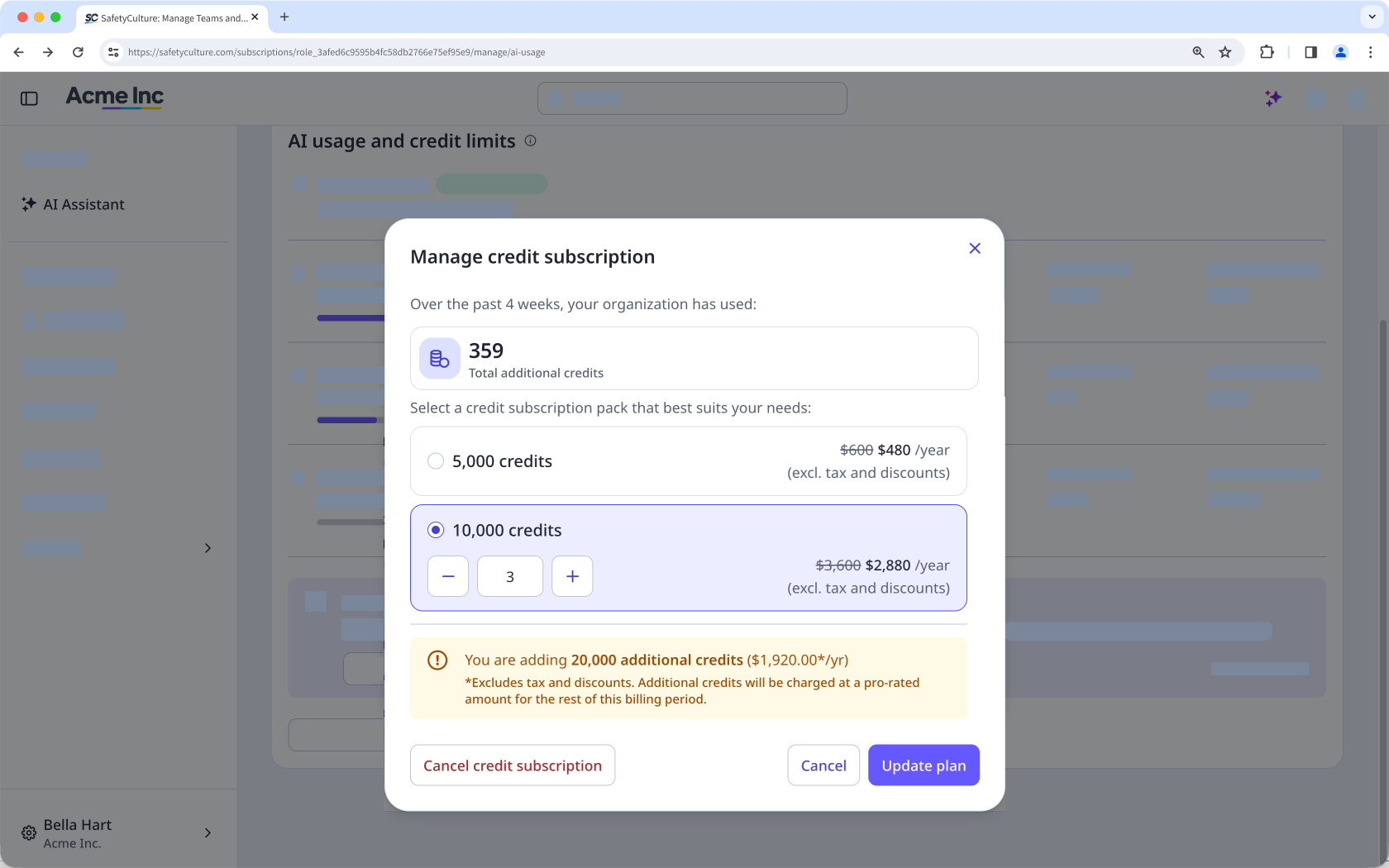
Klicken Sie auf Tarif aktualisieren.
Ein Credit-Abonnement kündigen
If you cancel your credit subscription, it stops at the end of your current billing cycle. You keep the credits you've already paid for until the cycle ends, and unused subscription credits don't roll over to the next cycle. After your subscription ends, any AI usage beyond your included and gifted credits is charged through your overage limit, if you have one set.
Click your organization name on the lower-left corner of the page and select Abrechnung.
Click Nutzung at the top of the page.
In "Credit subscription", click Verwalten.
In the pop-up window, click Cancel credit subscription.
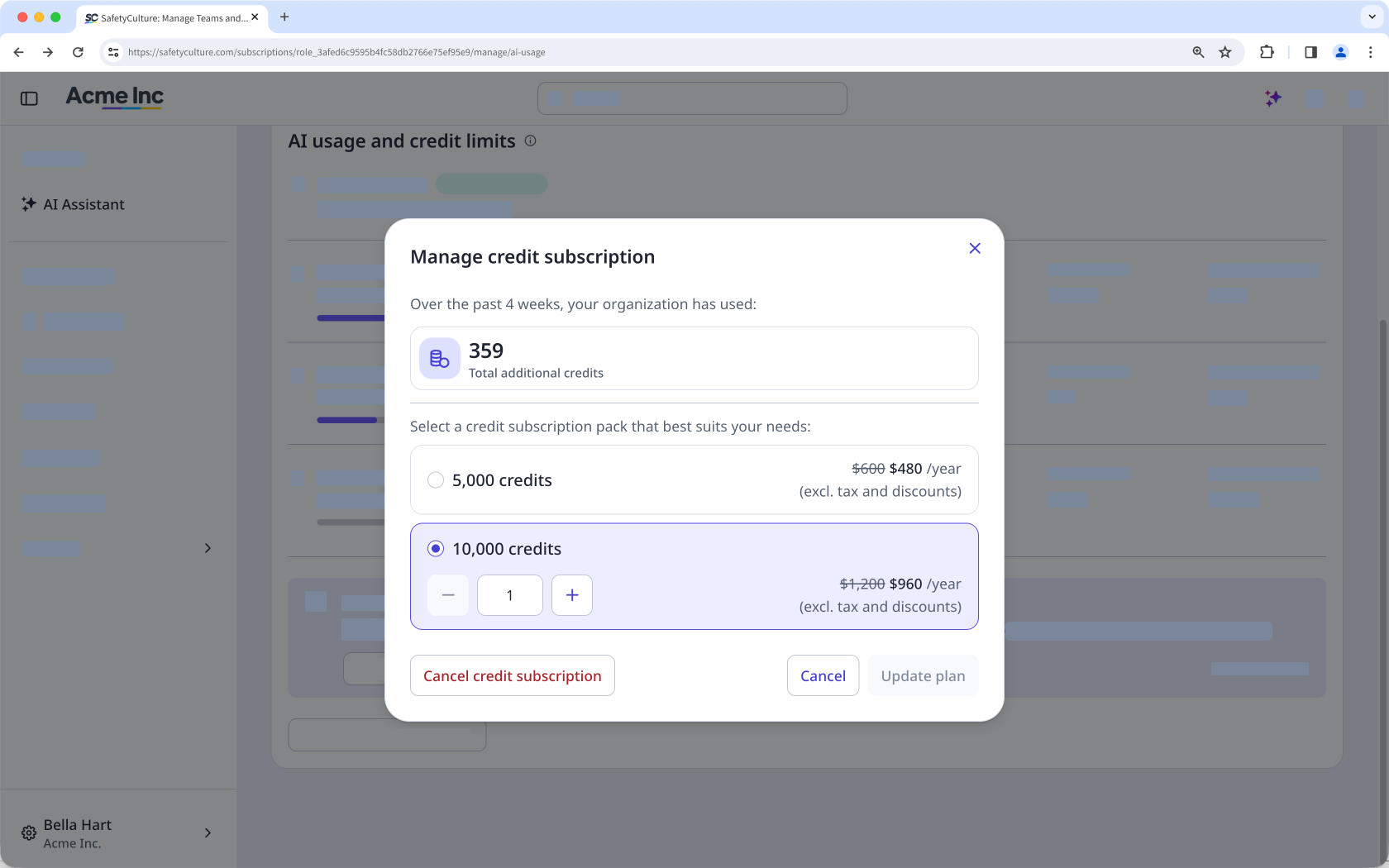
In the pop-up window, click Bestätigen.