Welche Möglichkeiten habe ich bei den KI-Credits-Optionen?
Jede Organisation wird aufgenommen und erhält KI-Credits, das kostenlos genutzt werden kann. Sobald diese Credits aufgebraucht sind, entscheiden Sie selbst, wie Sie die darüber hinausgehende KI-Nutzung bezahlen möchten. Ein Credits-Abonnement bietet Ihnen im Voraus bezahlte, vergünstigte Credits, die regelmäßig monatlich oder jährlich abgerechnet werden. Dies eignet sich am besten, wenn Sie eine konstante oder höhere KI-Nutzung erwarten und vorhersehbare Kosten wünschen. Sie kaufen Credits in Paketen auf Organisationsebene. Ein Überschreitungslimit ist ein Pay-as-you-go-Modell, bei dem Ihnen nur die KI-Nutzung in Rechnung gestellt wird, die über Ihre Credits hinausgeht, ideal für gelegentliche oder unvorhersehbare Nutzung.
Was Sie brauchen
Obergrenzen für Mehrverbrauch festlegen
Klicken Sie unten links auf der Seite auf den Namen Ihrer Organisation und wählen Sie Abrechnung aus.
Klicken Sie oben auf der Seite auf Nutzung.
Klicken Sie unten auf der Seite auf Obergrenze für Überschreitungen festlegen.
Geben Sie im Popup-Fenster das gewünschte monatliche Überziehungslimit ein.
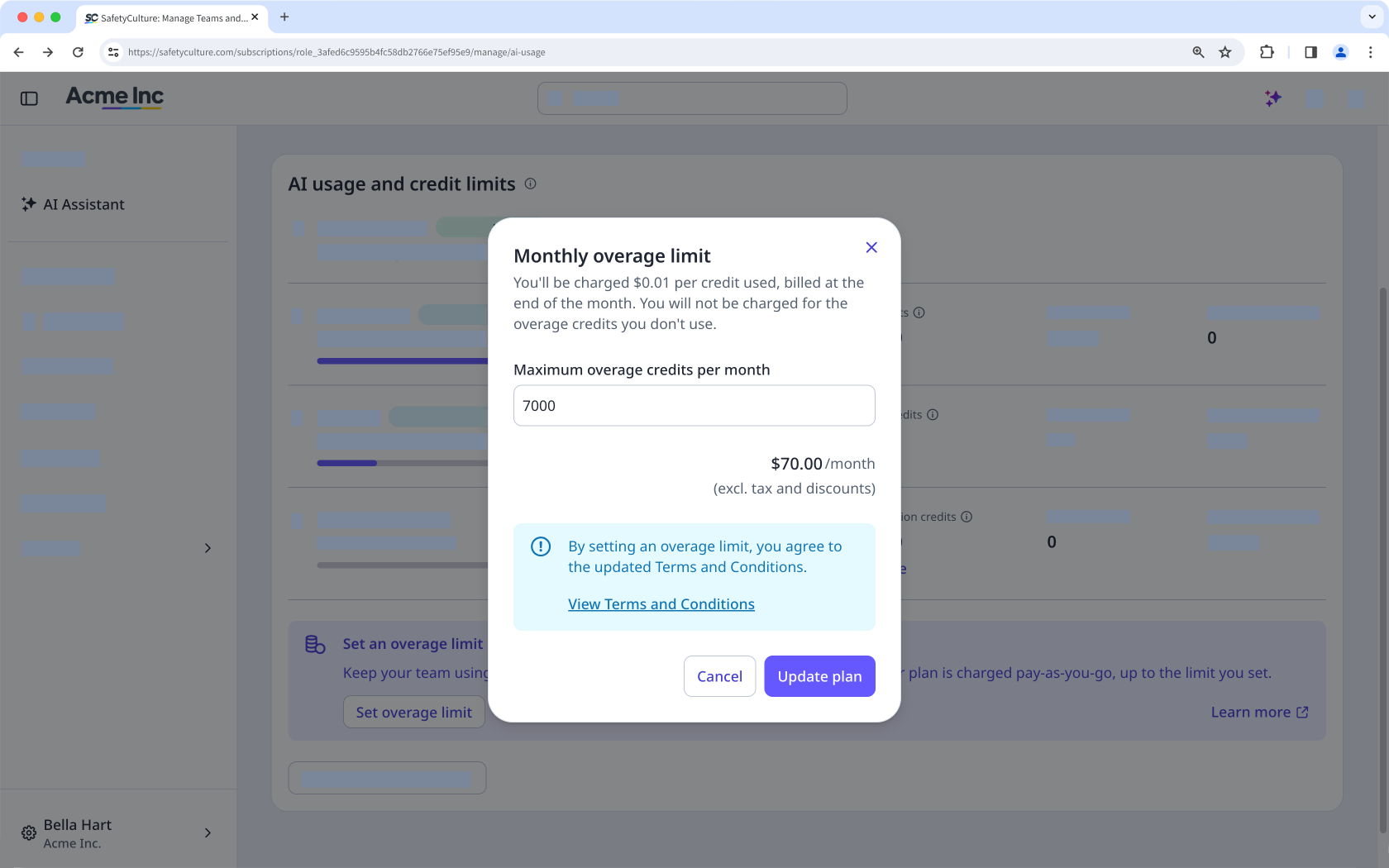
Klicken Sie auf Tarif aktualisieren.
Obergrenzen für Überschreitungen bearbeiten
Klicken Sie unten links auf der Seite auf den Namen Ihrer Organisation und wählen Sie Abrechnung aus.
Klicken Sie oben auf der Seite auf Nutzung.
Klicken Sie unter „Überzahlungsgutschriften“ auf Bearbeiten.
Wählen Sie im Popup-Fenster die gewünschte Gesamtanzahl an Credits aus.
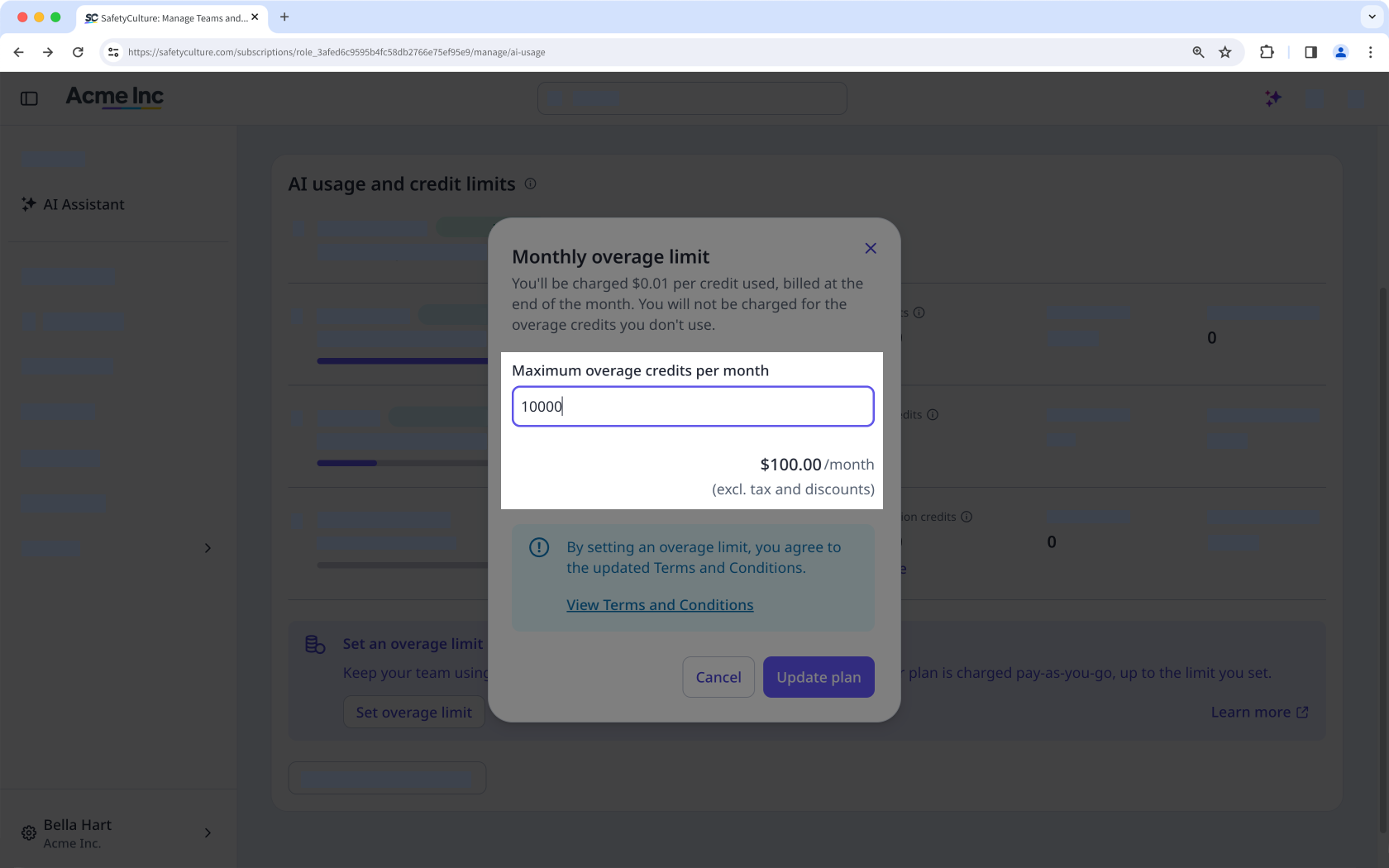
Klicken Sie auf Tarif aktualisieren.