
This feature is currently in Early Access. If you're interested, please contact your customer success manager to check if your organization is eligible.
How does username login work?
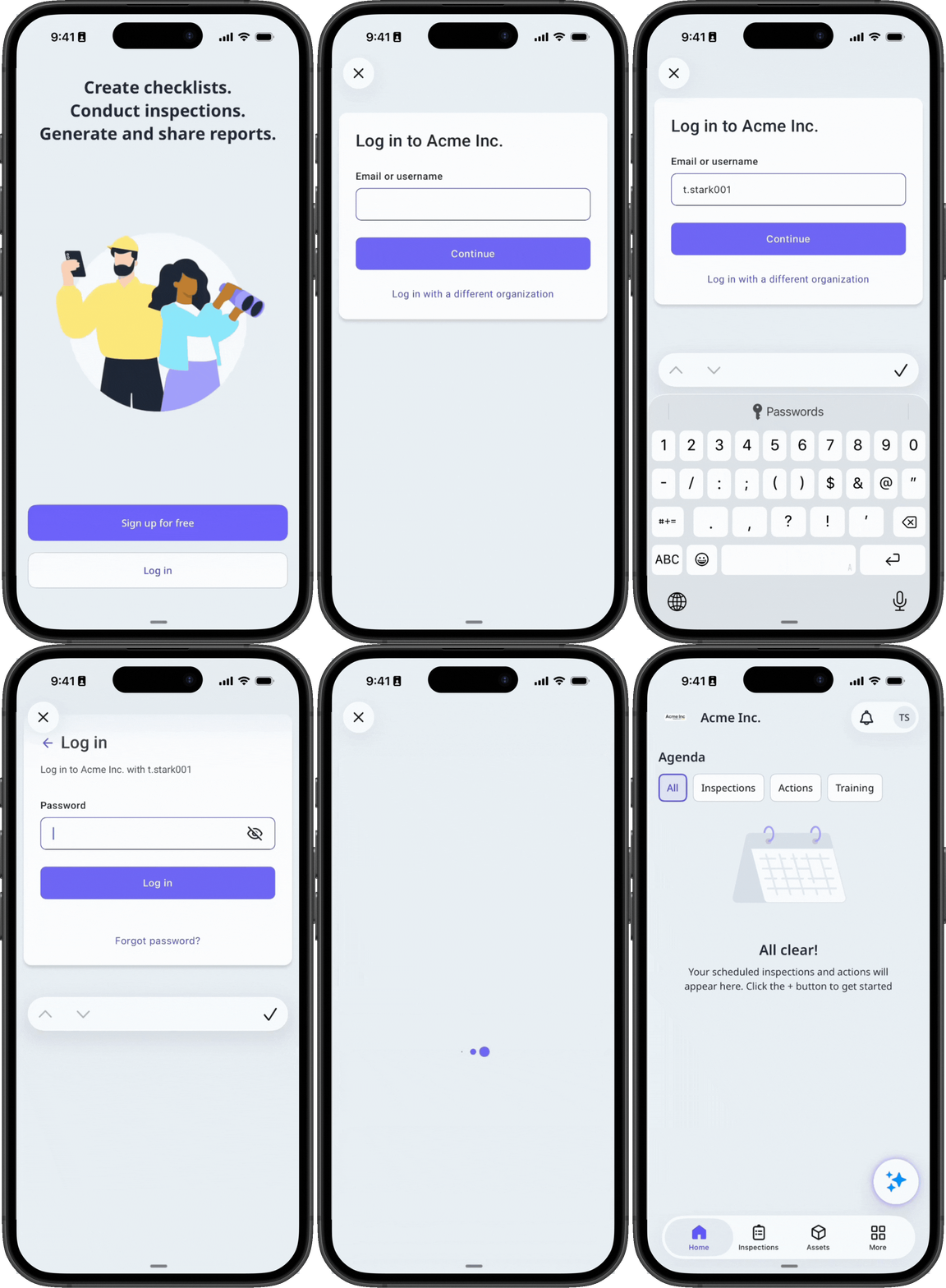
Many frontline workers don't have a corporate email address, but they still need access to take training courses, complete actions, stay informed about organization updates, and more. Username login allows you to create accounts for your workers so they can log in with a username and password instead of an email address. Workers log in using a username like their employee ID via a login link or QR code specific to your organization.
What you'll need
Share your organization's login link or QR code
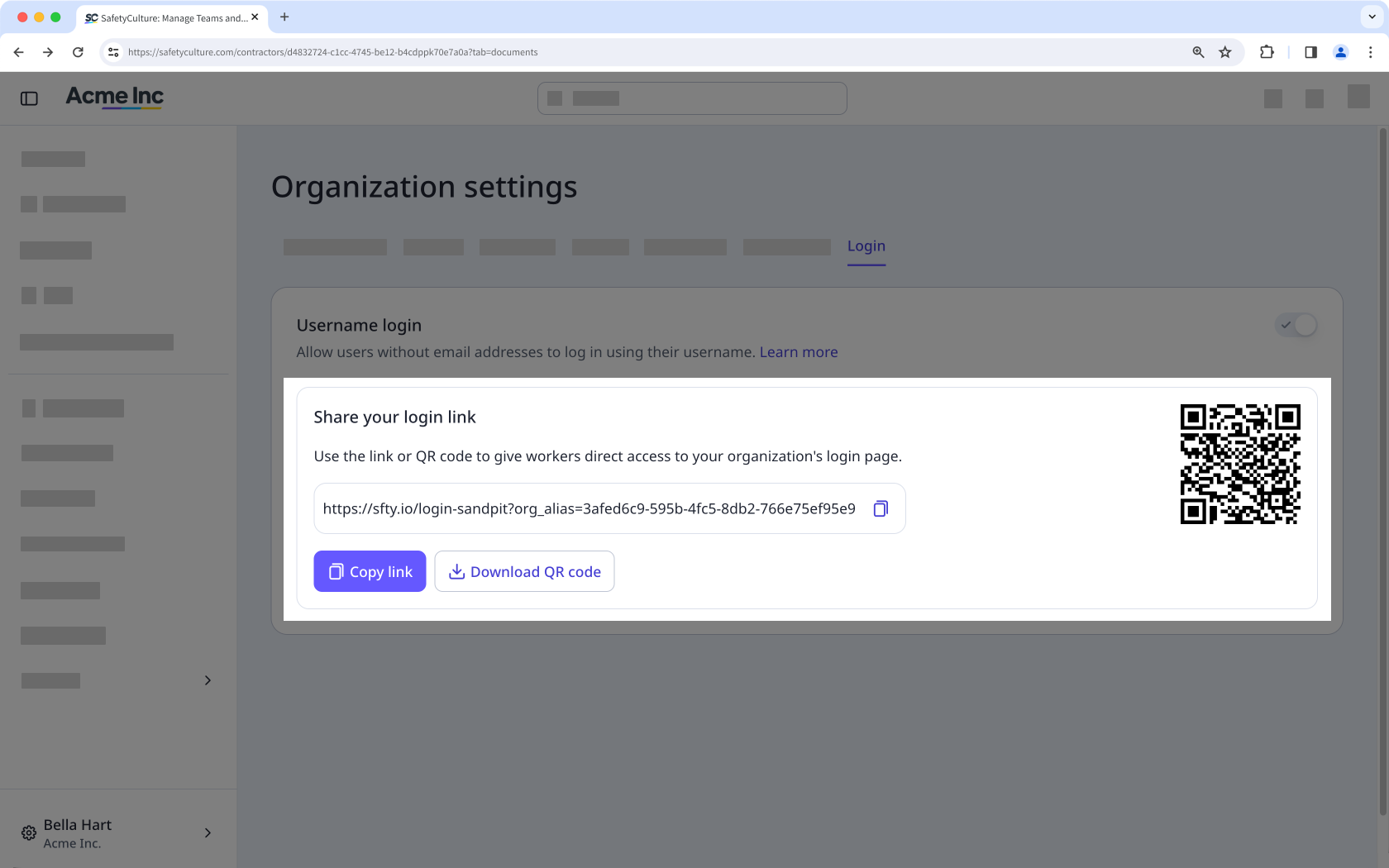
Click your organization name on the lower-left corner of the page and select Organization settings.
Select Login tab at the top of the page.
Click Copy link or Download QR code, then share it to your team so they can log in with their username.
Users without an email address can only log in using the organization-specific login link or QR code. They can't access the platform from the default login page.


