
What are onboarding workflows in SafetyCulture?
Onboarding workflows is a feature within SafetyCulture that helps you guide your workers through the steps they need to complete before starting their roles. These often include completing required training courses and submitting credentials.
For example, you can use onboarding workflows to help contractor workers from companies meet all requirements before starting work. By sharing onboarding workflows using enrollment links, workers can easily complete their onboarding without delays. As they progress, you can track their completion status and confirm that all requirements are met, giving you confidence that your team has the right skills, knowledge, and qualifications to work safely and stay compliant.
What you'll need
Share enrollment links when creating an onboarding workflow to kick off your team’s onboarding journey right away.
Share an onboarding workflow
Select Training in the sidebar or select it in More.
Click Onboard at the top of the page.
Click an onboarding workflow.
Click
 Enroll via link at the top of the page.
In the pop-up window, select who can access the course link. Selecting Anyone with the link requires Premium Plan or Enterprise Plan.
Only assigned users: Only users that have been assigned can access using this link.
Anyone with the link: Anyone on the internet with the link can sign up to your organization and enroll. To manage the enrollment link settings, click Manage on the right-hand side of the Link settings dropdown menu.
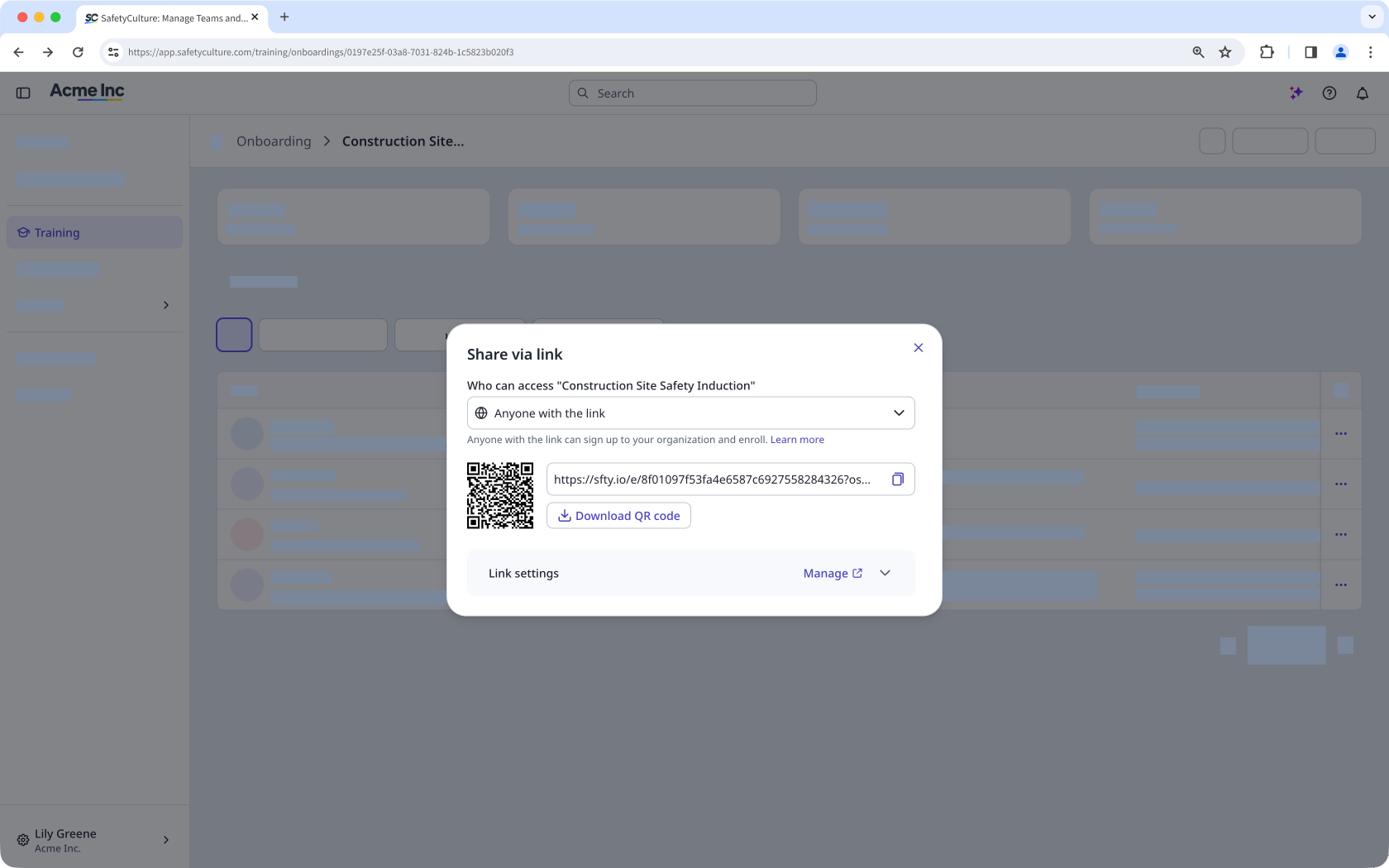
Click to copy the link or click Download QR code to download a QR code of the onboarding workflow.
If you share your onboarding workflow with Anyone with the link, users will join on a lite seat with a "Basic" permission set.


