Why use number questions?
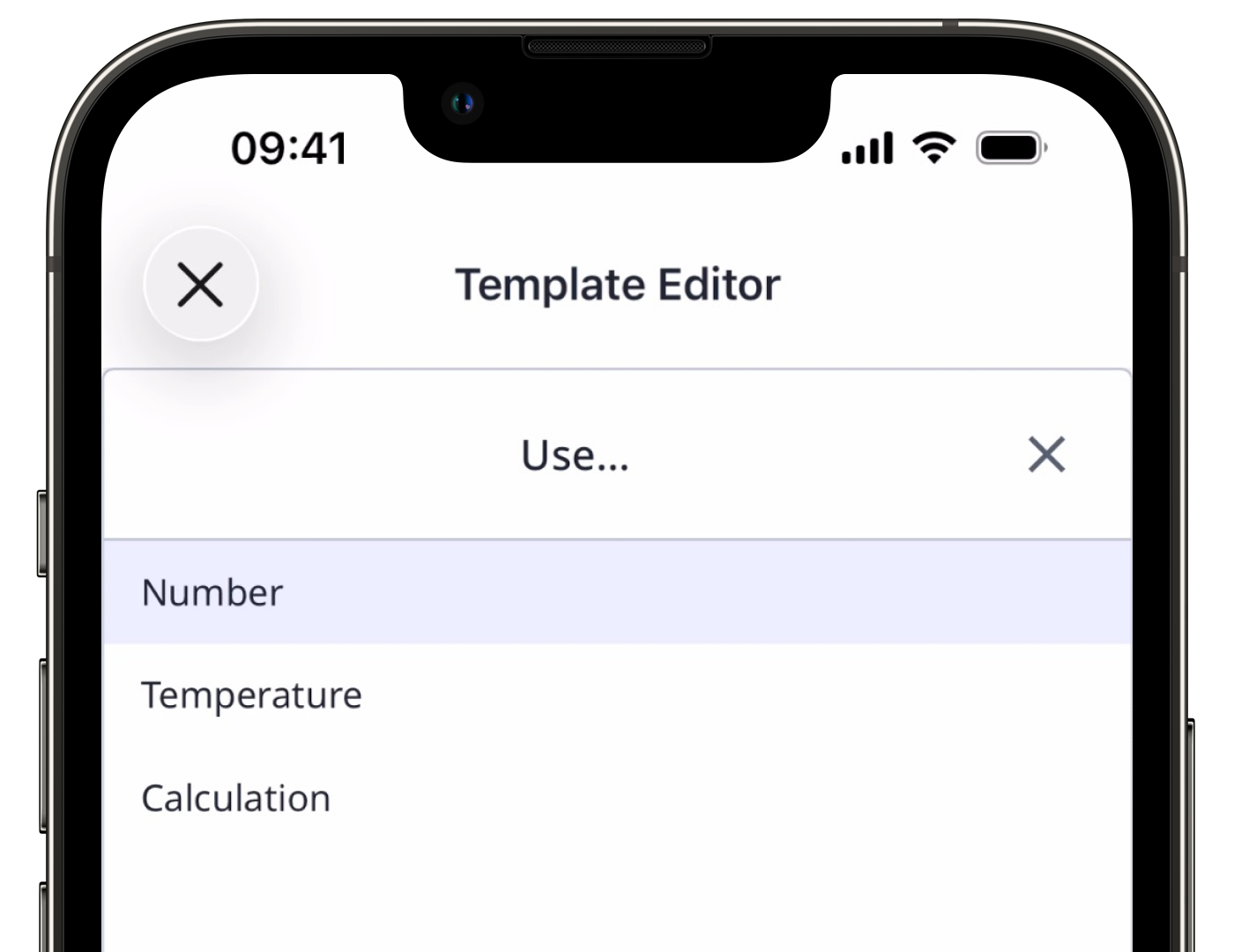
Number questions are a great way to capture precise and quantifiable data while conducting an inspection. Depending on your inspection needs, you can tailor your number questions in three formats: number, temperature, or calculation response.
Format options
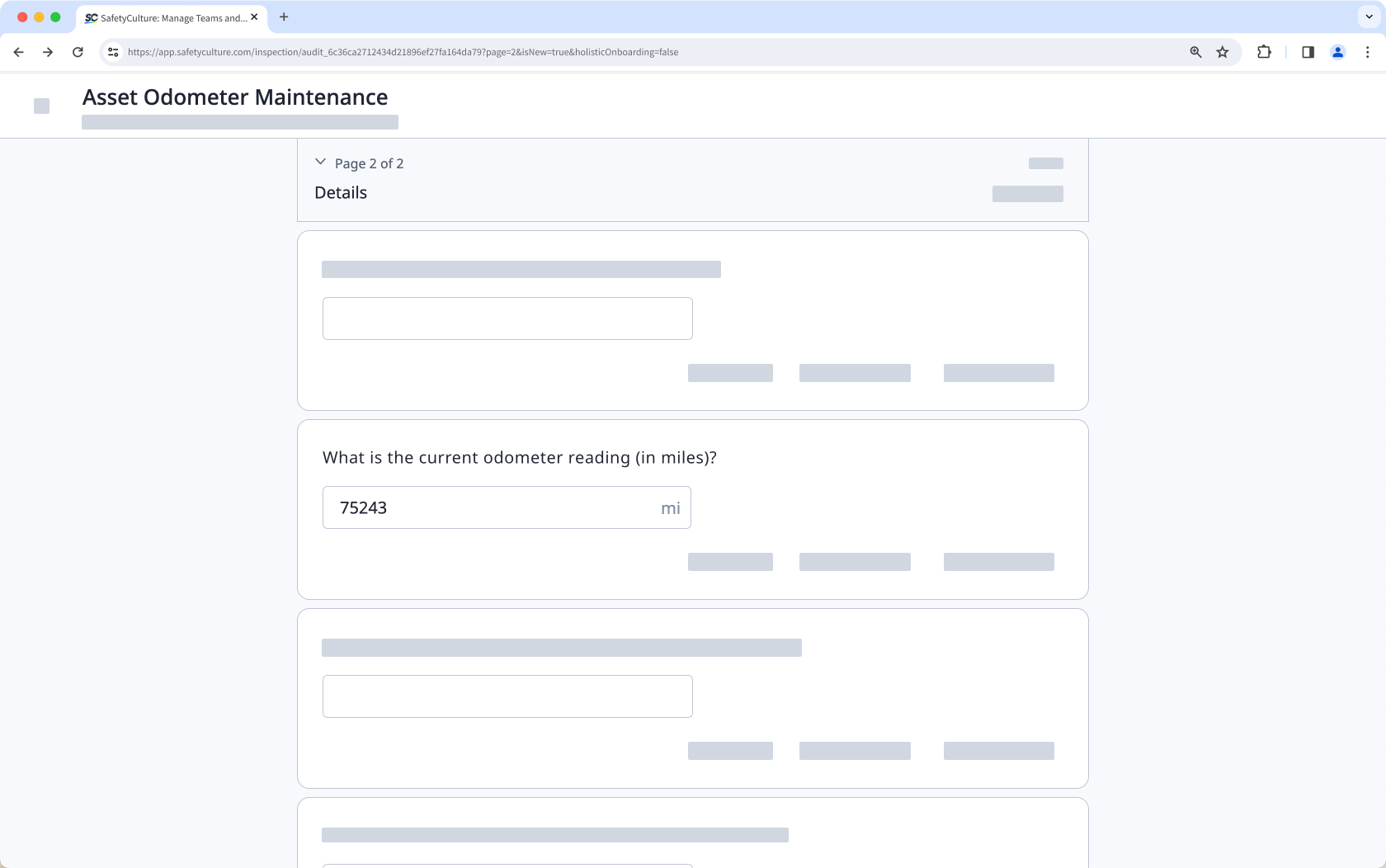
Number
Add number response questions to your templates to input numerical values to your inspections directly. This format is ideal for capturing exact counts and include units of measurement.
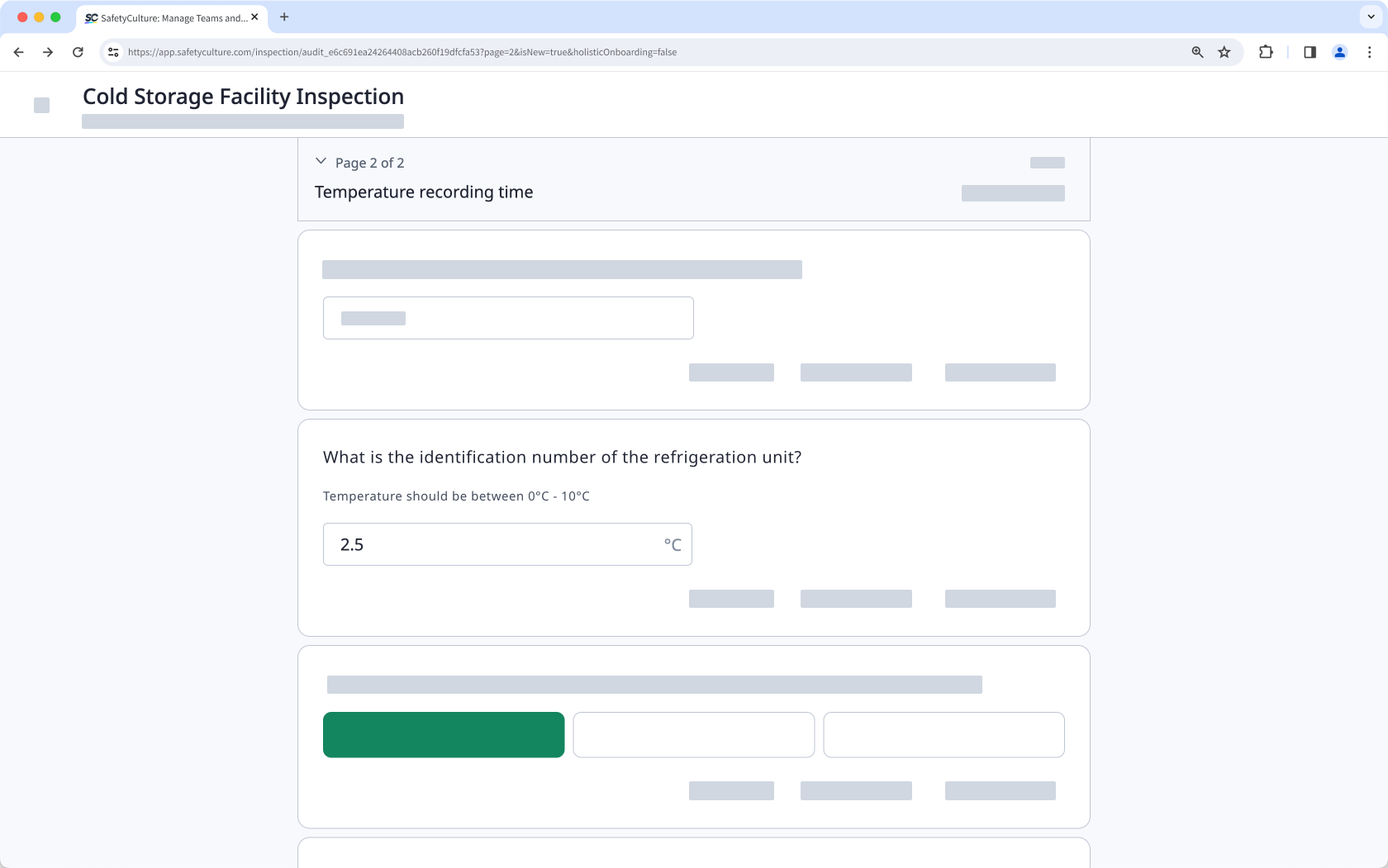
Temperature
Add temperature response questions to your templates to measure the temperature readings of your assets during inspections. You can also set up logic fields to trigger follow-up questions, require actions, require evidence, and send notifications depending on users' answers.
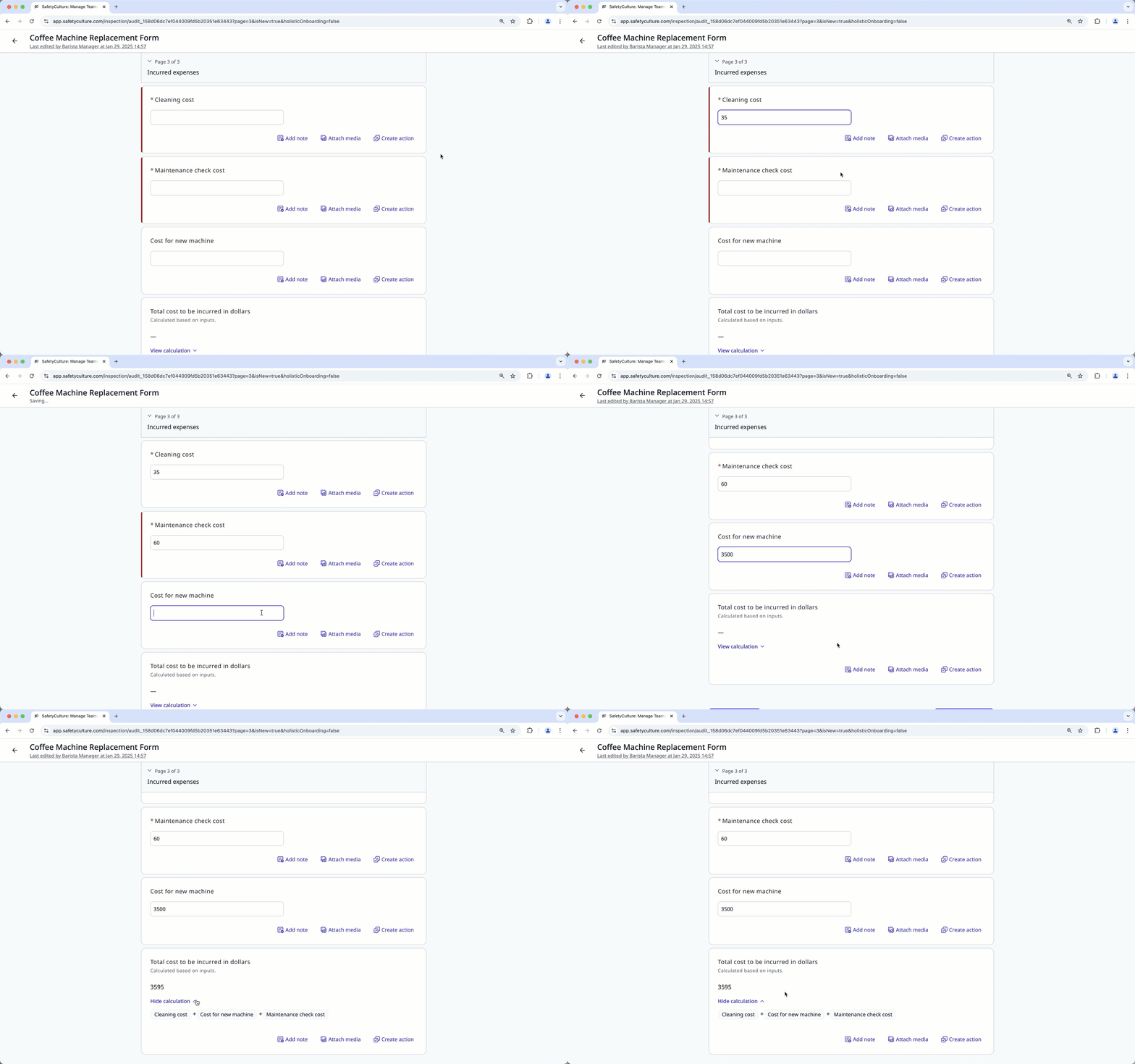
Calculation
Add calculation response questions to reduce manual calculation errors and automate common workflows when conducting inspections.
What you'll need
Published changes made to templates only apply to new inspections moving forward.
Add a number question
Select Templates in the sidebar or select it in More.
Click the template and select Edit template in the side panel.
Add a new question or select an existing one.
Click under the "Type of response" column on the right-hand side and select Number.
By default, the Number format is selected. To change the format, click Number and select any of the following options:
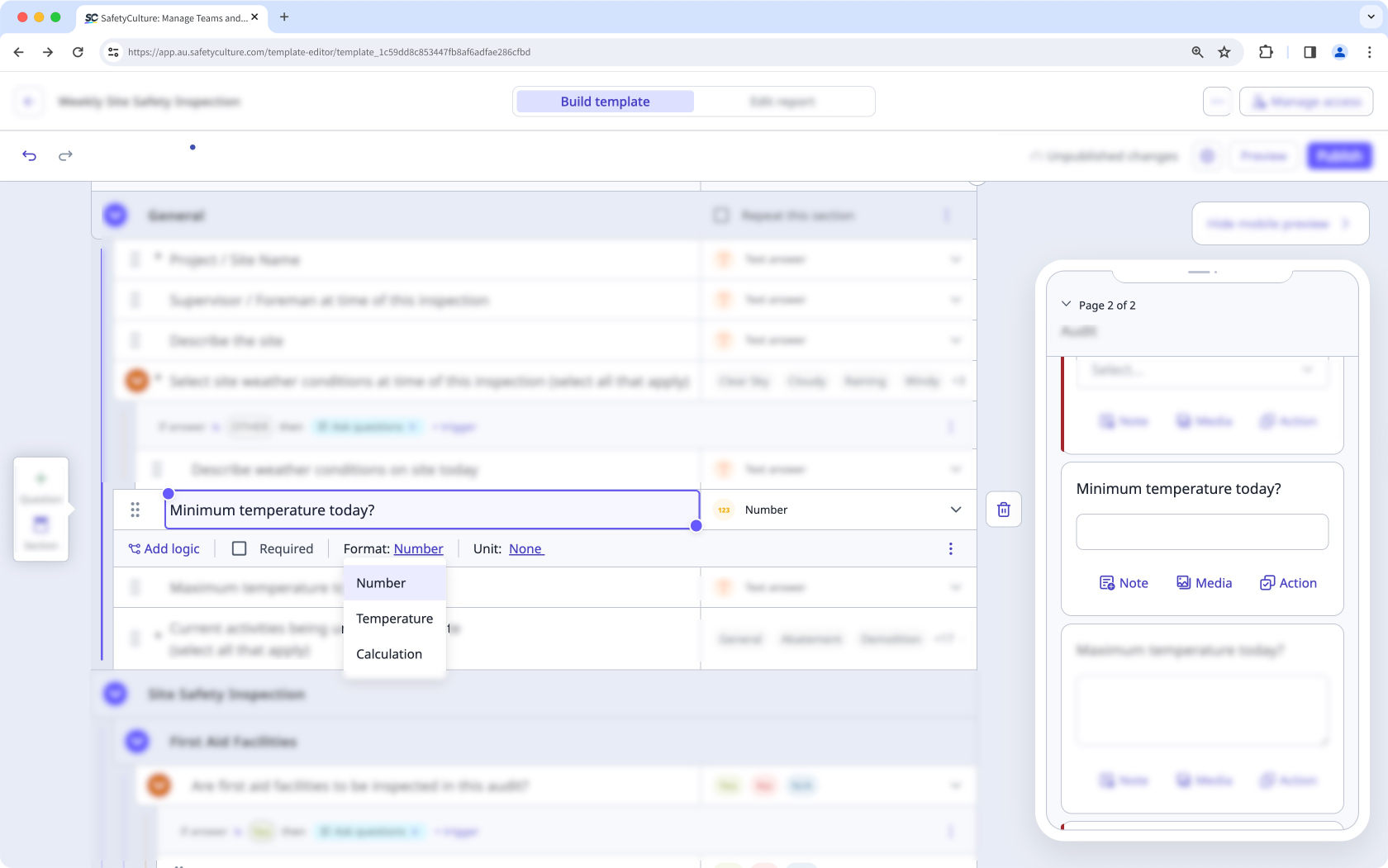
Number: Use this format to collect numerical data during inspections and include units of measurement, such as distance and volume.
Temperature: Use this format to capture temperature readings for your assets.
Calculation: Use this format to automatically calculate values from other questions within the same inspection.
Click Publish on the upper-right of the page to publish the template. If you're not ready to publish the template, you can go back to the templates list and come back when you're ready.