
Why use calculation response questions?
Calculation response questions automatically generate answers based on selected responses within an inspection. They're especially useful when you need to perform quick calculations or automate repetitive data entry. You can reference questions with "Number" and "Slider" response types, as well as multiple choice questions with custom response sets, to build dynamic formulas that streamline workflows and improve data accuracy.
For example, you can create a formula that multiplies the quantity of items by the unit cost to automatically calculate the total cost.
What you'll need
Only questions with “Number” and “Slider” response types, and multiple choice questions with custom response sets, can be referenced in a formula.
Create a calculation response question
Select Templates in the sidebar or select it in More.
Click the template and select Edit template in the side panel.
Add a new number response question or select an existing one.
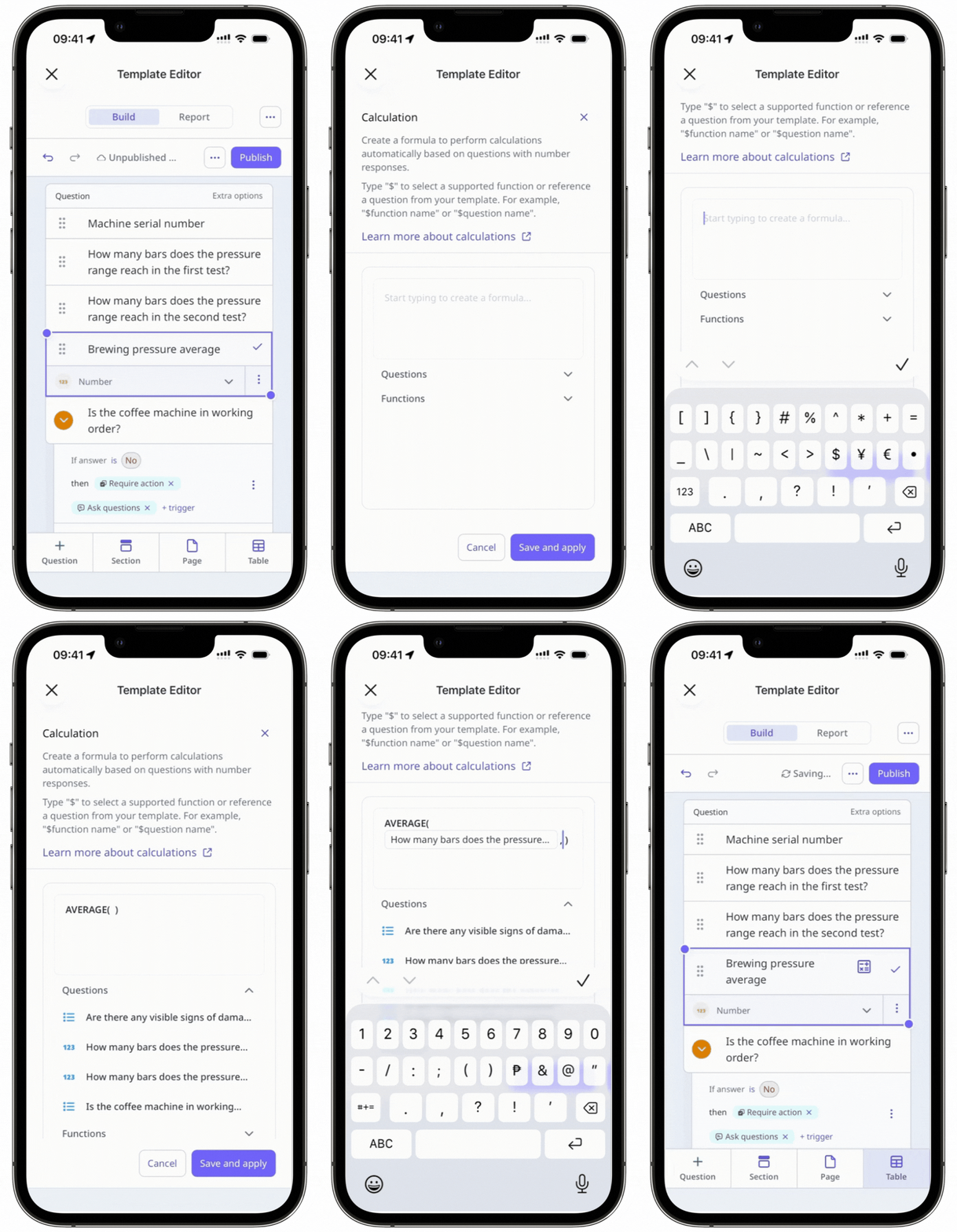
Under the question, click Number on the right-hand side of "Format" and select Calculation from the dropdown menu.
In the side panel, create a calculation formula.
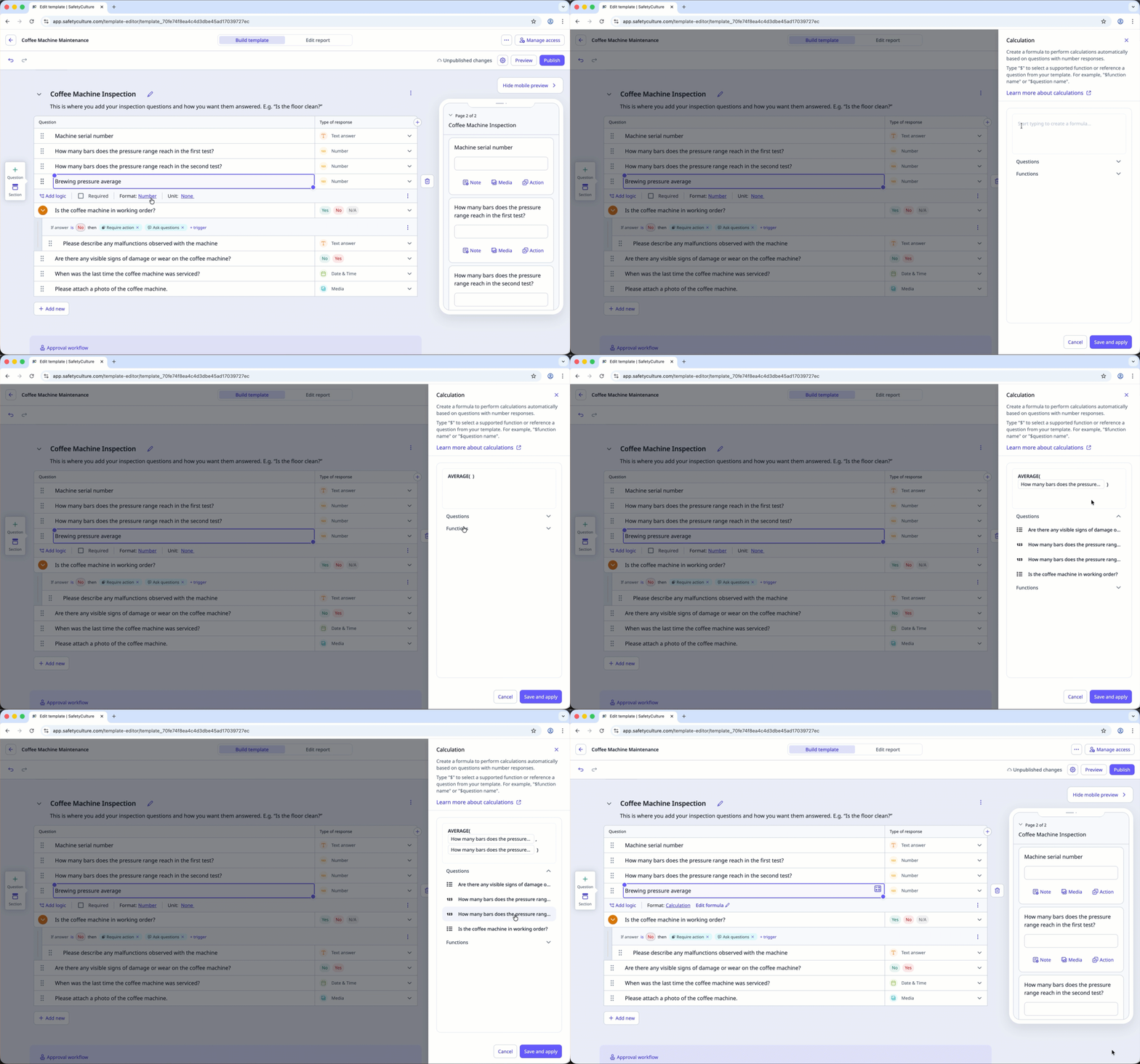
Type $ followed by a question's label or a function to use it in your formula. To use mathematical symbols as part of your formula: + to add, - to subtract, * to multiply, / to divide, and ** for exponentiation.
You can also select the relevant function and question from the "Functions" and "Questions" dropdowns.
Click Save and apply.
Click Publish on the upper-right of the page to publish the template. If you're not ready to publish the template, you can go back to the template list and publish the changes when you're ready.
Formulas using number questions with units will not be converted automatically.
For example, if you’re calculating the speed in kilometers per hour, and you referenced a number question using meters as a unit in your calculation, meters will not be converted to kilometers. You will need to change the unit in the number question or the number question altogether.


