
What are practical assessments?
A practical assessment is a course lesson type that emphasizes hands-on training that goes beyond traditional teaching methods. Assessors can observe their team members while completing real tasks and provide immediate feedback to help them improve and track progress toward mastery. This lesson type is ideal for teaching skills such as customer service or safety checks, giving your team the opportunity to demonstrate what they’ve learned in a practical setting.
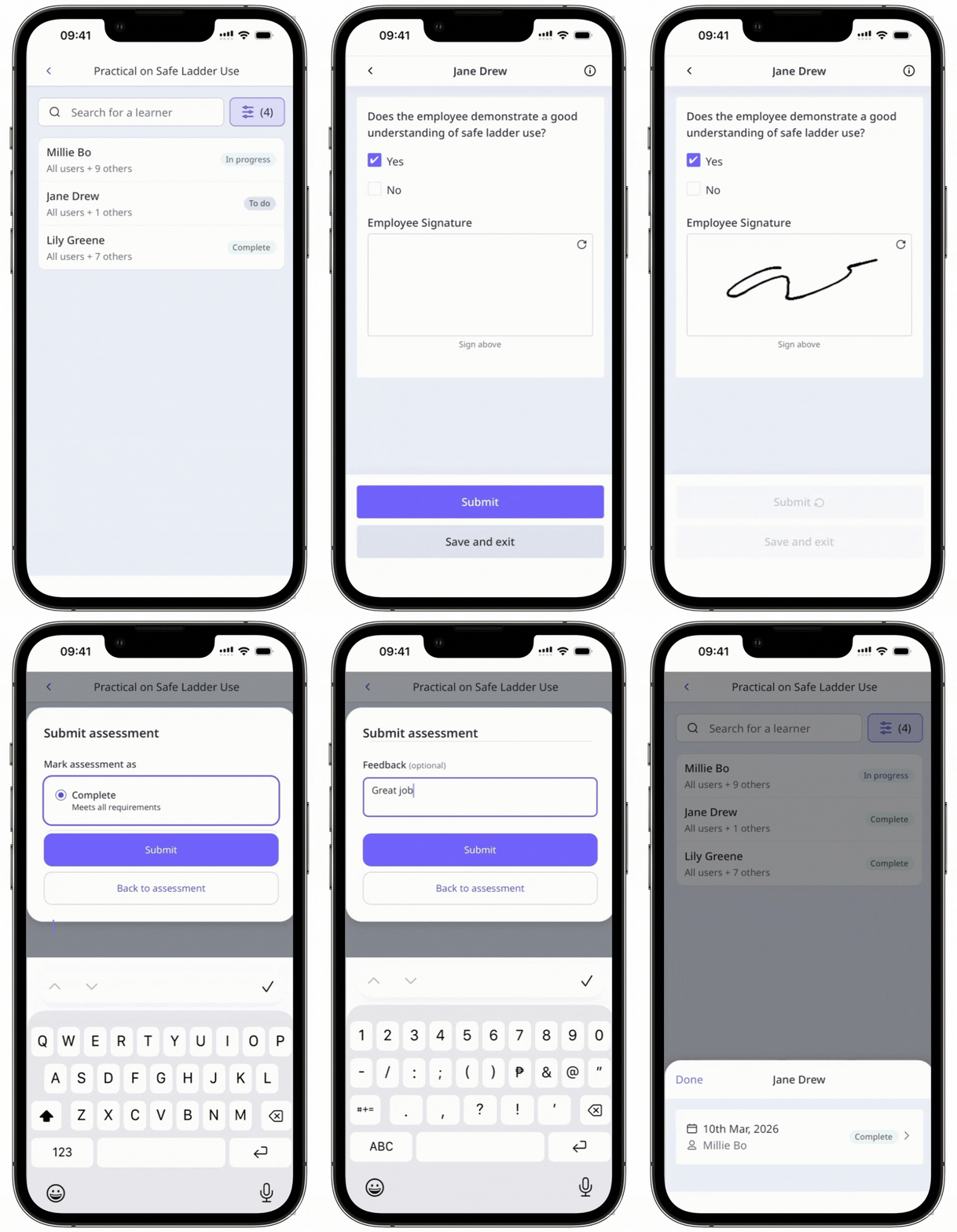
What you'll need
By default, you can only facilitate training and view data from users in groups and sites for which you're a team manager. If you have "Training: Administration" permission, you can facilitate training and view data from all users in your organization.
Create a practical assessment
Select Training in the sidebar or select it in More.
If you're on the "Learn" page, click Content at the top of the page and select Courses.
Create a new course or click View or Edit on an existing one.
If you're editing an existing course and it's published, click Edit at the upper-right of the page.
At the top of the left-hand panel, click .
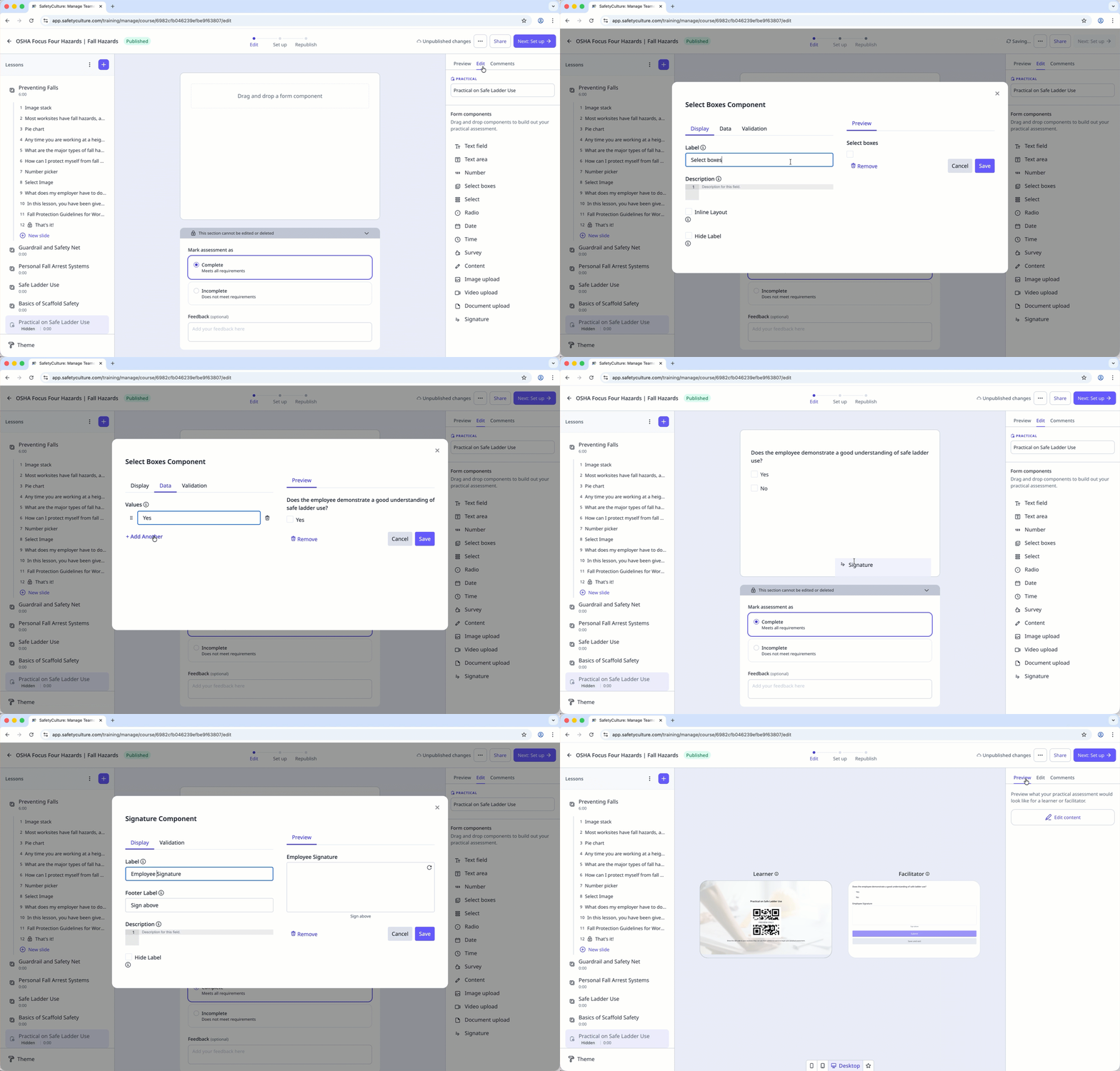
Select Practical and enter a title for your practical assessment.
At the right-hand panel, click Edit content.
Drag and drop form components from the panel on the right-hand side to create your assessment form. Configure the component details accordingly.
Changes are saved automatically. You can click Preview at the top o f the right-hand panel to preview the practical assessment form.
If your course is currently a draft, remember to publish it to make your changes available to your team.
When a course's progress is reset, all user progress, including completed practical assessments, will be reset as well. Users will need to complete the practical assessment again after the course is retaken.


