
3. Explore templates
This section covers the basics of the Templates feature. As you create templates for your users, start with the most commonly used checklists or those you think will impact your operations the most. This way, we can ensure that we can test something that is widely used across your teams and get as much feedback as possible before we go live.
Remember, while you can manage your templates via the mobile app, we recommend using the web app to maximize its functionalities fully.
What are templates, inspections, and reports?
We are here to help, and you're at the right place to start your SafetyCulture experience. Understanding the relationship between templates, inspections, and reports is essential. They give you a seamless experience where you create templates, conduct inspections with the templates you've created, and share the completed inspection reports with your team members.
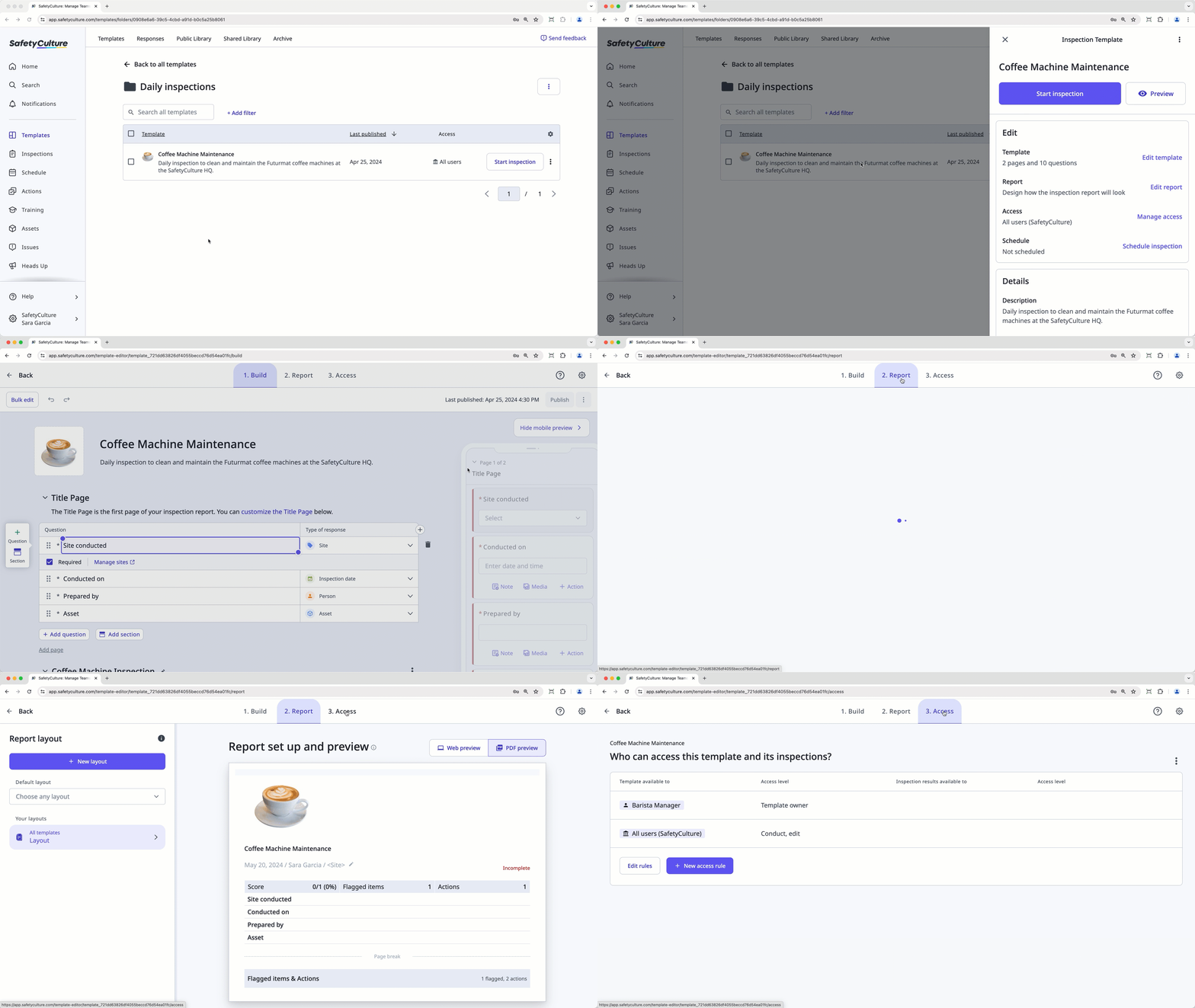
Templates
Templates are the starting point of your SafetyCulture journey as they define how your inspections and reports will look. You can create templates from scratch with our intuitive Template Editor and utilize questions, sections, logic fields, different response types, an approval page, and more to capture the necessary information. You can also download templates from the Library, or convert your existing Excel, images, and PDF forms into templates in mere minutes.
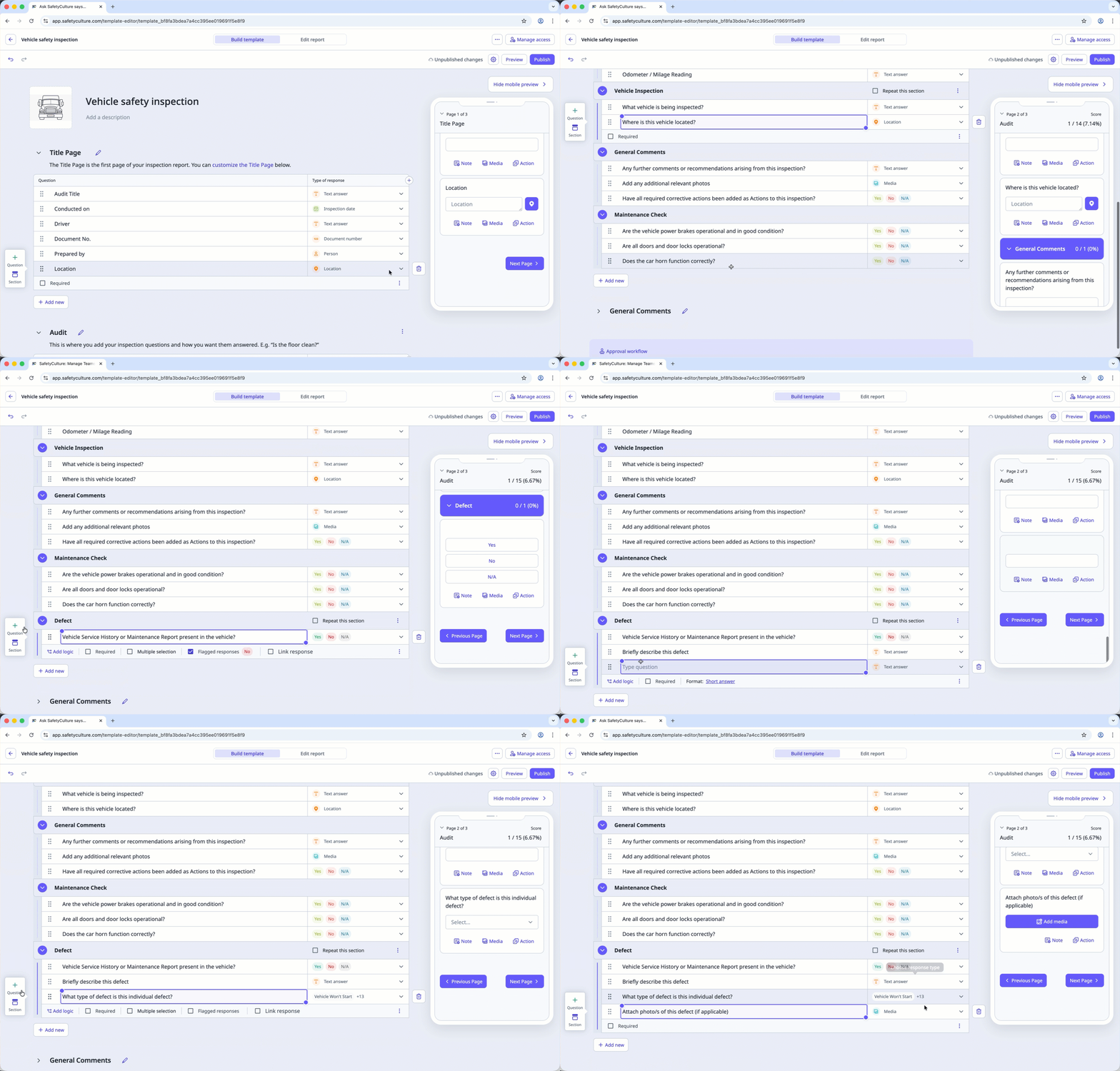
Inspections
Once you've finalized the templates, you're ready to conduct inspections. Inspections are the processes you and your team use to capture data and populate inspection reports. In your work environment, conducting an inspection could be described as filling in a form, performing an audit, or going through a checklist. You can also require users to submit an inspection for approval and create actions to create follow-up tasks as you're walking through an inspection.
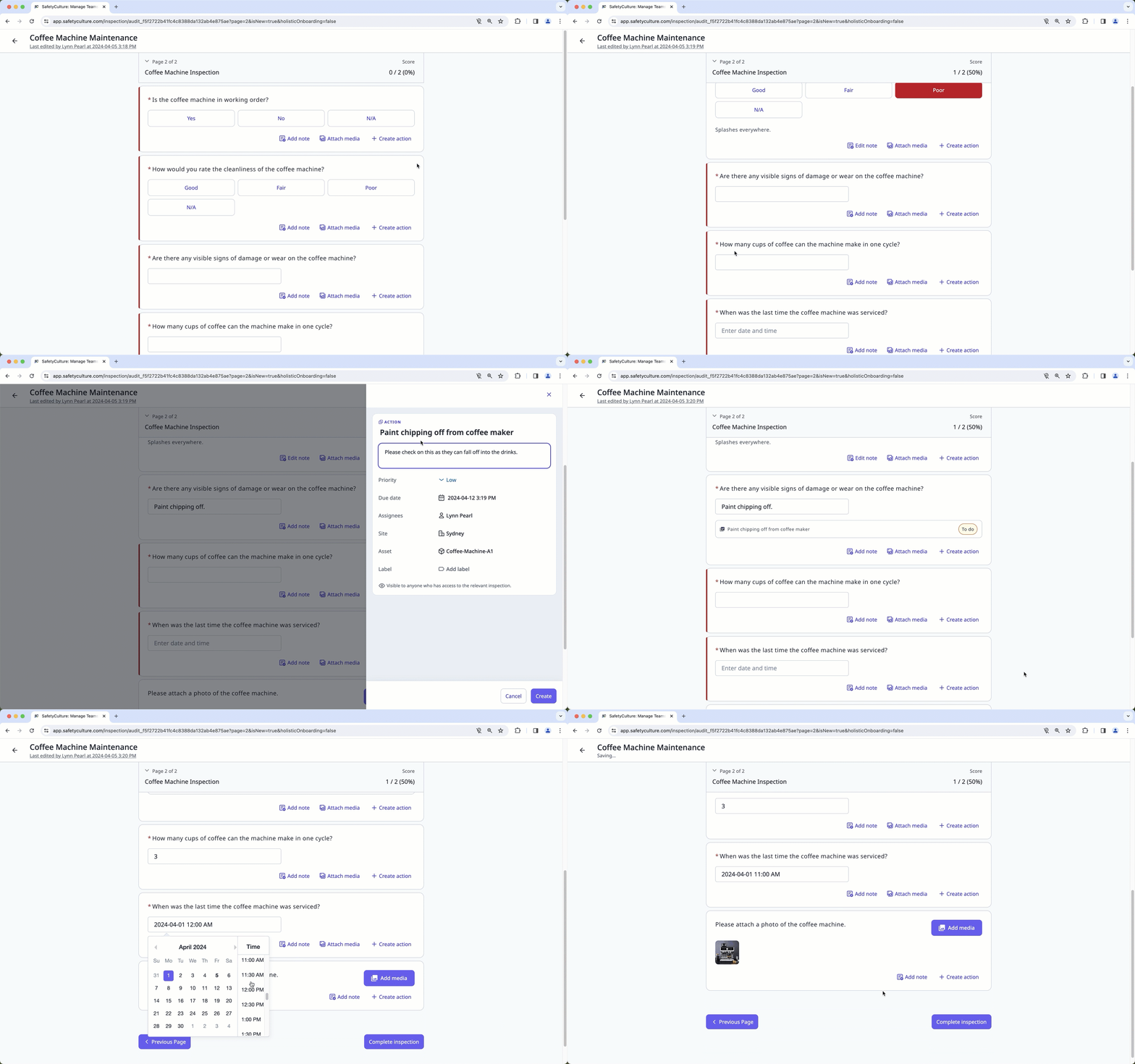
Reports
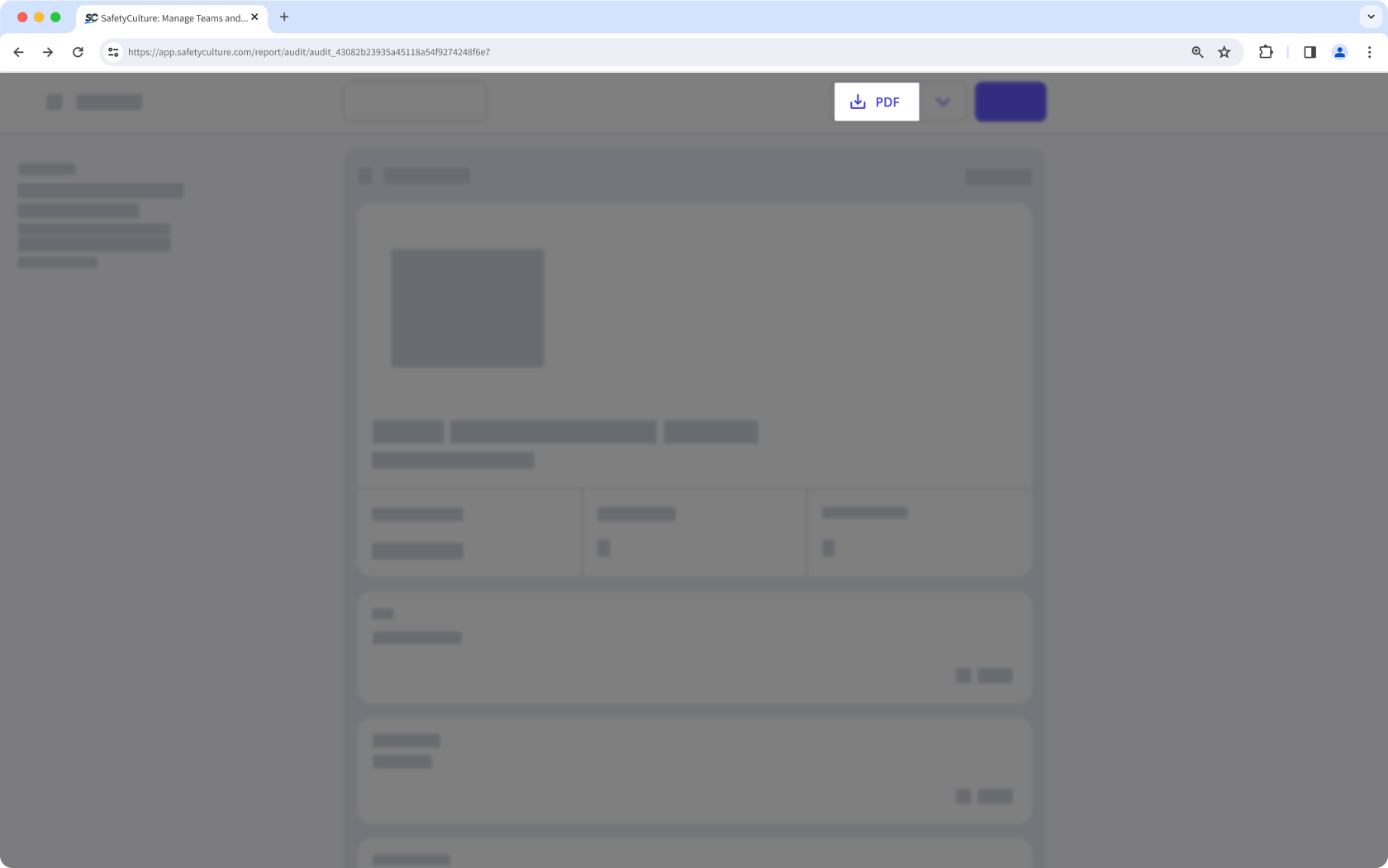
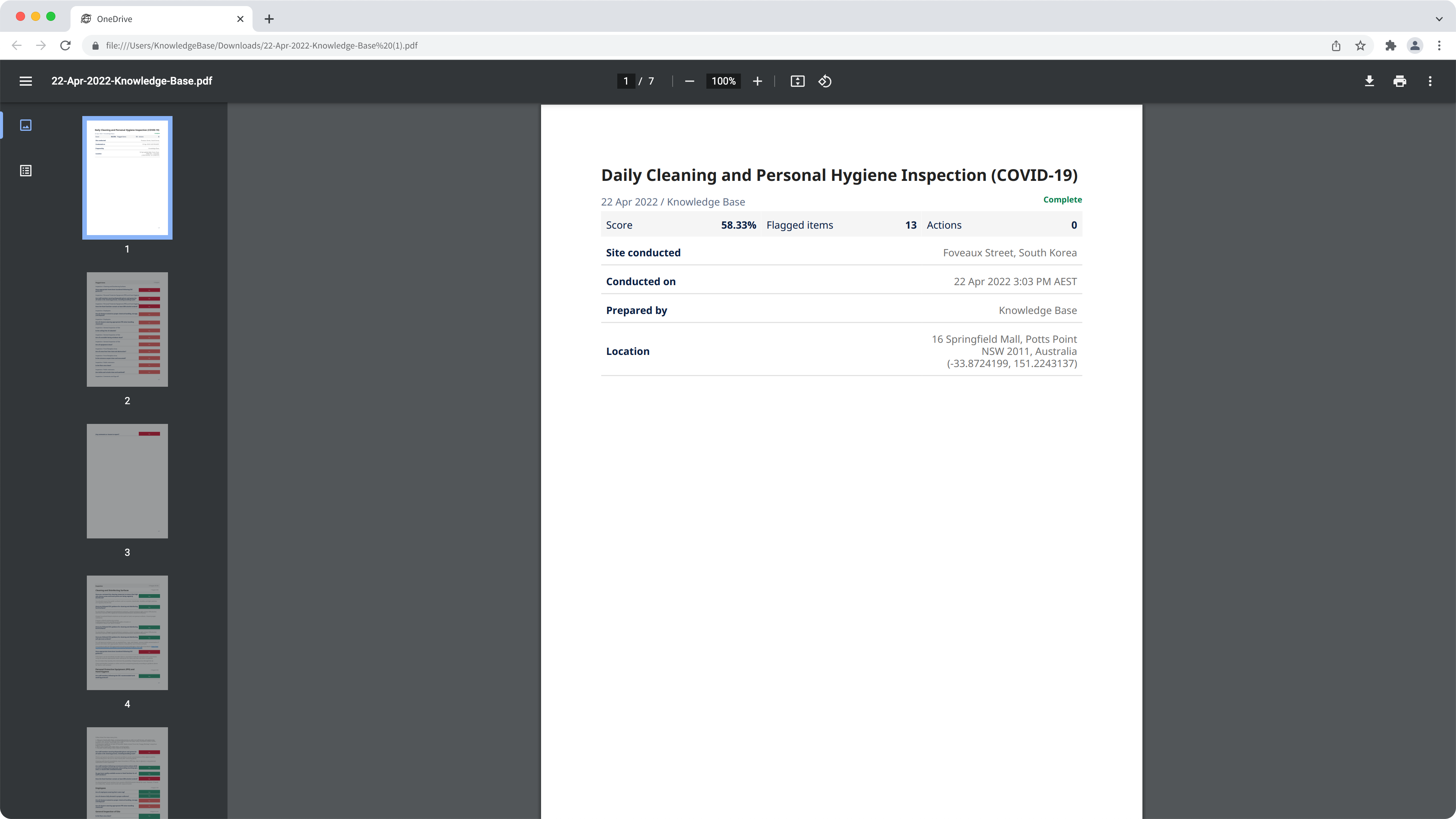
Almost there! You're ready to export completed inspections as PDF files and Word files or share web report links with stakeholders. Not only do you get to share professional-looking reports, but you can also customize what kind of information is shown or hidden in your inspection reports and create email templates with report layouts.
← Previous article: Digitize checklists (Part 1) | Next article: Digitize checklists (Part 3) →


