Que sont les informations de planning ?
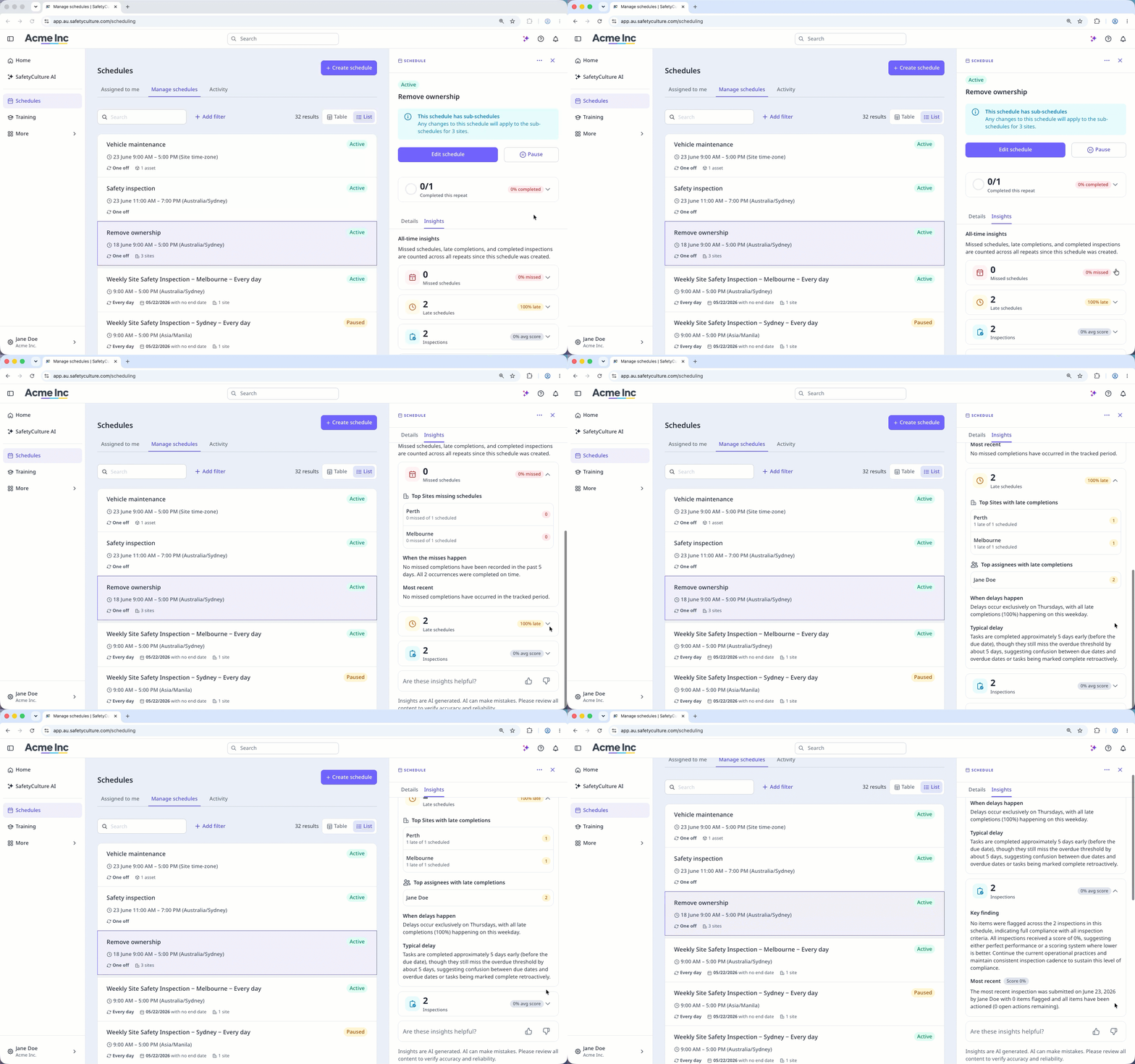
Les informations de planning sont des résumés générés par l'IA et des données de performance qui montrent comment un planning évolue en un coup d'œil. Elles affichent des résumés générés par l'IA pour la répétition en cours et toutes les données pour les éléments suivants :
Plannings manqués : Nombre total et pourcentage de plannings manqués, répartition des principaux responsables, sites ou actifs avec un planning manqué, une analyse générée par IA des moments où les manquements ont tendance à se produire, et les détails du manquement le plus récent.
Plannings en retard : Nombre total et pourcentage de retards, répartition des principaux responsables, sites ou actifs avec des complétions en retard, un résumé généré par IA des tendances de retard et la durée typique des retards.
Inspections : Nombre total et score moyen des inspections terminées, toutes les actions ouvertes signalées à partir des inspections terminées, un résultat clé généré par IA résumant les tendances d'achèvement et les détails de l'inspection la plus récente.
Grâce aux informations du planning, vous pouvez repérer les retards récurrents et prendre des actions sans avoir à passer d'une page à l'autre. Cela vous évite de devoir examiner l'activité du planning pour identifier les observations, ce qui peut prendre beaucoup de temps et être oublié.
Ce dont vous aurez besoin
Si vous avez Autorisation « Création de plannings », vous pouvez afficher toutes les informations des plannings de votre organisation.
Afficher les informations d'un planning
Select Plannings in the sidebar or select it in Plus.
Click Gestion des plannings at the top of the page.
Select between Tableau and Liste on the upper-right of the page to choose how your schedules are displayed.
Click the schedule.
In the side panel, click the repeat summary card to view insights for the current repeat, or click Informations to view the all-time insights.
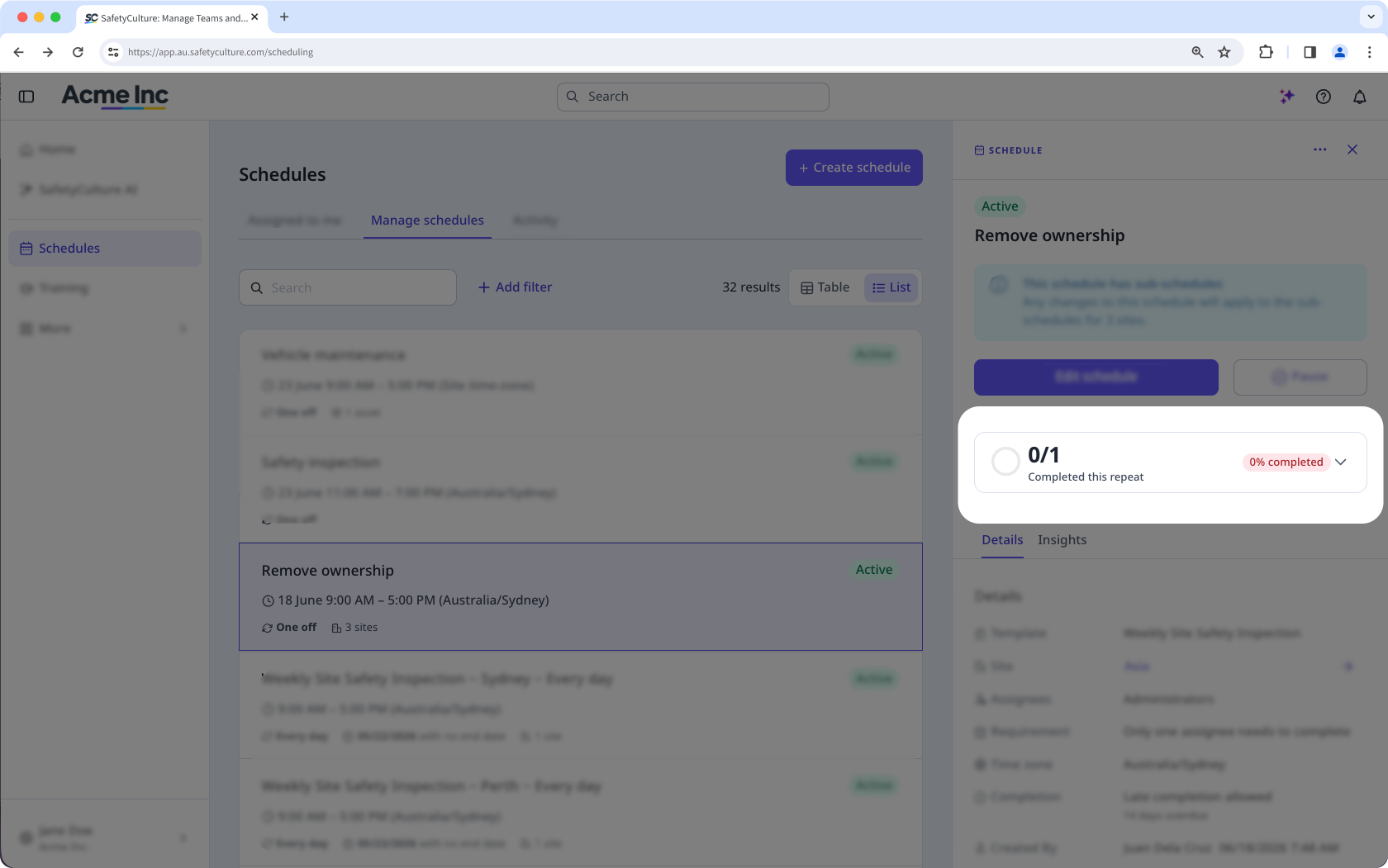
In Informations, click "Missed schedules", "Late schedules", or "Inspections" to view all-time insights for each.