
We currently have a legacy and a new experience with the Schedules feature. Your experience may vary depending on the schedule you’re assigned.
What you'll need
If you're using the mobile app, make sure that your device is connected to the internet. If your device is offline, you can still start and edit inspections, but they will not be connected to the schedule.
Start a scheduled inspection (legacy)
Select Home from the menu on the left-hand side.
In the "Agenda" section, click Inspections and find the scheduled inspection you need to complete.
Click Start inspection. If you're unable to complete the scheduled inspection, click Won't do and leave a note explaining why you can't complete the inspection.
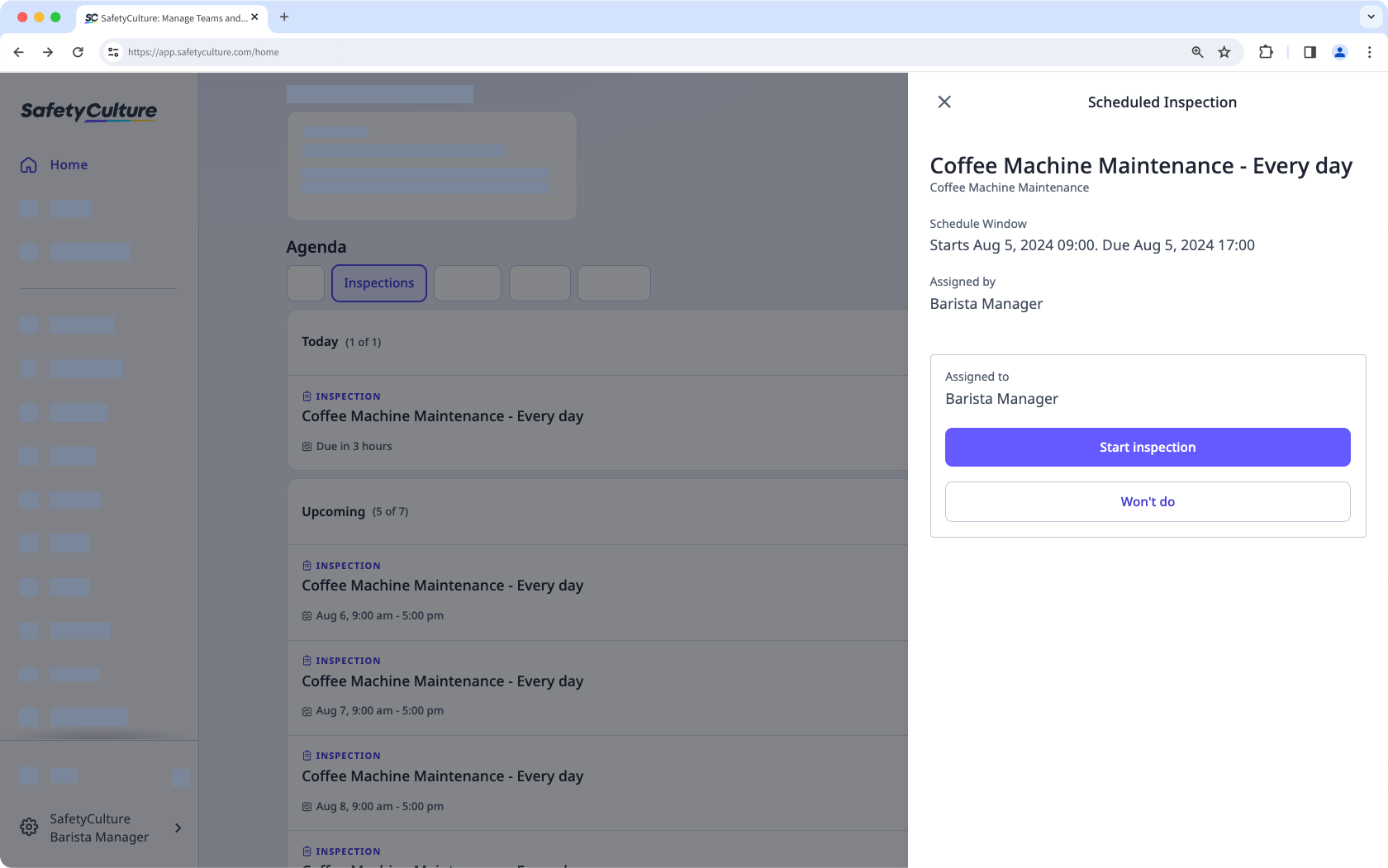
Progress through the inspection accordingly.
You can also start an inspection from Schedules tab under "My Schedules".
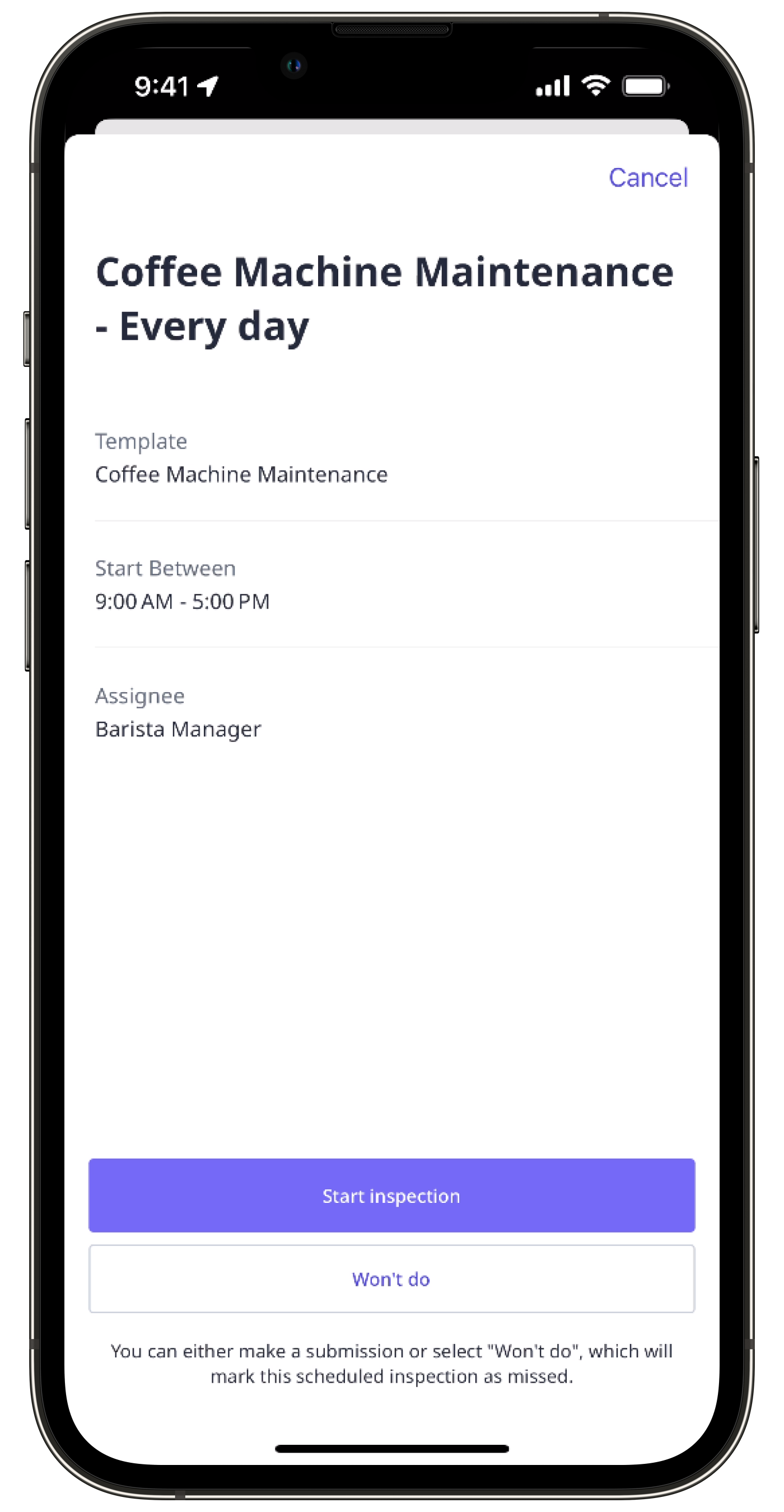
In the new Schedules experience, y ou can start a scheduled inspection for assets from the asset profile while you're offline.
Start a scheduled inspection (new)
Select Home from the menu on the left-hand side.
In the "Agenda" section, click Inspections and find the scheduled inspection you need to complete.
You can also start an inspection from Schedules. Click Assigned to me at the top of the page. You can select List or Calendar to view your scheduled inspection.
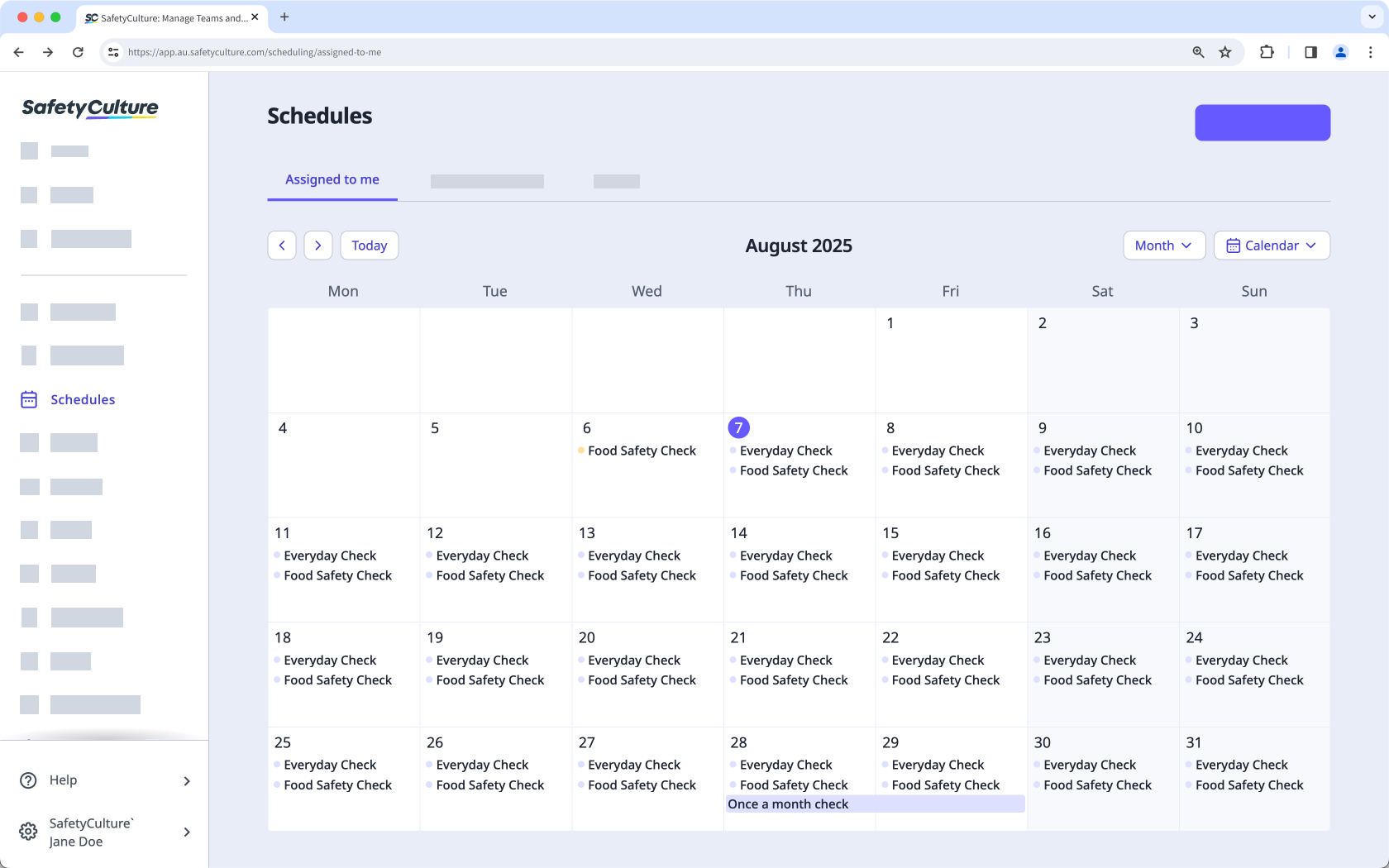
Click Start inspection. If you're unable to complete the scheduled inspection, click Won't do and leave a note explaining why you can't complete the inspection.
Progress through the inspection accordingly.
What are the differences between the legacy and new Schedules experience?
Feature | Legacy | New |
|---|---|---|
Calendar view | Calendar view is not supported. | Scheduled inspections can be viewed in list view or calendar view on the web app. |
Schedule detail | Only minimal details are shown when viewing each schedule on the web app or mobile app. | More details are shown in each schedule’s side panel on the web app and mobile app, including templates, due date, site, requirements, recurrence, and status. |


