¿Cuáles son mis opciones de créditos de IA?
Todas las organizaciones están incluidas y reciben créditos de IA de regalo para usar de forma gratuita. Una vez que se agoten esos créditos, usted elige cómo pagar cualquier uso de la IA que supere ese límite. Una suscripción de créditos le ofrece créditos prepagados con descuento que se facturan periódicamente en un ciclo mensual o anual. Esto resulta más adecuado si prevé un uso constante o mayor de la IA y desea tener unos costes predecibles. Los créditos se compran en paquetes a nivel de organización. Un límite de exceso es un sistema de pago por uso en el que solo se le cobra por el uso de la IA que supere sus créditos, lo que resulta adecuado para un uso ocasional o impredecible.
Lo que necesitarás
Add a credit subscription pack
Haga clic en el nombre de su organización en la esquina inferior izquierda de la página y seleccione Facturación.
Haga clic en Uso en la parte superior de la página.
Haga clic en Añadir suscripción de créditos en la parte inferior de la página.
En la ventana emergente, seleccione un paquete de suscripción de créditos y el número total de créditos que desee.
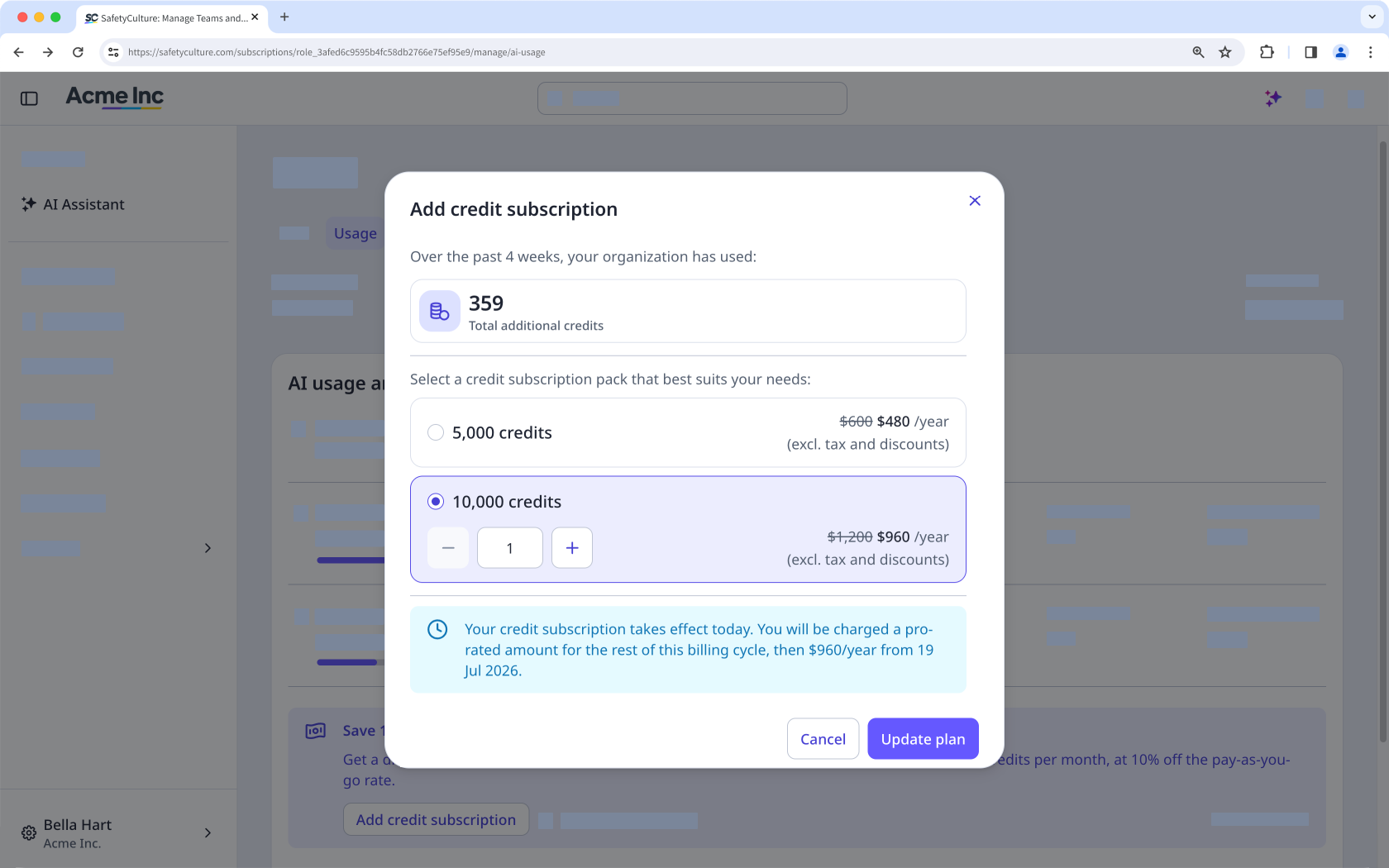
Haga clic en Actualizar plan.
Un nuevo paquete de suscripción de créditos entra en vigor de forma inmediata. Se cobra de forma prorrateada durante el resto del ciclo de facturación actual y, a partir de entonces, se aplica la tarifa completa en cada ciclo. Recibirá todos los créditos independientemente de cuándo lo compre.
Actualizar paquetes de suscripción de créditos
Las organizaciones con una suscripción mensual pueden reducir o eliminar paquetes por sí mismas, pero solo en los 28 días previos a la fecha de renovación. Los cambios se aplicarán a partir del siguiente ciclo de facturación, no cuando se reinicien los créditos mensuales. Si tiene una suscripción anual, póngase en contacto con su gestor de cuenta para realizar los cambios.
Haga clic en el nombre de su organización en la esquina inferior izquierda de la página y seleccione Facturación.
Haga clic en Uso en la parte superior de la página.
En «Suscripción de créditos», haga clic en Gestionar.
En la ventana emergente, seleccione otro paquete de suscripción de créditos o modifique el número total de créditos que desee.
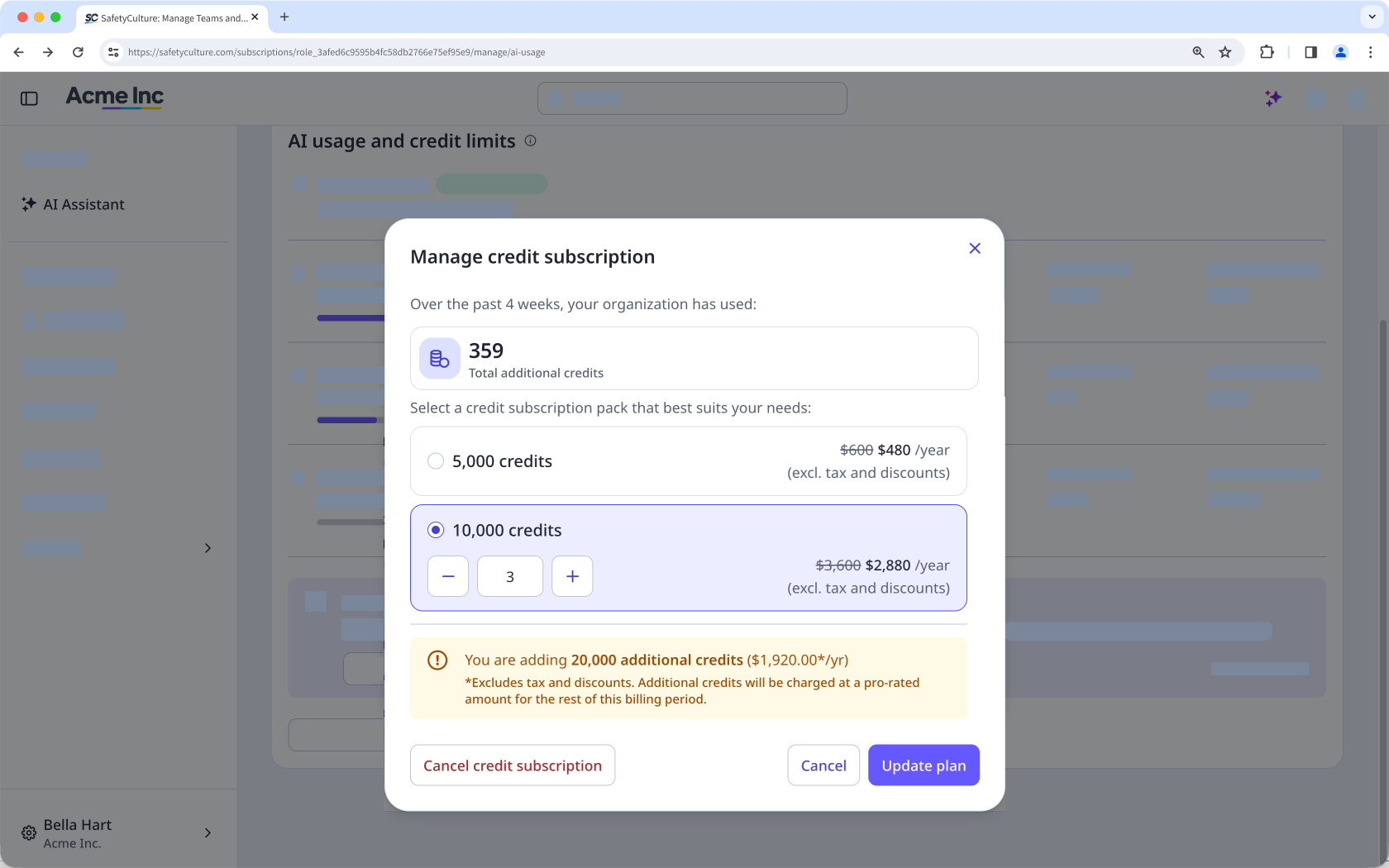
Haga clic en Actualizar plan.
Cancelar una suscripción de créditos
If you cancel your credit subscription, it stops at the end of your current billing cycle. You keep the credits you've already paid for until the cycle ends, and unused subscription credits don't roll over to the next cycle. After your subscription ends, any AI usage beyond your included and gifted credits is charged through your overage limit, if you have one set.
Click your organization name on the lower-left corner of the page and select Facturación.
Click Uso at the top of the page.
In "Credit subscription", click Gestionar.
In the pop-up window, click Cancel credit subscription.
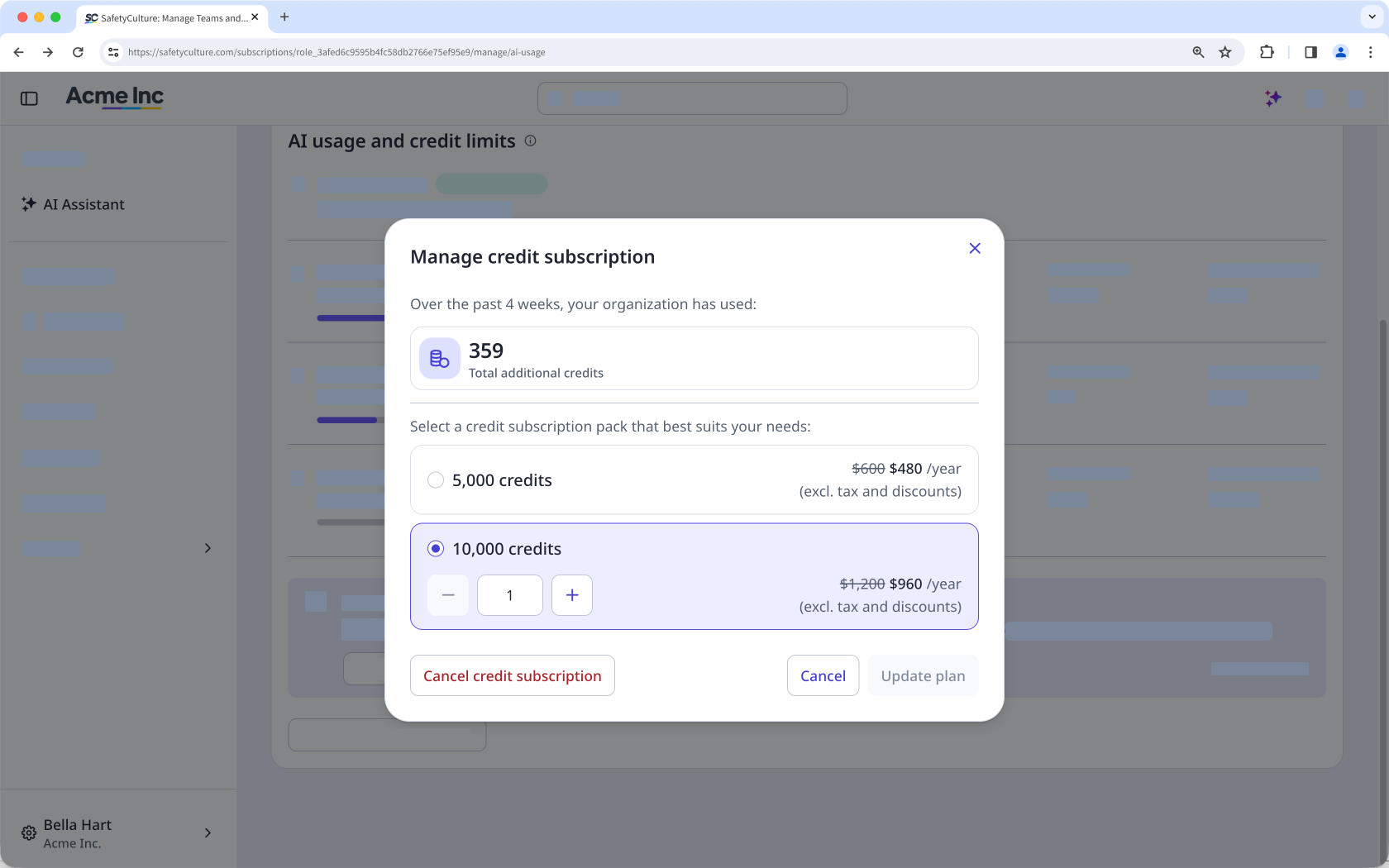
In the pop-up window, click Confirmar.