¿Qué son los datos de programas?
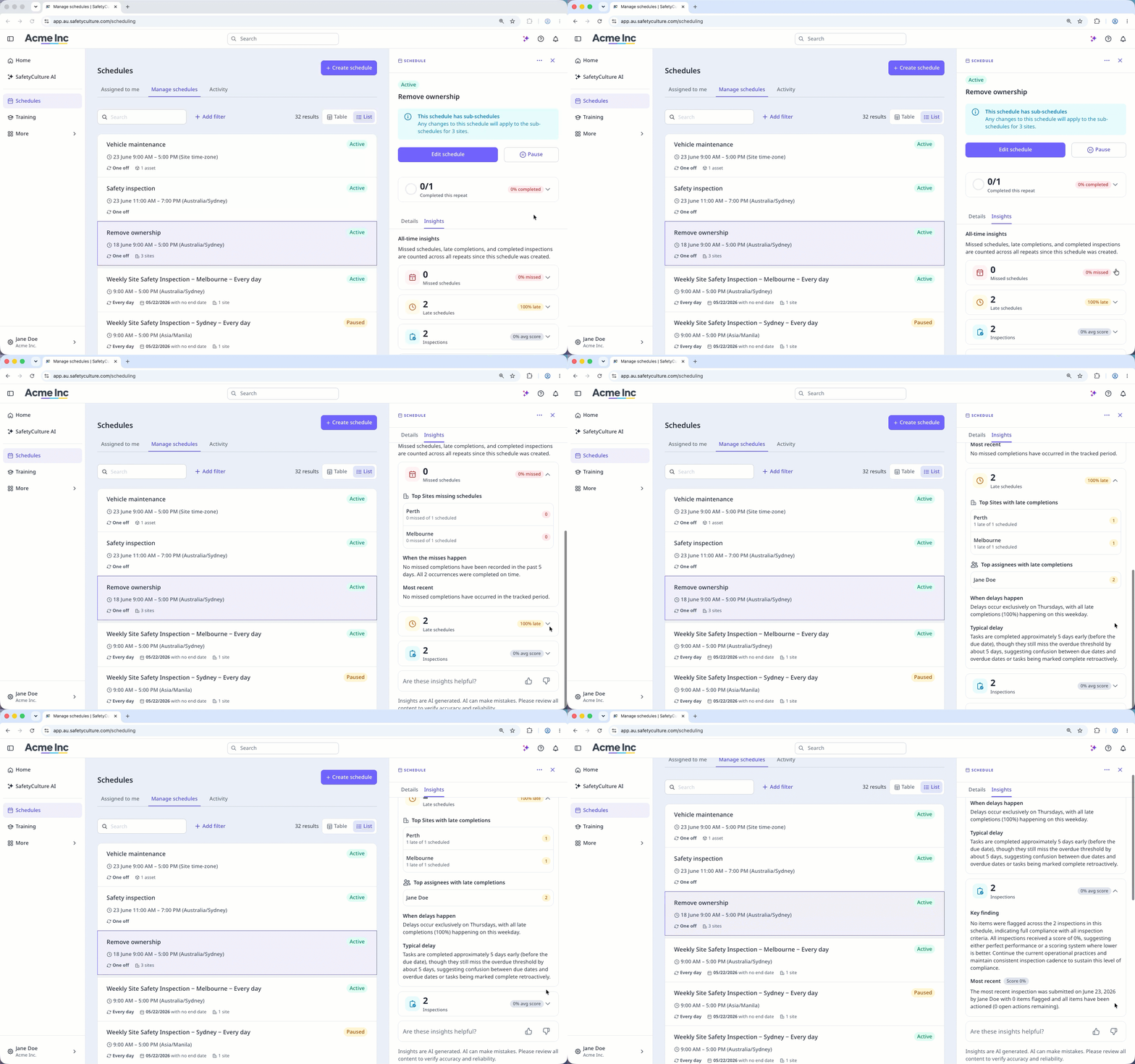
Los datos de programas son resúmenes generados por IA e información de rendimiento que muestran de un vistazo cómo se está siguiendo un programa. Puede ver información de la repetición actual y datos históricos sobre los siguientes aspectos:
Programas incumplidos: Recuento total y porcentaje de incumplimientos, un desglose de los principales responsables, sitios o activos con programas incumplidos, un análisis generado por IA de cuándo suelen producirse los incumplimientos, y los detalles del incumplimiento más reciente.
Programas con retraso: Recuento total y porcentaje de retrasos, un desglose de los principales responsables, sitios o activos con finalizaciones tardías, un resumen generado por IA de los patrones de retraso, y la duración típica del retraso.
Inspecciones: Recuento total y puntuación promedio de las inspecciones completadas, las acciones abiertas señaladas en las inspecciones completadas, un hallazgo clave generado por IA que resume los patrones de finalización, y los detalles de la inspección más reciente
Con la información de programas, puede detectar en qué aspectos se producen retrasos de forma habitual y tomar medidas sin cambiar de página. Esto evita tener que revisar manualmente la actividad de programas para identificar contratiempos, lo cual puede llevar mucho tiempo y es fácil de pasar por alto".
Lo que necesitarás
Si tiene Permiso para "Programas: Gestionar", puede ver toda la información de los programas de su organización.
Ver los datos de un programa
Select Programas in the sidebar or select it in Más.
Click Gestionar programas at the top of the page.
Select between Tabla and Lista on the upper-right of the page to choose how your schedules are displayed.
Click the schedule.
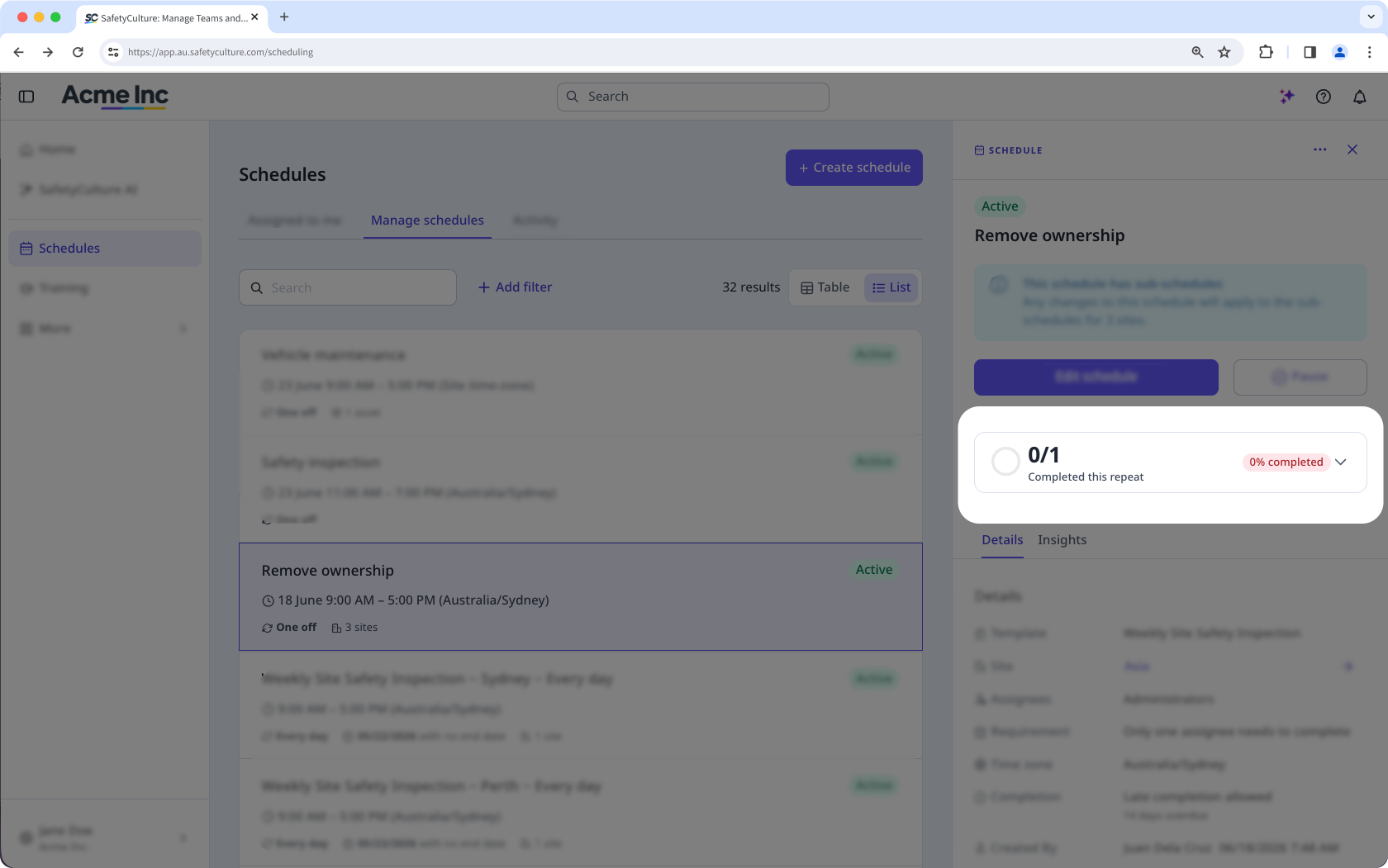
In the side panel, click the repeat summary card to view insights for the current repeat, or click Datos to view the all-time insights.
In Datos, click "Missed schedules", "Late schedules", or "Inspections" to view all-time insights for each.