
What are onboarding workflows?
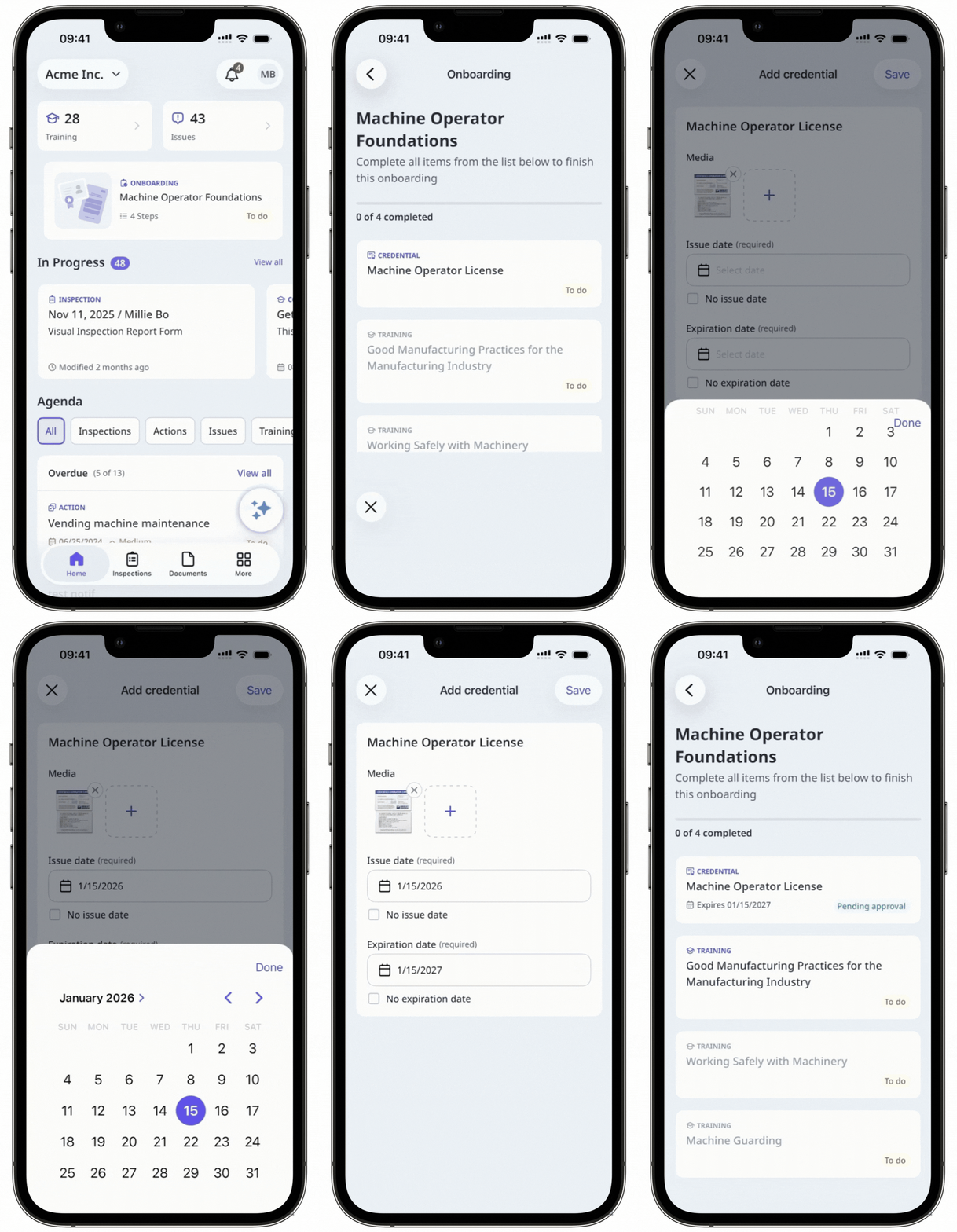
Onboarding workflows guide you through the training courses and credential requirements you need to complete before starting your job. They make sure you are prepared for your role by giving you the right knowledge, skills, and certifications to work safely and confidently.
For example, if you are starting work on a construction site, your workflow might include completing a site induction, finishing mandatory safety training, and uploading your trade license or certifications. Having everything in one place makes it easier to stay organized, track your progress, and feel confident that you are ready for day one.
What you'll need
Start and complete an onboarding workflow
Select Training in the sidebar or select it in More.
If you're on the "Content" page, click Learn at the top of the page.
In the "Onboarding" section, click the assigned onboarding workflow you want to complete.
Complete each step by taking the required training courses and uploading the required credentials. If steps are locked in order, finish the current step before starting the next.
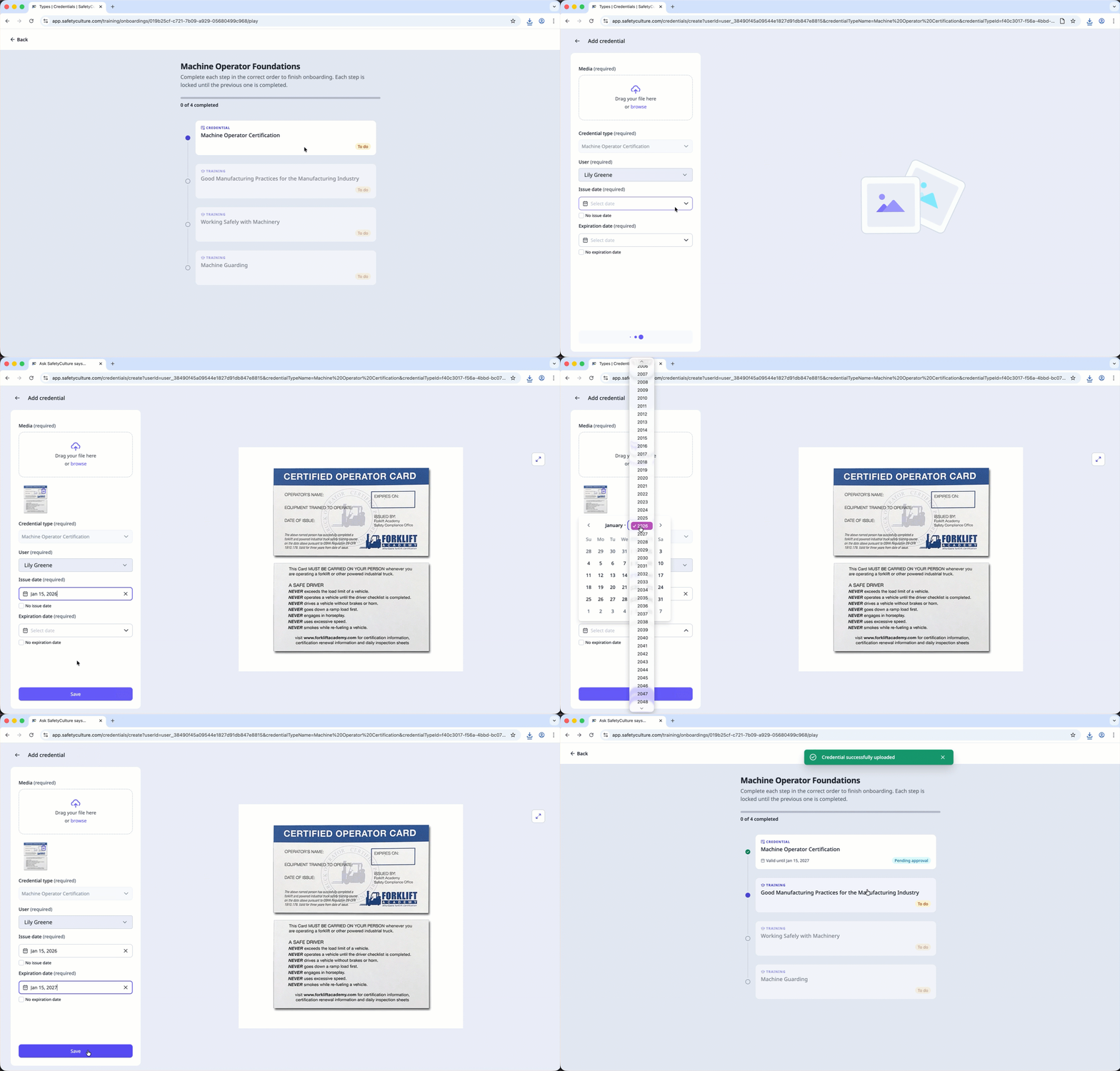
You can also start and complete your onboarding workflows via the enrollment link.


