Que sont les groupes de statut d'actif ?
Les groupes de statuts d'actifs dans SafetyCulture sont des ensembles d'options de statut par défaut ou configurables que les administrateurs peuvent créer et attribuer aux types d'actifs. Les groupes de statuts d'actifs aident les organisations à suivre l'état opérationnel de chaque actif, en facilitant les décisions quotidiennes concernant le matériel à utiliser et ce qui nécessite une attention particulière. Le statut des actifs est visible et modifiable dans la liste des actifs et le profil de l'actif sur l'application Web et l'application portable. Chaque groupe de statuts contient des statuts avec un code couleur.
Par exemple, un groupe pour la disponibilité des équipements peut inclure des options telles que En cours d'utilisation, En réparation et Hors-service. Les groupes de statuts offrent aux organisations un moyen cohérent de suivre et de communiquer l'état des actifs, afin que les équipes puissent rapidement voir quels actifs sont disponibles, en cours d'utilisation ou nécessitent une attention particulière.
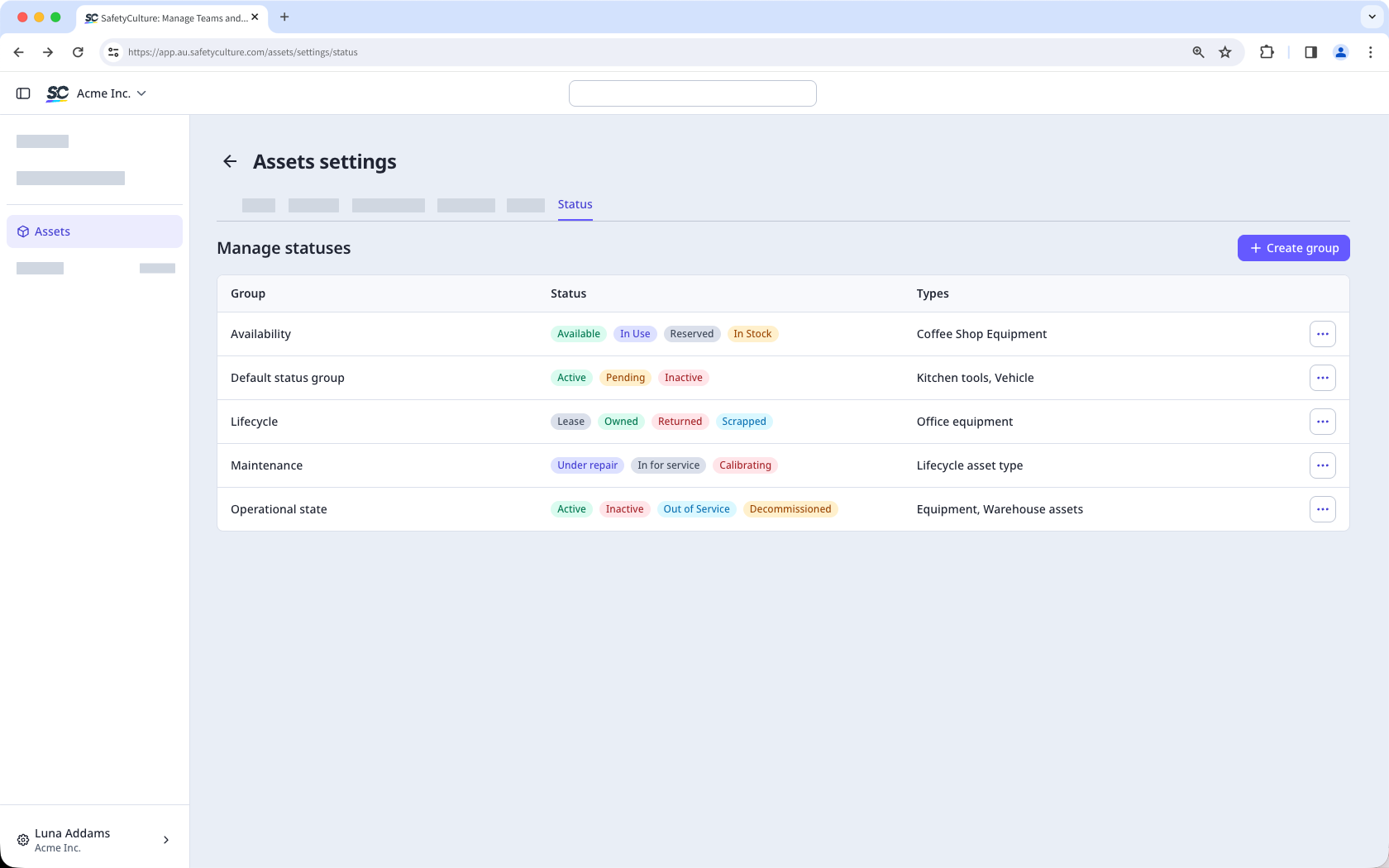
Si vous utilisez Offre Gratuite, votre organisation dispose de ces statuts par défaut : Actif, En attente et Inactif.
Ce dont vous aurez besoin
Créer un groupe de statuts
Select Actifs in the sidebar or select it in Plus.
Click Paramètres on the upper-right of the page.
Click Statut at the top of the page.
C lick Créer un groupe on the upper-right of the page.
In the pop-up window, enter the group name and description. Then, click Créer.
In the "Statuses" section, click Ajouter un statut on the right-hand side of the page.
In the new status field, enter the status name and select a color.
Under "Asset types," click the dropdown menu and select the asset type you want to assign the asset status group to.
Click Enregistrer on the upper-right of the page.
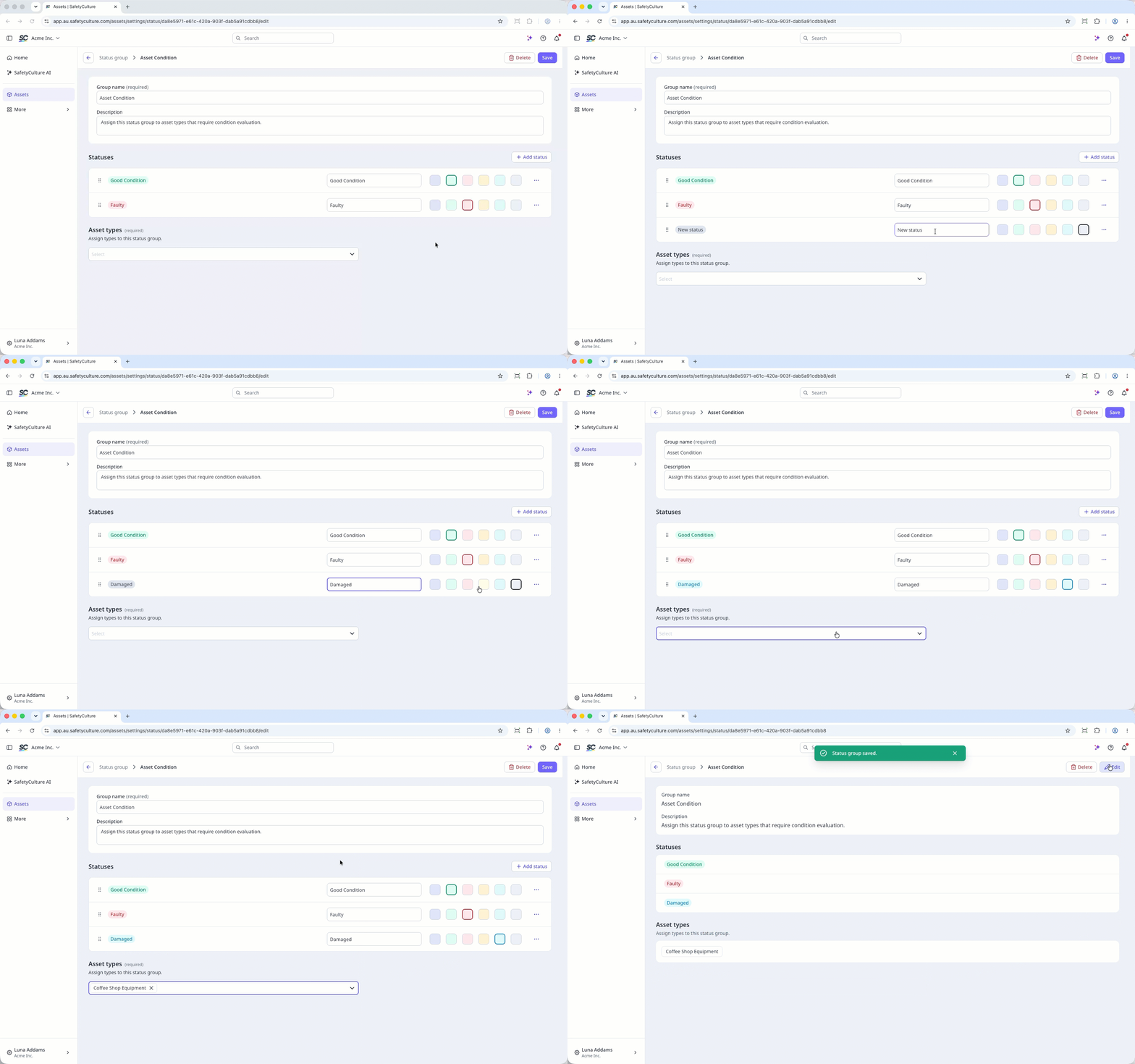
Vous pouvez créer un maximum de 10 groupes de statuts par organisation, avec jusqu'à 10 statuts par groupe.
Modifier un groupe de statuts
Select Actifs in the sidebar or select it in Plus.
Click Paramètres on the upper-right of the page.
Click Statut at the top of the page.
Click on the right-hand side of the status and select Modifier.
Update the name or description as needed.
In the "Statuses" section, you can manage the statuses.
To create a status, click Ajouter un statut, enter a name and select a color.
To edit a status, click the status name or color and make your changes.
To sort statuses, click and drag the to your preferred position.
To delete a status, click on the status and select Supprimer.
Under "Asset types," click the dropdown menu and select or change the asset type you want to assign the asset status group to.
Click Enregistrer on the upper-right of the page.
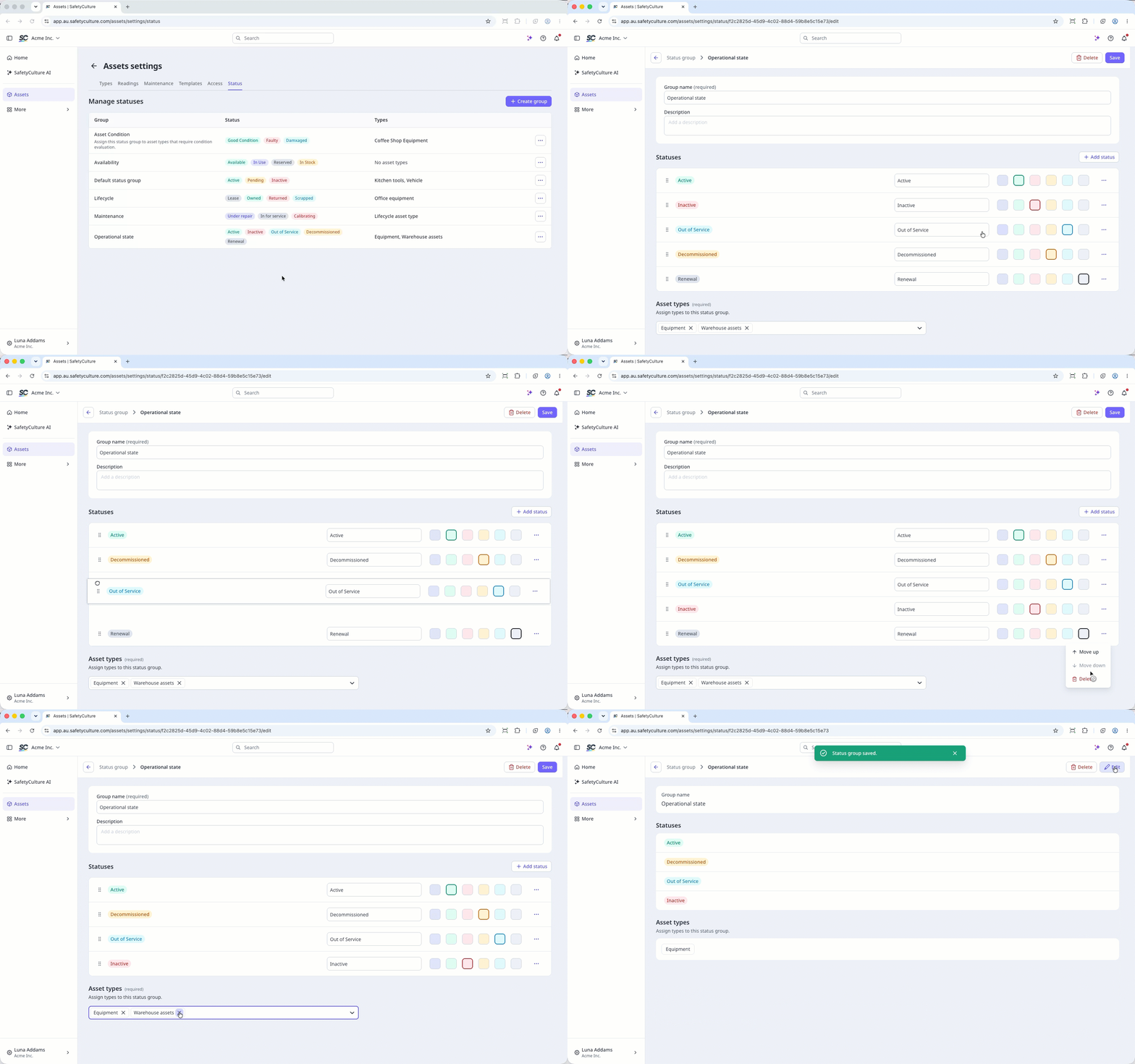
La suppression est irréversible et nous ne pouvons pas restaurer les éléments définitivement supprimés. Une confirmation est obligatoire avant toute suppression, afin de s'assurer que vous ne supprimez pas accidentellement le mauvais élément.
La suppression d'un groupe entraîne également la suppression de l'accès au modèle et à l'inspection qui lui est accordé.
Supprimer un groupe de statuts
Sélectionnez Actifs dans la barre latérale ou sélectionnez-le dans Plus.
Cliquez sur Paramètres en haut à droite de la page.
Cliquez sur Statut en haut de la page.
Cliquez sur à droite du statut et sélectionnez Supprimer.
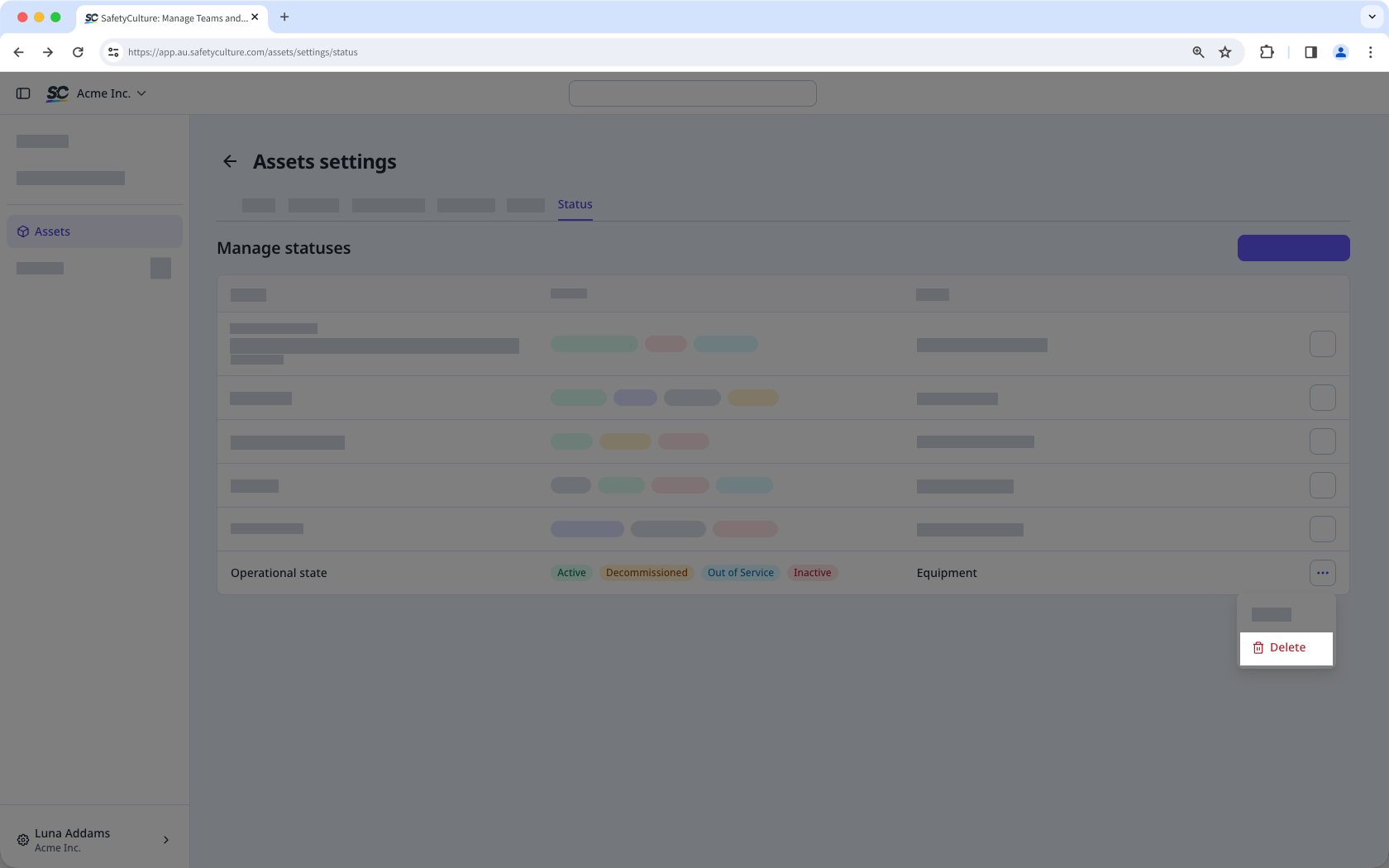
Dans la fenêtre contextuelle, saisissez « supprimer ».
Cliquez sur Supprimer.
Lorsque vous supprimez un groupe de statuts, le type d'actif qui lui est attribué n'aura plus de groupe de statuts attribué.