¿Qué son las alertas de Código rojo?
Código rojo es una herramienta de alerta de emergencia en Trabajador en solitario que permite a los gerentes ponerse en contacto con los trabajadores en solitario de forma inmediata durante una crisis. Cuando una emergencia afecta a varios trabajadores, los gerentes necesitan una forma rápida de contactar con todos a la vez y confirmar su estado.
Los gerentes pueden crear una alerta, seleccionar los destinatarios a los que notificar por ubicación, grupo o sitio, y enviarla simultáneamente mediante notificaciones automáticas, SMS y llamadas automatizadas. A continuación, los trabajadores pueden responder con un solo toque para confirmar que se encuentran a salvo o que necesitan ayuda, y los gerentes ven esas respuestas en tiempo real. Código rojo garantiza a los trabajadores que se les supervisa de forma segura, al tiempo que ofrece a los gerentes una forma clara de actuar de inmediato.
Lo que necesitarás
Crear y enviar una alerta
Select - in the sidebar or select it in Más.
Click Código rojo at the top of the page.
Click Crear nuevo.
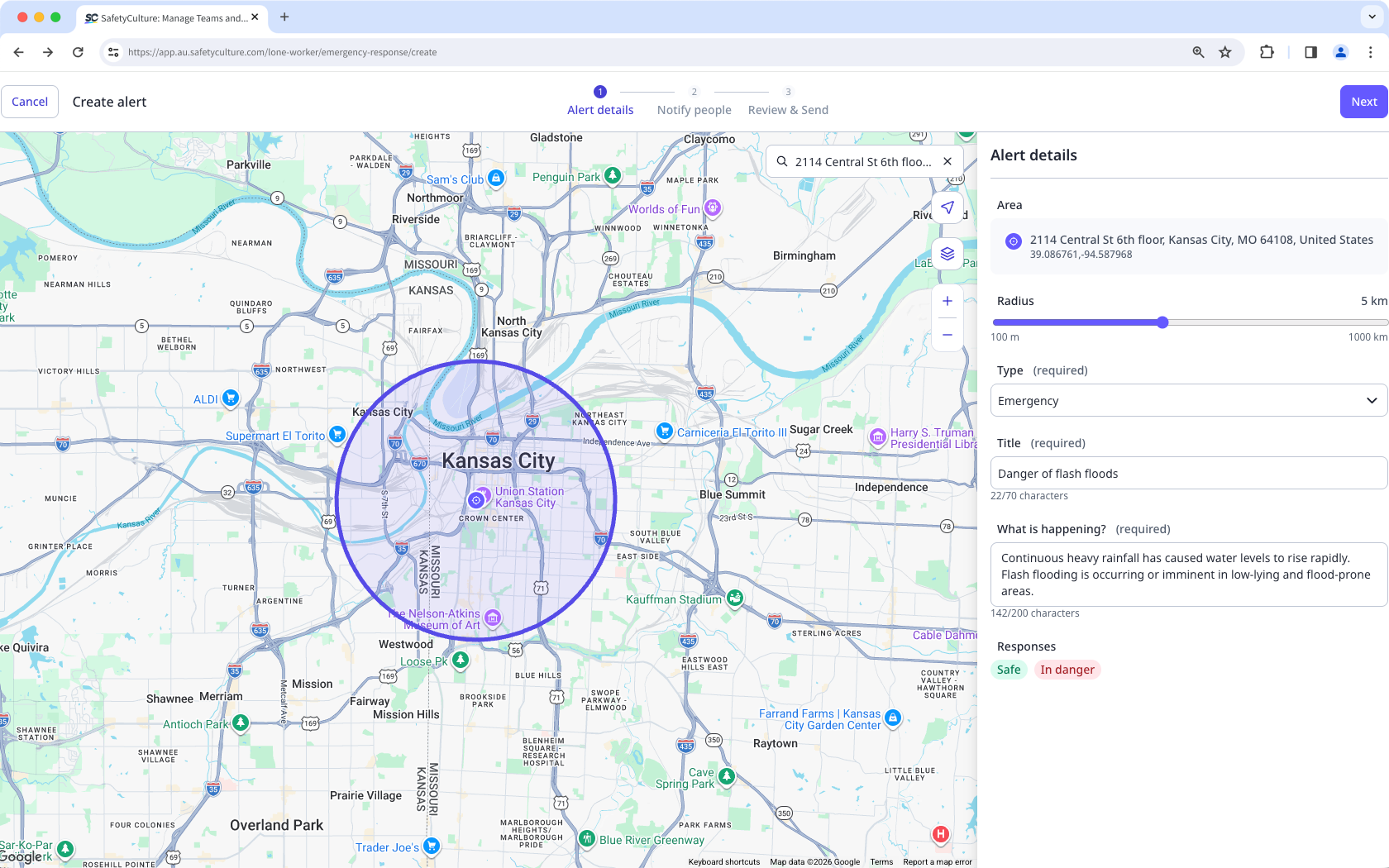
In Alert details, configure the following:
Area: Click the location on the map or search for an address.
Radius: Adjust the radius from the center to define the alert-covered area.
Type: In the dropdown menu, select the alert type:
Emergency: Select this alert type to ask workers to confirm their safety. Workers respond by tapping I'm safe or In danger.
Notification: Select this alert type to share information that workers need to acknowledge. Workers respond by tapping Confirmado.
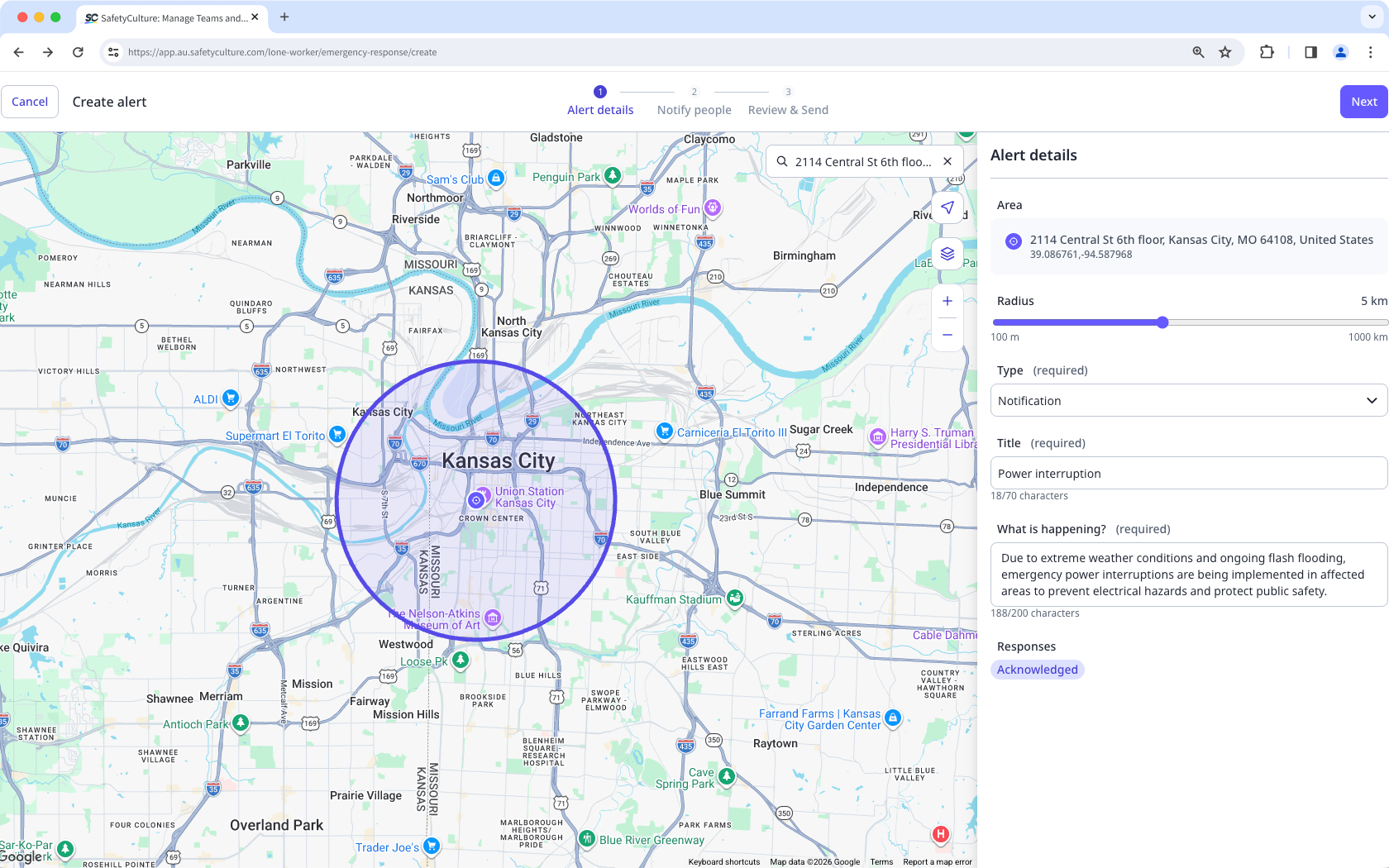
Title: Enter the title of your alert.
What's happening?: Add detailed information on the reason for the alert.
Responses: Default responses are set when you select the alert type.
Click Siguiente on the upper-right of the page.
In Notificar a las personas, select Interior or Exterior the location radius or those with Activo work. Alternatively, you can select workers according to their group or site.
Select the individual users.
Click Siguiente on the upper-right of the page.
In Review & Send, review the details and the message of your alert.
Select the channels to notify.
Click Send alert on the upper-right of the page.
Las opciones de respuesta al Código rojo para los trabajadores se configuran por tipo de alerta. Las alertas de emergencia usan I'm safe y In danger. Las alertas de notificación usan Confirmado.
Reenviar una alerta
Select - in the sidebar or select it in Más.
Click Código rojo at the top of the page.
Select the active alert you want to resend.
Click on the right-hand side of the user's name and select the channels to notify.
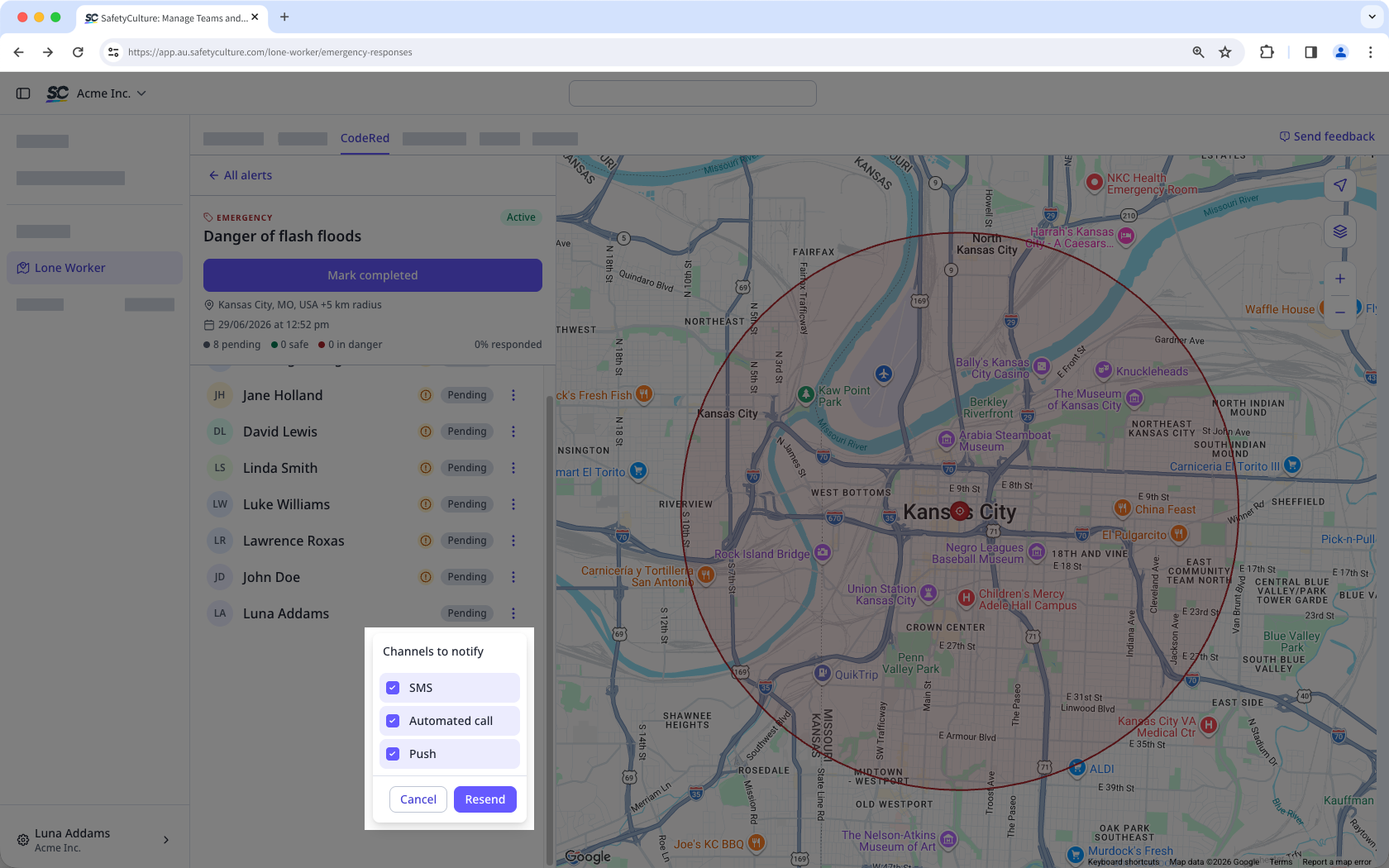
Click Resend.
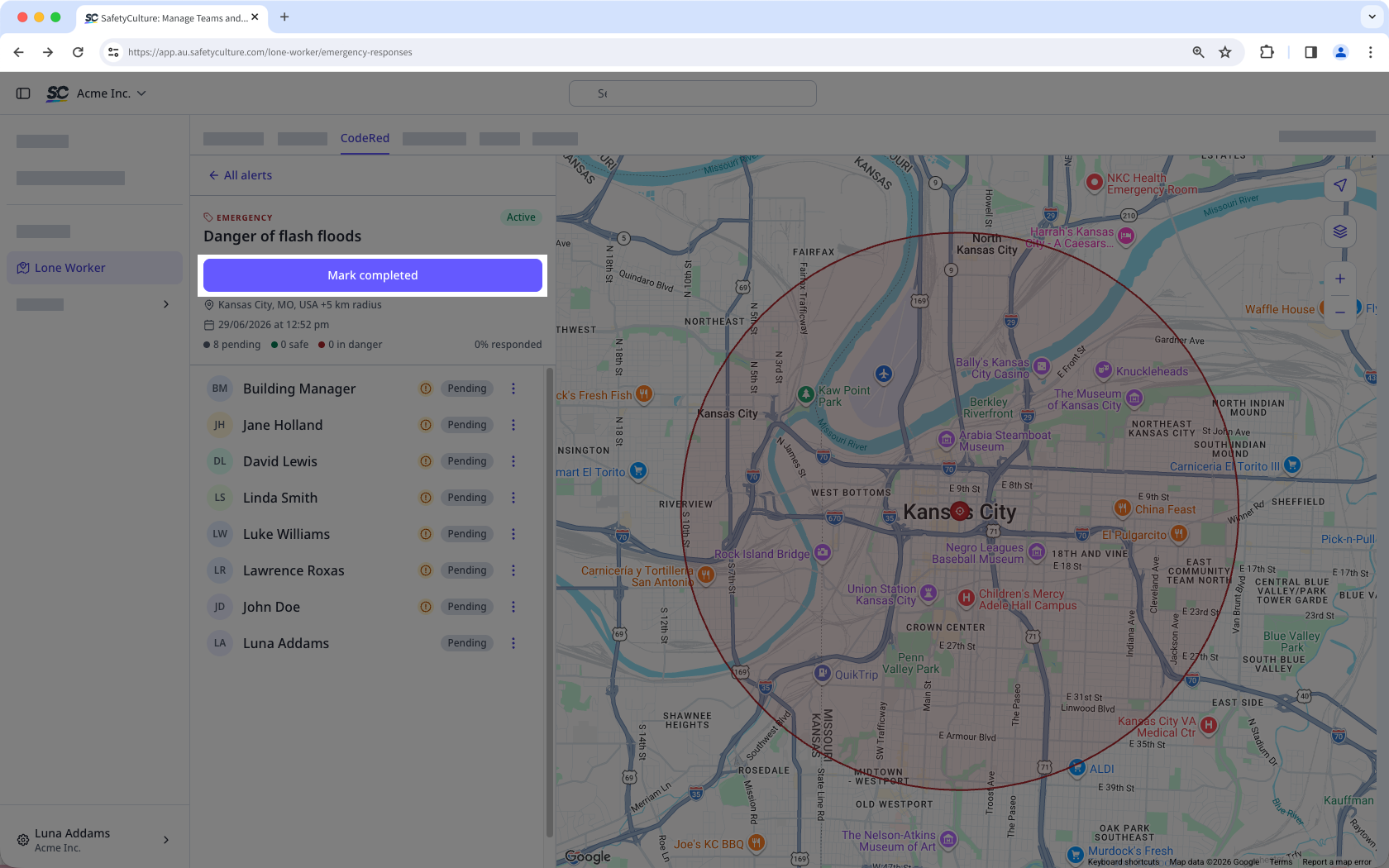
Complete an alert
Select - in the sidebar or select it in Más.
Click Código rojo at the top of the page.
Select the active alert you want to mark as completed.
Click Mark completed.