Why create actions in investigations?
Creating actions in an investigation helps ensure that each incident is followed up with appropriate corrective steps. You can add an existing action or create a new one directly from the investigation to assign responsibility to your team and clarify what needs to be done. This promotes accountability and helps prevent similar incidents from happening again.
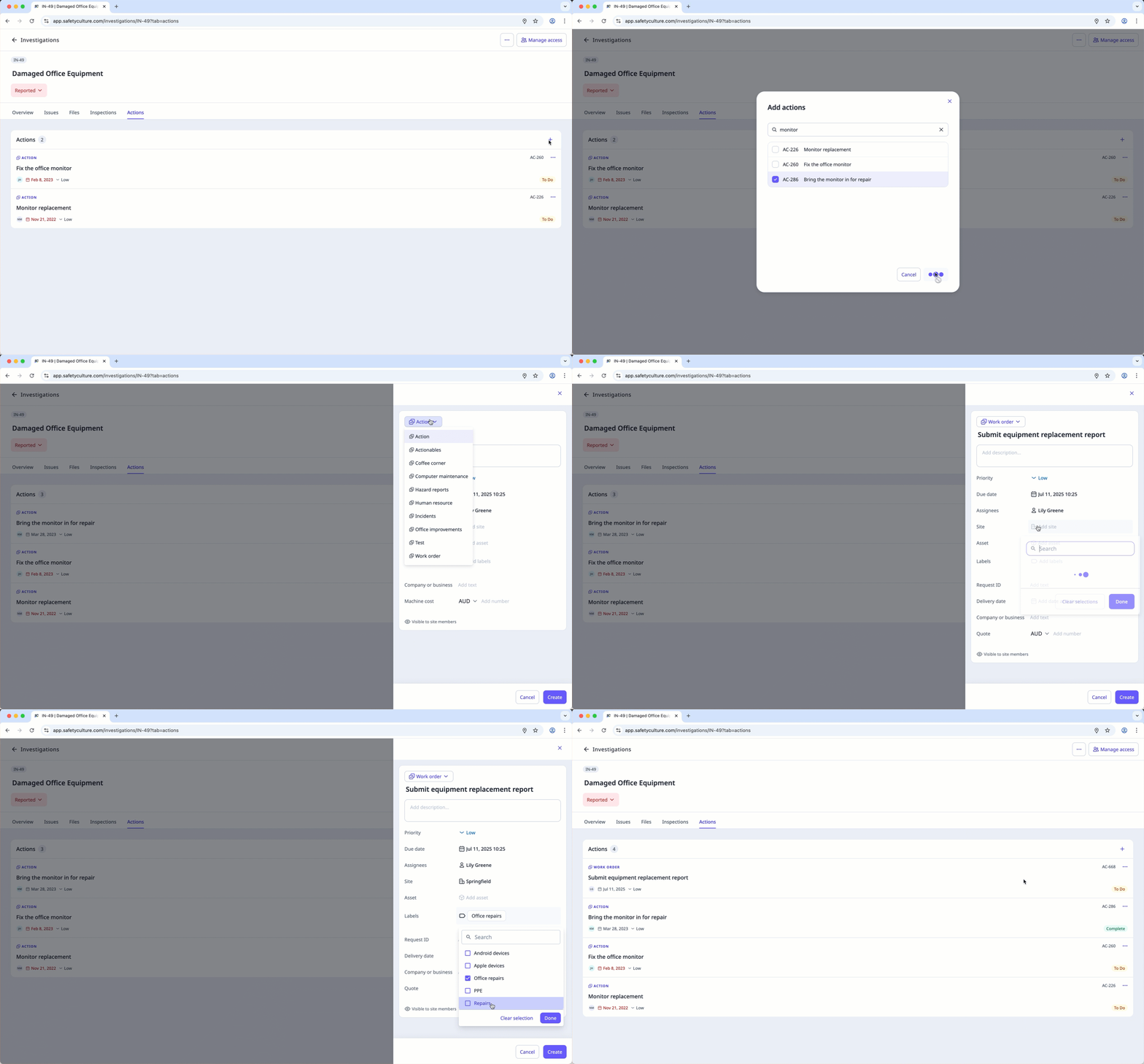
Create an action in an investigation
Select
 Investigations in the sidebar or select it in More .
Create an investigation or select an existing one.
Click Actions at the top of the page.
Clickon the upper-right of the page and select any of the following options:
 Create a new action