Was sind CodeRed-Warnmeldungen?
CodeRed ist eine Notfallwarnfunktion im Bereich Alleinarbeiter, mit der Vorgesetzte allein arbeitende Mitarbeiter im Krisenfall sofort erreichen können. Wenn ein Notfall mehrere Mitarbeiter betrifft, benötigen Vorgesetzte eine schnelle Möglichkeit, alle gleichzeitig zu erreichen und ihren Status zu überprüfen.
Manager können eine Warnmeldung erstellen, Empfänger nach Ort , Gruppe oder Standort auswählen und diese gleichzeitig per Push-Benachrichtigung, SMS und automatischem Anruf versenden. Die Mitarbeiter können dann mit einem einzigen Fingertipp antworten, um zu bestätigen, dass sie in Sicherheit sind oder Hilfe benötigen, und die Manager sehen diese Antworten in Echtzeit. CodeRed gibt den Mitarbeitern die Gewissheit, dass sie sicher überwacht werden, und bietet den Managern gleichzeitig eine klare Möglichkeit, sofort zu handeln.
Was Sie brauchen
Warnung erstellen und senden
Select Alleinarbeiter in the sidebar or select it in Mehr.
Click CodeRed at the top of the page.
Click Neu erstellen.
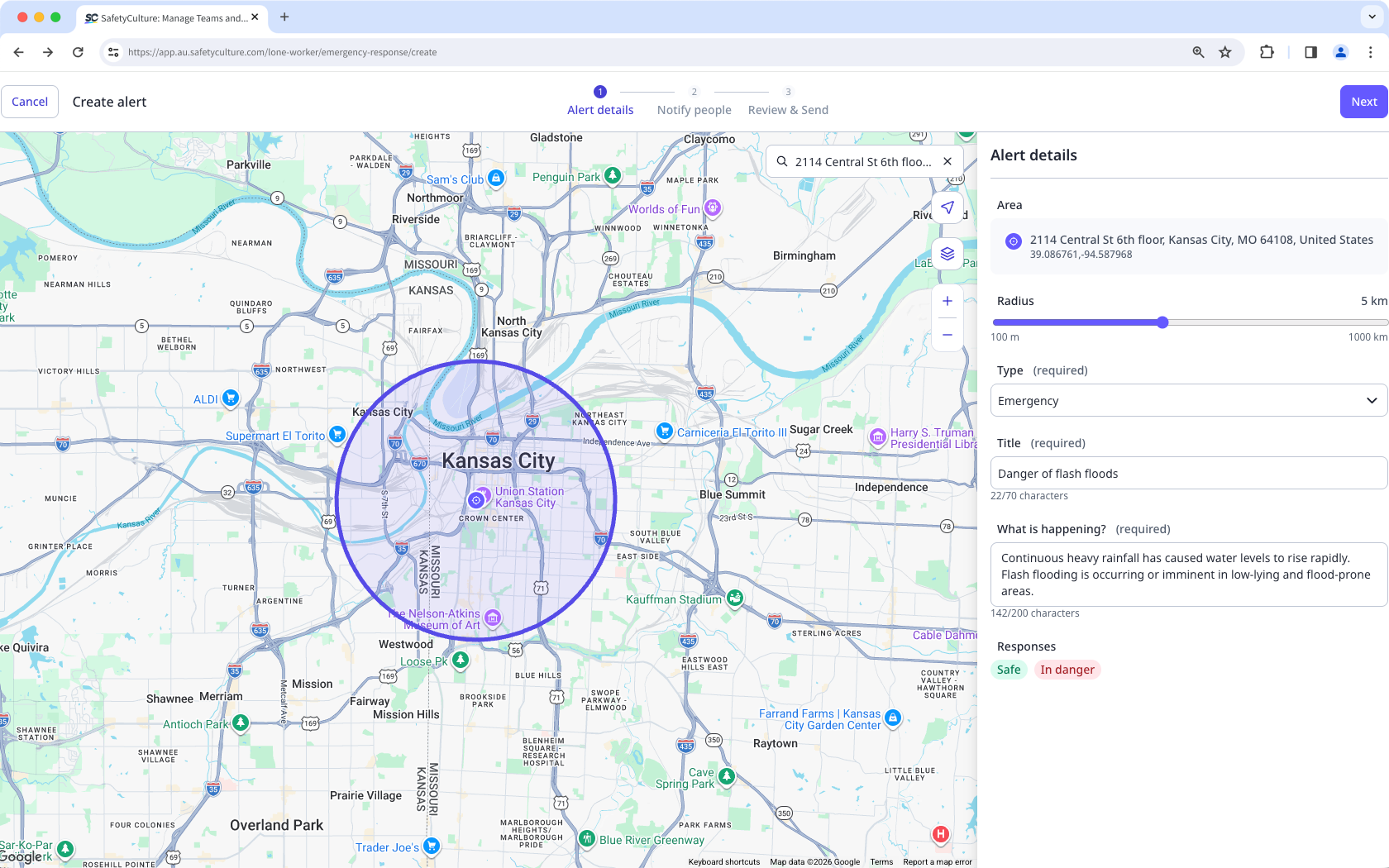
In Alert details, configure the following:
Area: Click the location on the map or search for an address.
Radius: Adjust the radius from the center to define the alert-covered area.
Type: In the dropdown menu, select the alert type:
Emergency: Select this alert type to ask workers to confirm their safety. Workers respond by tapping I'm safe or In danger.
Notification: Select this alert type to share information that workers need to acknowledge. Workers respond by tapping Bestätigt.
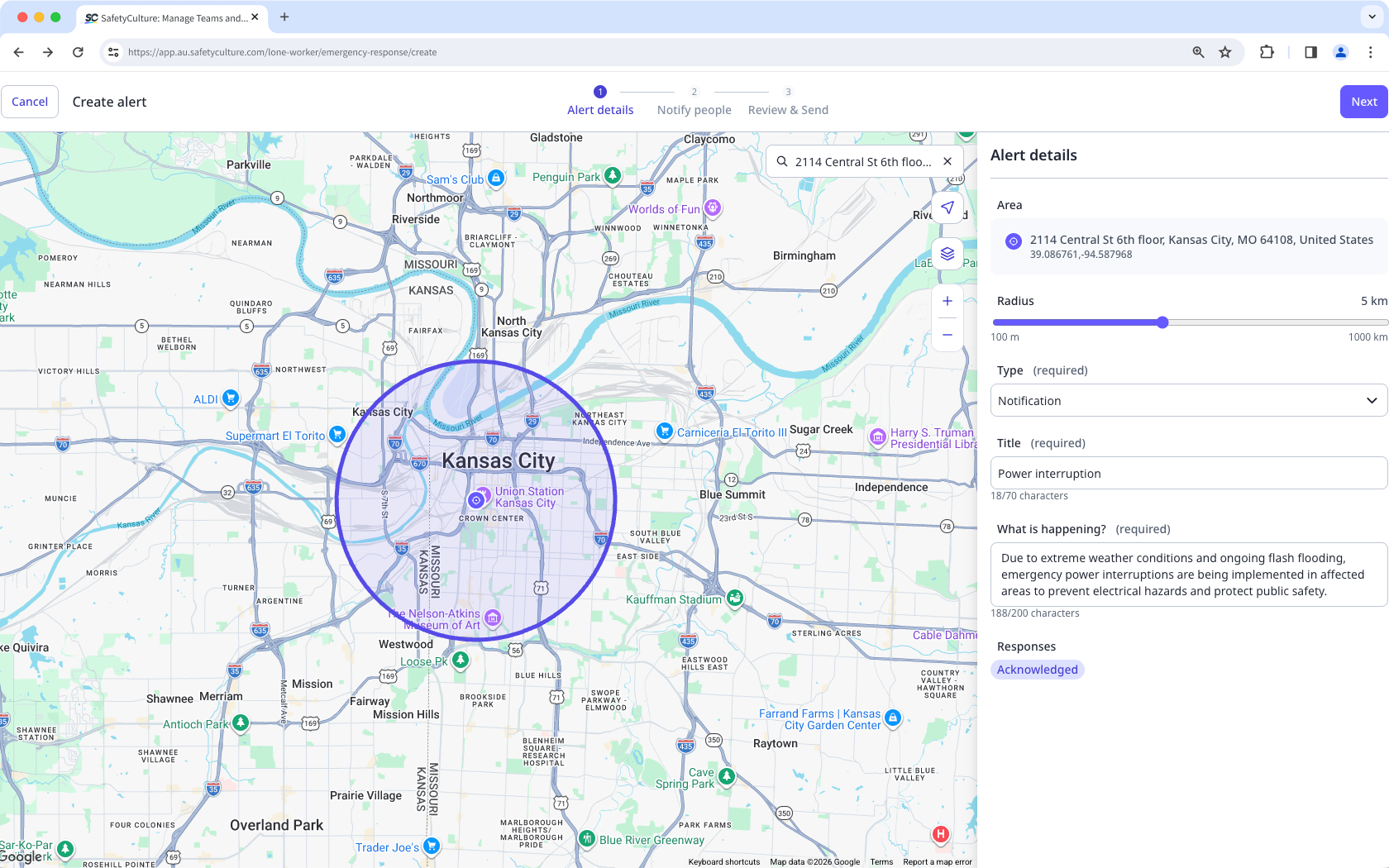
Title: Enter the title of your alert.
What's happening?: Add detailed information on the reason for the alert.
Responses: Default responses are set when you select the alert type.
Click Weiter on the upper-right of the page.
In Personen benachrichtigen, select Innen or Außen the location radius or those with Aktiv work. Alternatively, you can select workers according to their group or site.
Select the individual users.
Click Weiter on the upper-right of the page.
In Review & Send, review the details and the message of your alert.
Select the channels to notify.
Click Send alert on the upper-right of the page.
Die Reaktionsmöglichkeiten für Mitarbeiter im Rahmen von CodeRed richten sich nach der Art der Warnmeldung. Für Notfallwarnungen gelten die Links I'm safe und In danger. Für Benachrichtigungen gilt der Link Bestätigt.
Eine Warnung erneut senden
Select Alleinarbeiter in the sidebar or select it in Mehr.
Click CodeRed at the top of the page.
Select the active alert you want to resend.
Click on the right-hand side of the user's name and select the channels to notify.
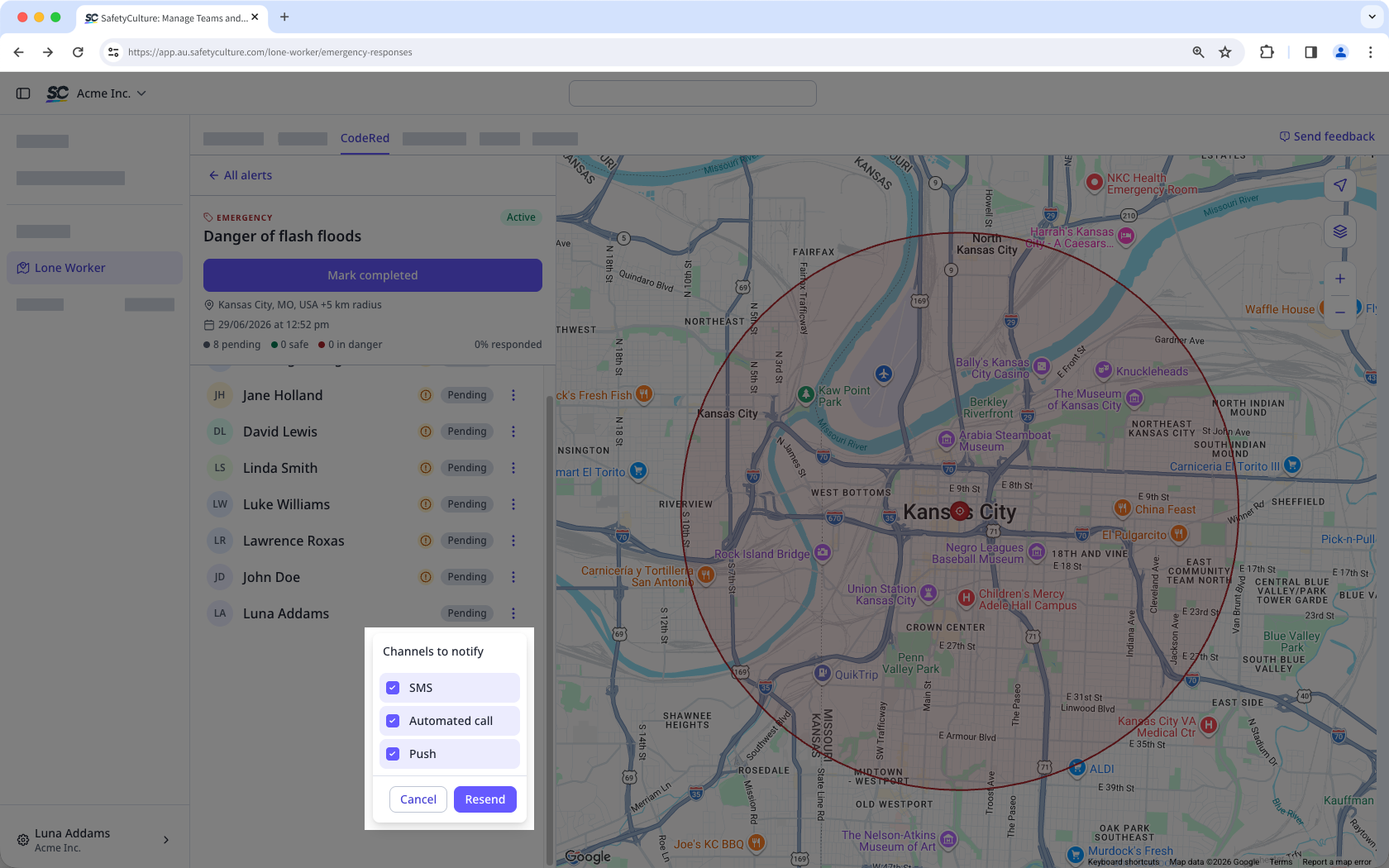
Click Resend.
Complete an alert
Select Alleinarbeiter in the sidebar or select it in Mehr.
Click CodeRed at the top of the page.
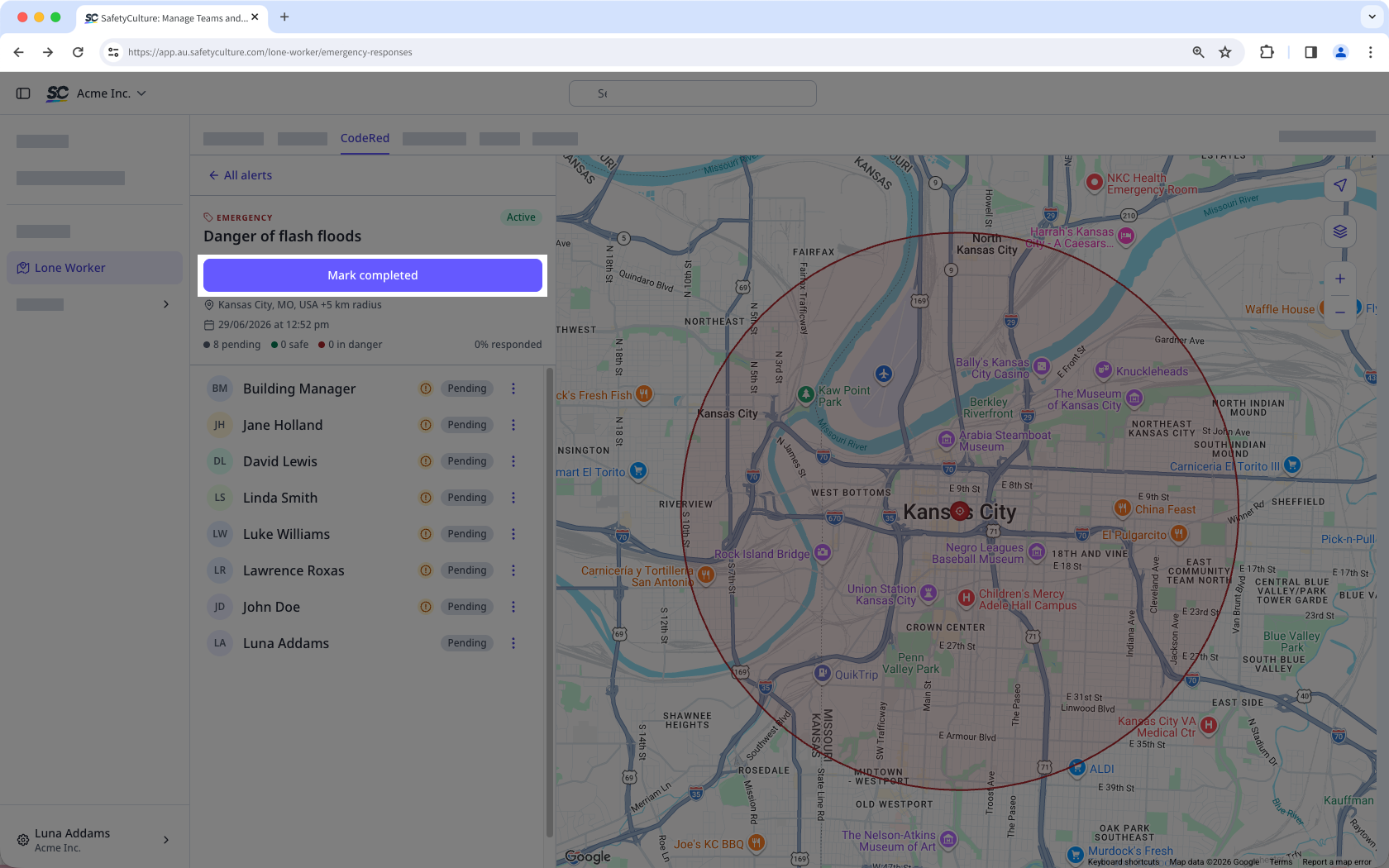
Select the active alert you want to mark as completed.
Click Mark completed.