You need to have "Platform management: Users" permission to manage another user's credentials.
Archived credentials don't trigger expiry notifications, and you can't add or edit their versions.
Archive a credential
Click your organization name on the lower-left corner of the page and select Credentials.
Select a credential type.
Click on the credential's right-hand side, and select Archive.
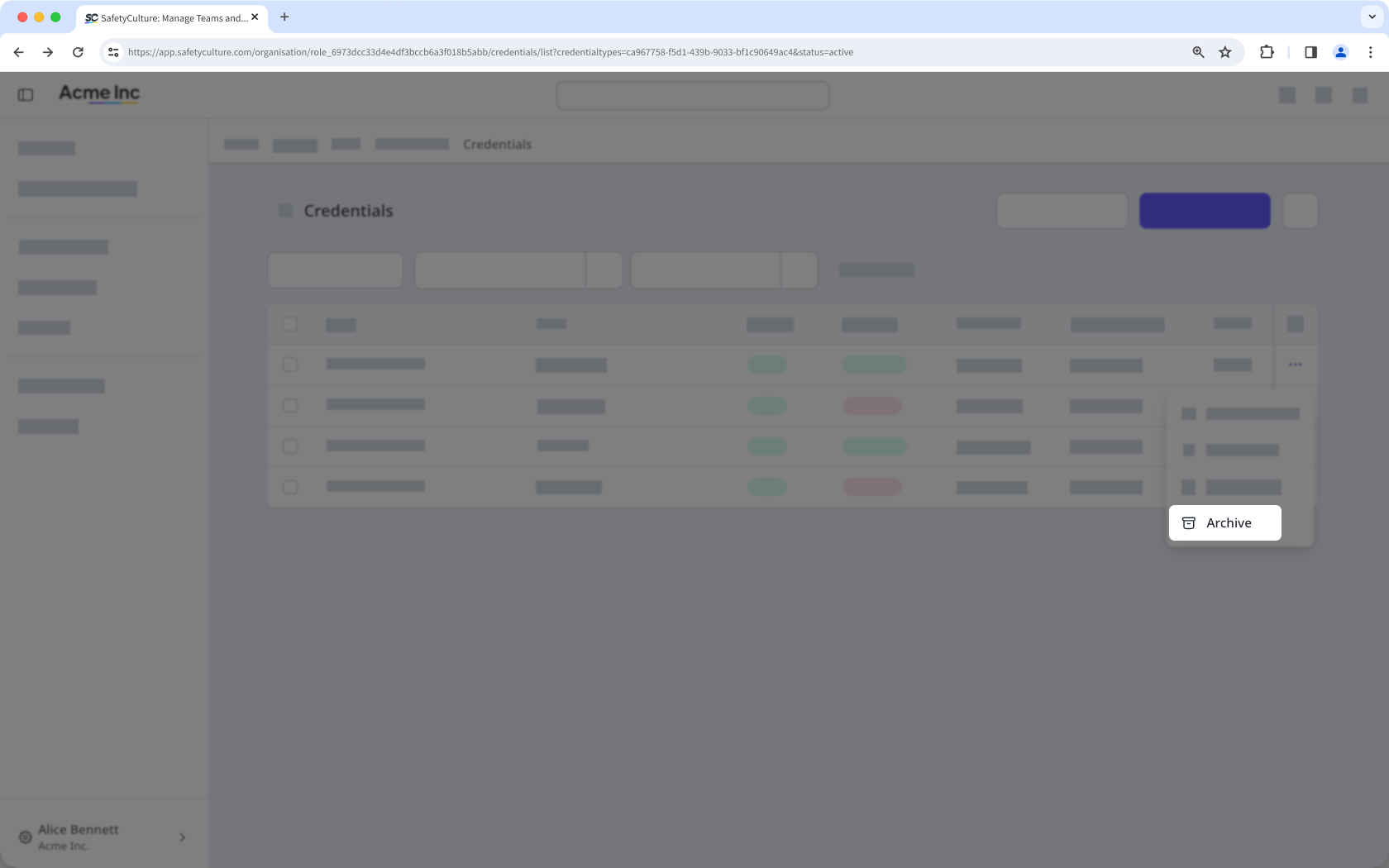
You can't approve or reject an archived credential. To approve or reject it, restore the credential first.
Bulk archive credentials
Click your organization name on the lower-left corner of the page and select Credentials.
Select a credential type.
Check the box on the left-hand side of each credential you want to archive. You can narrow down the list by clicking Add filter and selecting filter options.
Click Archive at the bottom of the page.
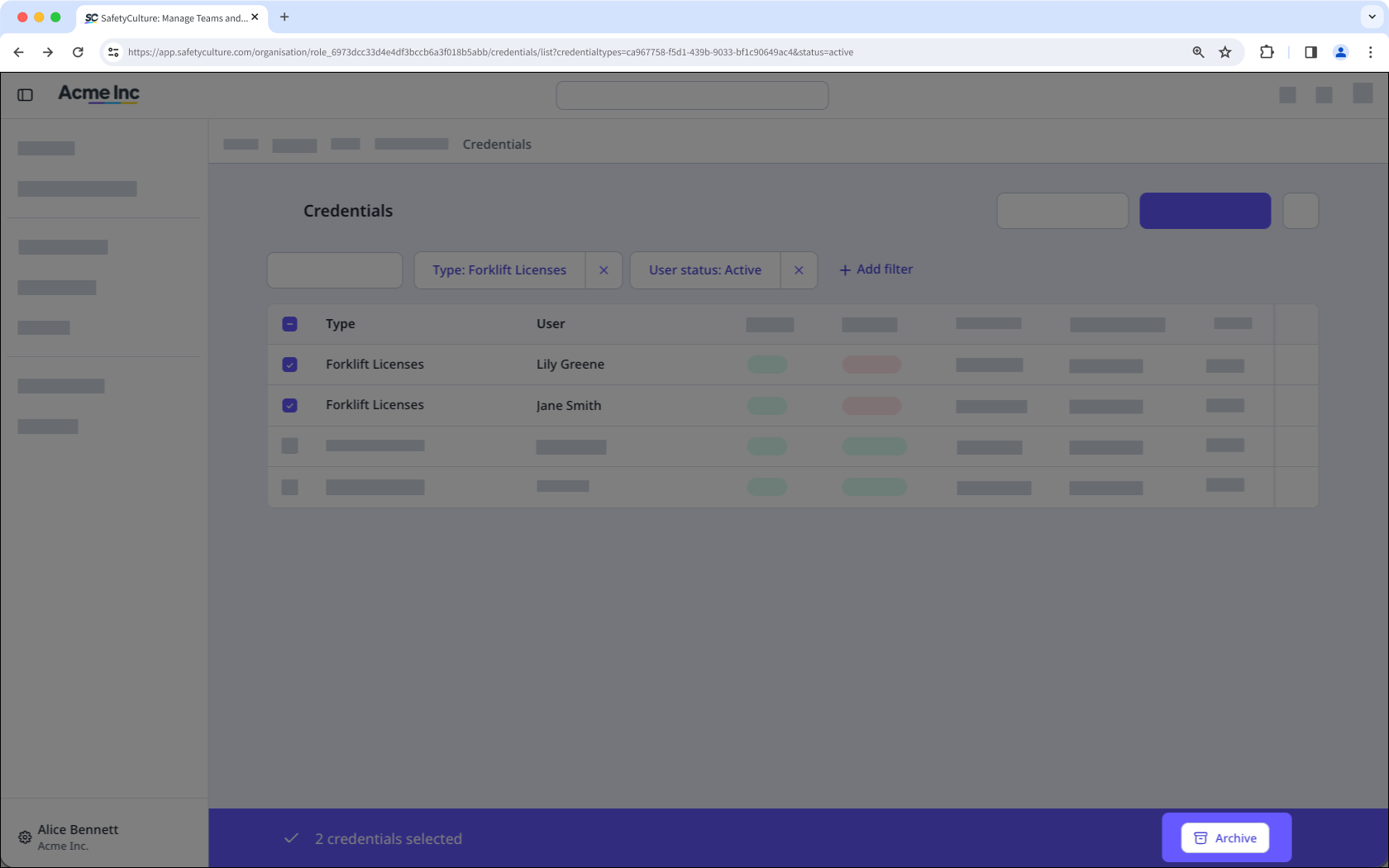
If you have "Companies: Manage" permission, you can also archive credentials from the Contractors dashboard and the company profile.