You need to have "Platform management: Users" permission to manage another user's credentials.
Restore an archived credential
Click your organization name on the lower-left corner of the page and select Credentials.
Select a credential type.
Click Show archived on the upper-left of the page to filter by archived credentials.
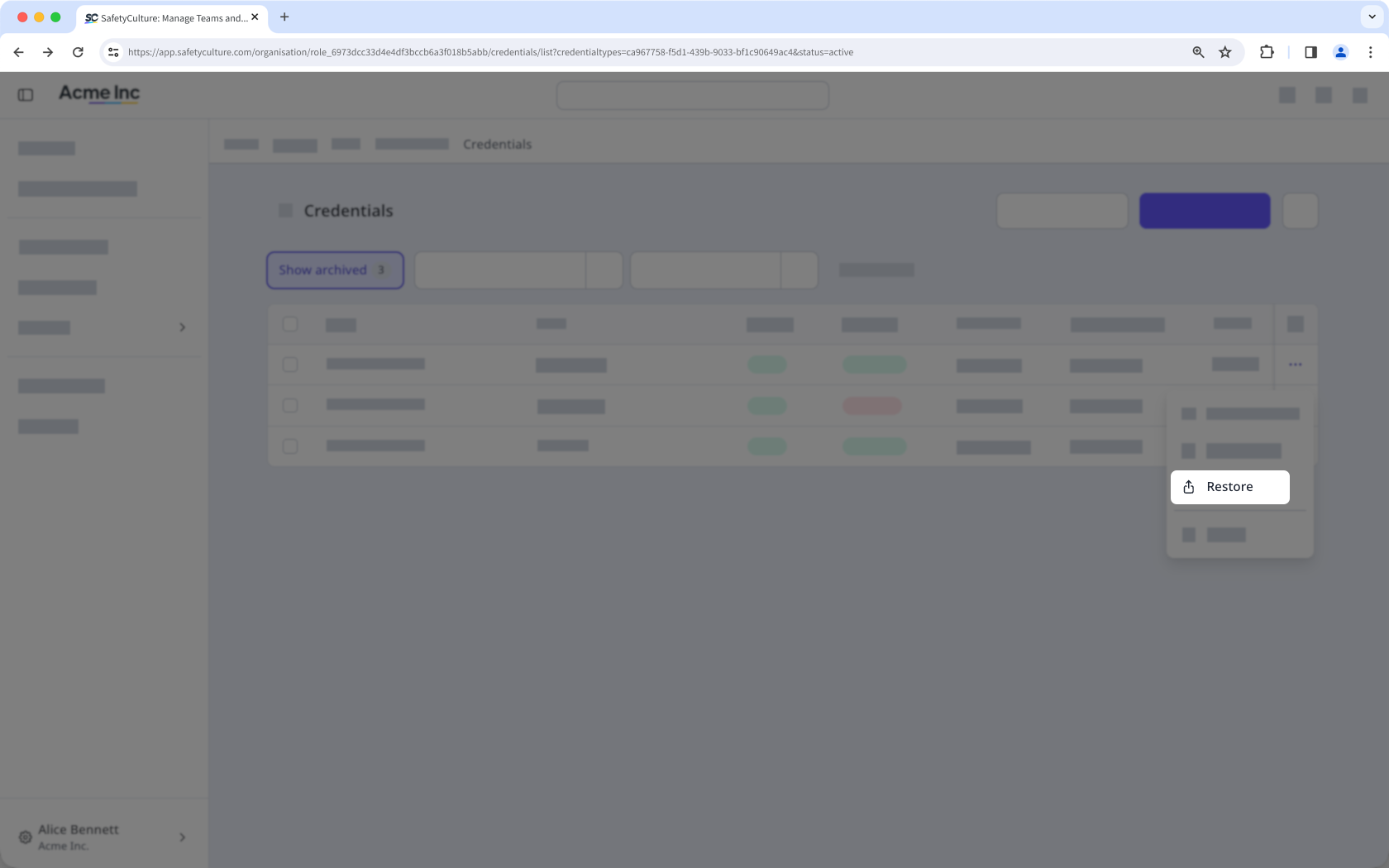
Click on the credential's right-hand side, and select Restore.
Bulk restore archived credentials
Click your organization name on the lower-left corner of the page and select Credentials.
Select a credential type.
Click Show archived on the upper-left of the page to filter by archived credentials.
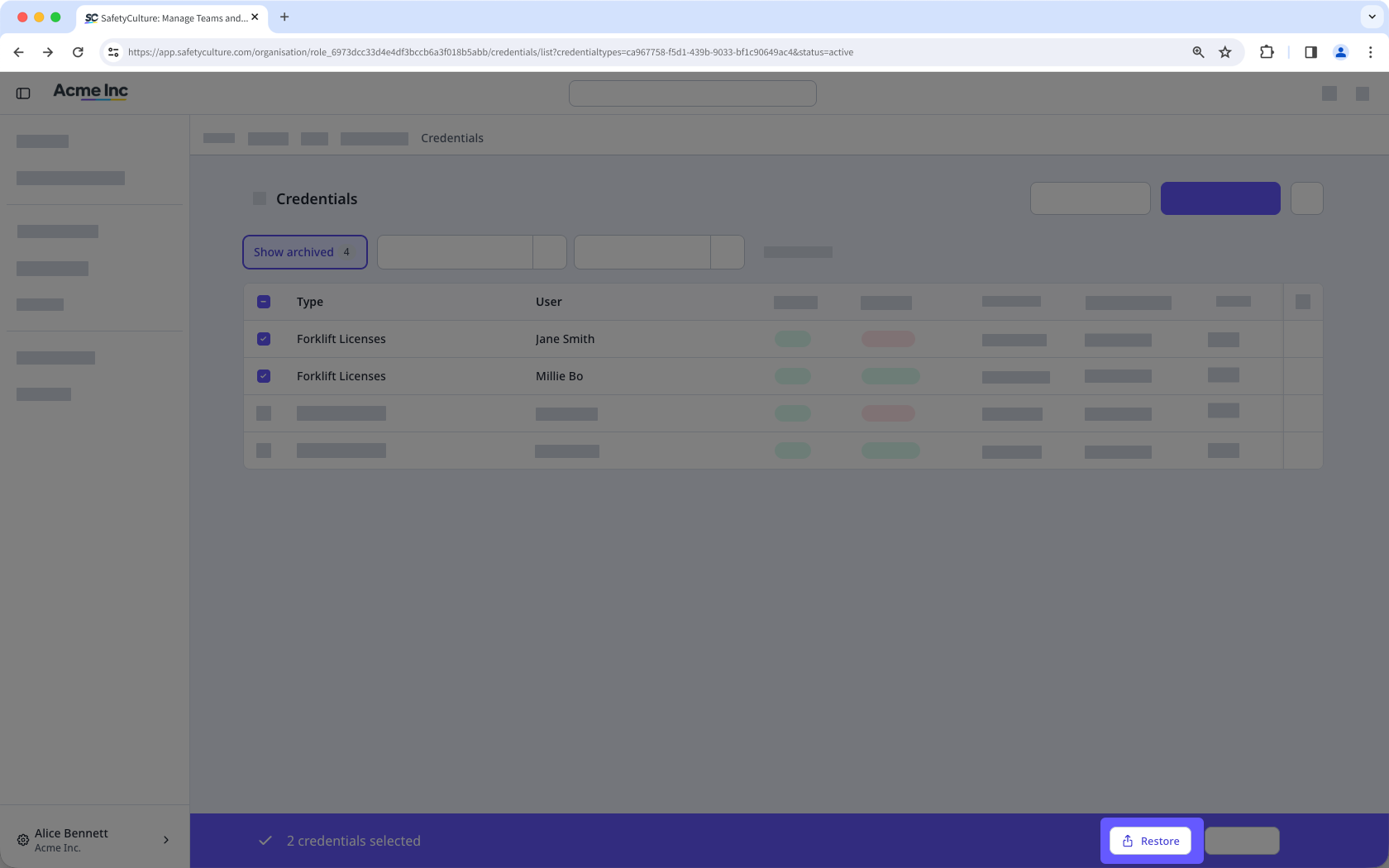
Check the box next to each credential you want to restore.
Click Restore at the bottom of the page.
If you have "Companies: Manage" permission, you can also archive credentials from the Contractors dashboard and the company profile.