
Turn on the Approvals credentials setting to allow administrators from your organization to review and approve credentials. Once a credential is approved, it cannot be undone.
If you want to skip manually approving credentials, you can approve all the credentials when you upload them in bulk.
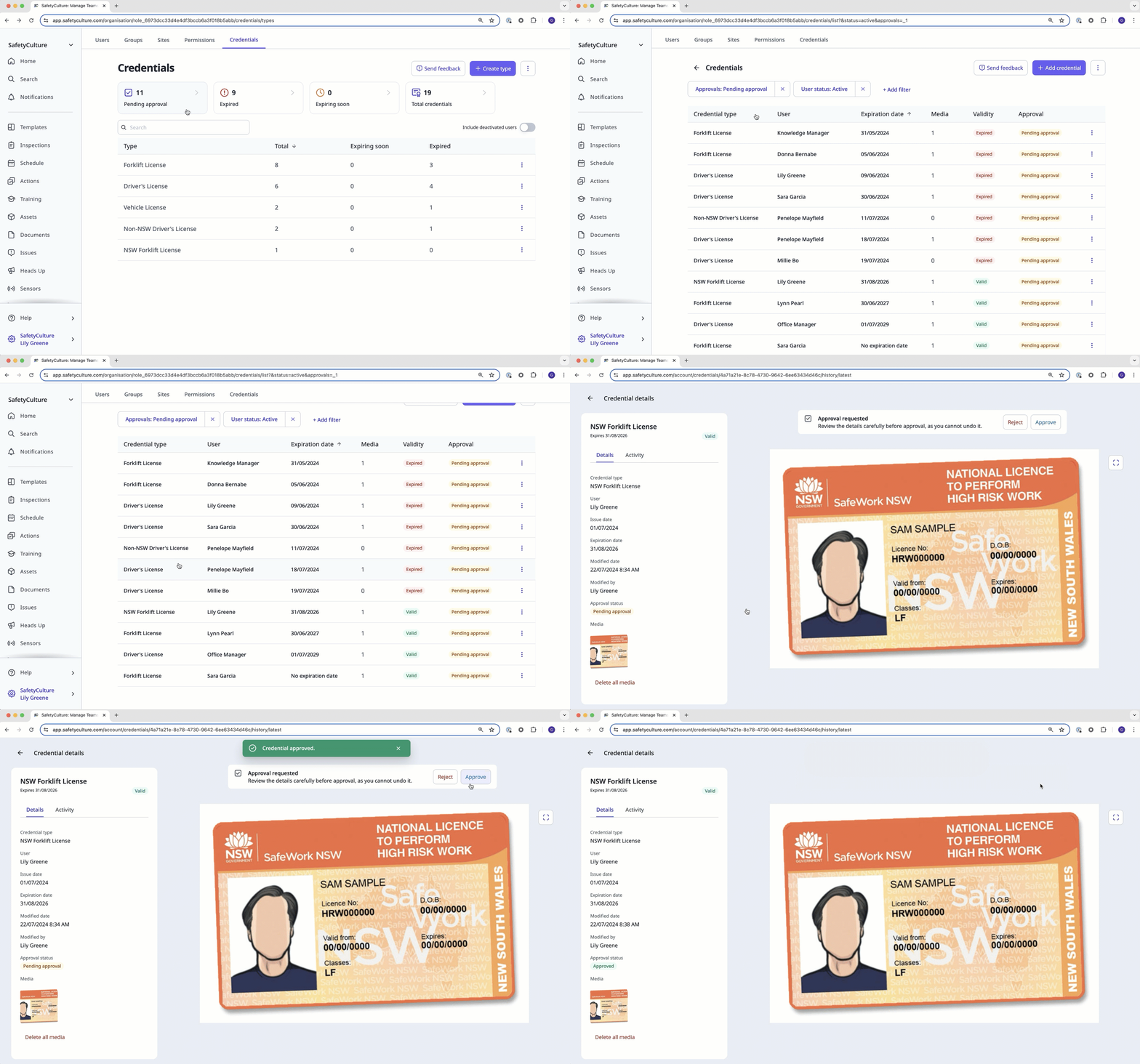
Approve a credential
Click your username on the lower-left corner of the page and select Credentials.
Click Pending approval at the top of the page. A list of credentials with a “Pending approval” status displays.
Select a credential and review it accordingly.
Click Approve at the top of the page.
Reject a credential
Click your username on the lower-left corner of the page and select Credentials.
Click Pending approval at the top of the page. A list of credentials with a “Pending approval” status displays.
Select a credential and review it accordingly.
Click Reject at the top of the page.
In the pop-up window, enter a reason for the rejection.
Click Add.
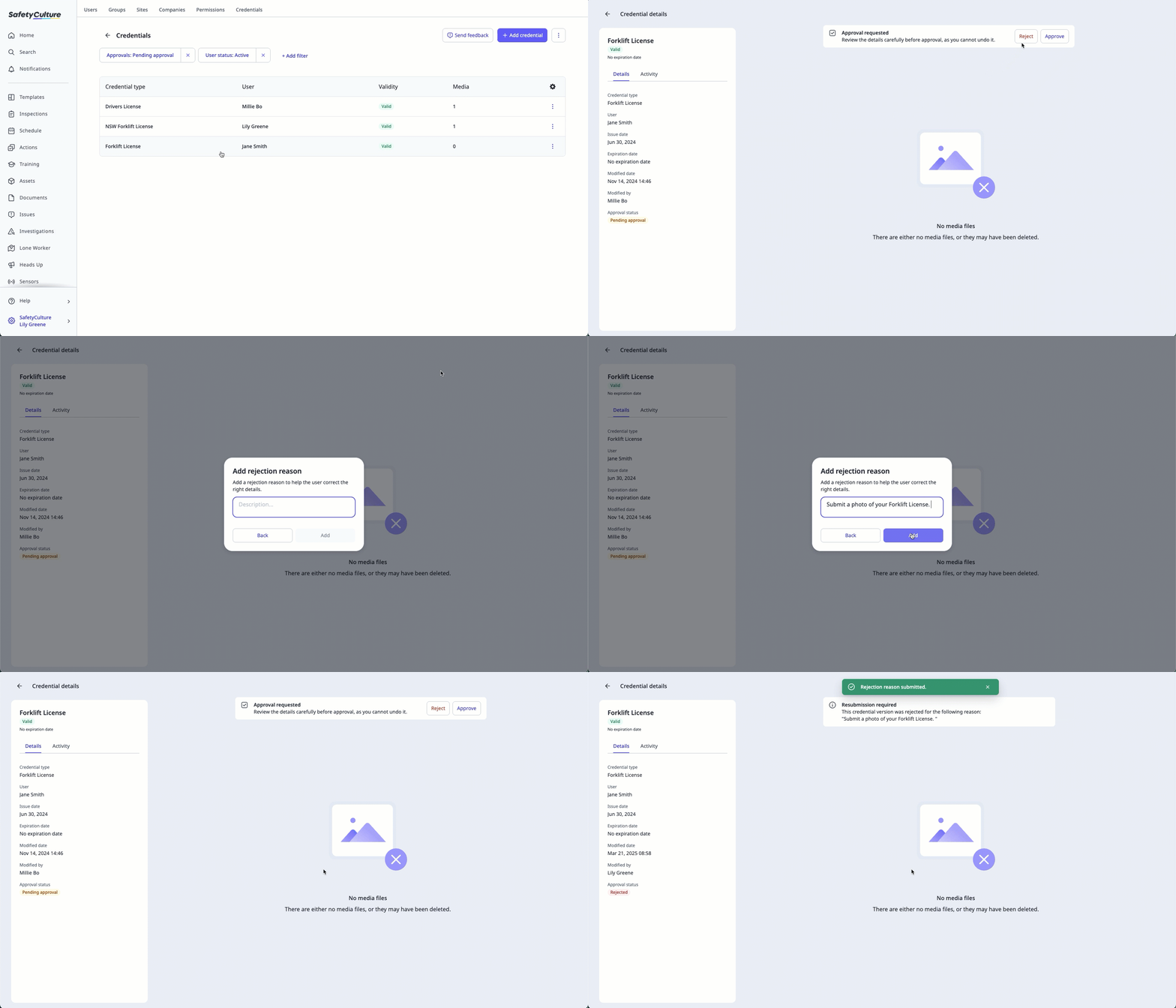
Users will receive a notification when their credential is requested for resubmission depending on their notification settings.
You can't approve or reject an archived credential. To approve or reject it, restore the credential first.


