Why add companies to sites?
Assigning companies to sites helps you organize your contractor companies by the locations each company belongs to. When managing a large number of companies, it can be hard to find those relevant to a specific location. For example, if you need to check which companies are active at a particular warehouse or office, filtering your list by site quickly narrows it down. This keeps your contractor companies organized and easy to manage at scale.
Depending on your organization's site selection settings, you'll be able to see all sites or levels in your organization or only ones you're a member of.
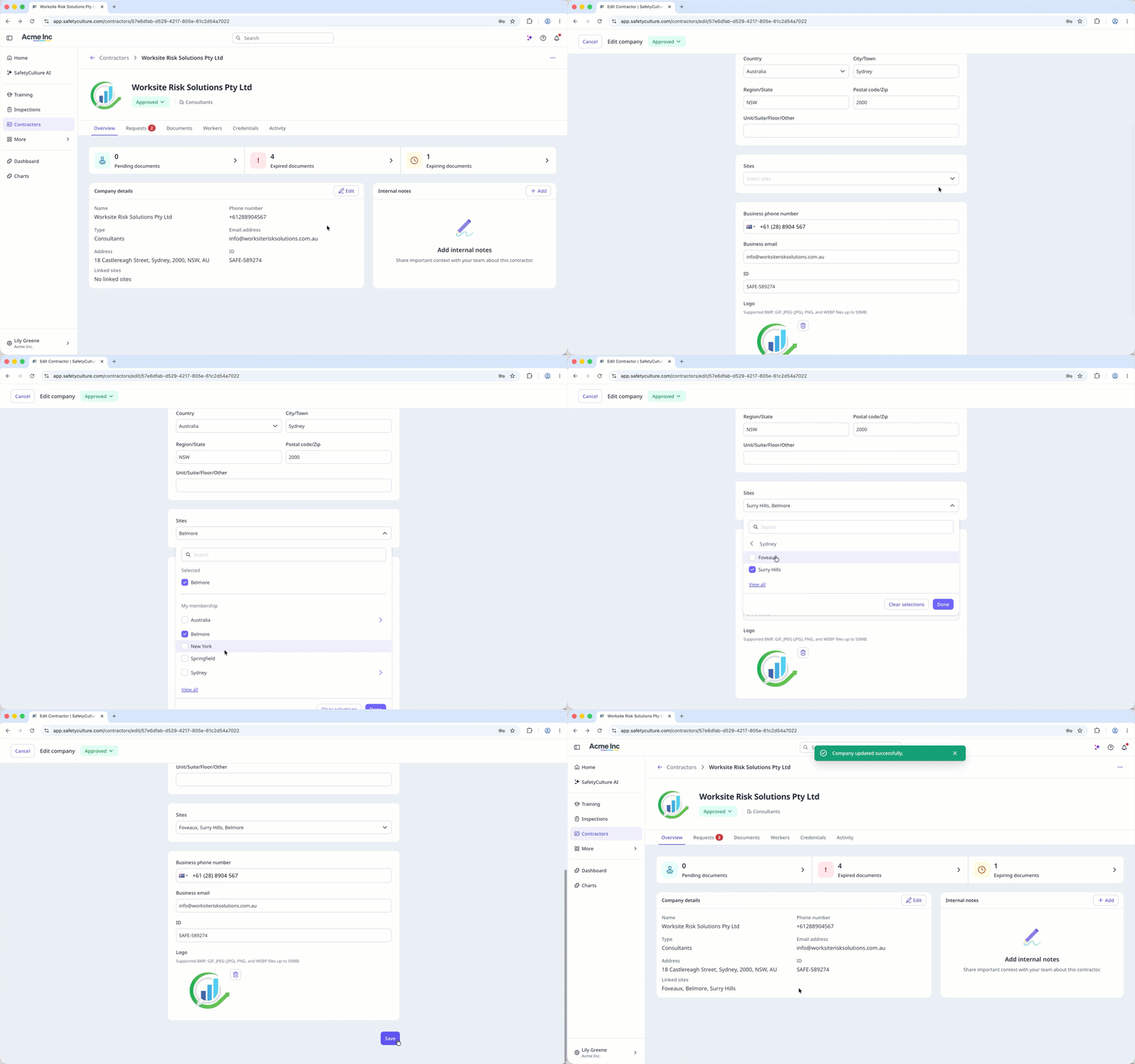
Add a company to a site
Select Contractors in the sidebar or select it in More.
Select the company.
In the "Company details" section, click Edit on the right-hand side of the page.
In the "Sites" section, click the dropdown menu.
Check the box of each site you want to add the company to, then click Done.
Click Save.
You can assign sites when adding a new company.
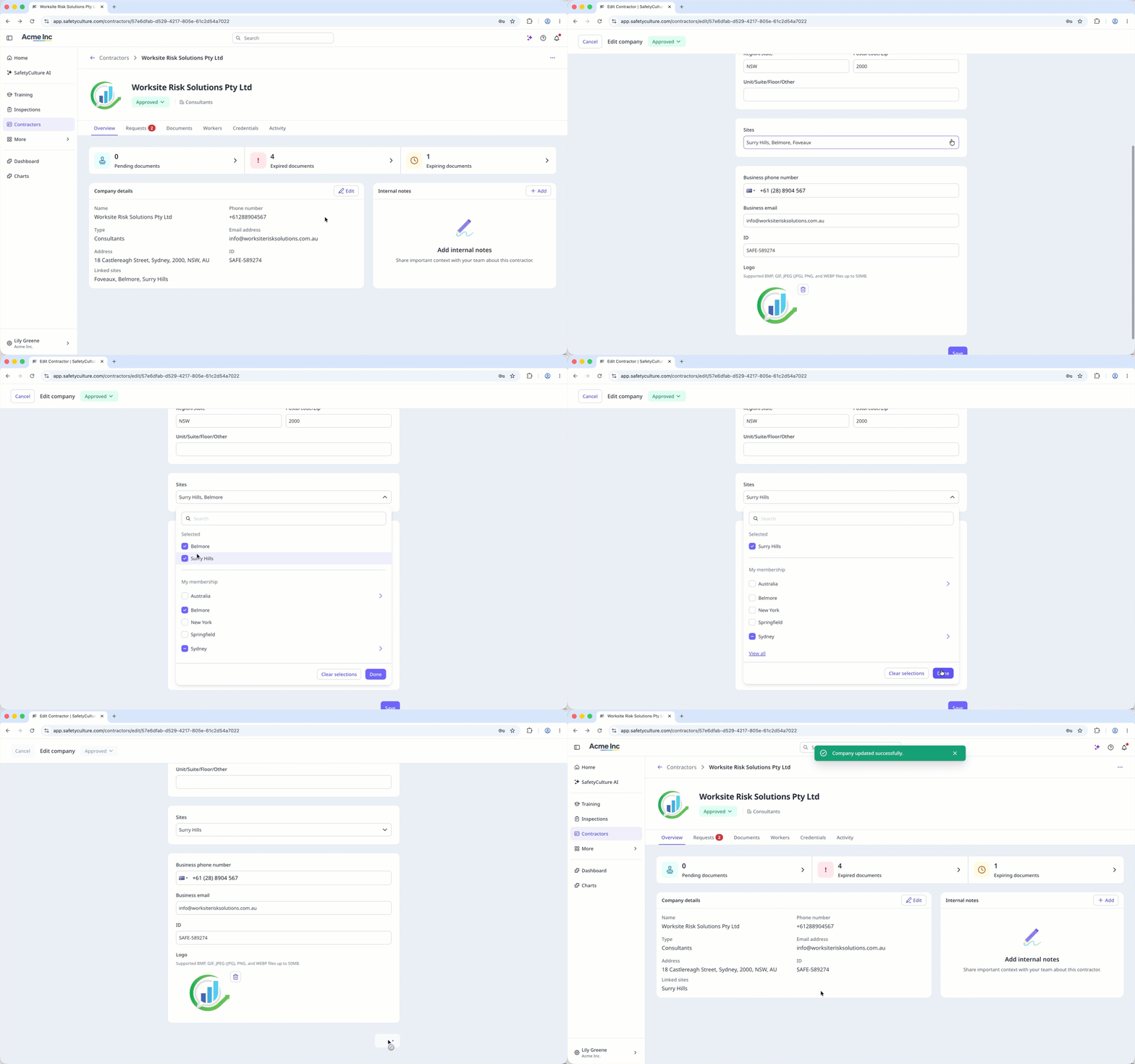
Remove a company from a site
Select Contractors in the sidebar or select it in More.
Select a company.
In the "Company details" section, click Edit on the right-hand side of the page.
In the "Sites" section, click the dropdown menu.
In the "Selected" section, uncheck the box of each site you want to remove, then click Done.
Click Save.