Paths is no longer available for new users or existing users who haven’t used it before on both the web app and mobile app. Existing users who already use Paths will continue to have access to the feature.
You can create onboarding workflows instead to guide your workers through the training courses and required credentials they need to complete before starting their roles.
What are the differences between paths and onboarding workflows?
EdApp paths guide workers through a structured sequence of courses. Onboarding workflows in SafetyCulture combine required courses with credential submissions, so workers complete both training and credential steps before starting their roles. While paths focus on structured learning programs, onboarding workflows are suited for compliance, where workers need to meet training and credential requirements. This gives admins a single place to track whether every worker is ready to start.
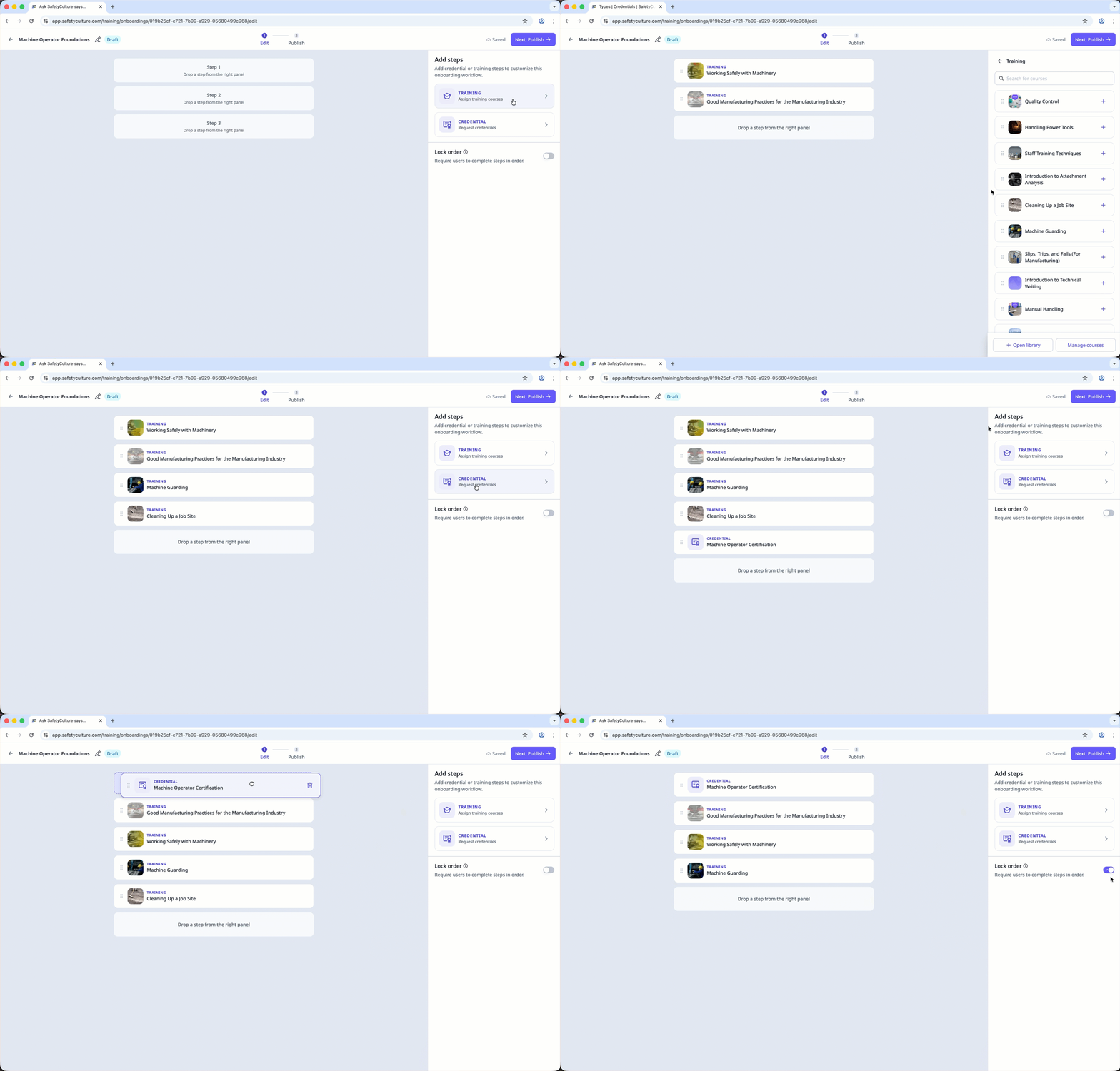
Here's how each feature differs:
Aspect | EdApp paths | SafetyCulture onboarding workflows |
|---|---|---|
Scope | For courses only | For courses and credentials in the same workflow |
Primary use case | For structured learning programs | For getting workers ready for their roles through training and credential submissions |
Order | Supports sequential or freeform course completion. | Supports sequential and in any order completion using Lock order setting |
Getting started | Admins can make paths available to all users, or restrict access to selected groups and sites | Admins can share enrollment links or QR codes, so workers can start faster without manual assignment |
Progress visibility | Primarily a structured learning experience | Built for onboarding progress tracking, so admins can monitor completion and confirm requirements are met |
Platform direction | EdApp paths was the old model customers may know from EdApp | Onboarding workflows are the recommended approach for customers migrating from EdApp |
Onboarding workflows don't include custom branding or course versioning.