
What you'll need
When shifts are turned on for your organization, lone workers will be required to start a shift before starting a job.
Turn on location services and grant location permission on your device before starting your shift. Without location permission, no location data reaches the app if you trigger a panic alert.
Start and complete a shift
Open the mobile app.
Tap More at the bottom of your screen.
Select Lone Worker from the list of options.
Tap at the lower-right of your screen.
You can also tap Home at the bottom of your screen, then tap and select Start lone work.
Tap Start shift.
If you're assigned to multiple groups in your organization, select the group where you would like to start your shift.
Tap Start shift.
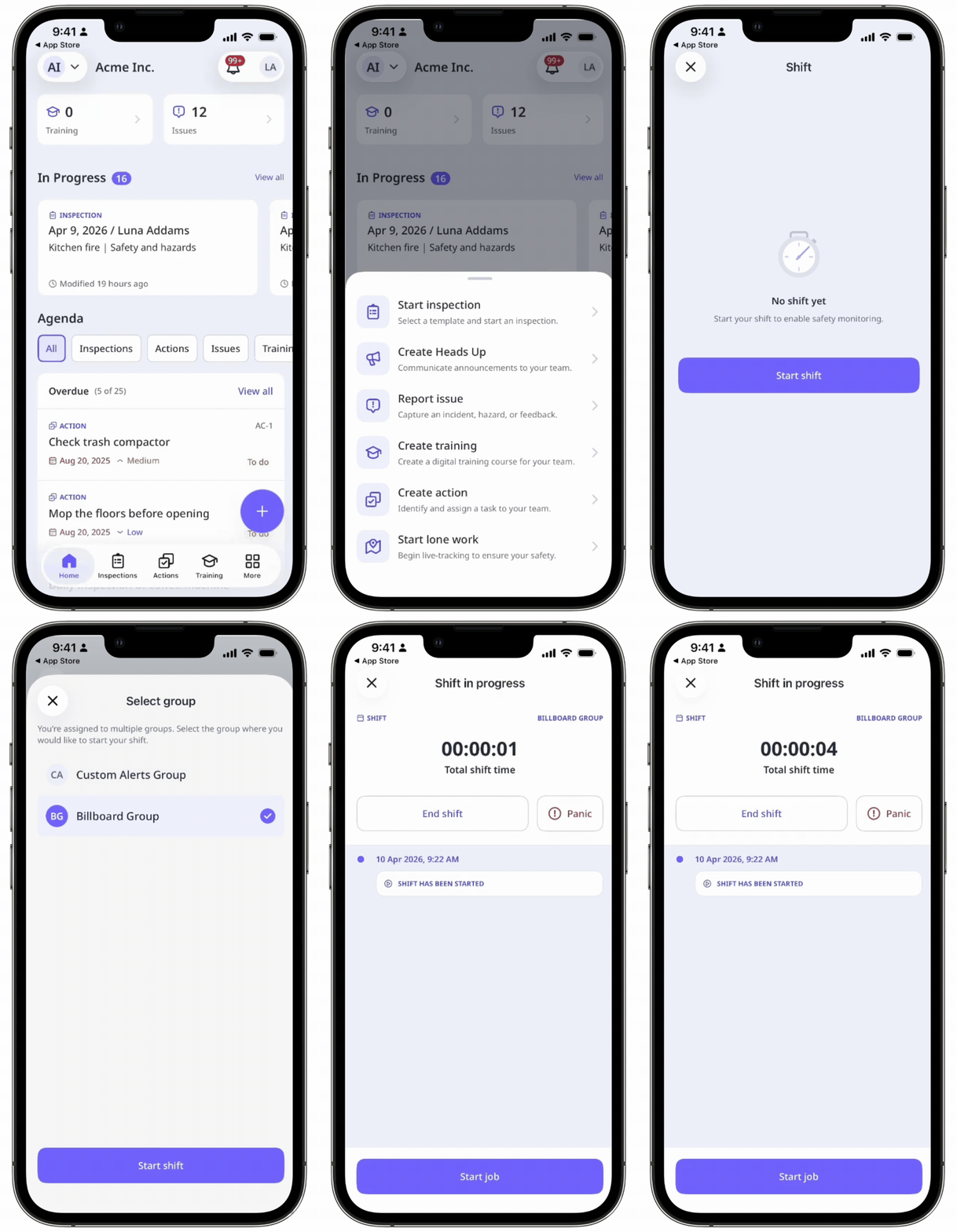
While a shift is in progress, you can:
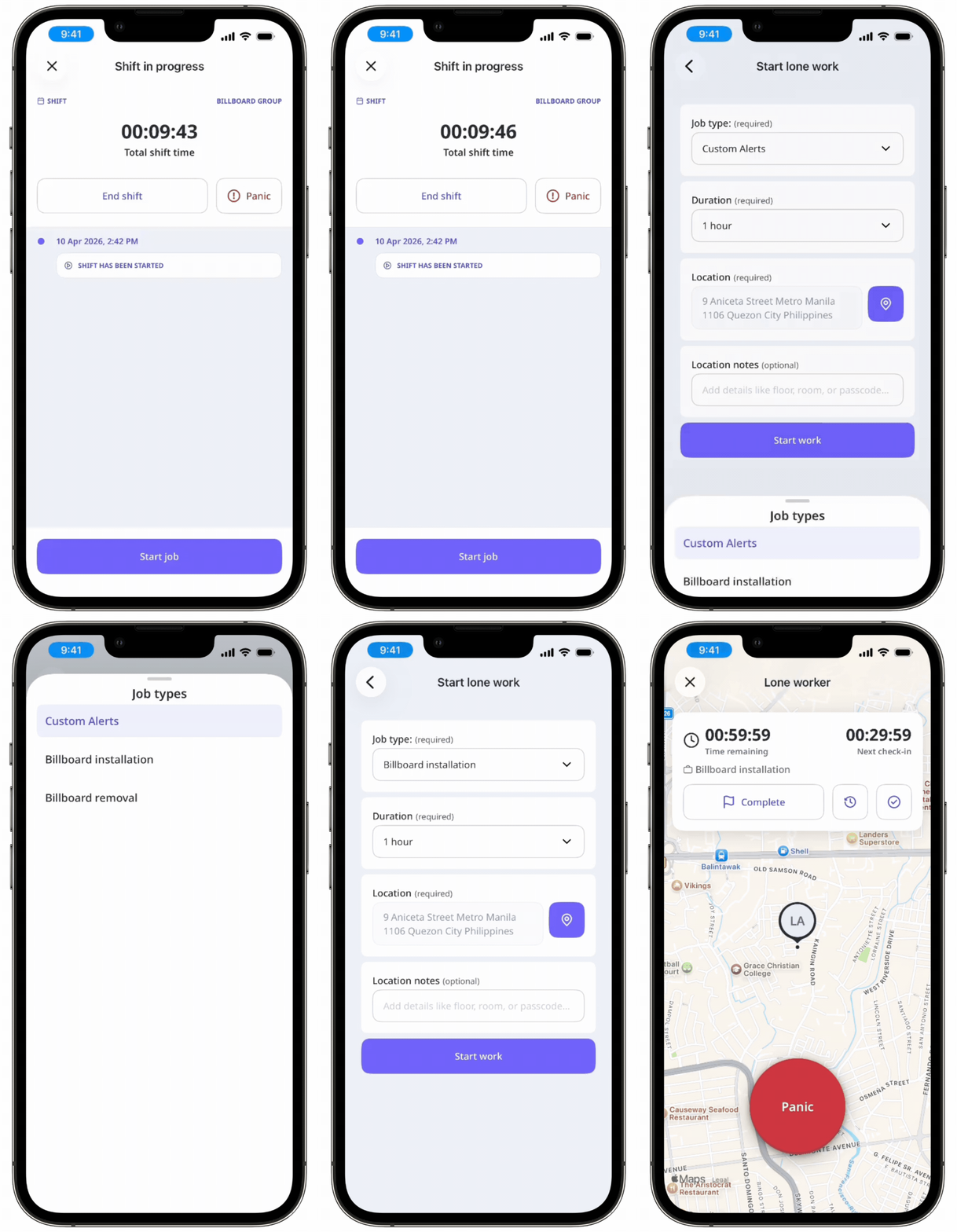
Start and complete a lone-work job. In the duration of your shift, you can complete more than one job.
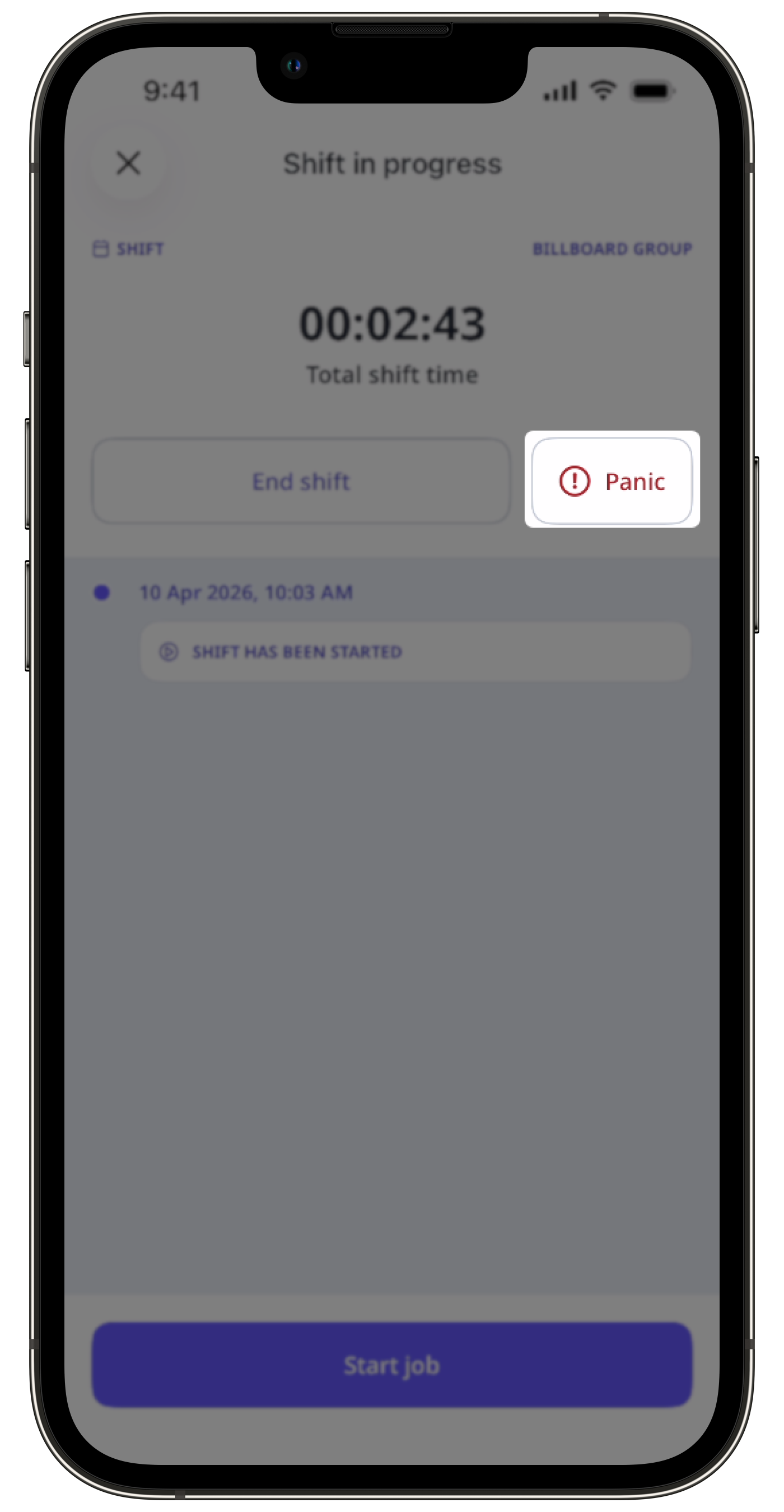
Tap and hold Panic for 3 seconds to manually trigger a panic at any time during your shift, even without an active job.
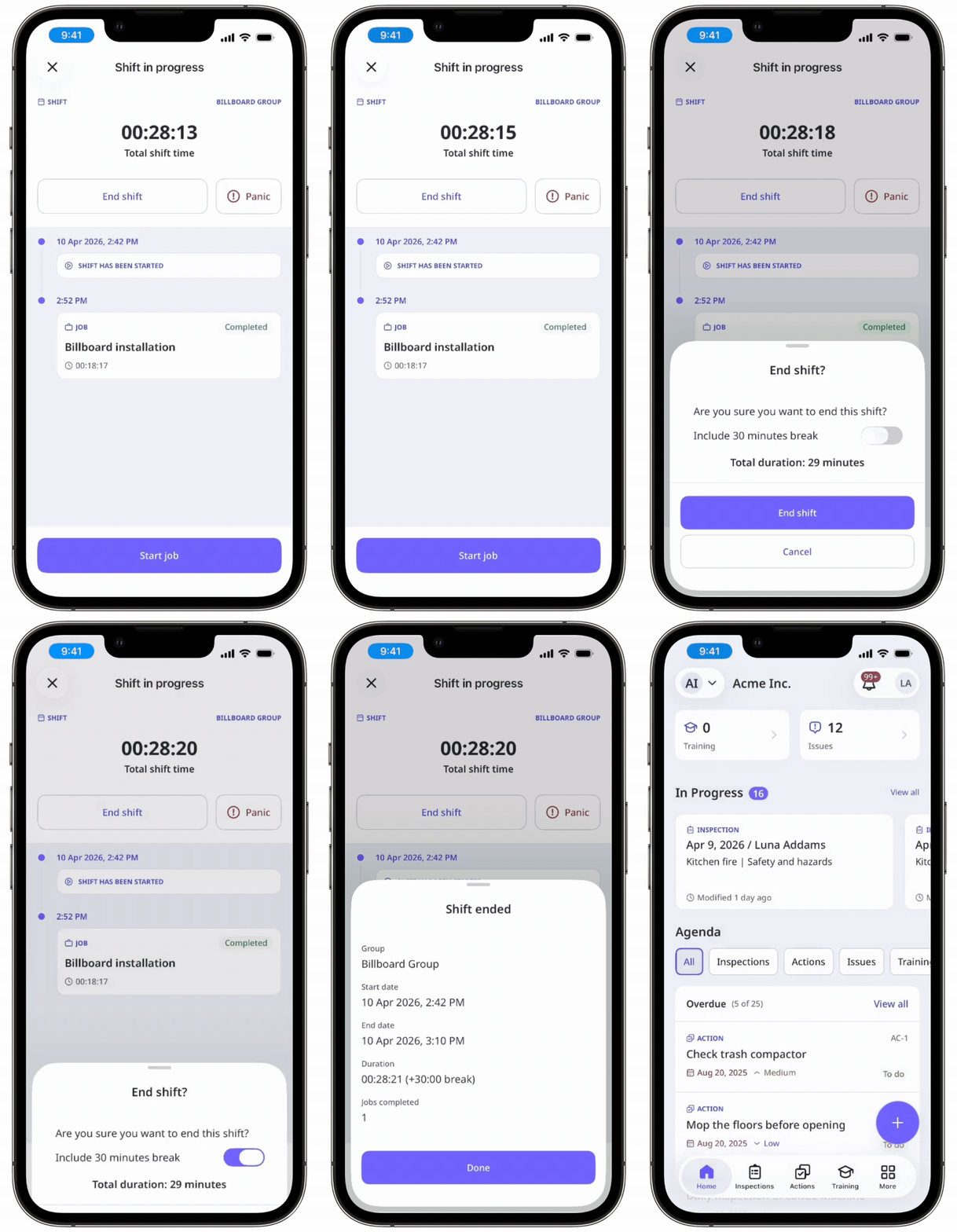
When your shift is done, tap End shift.
If applicable, you can include your break in the total duration of your shift.
Tap End shift.
In the pop-up window, tap Done.
You can only start a shift from one device at a time. If you use multiple devices, location updates will only be sent from the device you used to start the shift.


