
How does a mobile PIN keep your data safe?
A mobile PIN adds a layer of security to the SafetyCulture mobile app, protecting inspections, photos, and reports if a device is shared or lost. Turn PIN requirement on from the web app, and users are prompted to set up a PIN the next time they open the app.
You can set the PIN length and lock period to match your organization's policy. This ensures stronger protection across your team's devices without needing to manage PIN setup manually for each user.
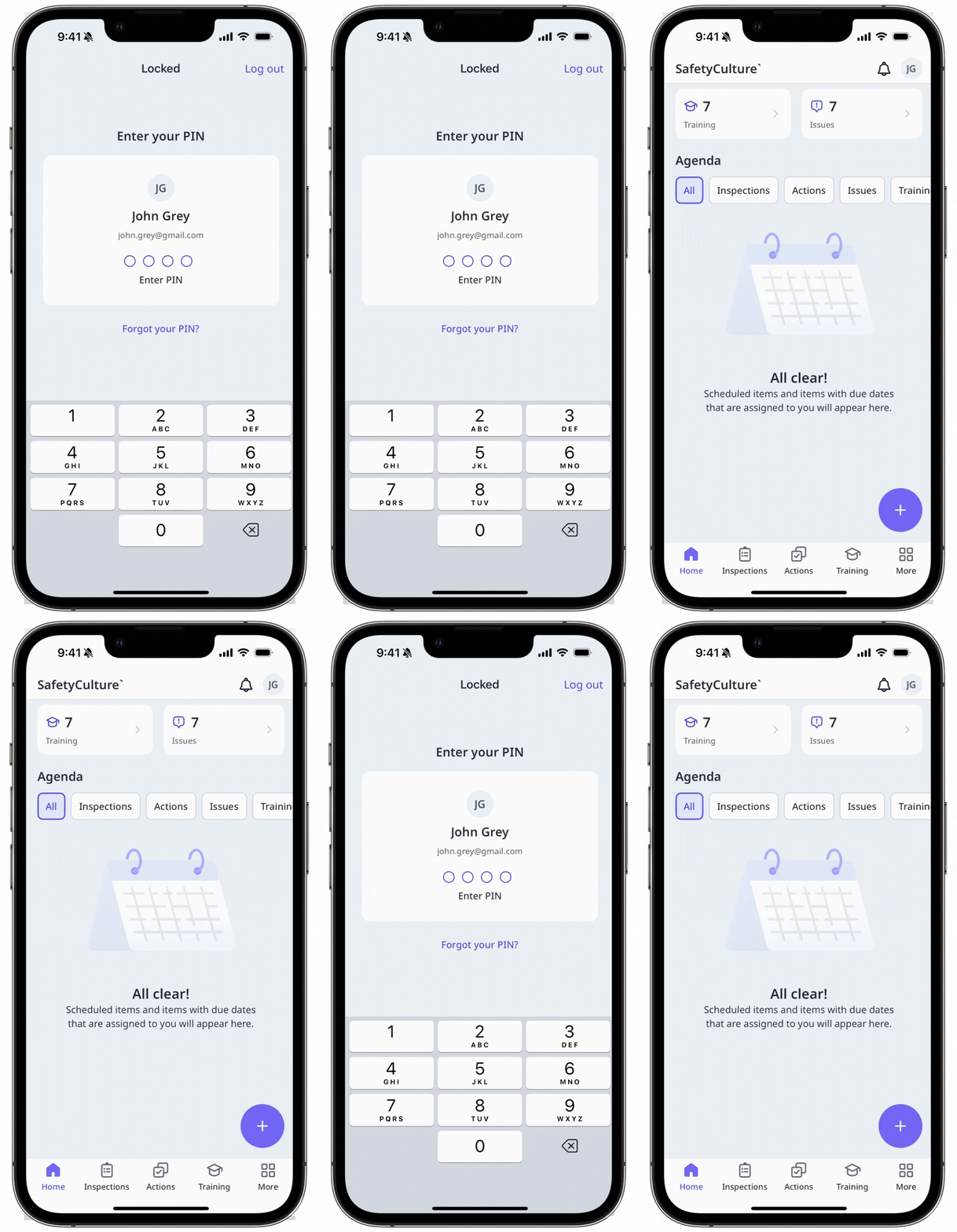
What can I see when PIN is required?
When you turn the PIN setting on, all users in your organization are prompted to create a PIN the next time they open the SafetyCulture mobile app. The PIN and Lock settings move to the Organization-managed section in Settings. Biometric options, such as Face ID or fingerprint, remain available where supported.Here's what to expect when the PIN setting is on:
Three incorrect PIN attempts automatically log the user out of the app.
Logging out of the app deletes the saved PIN.
If a user belongs to multiple organizations, they may be prompted to set up a PIN when switching to an organization with this setting turned on.
If PIN setup is interrupted, the user needs to log in again to complete the setup.
What you'll need
The prompt may not appear immediately if the app is already open. Users on mobile app version 26.10 and above will see the prompt when they log in, switch between organizations, or reopen the app after a force close.
Turn PIN setting on mobile on or off
Click your organization name on the lower-left corner of the page and select Organization settings.
Select Security at the top of the page.
In the "Mobile app security" section, turn "Require PIN authentication" on or off.
When turning the setting on, configure the PIN settings accordingly.
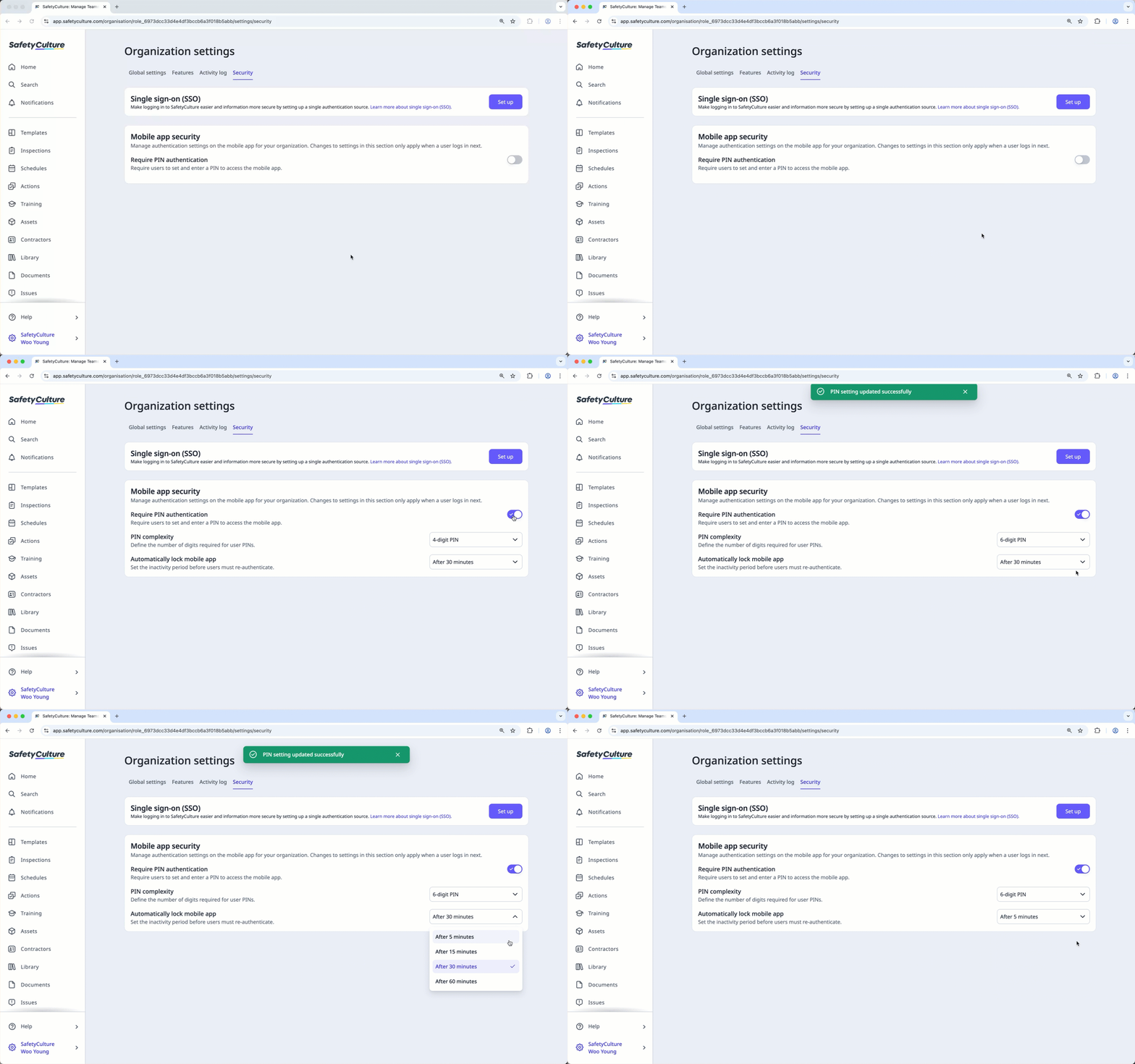
PIN complexity: Click the dropdown list and select the required length of users' mobile PIN.
Automatically lock mobile app: Click the dropdown list and select the inactivity period before requiring users to enter their PIN again.
Limitations
Administrators cannot see which users have set up their PIN.
The PIN requirement only applies to users on mobile app version 26.10 or above. Users on older versions are not affected.


