Why turn multiple selection on or off?
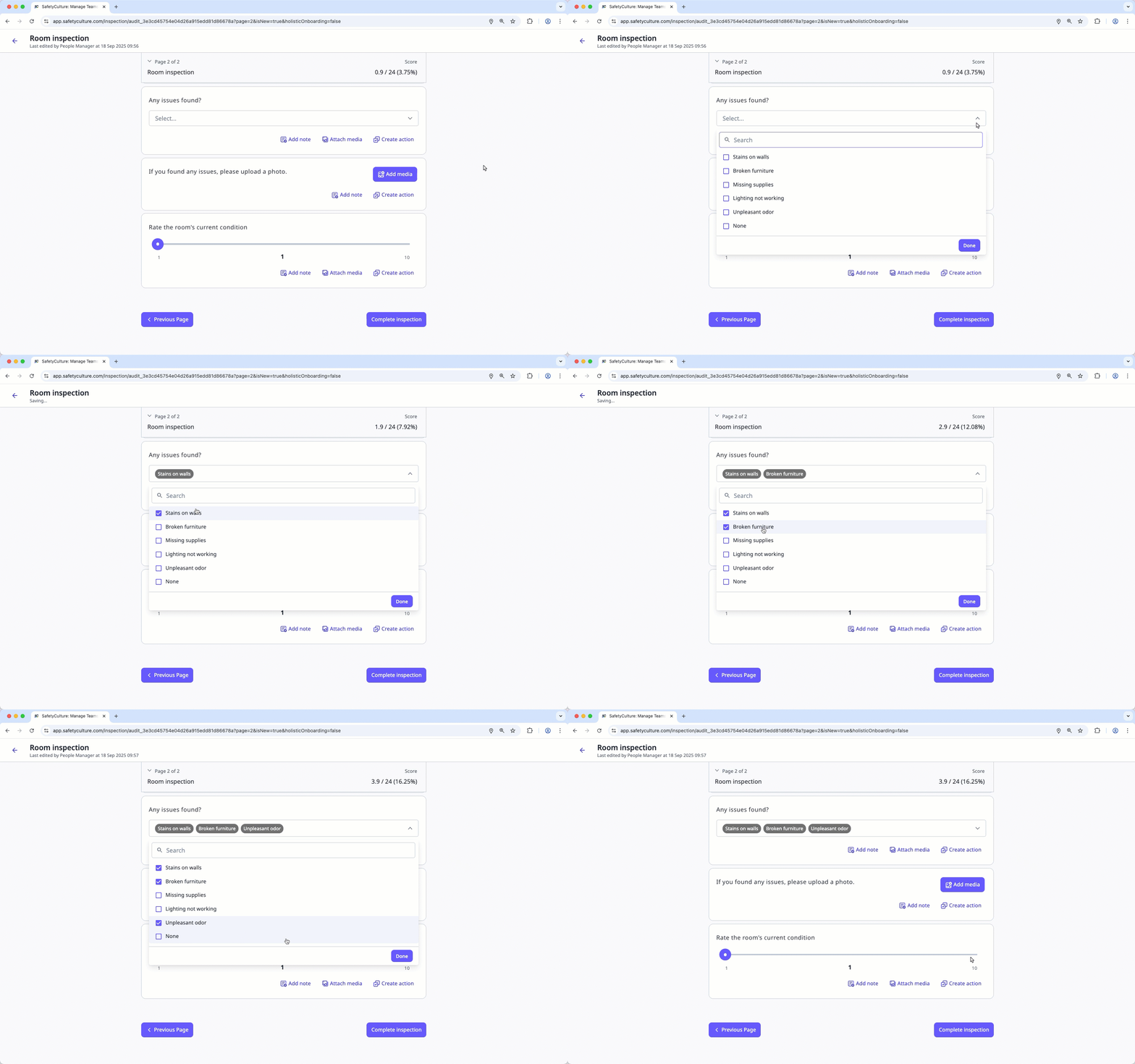
Multiple selection allows users to select more than one answer in a multiple choice question. This is helpful when a single option isn't enough, like during an inspection where users might find several issues at once. For example, if you discover multiple problems during a site check, you can select all that apply when answering "What issues are found during the inspection?"
By turning on multiple selection, you can capture the full picture of what happened, make your inspection results more accurate, and make sure you don't miss anything important. By turning it off, users can only choose one answer, which is ideal when you need a single outcome, such as recording pass or fail results, marking compliance status, or confirming whether equipment is safe to use.
What you'll need
Published changes made to templates only apply to new inspections moving forward.
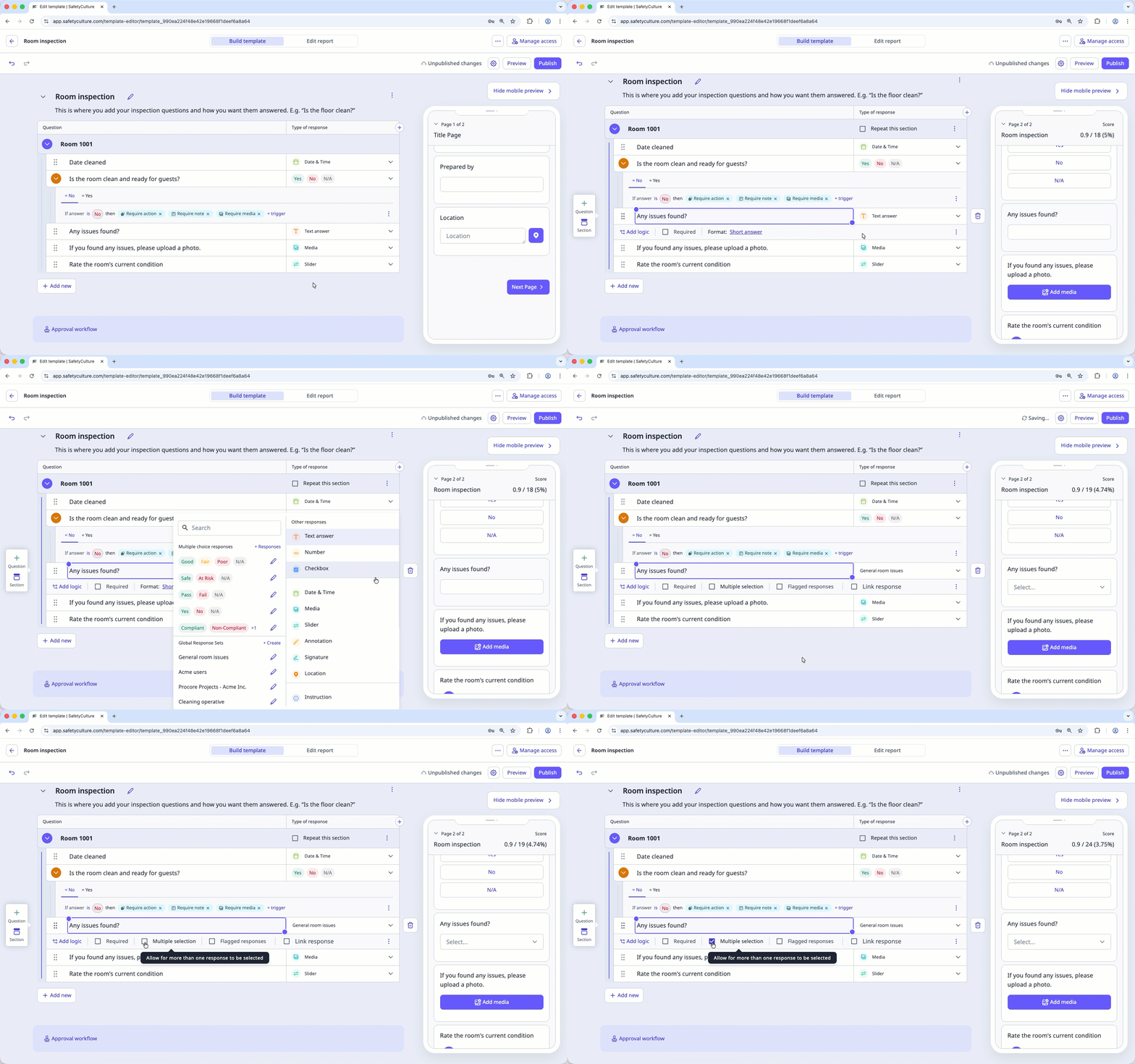
Turn multiple selection on or off
Select Templates in the sidebar or select it in More.
Click the template and select Edit template in the side panel.
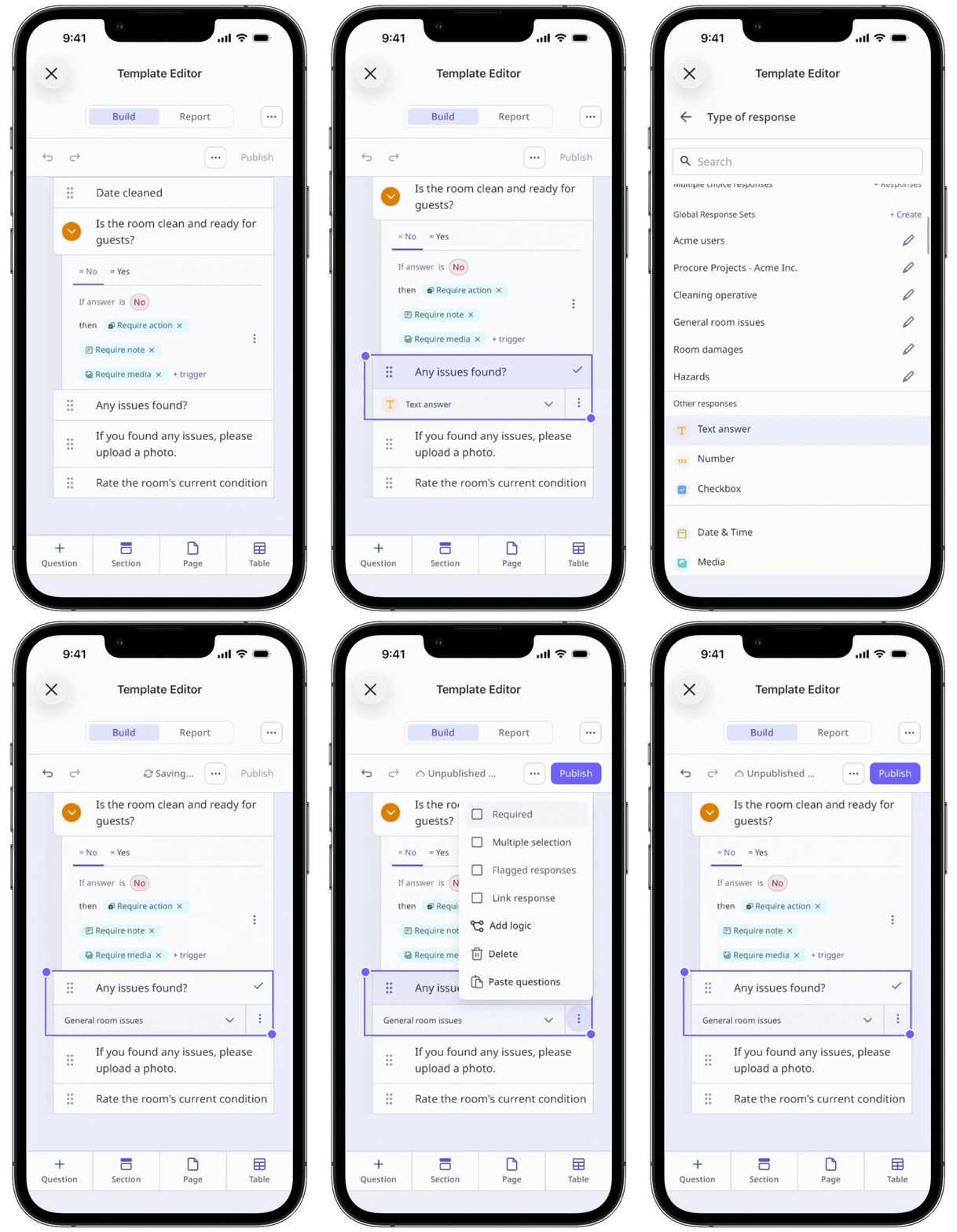
Add a new custom response set or Global Response Set, or select an existing one.
Check Multiple selection below the question label to turn it on, or uncheck it to turn it off.
Click Publish on the upper-right of the page to publish the template. If you're not ready to publish the template, you can go back to the templates list and come back when you're ready.