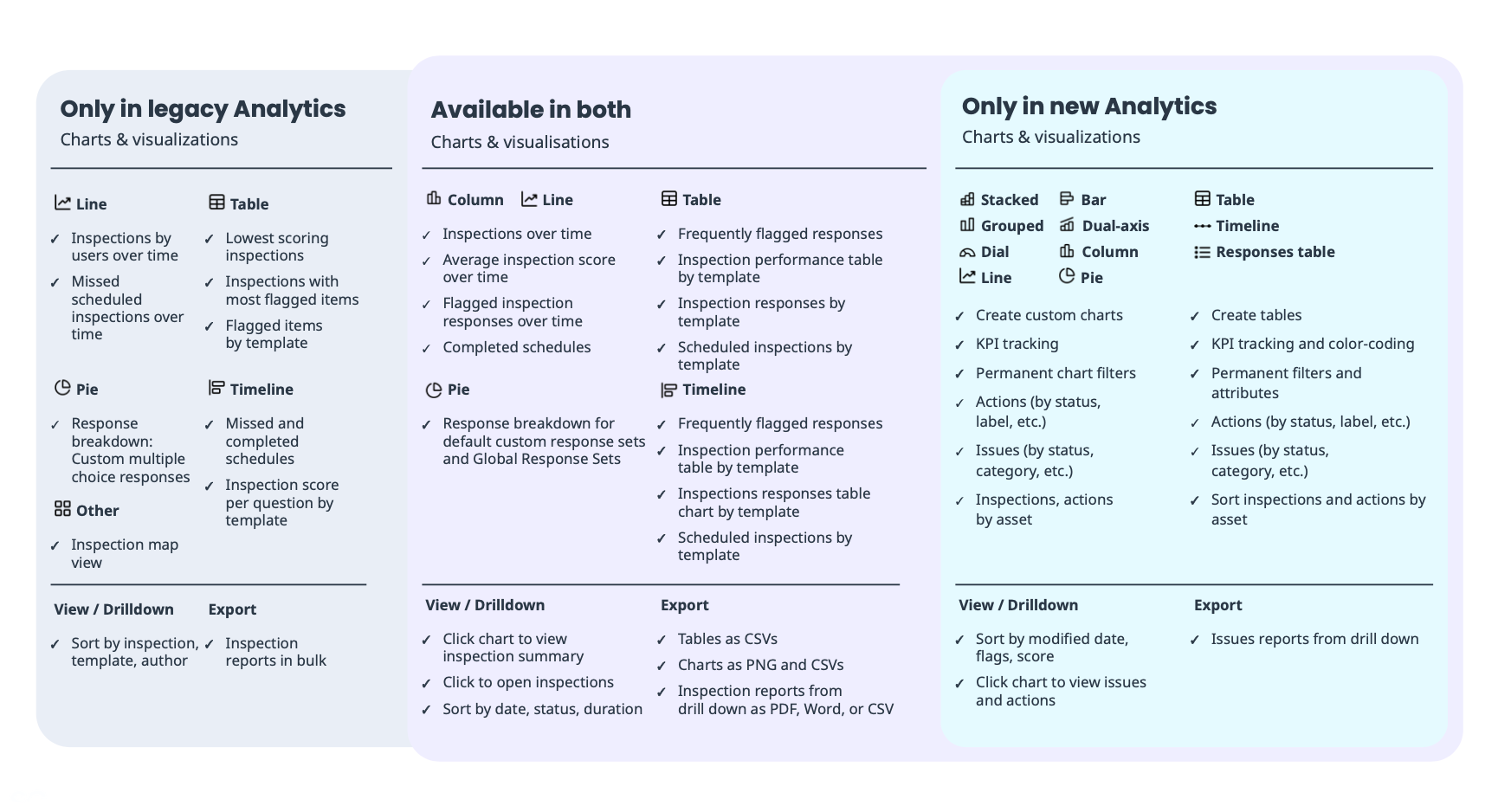
What is the new Analytics experience?
The new Analytics experience improves the flexibility of creating dashboards that focus on areas of interest and visualize the data in each dashboard.
Designed to be more flexible, you can now create dashboards for specific data sets relevant to you with various chart types to help you make sense of the data you're viewing and easily identify trends with the vast customization options. In addition, you can conveniently share the relevant dashboards with your users. Depending on the dashboard type and correct permissions, they can view or manage it as needed.
What are the differences between the legacy and new experience?
The new Analytics experience introduces customizable dashboards (opens in new tab), intuitive filters (opens in new tab), and enhanced chart customization (opens in new tab), and a more user-friendly experience. Unlike the legacy version’s fixed and limited options, the new Analytics empowers users to tailor insights to their needs.
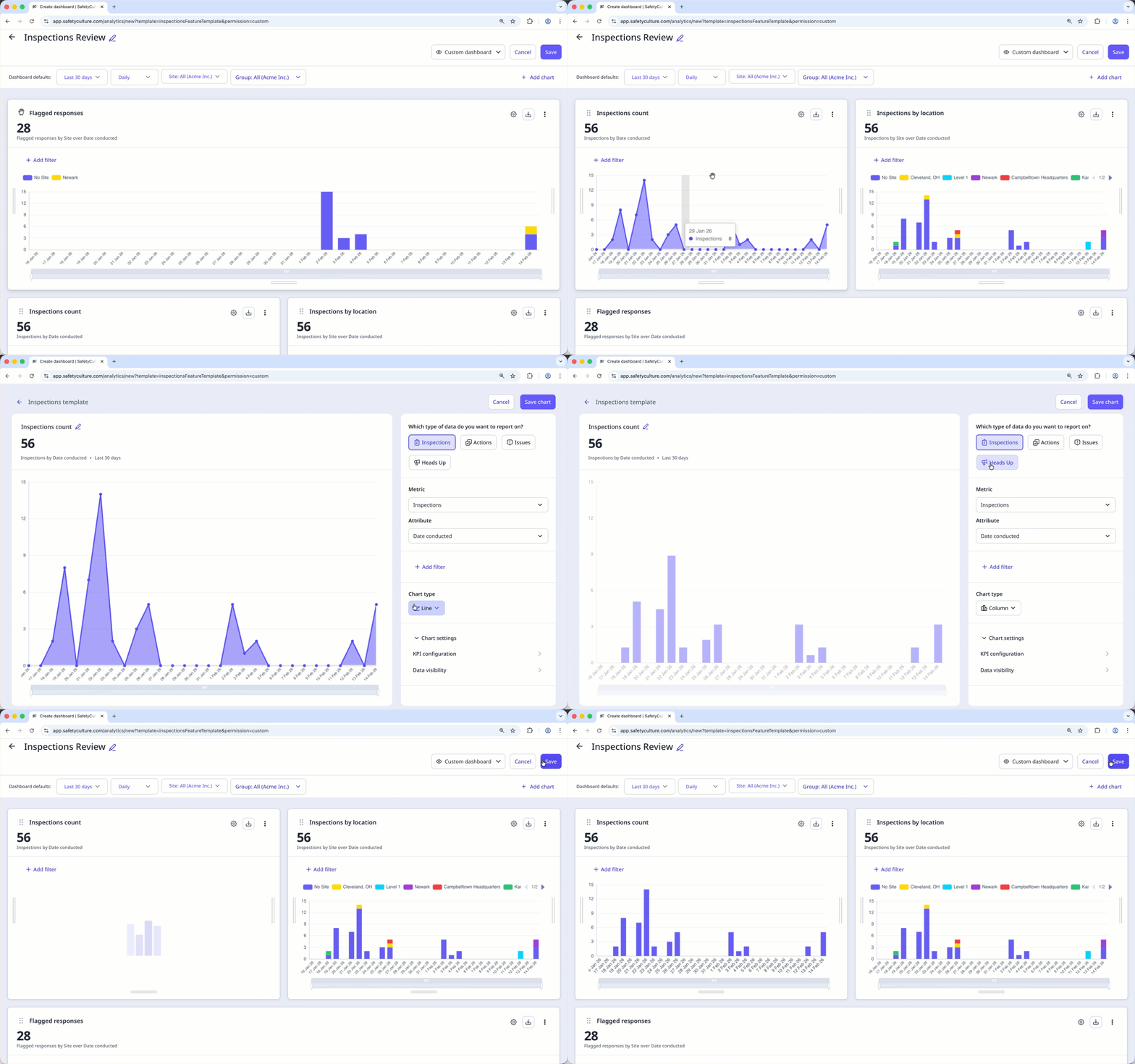
With the new Analytics experience, you can create dashboards, add charts with different metrics and attributes, track KPIs, and more.